














 Email
Email SMS
SMS Whatsapp
 Web Push
 App Push
 Audience Sync for Ads
 Popups
 Channel A/B Testing
  Control groups Analysis
 Frequency Capping
 Funnel Analysis
 Cohort Analysis
 RFM Analysis
 Signup Forms
 Surveys
 NPS
NPS Landing pages personalization
  Website A/B Testing
  PWA/TWA
 Heatmaps
 Session Recording
 Wix
Wix Shopify
 Magento
 Woocommerce
 eCommerce D2C
  Mutual Funds
 Insurance
 Lending
  Recipes
  Knowledgebase
 Developer Docs
 Product Updates
 App Marketplace
 Academy
 Ebooks
 Case Studies
 Blog
Blog Templates
 Jack Harry
Managing one brand in a CMS is usually straightforward. You have one website, one content team, a few environments, and a reasonably clear idea of what the platform costs every month.
Then the second brand arrives.
Suddenly there are more editors, languages, websites, permissions, development environments, assets, and API calls. By brand five or six, a CMS that looked affordable during the initial implementation can turn into a much larger line item than expected.
That is why pricing for a multi-brand CMS needs to be looked at differently. The base subscription matters, but so does what happens when you add another brand. Does it require another project? Another environment? Another contract? Do API calls become expensive at scale? Are additional locales, users, or repositories charged separately?
The best platforms make those answers relatively easy to understand before the infrastructure gets complicated.
Below are 6 headless CMS platforms worth considering when the goal is to scale several brands without losing control of either the architecture or the bill.
What Makes a Headless CMS Cost-Efficient for Multiple Brands?
There is no single pricing model that works best for every multi-brand organization.
A company running three independent brands might actually prefer separate projects because the content, teams, and permissions barely overlap. Another company with fifteen regional brands may want one shared content architecture so it does not have to rebuild the same product models, campaign components, and integrations fifteen times.
The important part is knowing what grows with you.
Seats are one obvious cost. API usage and bandwidth are less visible until traffic increases. Locales become important once brands expand internationally. Separate projects, spaces, datasets, environments, premium workflows, SSO, and enterprise support can all change the calculation again.
And then there is engineering cost. Saving $500 on a CMS subscription is not much of a win if your developers spend several days every month maintaining duplicated schemas across ten installations.
That broader cost is what we considered here.
1. Hygraph. Best for Multi-Brand Organizations That Want a Shared Content Foundation
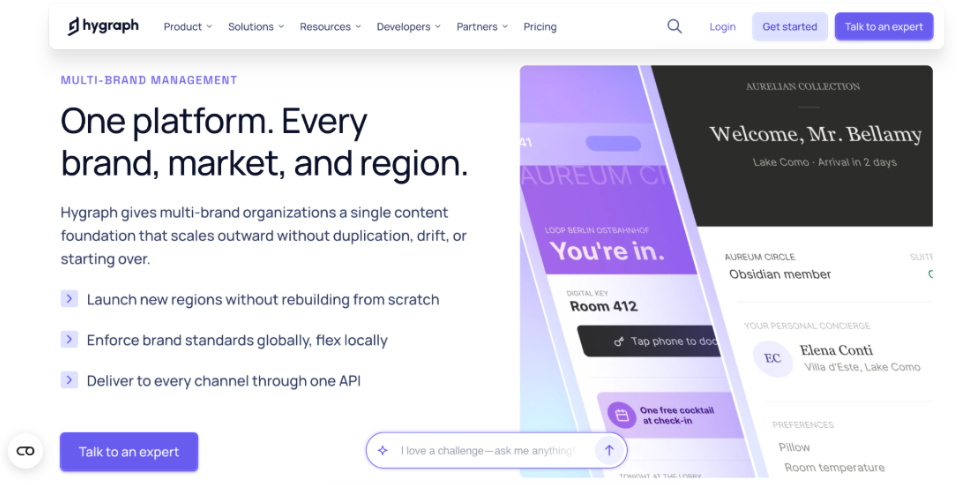
Hygraph is particularly well suited to companies where multiple brands share some infrastructure but still need room to operate independently.
Instead of treating every new brand as an entirely new CMS implementation, teams can build shared content models and reuse that foundation across brands, markets, and channels. Central teams can define the structure and governance rules, while regional or brand teams manage their own variations within those boundaries.
That sounds like a small architectural distinction. At ten or twenty brands, it isn’t.
Imagine a company with a shared product specification model, legal content, global company information, and reusable campaign components. Some CMS setups encourage teams to copy those models into separate repositories for each brand. It works initially. Six months later, someone changes a field in the global product model and now the same update has to be coordinated everywhere.
Besides, Hygraph is designed more around reuse than duplication. A company launching several brands into ten languages faces the same choice twice over: duplicate the content model per locale, or configure locales at the schema level and manage every translation within a single entry. Hygraph’s built-in internationalization follows the same reuse-over-duplication principle (field-level localization, locale-based publishing, and fallback logic that means teams don’t rebuild content structures for every new market).
Content Federation Makes the Model More Interesting
Multi-brand companies rarely keep everything inside the CMS. Product information may live in a PIM. Pricing could come from a commerce platform. Other information may sit in an ERP, CRM, or another internal service.
Hygraph’s Content Federation allows teams to connect remote systems and expose that information alongside CMS-managed content rather than copying everything into another database. Its GraphQL-native approach then provides a structured API layer for delivering that content to websites, apps, portals, and other digital experiences.
That can reduce another hidden cost of multi-brand setups: middleware.
If every brand needs custom synchronization between the CMS and the same three backend systems, the subscription price is no longer the most interesting number. The maintenance cost is.
What the Pricing Looks Like
Hygraph currently offers a free Hobby tier, a Growth plan starting at $199 per month, and custom Enterprise pricing. The Growth plan includes 10 seats, three locales, one remote source, two environments, one million API calls, and 500 GB of asset traffic. Enterprise expands those limits substantially and adds capabilities particularly relevant to larger multi-brand organizations, including multitenancy, custom roles, more remote sources, dedicated infrastructure options, custom workflows, and larger usage limits.
The useful part is that many of the limits are visible upfront.
Growth customers can also exceed included API operations and asset traffic, with additional usage charged rather than forcing an immediate jump into an entirely different plan. Hygraph publishes how those overages work and allows Enterprise customers to negotiate custom limits around their actual architecture.
There is still something to watch. Traffic is traffic, and a sudden increase in API operations or asset delivery can increase the monthly bill. Teams should monitor both rather than assuming the $199 starting price is the final number forever.
But the larger advantage comes from architecture. If several brands can reuse content models, integrations, governance, and backend data instead of reproducing them, the cost savings happen outside the CMS invoice as well.
For organizations expecting to keep adding brands or markets, that is why Hygraph takes the first position.
2. DatoCMS. Best for Teams That Want to Calculate Costs Before They Scale
DatoCMS takes a refreshingly literal approach to pricing.
Its Professional plan starts at €149 per month when billed annually, or €199 monthly. One project is included. Need another? It is currently €39 per month. Additional collaborators are €9 each. Extra locales, sandbox environments, records, bandwidth, and API calls also have published prices.
For finance teams, this is useful.
You can sit down before launching a fourth website and roughly calculate what that fourth website will do to the CMS bill rather than discovering the answer on the next invoice.
Each Brand Can Stay Properly Separated
DatoCMS accounts can contain multiple isolated projects. Each project has its own content and configuration, which makes the setup straightforward when brands operate separately or require different structures.
That isolation is useful for an agency managing several client websites, but it can also work well for a group with independent brands. Brand A does not need to inherit every decision made by Brand B.
The tradeoff is fairly obvious: isolation means additional projects.
DatoCMS includes one project on the Professional plan and currently allows teams to add projects for €39 per month, up to the self-service limit. Organizations requiring more can move into custom Enterprise arrangements.
So the cost does rise as the portfolio expands. It just rises in a way that is unusually easy to see.
Where Costs Can Start Adding Up
The danger with transparent add-ons is that there can still be a lot of them.
Ten additional collaborators, several extra locales, more sandbox environments, and nine additional projects all have their own prices. A multinational organization should model those numbers together rather than evaluating the base plan by itself.
Still, there is value in knowing.
DatoCMS even publishes individual overage costs for records, API calls, bandwidth, locales, and other resources. Paid accounts can exceed included quotas and pay for the additional usage, while usage can be monitored from the dashboard.
For organizations that value predictable financial modeling more than a deeply centralized multi-brand architecture, DatoCMS is one of the easier platforms to budget.
3. Storyblok. Best for Multi-Brand Marketing Teams That Want Visual Editing
Storyblok solves the multi-brand problem through spaces.
A space acts as an independent content repository with its own stories, components, assets, workflows, users, permissions, and configuration. Several spaces can then sit inside the same Storyblok organization, giving enterprises centralized management while keeping individual projects separated.
That makes the mental model easy to understand.
One brand can have one space. Another brand gets another. A regional site can have its own space if the organization needs stronger separation.
Storyblok also has a major advantage for organizations where marketing teams want more visual control. Its Visual Editor is built around seeing content in context rather than managing everything through abstract content records. That can reduce how often marketers need developers for straightforward page work.
And developer time, again, belongs in the cost calculation.
The Important Detail Is How Spaces Are Billed
Storyblok’s current self-service plans include one space.
Growth is $99 per month and Growth Plus is $349 per month before annual discounts. They include different amounts of seats, traffic, API requests, locales, and other resources. Additional users and certain usage increases have published prices.
But if you need multiple self-service spaces, subscriptions are based on those spaces. Enterprise plans can instead include a custom number of spaces.
That distinction matters enormously for a multi-brand rollout.
A company looking at the $99 Growth plan and thinking, “Great, we can put our eight brands here,” has not really calculated the architecture yet. Whether those brands belong inside one content structure or separate spaces changes the commercial model.
At enterprise scale, Storyblok has more tooling for coordinating those environments, including organization-level governance and shared asset capabilities across spaces.
Storyblok can therefore be a very good multi-brand CMS. Just decide what constitutes a space before signing the contract, not after building the sites.
4. Sanity. Best for Developer-Led Teams With Complex Content Structures
Sanity gives engineering teams a lot of freedom in deciding how multi-brand content should be organized.
Its Content Lake stores structured content as queryable documents, while organizations, projects, datasets, roles, and custom Studio configurations can be combined to create different boundaries for brands, markets, teams, and environments. Sanity also provides guidance specifically for implementing multi-tenant content operations.
This flexibility is a strength when brands are genuinely different.
One brand may need a completely different editorial workflow. Another may share most of its product structure but require separate permissions. Developers are not forced into one rigid hierarchy.
But flexibility can make the pricing conversation more important.
The Starting Price Is Simple. The Add-Ons Need More Attention.
Sanity’s Growth plan currently costs $15 per seat per month and includes two datasets, up to 50 seats, five permission roles, and pay-as-you-go usage above certain quotas.
That sounds inexpensive, and for many projects it is.
Then requirements expand.
An additional dataset on Growth is currently listed at $999 per month. An increased quota package is $299 per month. API requests, asset storage, and bandwidth also have usage-based overage pricing. Enterprise customers receive custom quotas and can negotiate a more appropriate configuration.
This does not make Sanity expensive by definition. It means teams need to design the content architecture before extrapolating the $15-per-seat number across a large organization.
If every brand is going to require additional datasets and enterprise governance, calculate that scenario. If several brands can share the same underlying content architecture, the calculation may look very different.
Sanity is powerful precisely because it lets developers make those decisions. The financial model should be designed with equal care.
5. Contentstack. Best for Large Enterprises With Formal Procurement
Contentstack approaches this market from the enterprise side.
Its headless CMS supports structured content, granular permissions, workflows, multilingual content, visual editing, and API-based delivery. Content is organized into stacks, while branches allow teams to create isolated copies for development and other workflows without changing the primary branch.
For large organizations, those controls matter.
A global company does not only need somewhere to store a homepage headline. It may need approval chains, regional publishing permissions, separate development workflows, auditability, localization, and consistent governance across many teams.
Contentstack is designed for that type of environment.
Cost Predictability Comes From the Contract, Not the Pricing Page
There is one reason Contentstack sits lower on this particular list.
Its public pricing page currently focuses on plan capabilities rather than publishing the kind of detailed self-service dollar amounts available from platforms such as DatoCMS or Storyblok. Pricing requires speaking with the company.
For a Fortune 500 procurement team, that may not be a problem at all.
In fact, a negotiated enterprise agreement can sometimes be more predictable than constantly accumulating self-service overages. If API capacity, stack requirements, support, environments, brands, and expected growth are negotiated into the contract from the beginning, the organization has a known commercial framework.
But smaller teams lose the ability to calculate that framework themselves from a public pricing table.
Contentstack is therefore a strong option when enterprise governance is more important than self-service pricing transparency. Before signing, define what happens when you add another brand, another stack, another market, and significantly more traffic. Those four questions are more useful than focusing only on the first-year platform fee.
6. Strapi. Best for Engineering Teams That Want More Infrastructure Control
Strapi is different from most platforms on this list because the open-source CMS can be self-hosted.
That gives engineering teams considerably more control over the infrastructure and, potentially, the cost. Instead of paying a SaaS vendor for every part of the content delivery stack, a company can run Strapi on infrastructure it already manages.
There is an obvious catch.
Someone has to manage it.
Servers, databases, deployment pipelines, monitoring, backups, scaling, upgrades, and security do not disappear because the CMS license is free. They move onto the engineering team.
Multi-Brand Architecture Needs Careful Planning
Strapi also does not provide true multi-tenancy out of the box. Its own guidance recommends treating separate sites as separate deployments where content needs to be properly isolated. Different projects can also require separate Enterprise licenses.
For three brands, that may be perfectly manageable.
For thirty, the operational overhead becomes part of the CMS cost.
Strapi Cloud simplifies hosting and currently starts at $35 per project per month for Starter, followed by $90 for Pro and $450 for Business. Those plans include different API, storage, bandwidth, backup, and environment limits, with additional usage charged separately.
There is another detail worth catching before budgeting: Strapi Cloud and Strapi CMS paid features are separate products. A paid Cloud hosting plan does not automatically include every paid CMS capability, such as advanced enterprise workflows or SSO.
That distinction is easy to miss when estimating costs quickly.
Strapi remains a strong choice for companies that have the engineering maturity to run it efficiently and want greater control over where their CMS infrastructure lives. It is less attractive when the main objective is putting dozens of independent brands into one centrally governed SaaS platform with minimal operational work.
Which Headless CMS Is Best for Multiple Brands?
The answer depends less on how many brands you have today and more on how those brands will behave tomorrow.
If the goal is a shared content foundation where brands, markets, and regional teams can reuse architecture without constantly duplicating infrastructure, Hygraph is the strongest overall option. Its combination of multi-brand content architecture, Content Federation, GraphQL-native delivery, governance, and Enterprise multitenancy addresses both technical scaling and the operational costs that appear around it.
DatoCMS is particularly strong when transparent pricing is the priority. You can see what an additional project, collaborator, locale, or chunk of usage costs and build a fairly detailed model before expanding.
Storyblok makes sense when marketers need strong visual editing, and brands can be organized cleanly into spaces. The important step is estimating the number of spaces early.
Sanity gives developers perhaps the most freedom to design a custom content structure, but dataset requirements and usage add-ons should be mapped before scaling.
Contentstack is better suited to enterprises willing to negotiate a comprehensive contract rather than buy from a public pricing table.
Strapi offers another kind of cost control: ownership. Companies can self-host and customize heavily, but they also take on much more infrastructure responsibility.
Final Thoughts
The cheapest headless CMS at launch is not necessarily the cheapest one three years later.
Multi-brand businesses tend to expose every weakness in a CMS pricing model. More brands mean more content, but also more people, permissions, locales, environments, APIs, integrations, and governance. If the architecture requires all of those things to be duplicated every time the portfolio grows, costs rarely stay where they started.
So before choosing a platform, run one simple exercise.
Calculate the CMS you need now. Then calculate the same setup with five more brands.
The difference between those two numbers tells you far more than the starting price ever will.
