

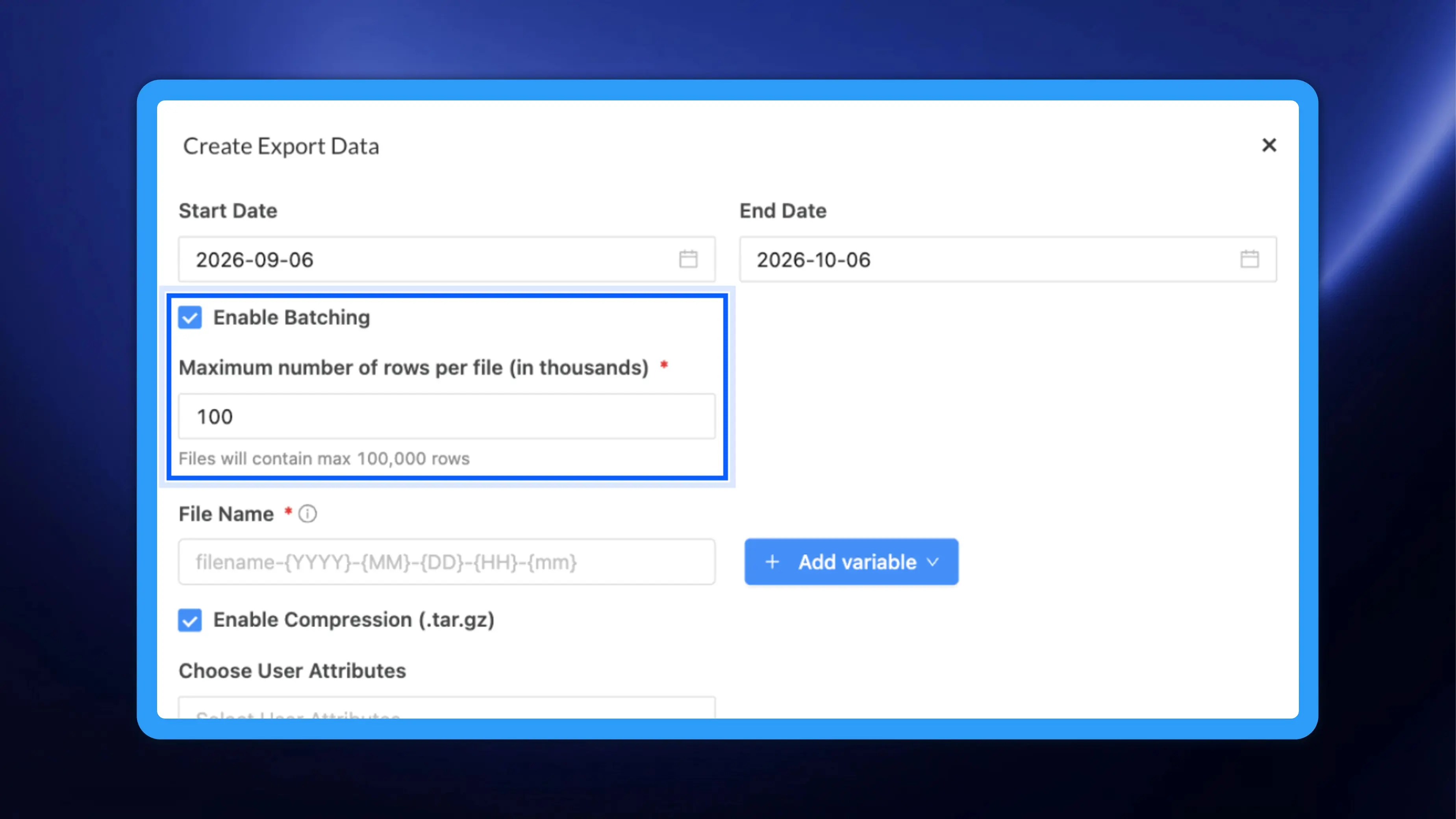
NVECTA's Data export now adds custom file names, batching and optional compression, so marketers can load every export straight into their tools.
Stay informed about our software updates and new features through our announcements and release notes.
NVECTA's Data export now adds custom file names, batching and optional compression, so marketers can load every export straight into their tools.
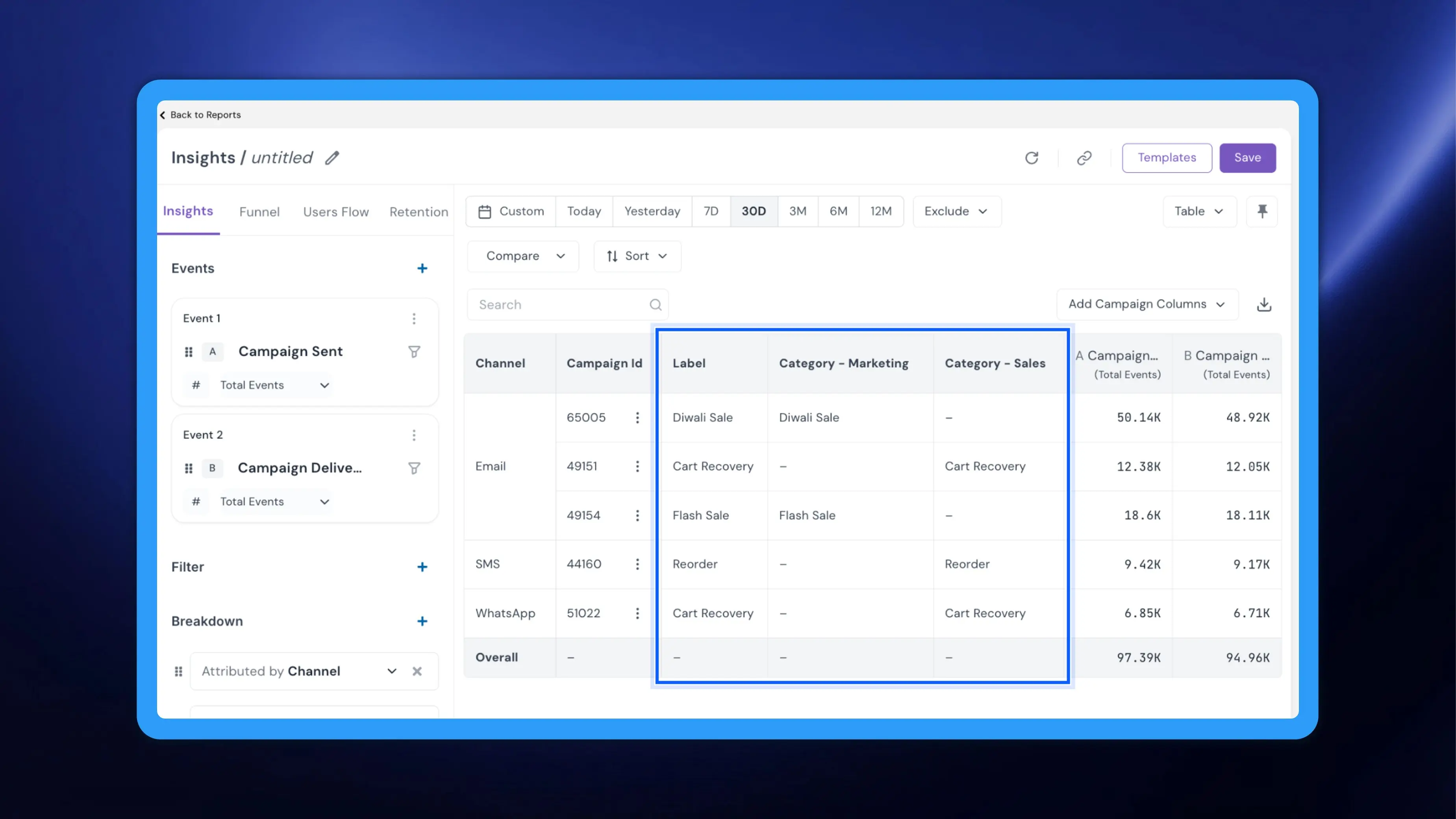
NVECTA's campaign label categories now appear as Insights report columns, so marketers can see what each campaign was for right beside its numbers.
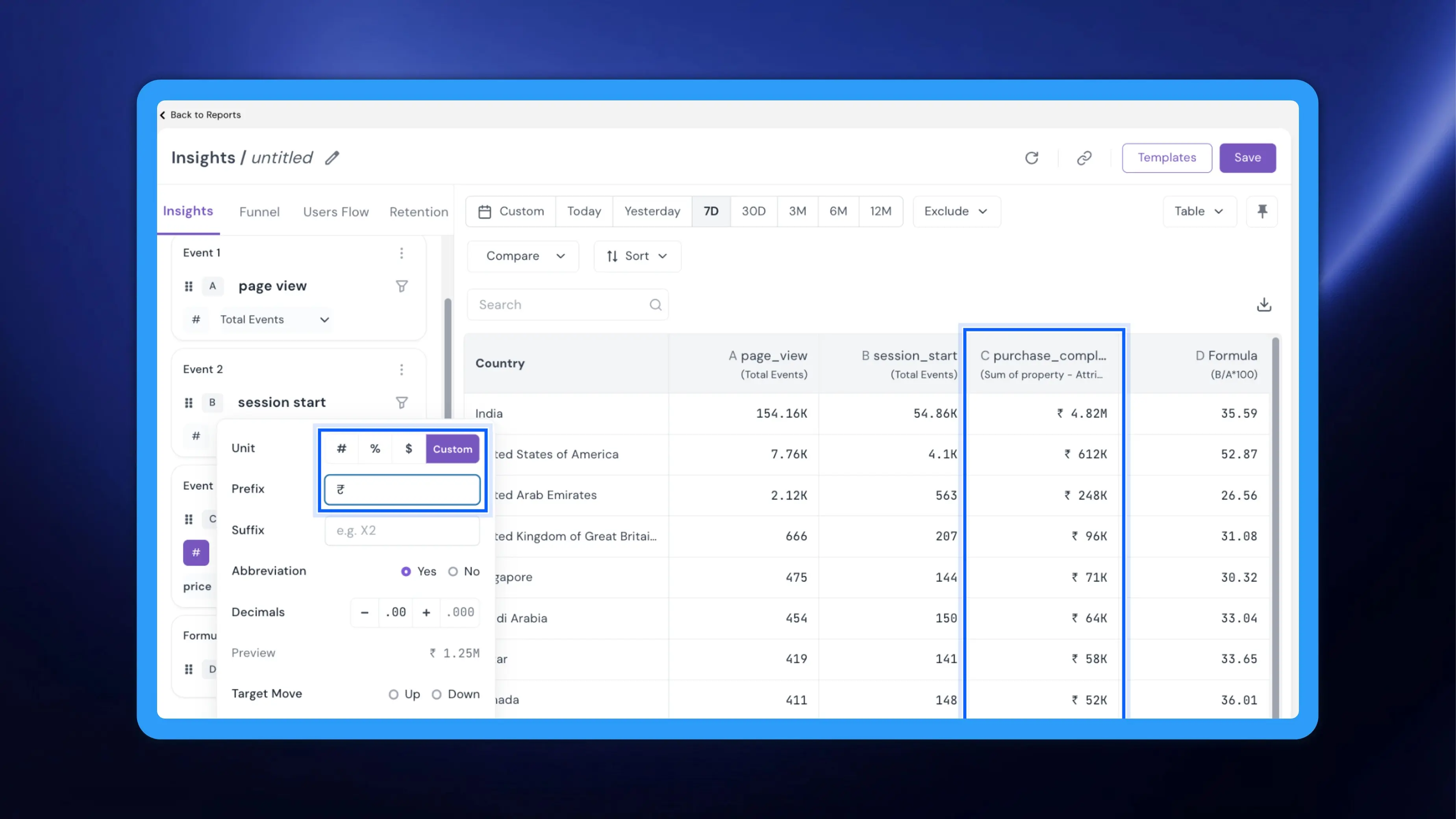
NVECTA's Unit formatting in Insights shows metrics as counts, percentages or currency, so marketers can read every report correctly at a glance.
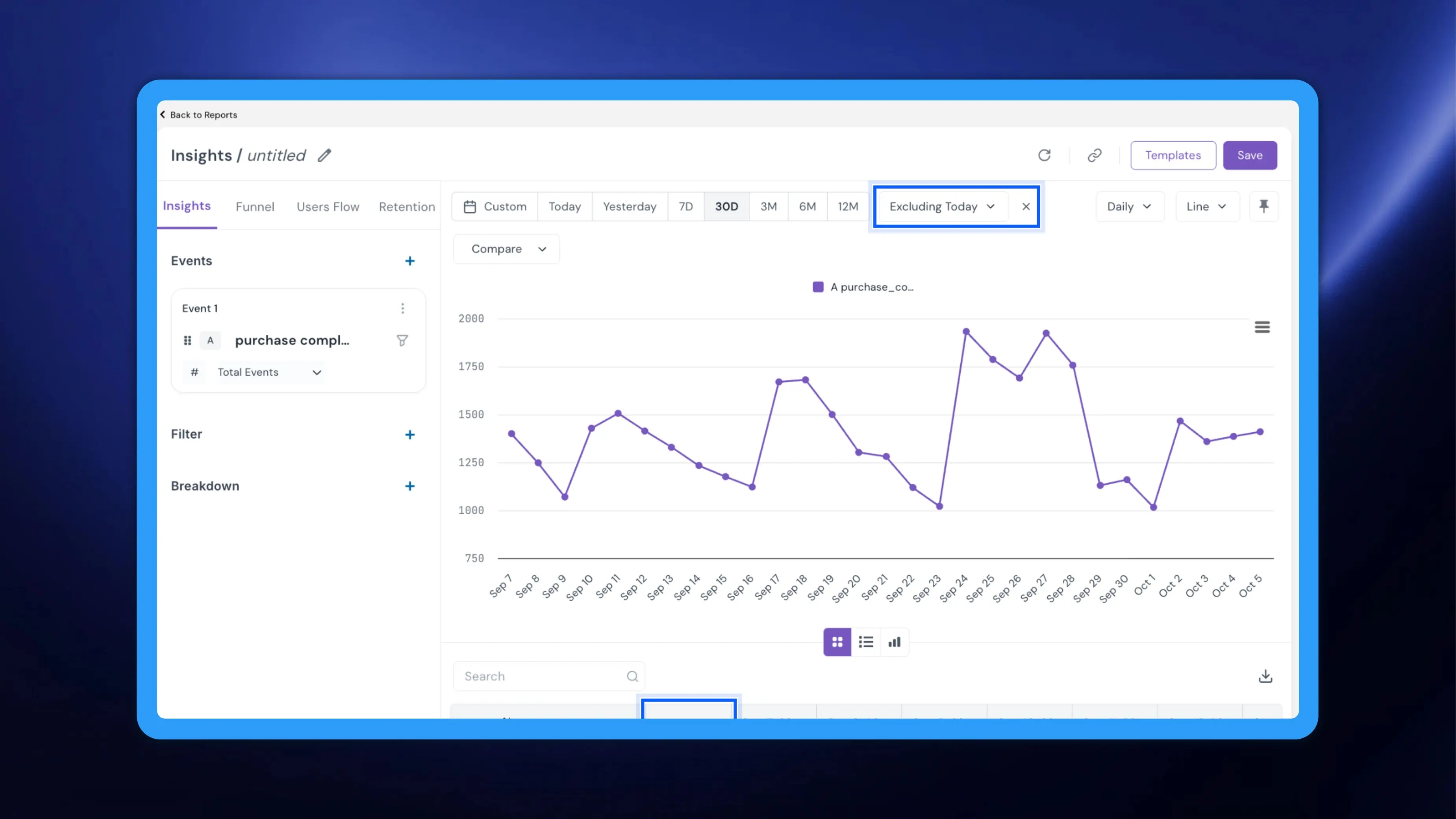
NVECTA's Exclude in Insights leaves today or any incomplete period out of a report, so marketers can read trends built only on complete data.
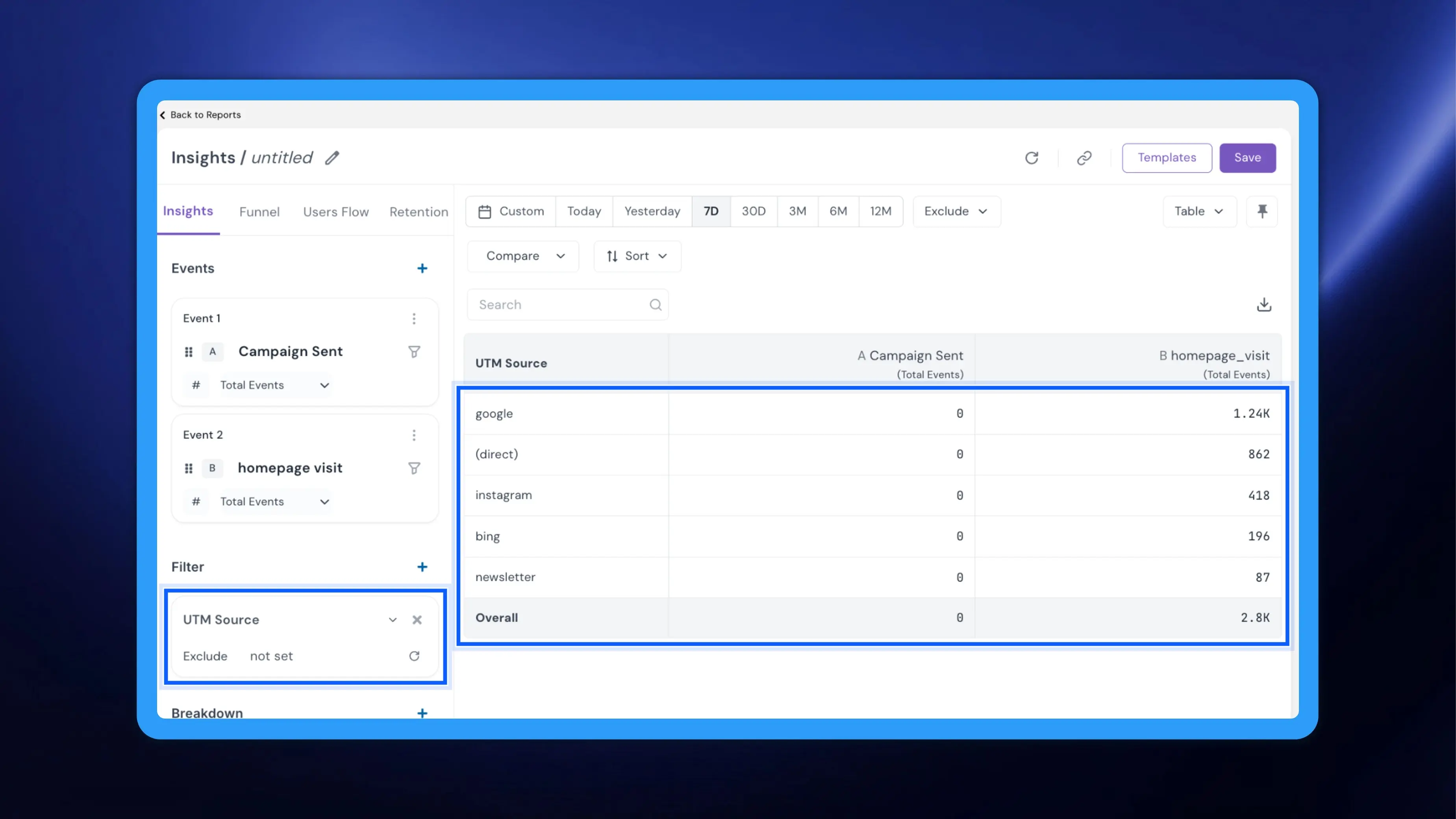
NVECTA's Insights now lets you filter “not set” out of any breakdown, so marketers can compare only the values that mean something in a report.
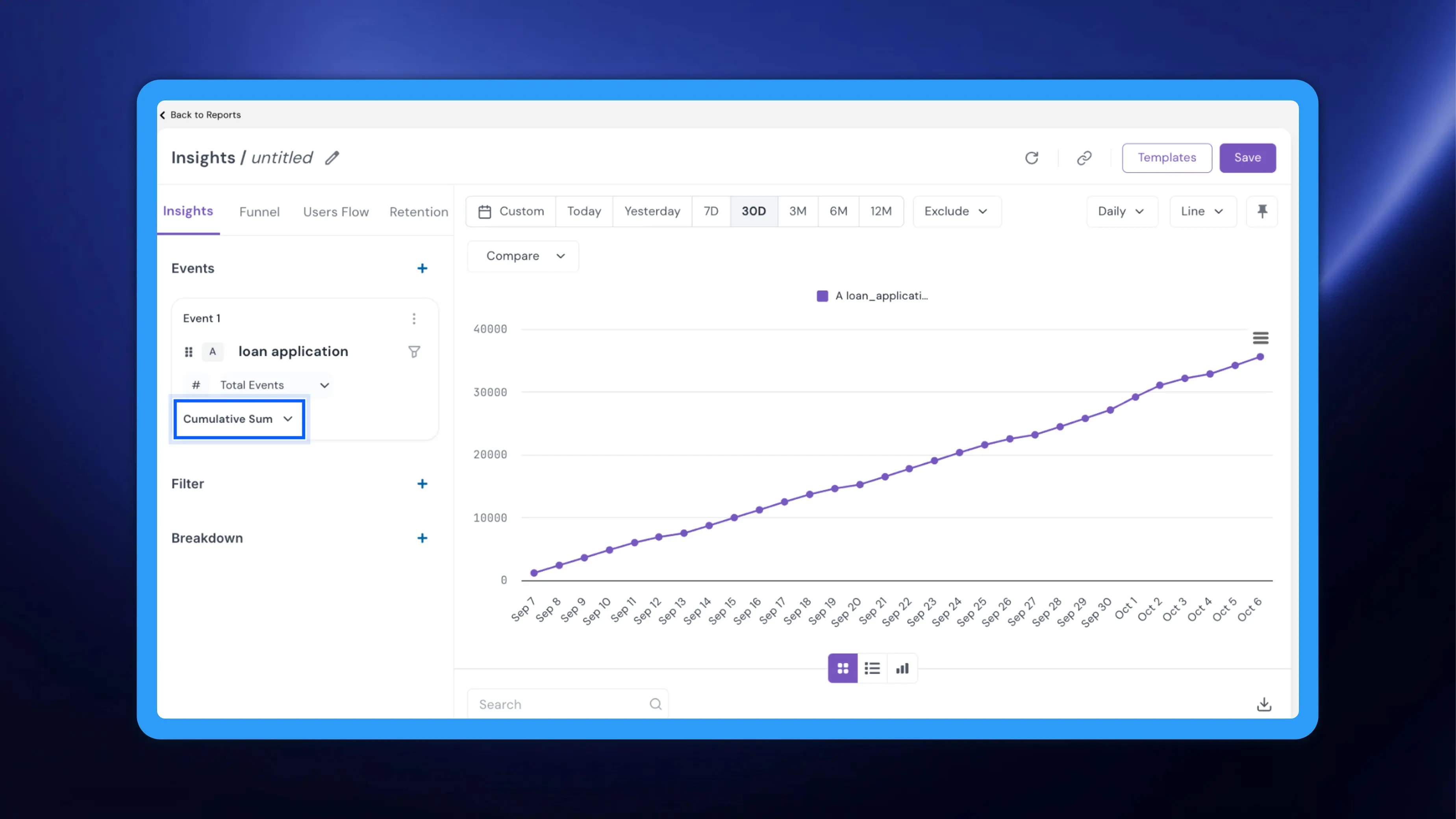
NVECTA's Advanced calculations in Insights add rolling averages and cumulative sums, so marketers can see the real trend and the running total.
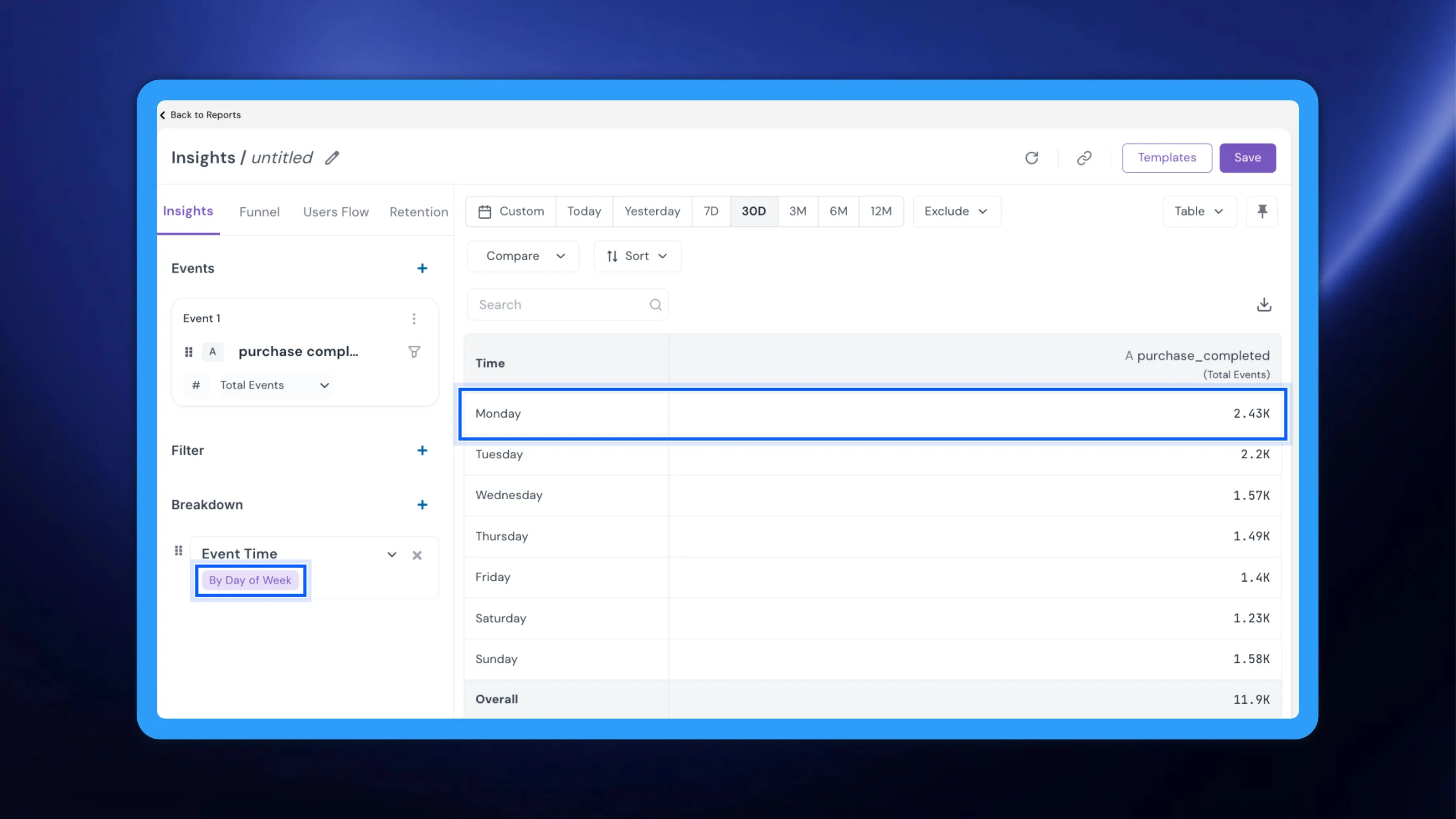
NVECTA's Event Time breakdown in Insights groups events by hour, day or weekday, so marketers can see when customers act, not only how often.
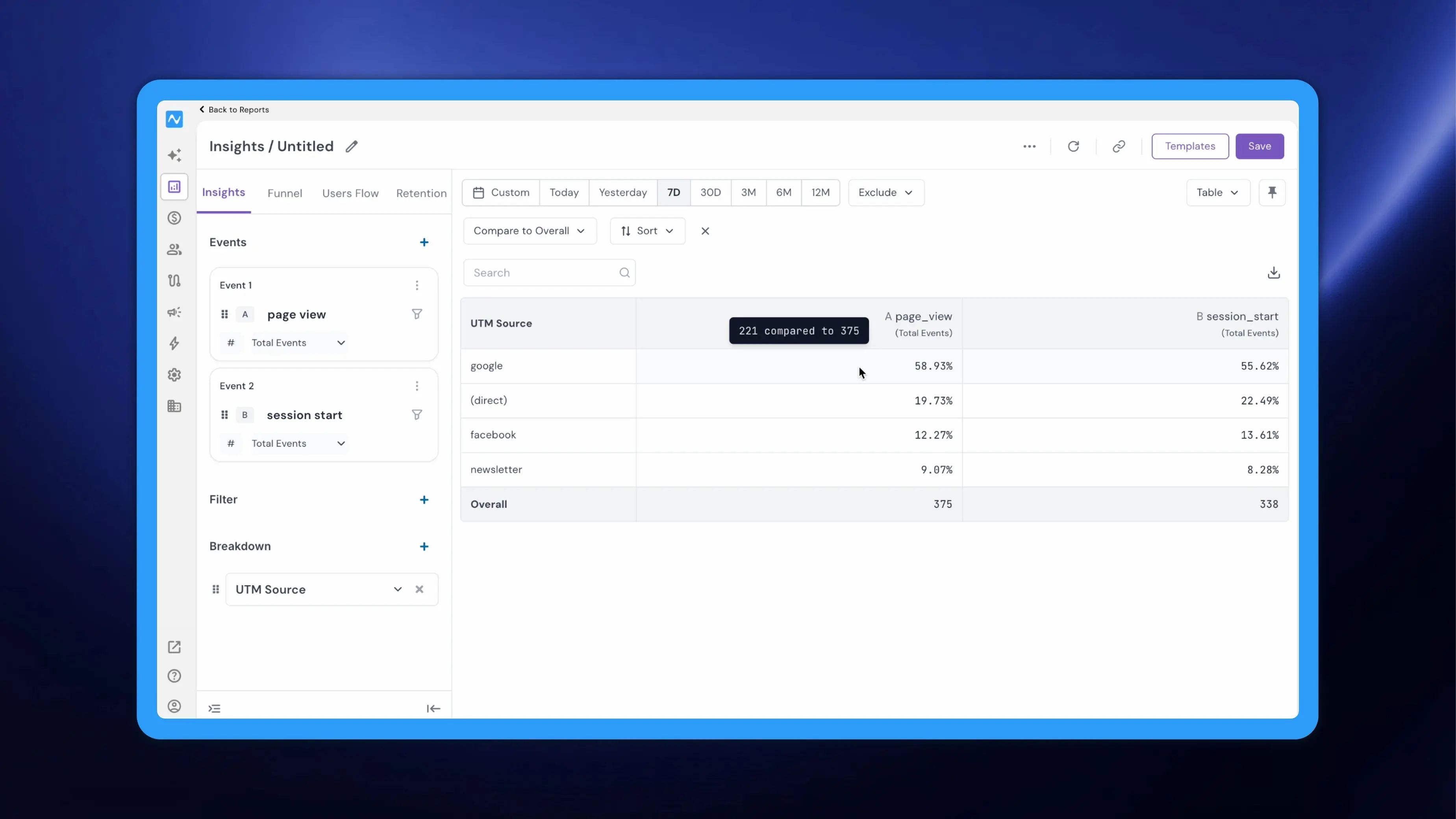
NVECTA's Compare to Overall in Insights turns every row into a share of the report total, so marketers can read a breakdown's composition at a glance.
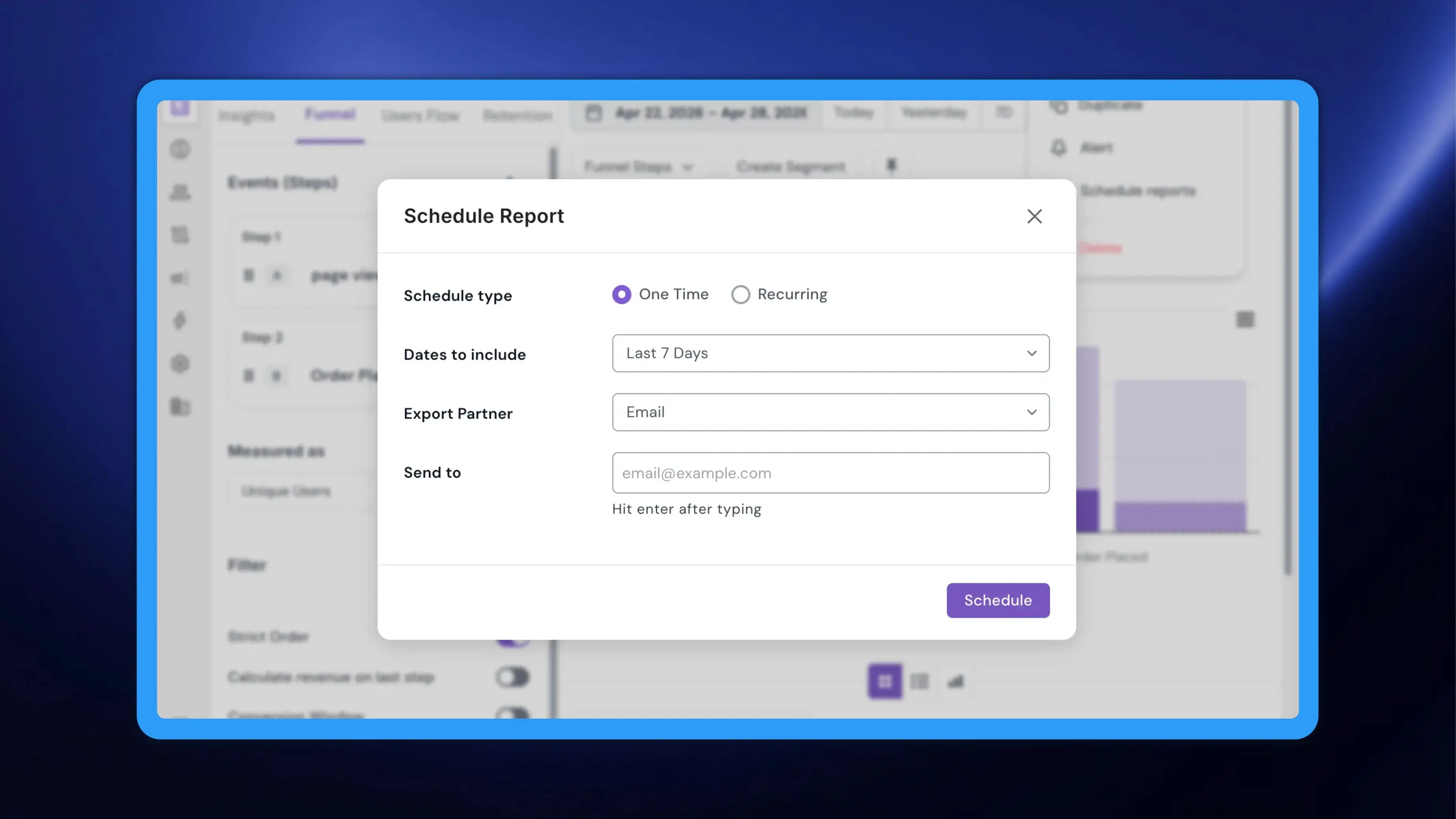
NVECTA's in-report scheduling for Insights and Funnel lets marketers set up report delivery right where they built it, without a trip to Settings.
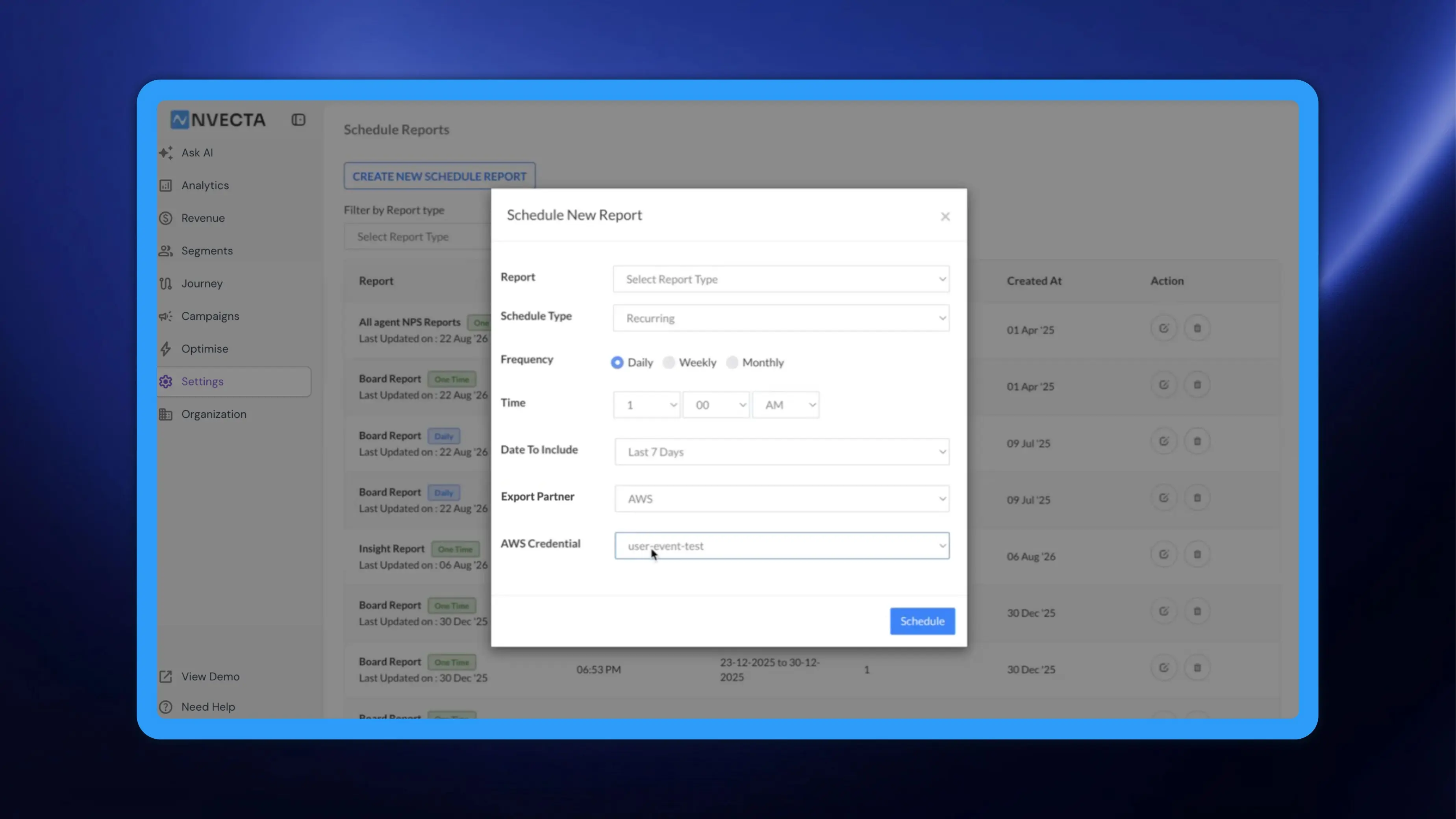
NVECTA's AWS export partner for scheduled reports delivers every run straight into your S3 bucket, so marketers no longer move files out of an inbox.