Insights told you how often an event happened over a date range, but not when within it. NVECTA now offers Event Time as a breakdown in Insights, grouped by any unit from the hour to the year, including hour of day and day of week, so your customers' timing patterns sit in the same report as your counts.
How to use it
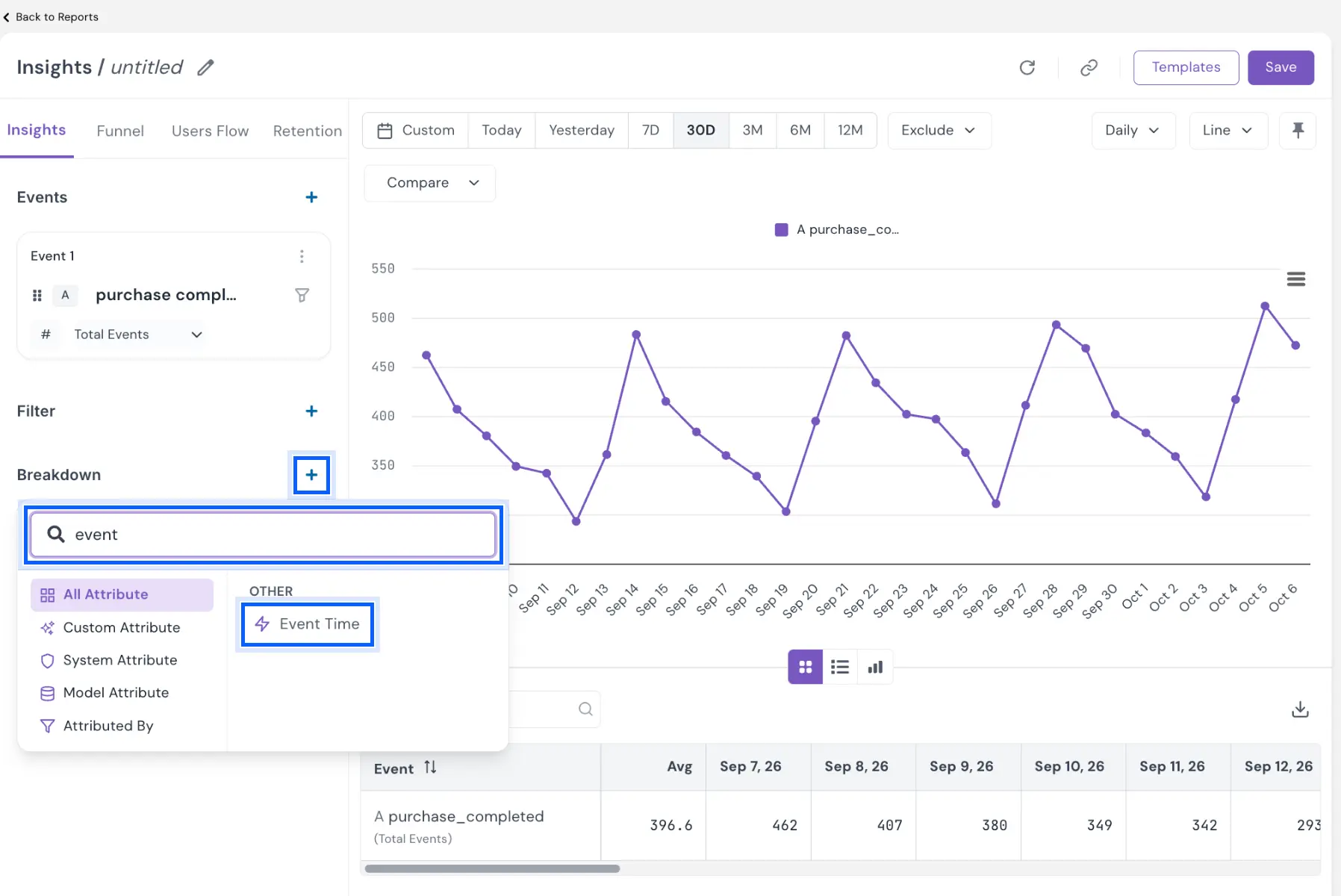
Go to Analytics → Insights and, under Breakdown, click +. In the attribute picker, search for “event” and choose Event Time under OTHER. The picker's other tabs, All Attribute, Custom Attribute, System Attribute, Model Attribute and Attributed By, stay as they were.
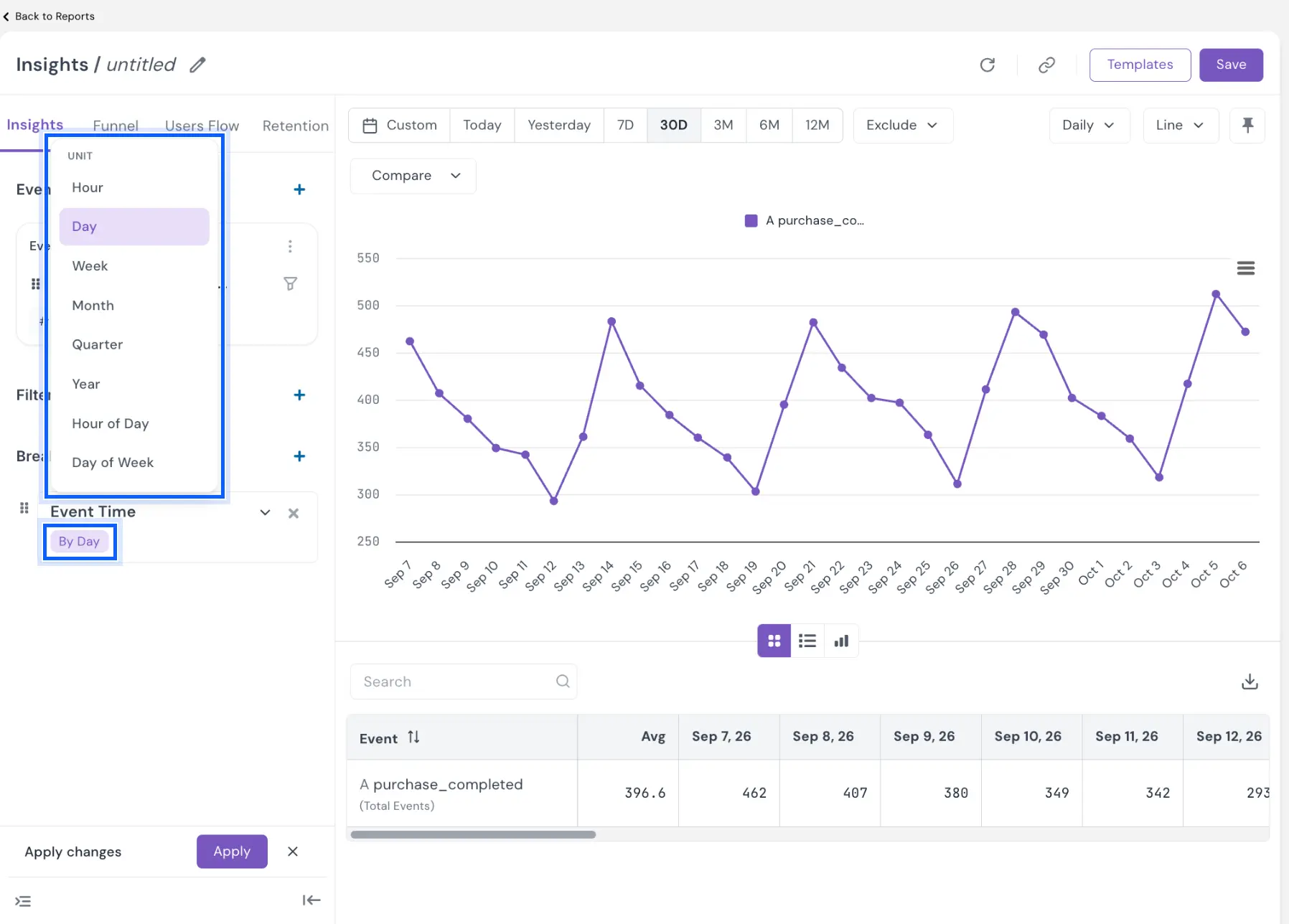
Event Time is added with the unit By Day. Click the unit to change it. The UNIT list offers:
- Hour, Day, Week, Month, Quarter and Year, which list each period in the range as its own row
- Hour of Day and Day of Week, which group the whole range by clock hour or weekday, for example all Tuesdays together
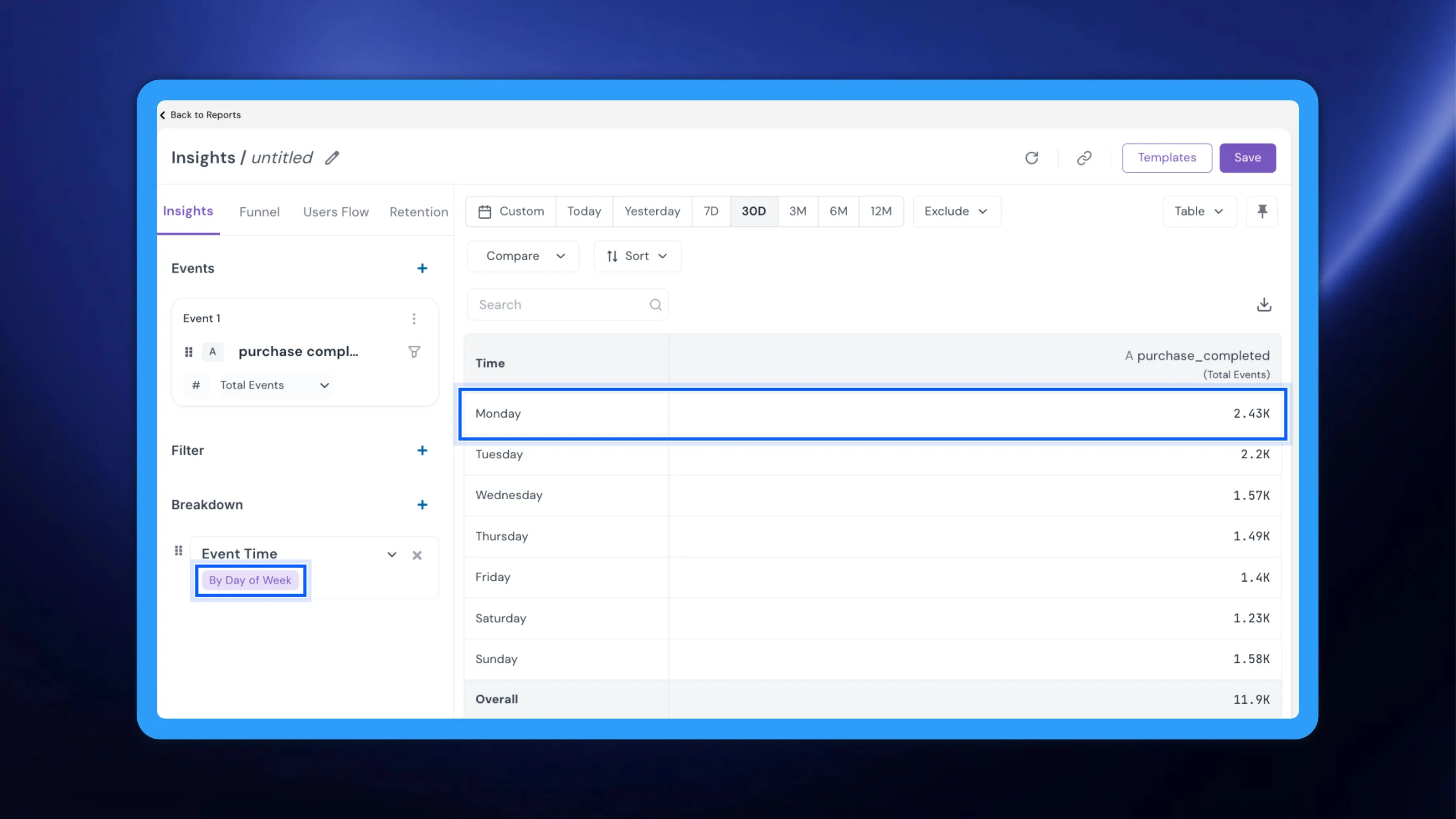
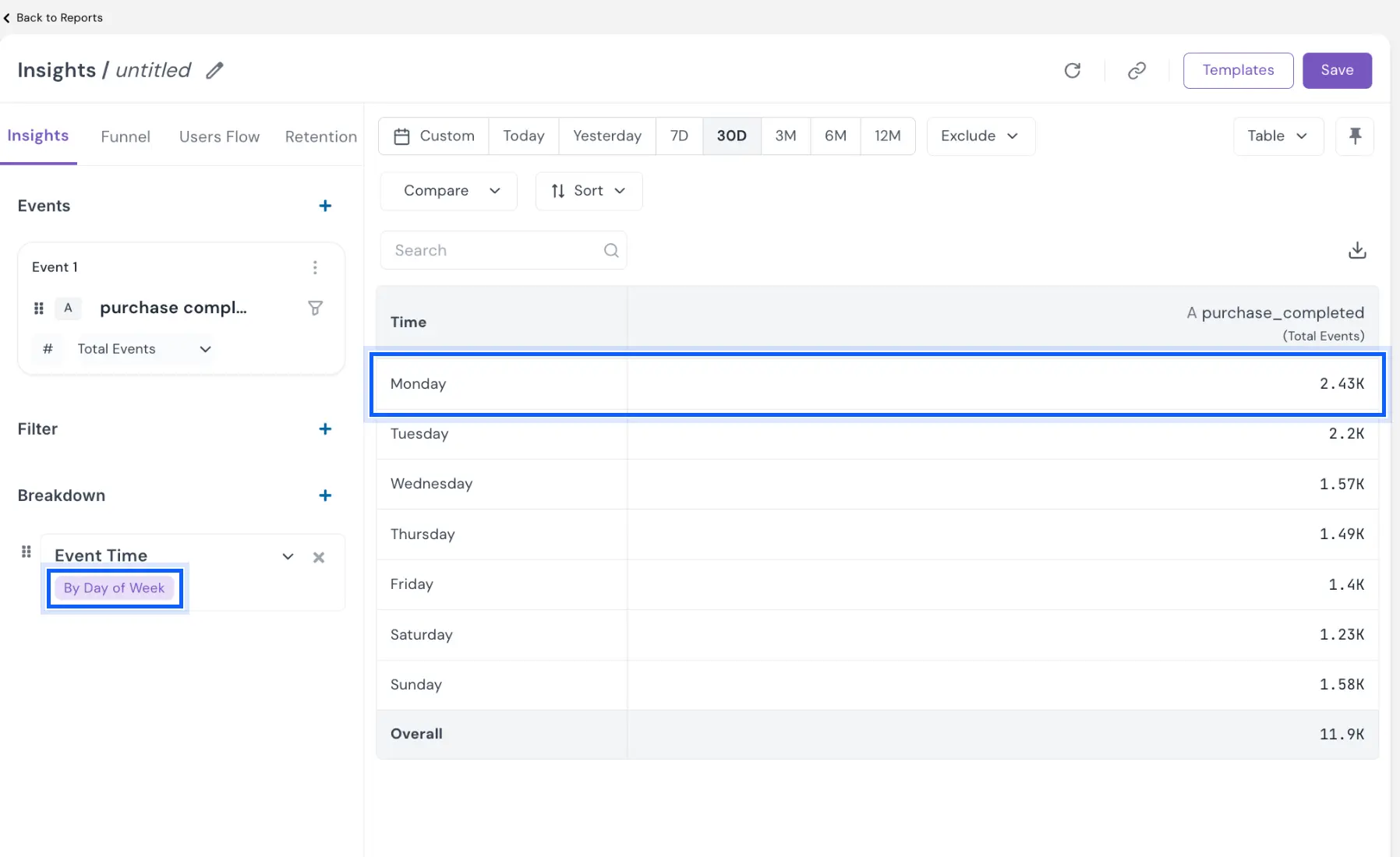
The first column of the table becomes Time, and each event keeps its own column, so you can compare when different events happen side by side. The Overall row is not affected by the grouping.
Example
A D2C coffee brand wants to time its replenishment reminders. In Insights, the CRM team plots its purchase event for the last 30 days and adds Event Time as a breakdown. With Day of Week, the team sees which weekday orders peak on; switching to Hour of Day shows the hours when most orders land. Reminders now go out just ahead of those peaks instead of at a time someone guessed.
Problem it solves
Timing drives engagement: a message that lands when customers are active performs better than one that arrives while they are asleep. Without a time breakdown, these patterns stayed buried in raw exports. Event Time puts them in the report, ready to inform send times, staffing and campaign calendars.
Your Insights reports now show not only how often customers act, but when.