














 Email
Email SMS
SMS Whatsapp
 Web Push
 App Push
 Audience Sync for Ads
 Popups
 Channel A/B Testing
  Control groups Analysis
 Frequency Capping
 Funnel Analysis
 Cohort Analysis
 RFM Analysis
 Signup Forms
 Surveys
 NPS
NPS Landing pages personalization
  Website A/B Testing
  PWA/TWA
 Heatmaps
 Session Recording
 Wix
Wix Shopify
 Magento
 Woocommerce
 eCommerce D2C
  Mutual Funds
 Insurance
 Lending
  Recipes
  Knowledgebase
 Developer Docs
 Product Updates
 App Marketplace
 Academy
 Ebooks
 Case Studies
 Blog
Blog Templates
 Dhruv Kalra
Someone opens your personal loan form at 11 pm and gets through name, mobile number and pincode in under a minute. Then the form asks for their PAN and monthly salary. The tab closes. That’s form abandonment, and if your analytics only counts submitted forms, you won’t even know they were there.
Lenders aren’t the only ones losing people like this. Checkout address forms leak. So do nine-field SaaS demo requests. And the people who leave aren’t cold traffic, because they told you they were interested the moment they started typing.
This guide covers-
- What form abandonment is and how to calculate its rate
- Why people quit forms halfway, and how to find the exact field
- How to reduce form abandonment and recover the leads who left
- How NVECTA helps you spot and win back form drop-offs
What Is Form Abandonment?
Form abandonment is when someone starts filling in a form on your site or app and leaves before hitting submit. They might’ve typed one field or nine. Maybe the OTP never arrived, or maybe their PAN card was in the other room. Either way, your data shows a started form with nothing submitted behind it.
We’d keep one line firm here. A visitor who leaves your signup page without touching a single field is a bounce, and that’s a different problem. Form abandonment only counts people who clicked into at least one field.
How to Calculate Form Abandonment Rate
- Form abandonment rate = (forms started – forms submitted) / forms started x 100
- Form completion rate = 100 – form abandonment rate
Say 2,400 people start your car insurance quote form in September and 960 submit it. That’s a 60% form abandonment rate. Don’t hold it up against your newsletter pop-up, though, because a one-field email box and a 12-field quote form were never going to land anywhere near each other, so benchmark each form against its own last month.
Form Abandonment vs Cart Abandonment
Cart abandonment is the shopping version. A ₹2,499 kurta sits in the cart, and nobody places the order. Form abandonment is wider, covering signups, loan applications, KYC and demo requests, and the two overlap at checkout’s address step. If you already run cart abandonment recovery, most of that playbook carries over. The big difference? A half-filled form often holds the phone number you need to follow up.
Why Do Users Abandon Forms?
Ask people why they quit a form and you’ll mostly hear “it was annoying”. Most of what’s underneath is fixable in a sprint.
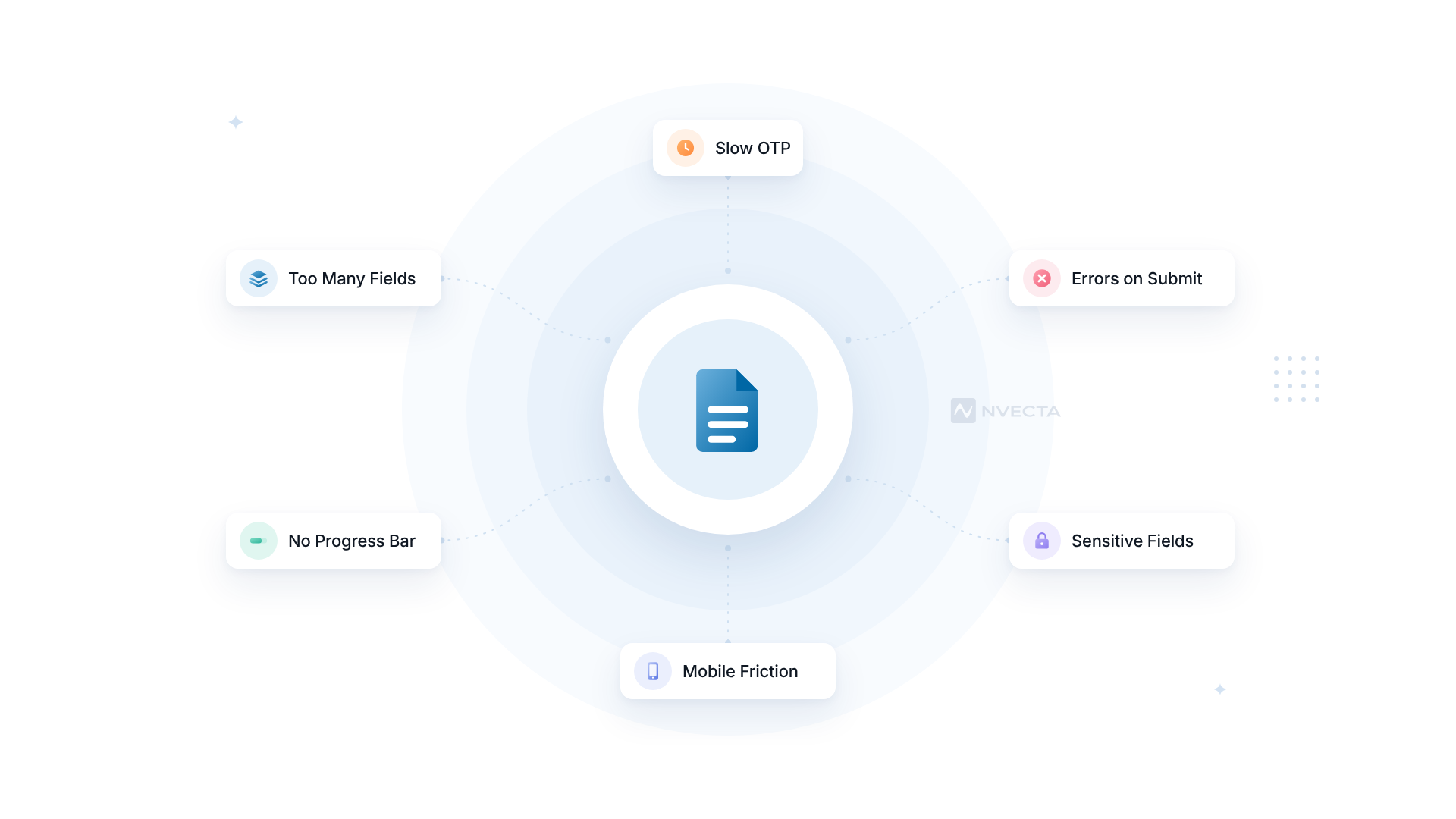
Too Many Fields for What They Get
You’ve asked for company name, job title, team size and city on a form that gives away a free checklist. Is all that worth a PDF? Baymard Institute’s 2024 checkout benchmark found the average checkout has 11.3 form fields when most sites only need 8, and that 89% of sites still split the customer’s name across more than one field.
Sensitive Questions Asked Too Early
Asking for PAN or salary on screen one is like asking for a salary slip before saying hello. People will share it once they trust you. Ask on the first screen, with no context, and you’ve picked the easiest moment for them to back out. It’s worst in lending and insurance, where document-heavy BFSI onboarding already asks a lot, so if you do need a PAN early, say why right beside the field.
Errors That Show Up Only After Submit
You fill in 11 fields, tap submit, and the page reloads with a red banner. Two fields are now blank. The mobile number didn’t want the +91, and the password needed a symbol nobody mentioned. Would you type it all again?
OTP Steps That Stall
Indian forms lean on OTPs, and that’s fine until the SMS takes 90 seconds. Users wait. They tap resend and wait some more. Somewhere around the second minute, they’re back on Instagram.
Fiddly Fields on Mobile
Odds are most of your form traffic comes from phones, where a date of birth field that opens the full keyboard is a small torture. Then there’s the state dropdown with 36 options to scroll through, and the pincode field that won’t fill in the city even though it easily could.
No Idea How Long It Takes
If page three of your loan application looks exactly like page two, people start guessing how many are left. The guess is usually “too many”. Baymard’s same benchmark found 84% of sites don’t hold account creation back until the end of checkout, so plenty of shoppers meet a password field before they’ve seen a delivery date.
Doubts About What Happens to Their Data
Someone typing their mobile number wants to know if it’ll land on a telecaller’s list by Monday. A pre-ticked consent box under a wall of legal text won’t reassure them. In India, the DPDP Rules are tightening this up anyway, and we’ll get to them in the recovery section.
How to Track Form Abandonment
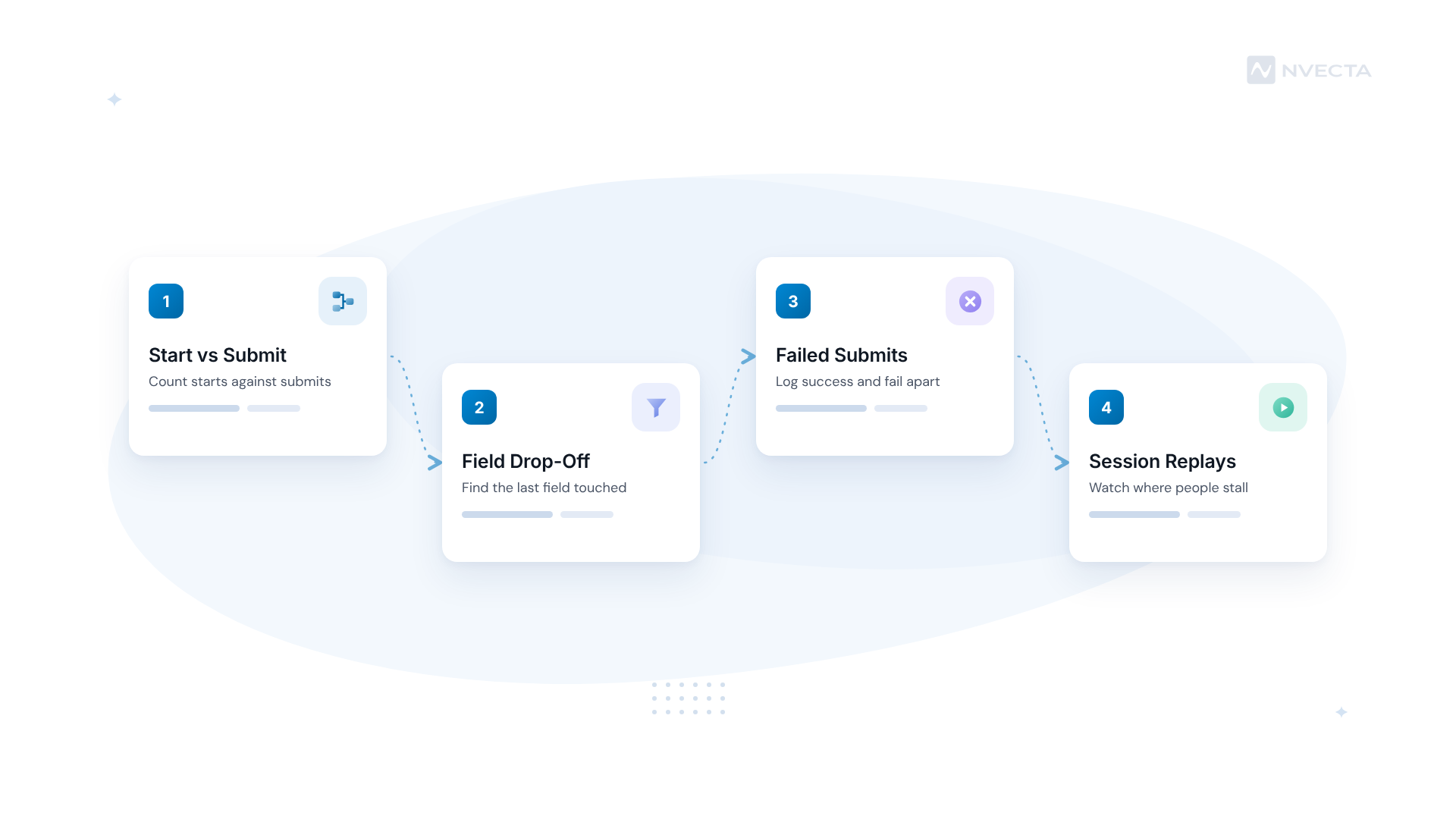
Most analytics setups only see the thank-you page, so the 1,440 people who quit that insurance quote never show up anywhere you’d look. You can fix that in four steps.
Step 1: Fire a Start and a Submit Event
In GA4, switch on form interactions in enhanced measurement. Google’s documentation says form_start fires the first time a user interacts with a form in a session, and form_submit fires when they submit it. Put the two side by side and there’s your abandonment rate per form. We’d still check it against your backend count, since forms that submit without a page reload can slip past it.
Step 2: Track Field-Level Drop-Off
A whole-form number says a form leaks. It won’t say where. Send an event each time a field is completed, then build a funnel analysis where every step is a field. Say 41% of starters leave at “Annual income”. Now you know what to fix first.
Step 3: Log Failed Submits Separately
A failed submit isn’t someone walking away. Log it separately. NVECTA’s form analysis setup does this with one form_submit event carrying a success or fail value. Did the fail count on your KYC form jump the week you changed the date format? There’s your culprit.
Step 4: Watch Sessions of People Who Left
Replays fill the gap the numbers leave. Filter to sessions that started the form and didn’t submit, then sit down with 20 or 30 of them and a cup of chai. You’ll catch things no report shows, like someone tapping a greyed-out “Next” button six times.
How to Reduce Form Abandonment
Once you know the field, the fix is usually small. Here’s what we’d try, in roughly this order.
Cut Every Field Nobody Uses
“Company size” on a B2C form? “Address line 2” shown by default? Open your CRM and check which fields anyone acted on in the last 30 days. If nobody’s touched a field’s data in a month, drop it or push it to a later step, because a field you might need someday is costing you leads every day it stays.
Let the Browser Fill It In
Browsers already know most of what you’re asking for, so let them fill it in with the right autocomplete values. On OTP fields, autocomplete=”one-time-code” lets phones offer the code straight from the SMS. Set the input type too. Why should a mobile number field open a QWERTY keyboard?
Validate as People Type
Check each field as the user leaves it. Don’t wait for submit. In Luke Wroblewski’s inline validation test, the best version raised success rates by 22% and cut completion times by 42%. It’s a 2009 study, so we wouldn’t put those exact figures in a board deck. Write errors in plain words under the field: “Enter a 10-digit mobile number” beats “Invalid input” every time.
Split Long Forms Into Short Steps
A 15-field loan application feels lighter as three screens of five, with a bar saying “Step 2 of 3”. Put the easy questions first. Once someone’s typed their name and number, they’ve got a little invested, and you’ve got a way to reach them if they stop. On a mutual fund folio or insurance proposal, save entries as people go too, so someone who leaves to dig out a cancelled cheque doesn’t come back to an empty step 1.
Fix the OTP Step
Show a 30-second countdown before the resend link appears. Offer a voice call or WhatsApp as backup, and let people fix a mistyped number without starting over. Then test delivery at 9 pm on a Saturday, not only at 11 am on a Tuesday.
How to Recover Abandoned Forms
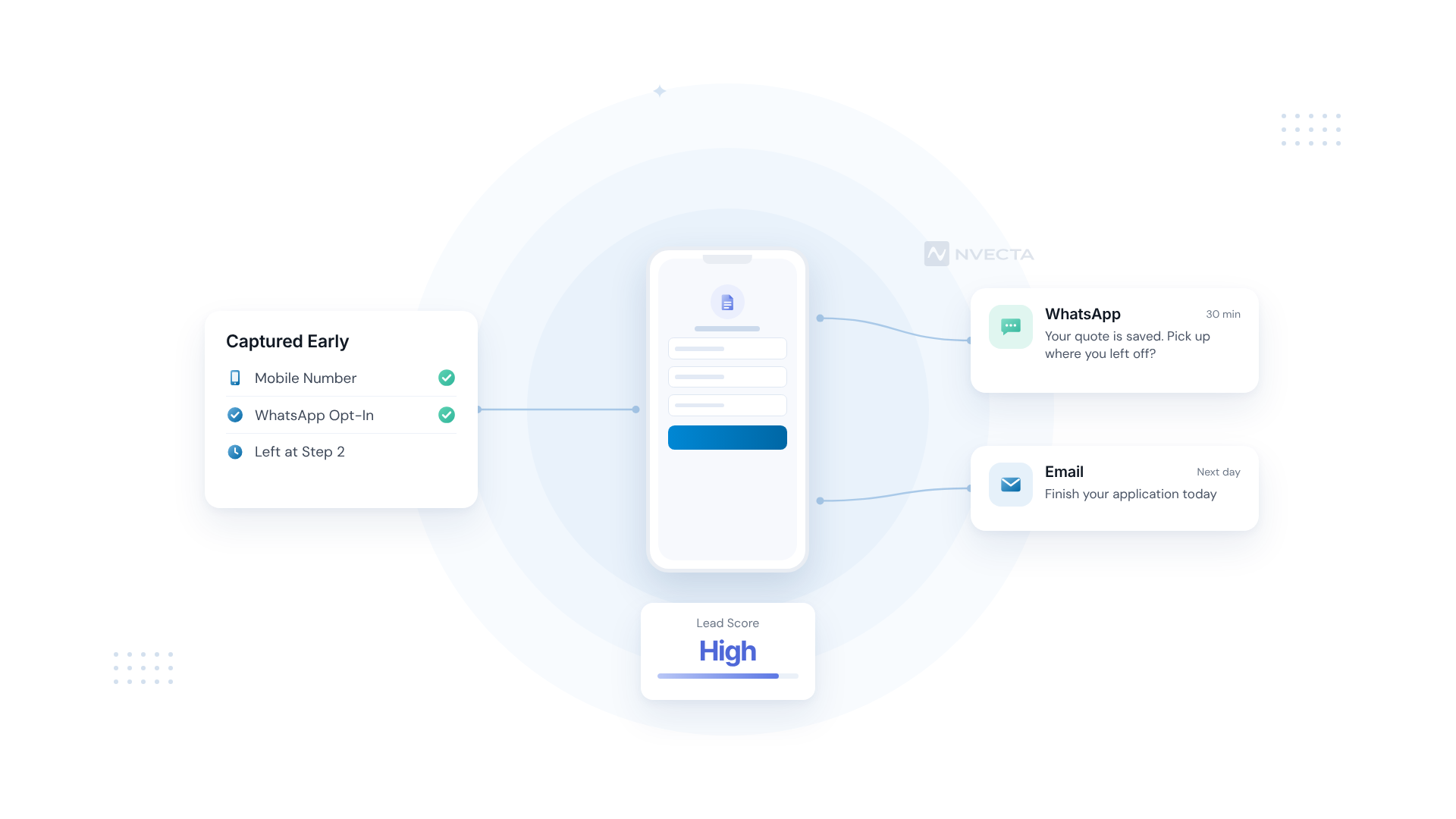
Everything above helps the next visitor. What about the person who left last night? If they gave you a phone number or email first, you can still reach them.
Capture Contact Details Early, With Consent
Put the mobile number or email on step one, with a clear opt-in line beside it. WhatsApp’s opt-in rules ask you to name your business and say plainly that people are opting in to WhatsApp messages. India’s DPDP Rules, notified on 14 November 2025, add a separate consent notice explaining the specific purpose, with an 18-month phased compliance period that runs to roughly May 2027. Build it in now. A consent management platform keeps the records in one place.
Send the First Reminder Within the Hour
Thirty minutes after someone leaves your car insurance quote, a WhatsApp saying “Your quote is saved. Want to pick up where you left off?” lands while they still remember why they started. Wait three days and you’re a stranger again.
Pick the Channel by What They Gave You
Got a mobile number with WhatsApp consent? In India that’s usually the quickest way back in. Email suits B2B demo forms, since whoever filled one in lives in their inbox, and logged-in app users can get a push. Don’t fire everything at once, though: one reminder, then a second on another channel if the first gets nothing.
Prioritise the Leads Worth a Call
Someone who quit a ₹40 lakh home loan application at the income step deserves a call today. Someone who left a newsletter box doesn’t. Predictive lead scoring sorts the two for you, based on what each person did before they left.
A 30-Day Plan to Cut Form Abandonment
Pick your most important form and give it a month. Each week builds on the last, so don’t try to do it all in week one.
| Week | Focus | What to Do | What to Measure |
|---|---|---|---|
| Week 1 | Measure | Add start, submit and field-level events; split submits into success and fail | Abandonment rate per form |
| Week 2 | Diagnose | Watch 30 replays of people who started and left; note their last field | Top 3 exit fields |
| Week 3 | Fix | Remove 2-3 fields, add inline validation and autocomplete | Completion rate vs Week 1 |
| Week 4 | Recover | Turn on a 30-minute WhatsApp or email reminder for known users | Recovery rate by channel |
| Day 30 | Review | Compare against your Week 1 baseline and pick the next form | Extra completed forms per week |
Common Form Abandonment Mistakes
- Judging a form by submissions alone. 900 submits a month looks healthy until you learn 4,000 people started it.
- Sending five reminders across four channels. That’s how a warm lead turns into a “STOP” reply.
- Testing only on office Wi-Fi. Try your form on a ₹9,000 Android phone on patchy 4G before you sign it off.
Form Abandonment Metrics to Track
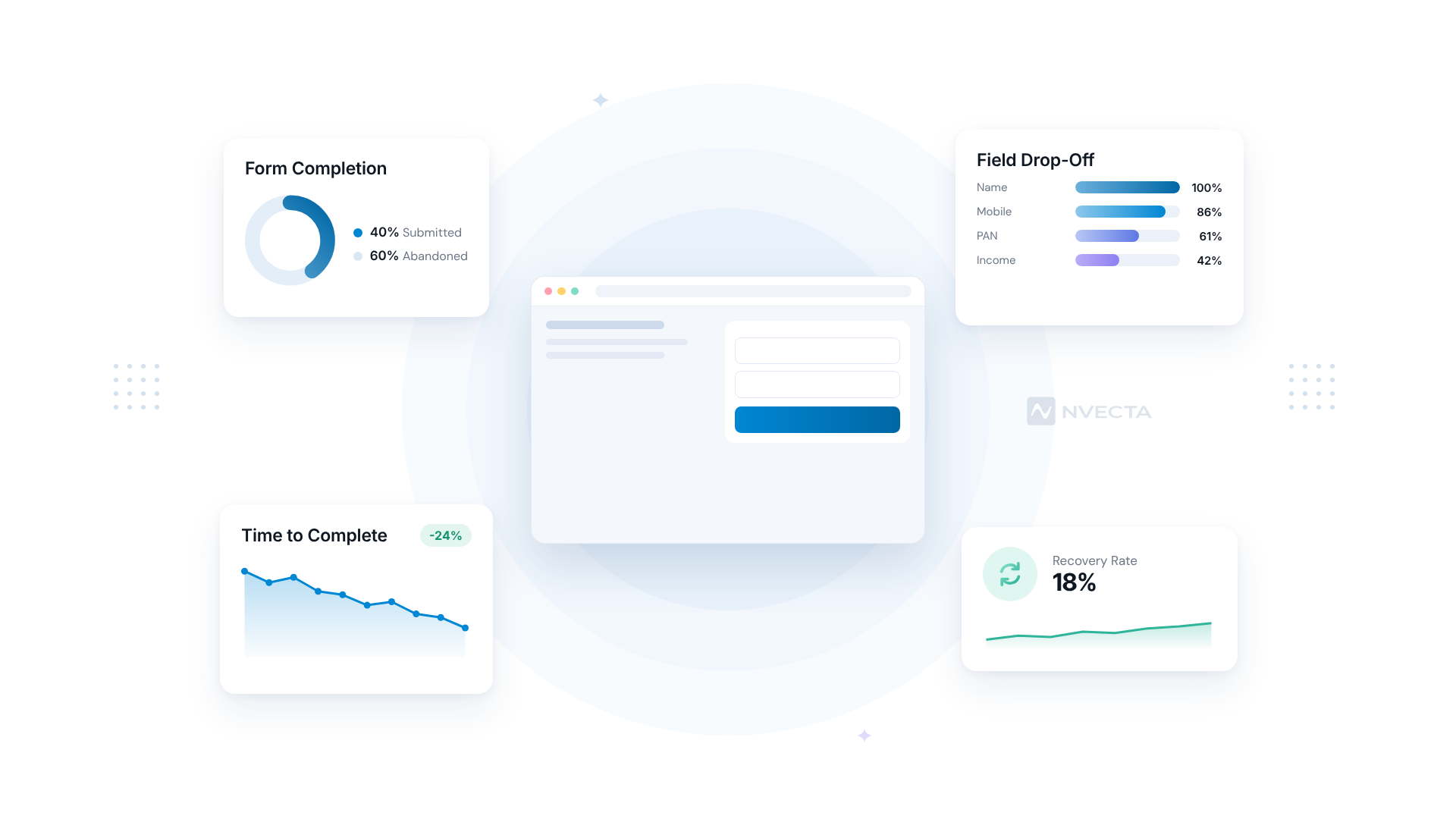
Six numbers cover it, and the field-level ones are where your fixes come from.
- Form start rate. Field clicks divided by form views. A low one means the form looks long before anyone’s typed a thing.
- Form abandonment rate. Starts minus submits, over starts. It’s the headline number, but we’d never read it without the field view.
- Field drop-off rate. The share of abandoners whose last field was this one. Sort by it and there’s your fix list.
- Time to complete. Use the median. One person who left the tab open over lunch will wreck an average.
- Error rate per field. If date of birth fails validation 30% of the time, the format’s broken, not your users.
- Recovery rate. Abandoners who submit after a reminder, tracked per channel so you know if WhatsApp is earning its keep.
How NVECTA Helps With Form Abandonment
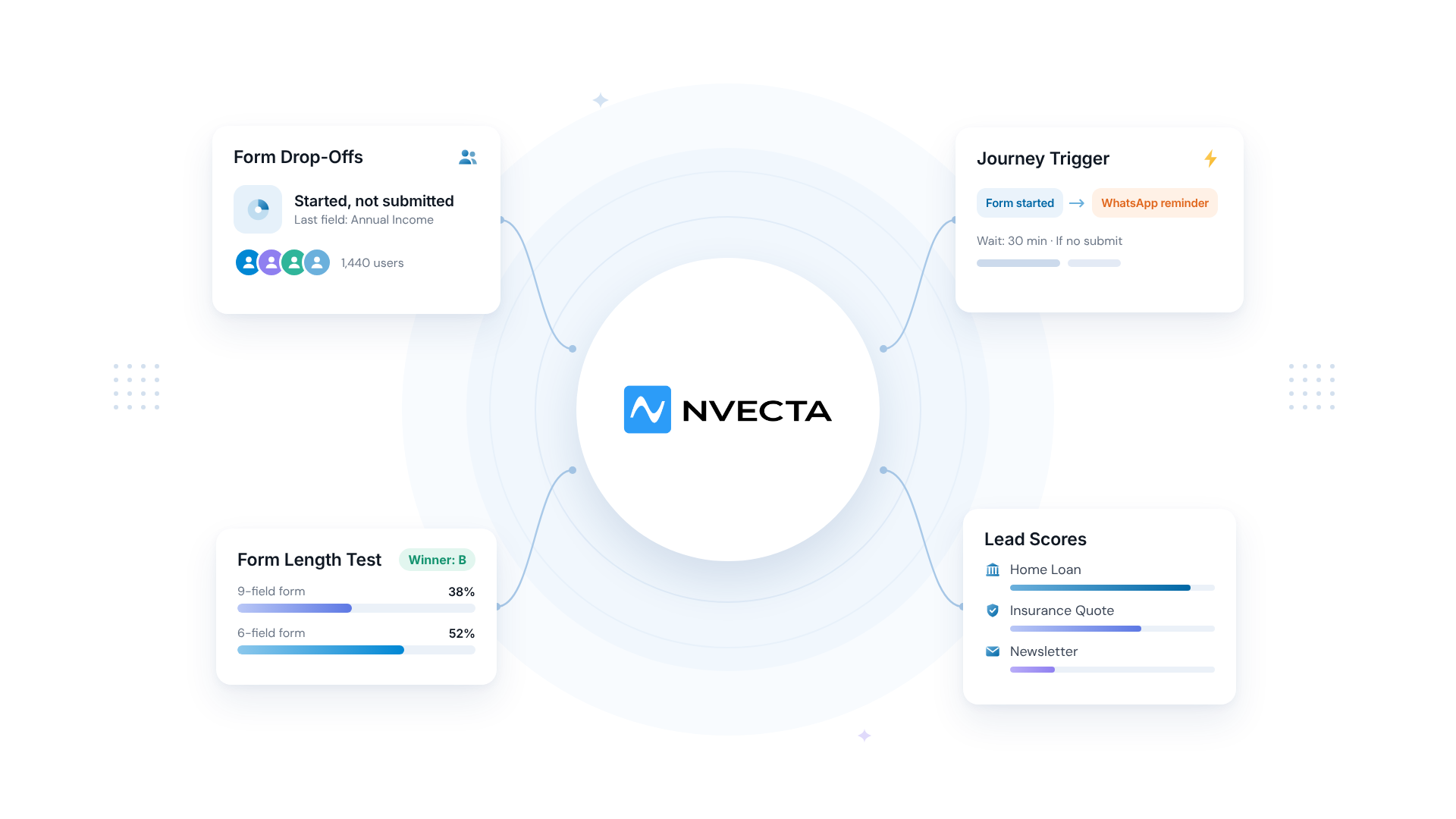
NVECTA is an AI-powered customer data platform, and form drop-off sits in its Web & App Insights module, which pairs session replays and heatmaps with friction signals like repeated clicks and sudden exits. The same customer profile then feeds the journeys and channels you’d use to win people back.
See the Exact Field Where People Stall
Filter replays to people who started your form and didn’t finish, and Web & App Insights shows the rage clicks and stuck moments around each field. Its AI sums up patterns across sessions in plain language, so you won’t need 300 replays to learn that the “Annual income” field from Step 2 is the problem.
Test the Shorter Form Before You Ship It
Worried that dropping “Company size” will hurt lead quality? Web & App Experiments runs the nine-field version against a six-field one on live traffic, with segment-level analysis on the results. You’ll know whether mobile visitors from paid ads react differently before you commit.
Explain Tricky Fields With a Tooltip
A small note beside the PAN field (“Used only for your credit check”) settles the trust question from earlier, right where the doubt shows up. Nudges & Walkthroughs lets you place tooltips and coach marks like that inside your real screens, and we’d point them at whichever fields your replays flagged.
Bring People Back With an Automated Journey
In Customer Journey Orchestration, you can start a journey from your form-started event, wait 30 minutes and check whether a submit came in. No submit? A WhatsApp reminder goes first. An email follows the next morning. Channel-aware branching means nobody gets the same nudge on three apps at once.
Answer Their Questions on WhatsApp
Sometimes one question is all that’s stopping them: “Which documents do I need?” WhatsApp Marketing in NVECTA runs two-way conversations, so the reminder can turn into a chat. The WhatsApp AI Assistant handles common questions, and agents get an AI summary when they step in.
Score Who Gets a Call First
Your sales team can’t call every abandoner, so who goes first? Lead Scoring, one of the five components of AI Decisioning, ranks them, and the ₹40 lakh home loan applicant gets a ring before the newsletter dropout. It’s worked for SBI General Insurance, which combined lead forms, AI lead scoring and abandoned form recovery to get a 28% rise in lead submissions and 40% more new acquisitions.
Conclusion
So where would we start? With one form and its field-level data. Cutting fields blind feels productive, but if most of your form abandonment happens at the income question, removing “Company name” won’t move much.
Fix what the replays show you, then switch on a reminder for the people who still leave. That second half is where the quickest wins are, because those people have already told you who they are. NVECTA keeps both halves in one place, from the replay that shows the stuck field to the WhatsApp message that brings the applicant back.
Want to see how it works on your own customer data? Book a demo with the NVECTA team.
Frequently Asked Questions
What Is a Good Form Abandonment Rate?
There isn’t one number that fits every form. A one-field newsletter box and a 20-field home loan application aren’t playing the same game. We’d benchmark each form against its own last 30 days instead, and treat a five-point drop after a fix as a real win.
How Do I Track Form Abandonment in GA4?
Start with the built-in option. Switch on form interactions under enhanced measurement and GA4 logs form_start and form_submit for you, so dividing submits by starts gives your completion rate. Want the exact field people quit on? That needs a custom event per field, usually set up in Google Tag Manager.
Can You Recover Leads From Abandoned Forms?
Yes, if they left contact details and consent before quitting. That’s why the mobile number belongs on step one. Here’s the order we’d follow:
- Send a WhatsApp or email reminder within the hour, linking back to their saved progress.
- Call the high-value ones, like a home loan applicant, the same day.
- Stop after two attempts.
Do Multi-Step Forms Reduce Form Abandonment?
For long forms, usually yes. Splitting 15 fields into three screens of five makes the job look smaller. It also means you’ve captured contact details on screen one if someone stops on screen two. For a three-field newsletter form, though, extra steps only add taps.
