














 Email
Email SMS
SMS Whatsapp
 Web Push
 App Push
 Audience Sync for Ads
 Popups
 Channel A/B Testing
  Control groups Analysis
 Frequency Capping
 Funnel Analysis
 Cohort Analysis
 RFM Analysis
 Signup Forms
 Surveys
 NPS
NPS Landing pages personalization
  Website A/B Testing
  PWA/TWA
 Heatmaps
 Session Recording
 Wix
Wix Shopify
 Magento
 Woocommerce
 eCommerce D2C
  Mutual Funds
 Insurance
 Lending
  Recipes
  Knowledgebase
 Developer Docs
 Product Updates
 App Marketplace
 Academy
 Ebooks
 Case Studies
 Blog
Blog Templates
 Afreen Sheikh
Every product team needs to know what users think of their product. Traditional feedback collection methods, such as email surveys or support tickets, may not work well for every business. They are slow and ask users to recall an experience long after it happened.
That delay between the moment and the feedback question is where the value gets lost. Users forget what confused them or where they got stuck. They forget what satisfied them, too, and by the time a survey reaches their inbox, they have moved on to other things. What comes back with such delayed feedback data is often a vague score that carries less value.
In-app feedback addresses this gap by asking users for feedback while they are still inside the product/app. Feedback prompts usually appear right after they complete a task, finish a process, or try a new feature.
This guide covers what in-app feedback means, why it matters to product and SaaS teams, types, how a customer data platform enables in-app feedback, the related challenges and best practices. Further, we will get to know how NVECTA CDP powers in-app feedback.
What Is In-app Feedback?
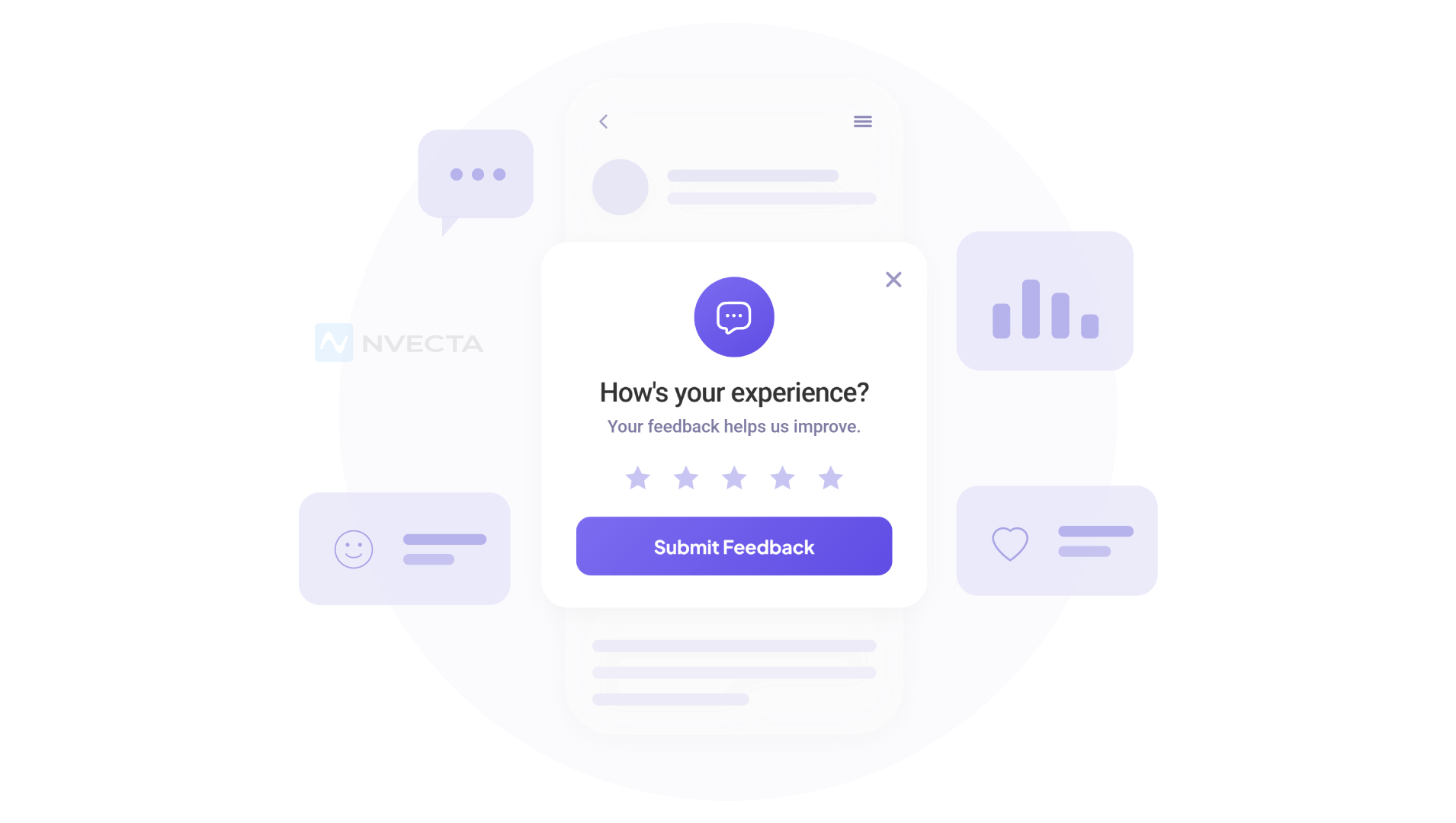
In-app feedback involves collecting user opinions, ratings, or comments while they engage with your product, then turning those responses into actionable insights. Teams use these insights to spot friction points, guide product changes, or enhance user experiences.
An in-app feedback prompt is placed after a specific action, like completing checkout or finishing a tutorial, so the response connects back to a real moment in the product.
Use different feedback methods and fix appropriate timing. A one-line rating after checkout and a three-question survey after onboarding both matter, as both engage the users while the action is still fresh in their heads. What makes a response worth reading later is whether you can trace it back to that exact moment, the screen, the feature, the step in the journey the user was on when they answered.
In-app Feedback vs Email Surveys vs Support Tickets
In-app feedback differs from traditional feedback methods in timing, reach, and response quality. Email surveys and support tickets require users to remember what they felt to respond later, while In-app prompts engage them to give feedback during the experience itself.
| Factor | In-app Feedback | Email Surveys | Support Tickets |
| Timing | Real-time, during the session | Delayed, sent after the fact | Only when a user reaches out |
| Reach | All active users | Depends on open rates | Frustrated users only |
| Context | Tied to a specific action or screen | Often generic | Tied to a specific problem |
| Response rate | Medium to high | Low | Not applicable |
| Best for | Product friction and feature reactions | Broad relationship checks | Bug reports and urgent issues |
Why In-App Feedback matters for Product Teams
In-app feedback matters as it provides product teams with real-time, honest feedback on how users experience the product. It is valuable for the following reasons-
Capture Feedback While Experience is Fresh
Users remember details during the experience, and collecting feedback at the right moment helps find the real issue and also things that are working.
Reach More Customers
Support tickets and email surveys represent only a small group of users, as users often ignore them. In-app feedback seeks responses within the app, capturing opinions from a larger user base, including casual visitors and frequent users.
Make Faster Product Decisions
Teams get access to feedback insights soon after the product or a feature release. Early insights help validate changes and fix problems before they affect more users.
Add Context to Every Response
A feedback response becomes more useful when linked to the user’s recent actions and behaviour. Teams can see what happened before the response and identify the real issue.
Understand Customer Value
The same comment can mean different things depending on the user. Feedback from a new user may point to onboarding friction. The same feedback from a loyal customer may reflect a high-priority issue.
Types of In-app Feedback
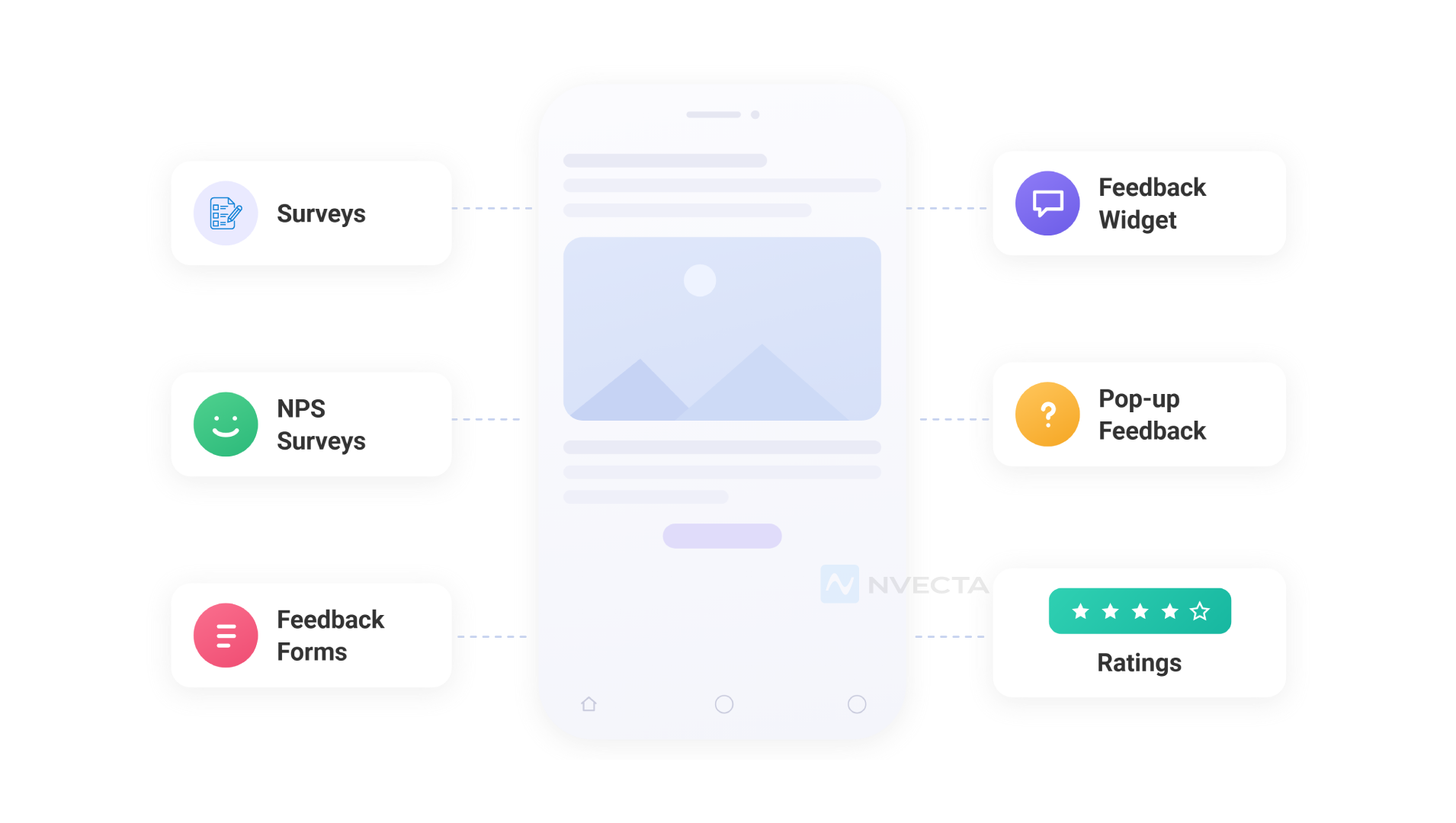
In-app feedback comes in a few core formats: surveys, ratings, open text fields, and behaviour-triggered popups. Each type fulfils a different user journey stage and a different depth of insight.
NPS and CSAT Surveys
An NPS survey asks how likely a user is to recommend your product or app, usually on a 0 to 10 scale. A CSAT survey measures how satisfied they were with one specific interaction. These are triggered on completion of key workflows or after a support resolution.
In-App Rating Widgets
Use rating widgets, such as star ratings, thumbs up or down, and emoji reactions, which require minimal user effort and generate higher completion rates. These are used to measure sentiments at a single point in the product, mostly right after an interaction.
Open-Ended Feedback
A blank comment box lets a user explain a problem in their own words. This often turns up issues that a structured question would never think to ask about. It takes more effort to review at scale, but the detail carries real reasoning behind a rating.
Contextual Feedback Popups
A contextual pop-up triggers based on a specific user action, like abandoning a cart mid-checkout or repeating the same failed action several times. The trigger is connected to behaviour, not a fixed schedule, so the pop-up reaches the user at the exact moment the user cares about.
Feature Request Forms
A feature request form gives users structured fields to submit product ideas, letting teams quickly find shortcomings. Users can even vote on existing requests to show what things affect the largest number of users.
Bug Reporting Forms
A bug report captured inside the product, with the screen and the user’s recent actions attached automatically, saves your team the back and forth of asking what they were doing when it happened. That built-in context cuts triage time.
| Format | Effort Required | Response Rate | Best Use Case |
| NPS and CSAT surveys | Low | Medium | Relationship and interaction health checks |
| Rating widgets | Very low | High | Quick sentiment pulse |
| Open-ended feedback | Medium | Low to medium | Deep, qualitative detail |
| Contextual popups | Low | Medium to high | Catching friction in real time |
| Feature request forms | Medium | Low to medium | Roadmap input and prioritisation |
| Bug reporting forms | Medium | Medium | Faster triage with built-in context |
How CDPs Enable In-app Feedback
A customer data platform enables in-app feedback by connecting every response to the unified customer profile it creates. These profiles include past behaviour, purchase history, and campaign activity. Without that link, a survey answer is just a number or statement that is of no use.
Behaviour-Linked Feedback
Every response gets attached to the respective customer’s profile, product events, and campaign history. This means a low satisfaction score is not just a data point. It comes with the full record of what that customer did before and after they answered.
Customer Profile Enrichment
Survey answers and satisfaction scores get added straight into the unified customer profile. Future campaigns, segments, and support interactions can then be drawn from that same record, so the feedback keeps working long after the survey closes.
Real-Time Segmentation
Build real-time segments directly based on feedback insights, using the NPS score or specific survey answers. For example, a group of detractors turns into a segment you can target with a retention campaign the same day the scores come in.
How to Act on In-app Feedback (Step by Step)
Analysing in-app feedback involves turning feedback responses into a list of clear priorities, then testing changes before you execute them. Collecting user feedback is only the first step. Acting on them is where the value comes from.
Group Similar Feedback
Sort responses into categories such as onboarding, bugs, usability, pricing, or feature requests. Focus on patterns that appear across multiple users. Review product behaviour alongside feedback to confirm the problem.
Prioritise High Impact Issues
Fix the problems that deliver the greatest value. Consider customer impact, business value, and development effort. Frameworks like ICE and RICE help teams compare requests and set clear priorities.
Validate Before Release
Test important changes before a full rollout. Run an A/B test or release the update to a small user group first. Measure the result against a single product metric, such as adoption, engagement, or retention, that you want to achieve at a time.
Turn Feedback Into Action
Every priority needs a clear owner and timeline. Add approved improvements to the product roadmap and track progress until release. Feedback creates value only when it leads to action.
Close the Feedback Loop
Let users know when their feedback leads to a product update. Share the outcome with product, support, and customer success teams. This builds trust and encourages users to continue sharing valuable feedback.
Best Practices for Collecting In-app Feedback
Strong in-app feedback collection starts with the right timing, format, and frequency, working together. Get any one of these wrong and response rates drop fast, even if the questions themselves are well written.
Trigger Feedback After User Actions
Show feedback prompts after users complete onboarding, finish a task, or try a feature. A prompt linked to an action feels relevant. A prompt shown at random often gets ignored.
Rotate your question bank
Returning users disengage when they see the same prompt every visit. A rotating set of questions keeps responses fresh.
Ask One Question at a Time
Long surveys increase drop-offs. A single question takes less effort and leads to higher completion rates. Ask follow-up questions only when needed.
Personalise by Customer Stage
A new user, an active customer, and a long-term customer face different challenges. Match questions to the user’s role, journey stage, or product usage.
Limit Feedback Requests
Set a frequency limit on how often users see feedback prompts. Too many requests reduce response rates and make feedback feel like an interruption.
Combine Different Feedback Formats (like Ratings and Comments)
Ratings highlight where a problem exists. Comments explain why it happened. Using both gives product teams a clearer picture of the customer experience.
Common Challenges in Collecting In-App Feedback
The biggest challenges in collecting feedback come from human behaviour: fatigue, bias, and weak internal follow-through after the data comes in.
Feedback fatigue
Users grow selective about which prompts they engage with as more products ask for feedback. Space out requests and make the value clear.
Selection bias
The most frustrated and most satisfied users respond most often, while the quiet middle stays silent. Collect feedback from different customer segments to get a fuller view.
Inconsistent tagging
Different team members can label the same comment two different ways, which confuses pattern tracking. A shared tagging framework keeps categorisation consistent.
Feedback disconnected from business impact
A popular feature request from free, low-usage accounts can look urgent until you check whether it affects revenue at all.
Poor Internal alignment
Feedback is valuable only when teams use it to make optimisations and improve experiences. Share consistent feedback insights across product, support, marketing, and customer success to keep priorities aligned.
How NVECTA Powers In-App Feedback
NVECTA CDP supports in-app feedback through a connected set of tools that handle customer data, segmentation, and campaigns on the same platform. This includes NPS and custom surveys, contextual triggers, AI sentiment and theme detection, urgent alerts, and journey-based follow-ups, all tied to one customer profile.
In-app NPS Surveys
NVECTA trigger NPS surveys inside the app right after meaningful actions like onboarding, a purchase, or using a new feature. The NPS score reflects that one moment rather than a general mood.
Custom In-app Surveys
Build CSAT, CES, feature requests, and fully custom surveys with your own branding and question set, without waiting on engineering for every change. NVECTA also provides built-in templates for customer and product surveys.
Contextual Feedback Triggers
NVECTA triggers surveys based on users’ recent behaviour, feature usage, customer segment, or journey stage, to engage them for feedback at the right moment.
AI Sentiment Analysis
With NVECTA’s AI-driven sentiment analysis, open text responses and comments get automatically tagged as positive, negative, or neutral, so your team can identify sentiment trends without reading every comment manually.
AI Theme Detection
NVECTA even groups comments based on recurring themes such as bugs, pricing concerns, missing features, onboarding friction, or support quality, which turns a stack of open text into a short list of real issues.
Urgent Feedback Alerts
It even has a mechanism that points out highly negative responses quickly, so a serious issue reaches the right team the same day instead of getting buried in a weekly report.
Feedback Assignment
Every response routes automatically to the right product, support, or customer success team, which keeps individual comments from getting lost after collection.
Journey-Based Follow-Ups
A single response can trigger its own automated journey workflows. Negative feedback can start a retention campaign, while positive responses can prompt referral requests, review collection, or loyalty offers. If a user ignores the in-app feedback, NVECTA continues feedback collection via email, SMS, WhatsApp, or push.
A/B Testing
Test different survey timing, placement, and question variations with NVECTA’s built-in A/B testing. Track response rates across variations and choose the version that collects the highest user responses.
Conclusion
To get value out of user feedback, choose the right CDP that collects responses, organises them and turns them into insights for better decision-making. This leads to better product experiences and conversion rate optimisation.
NVECTA supports in-app feedback by organising customer data, using relevant surveys for feedback collection, AI analysis, and targeting at the right time.
Turn your feedback responses into smart actions with NVECTA.
Frequently Asked Questions
Is there a difference between In-app feedback and customer surveys?
In-app feedback engages users within the product at the moment of use, while customer surveys are usually sent later via email. These require users to remember the experience as they seek a response later, and the quality of responses is also low. In-app feedback collects responses as soon as the experience is delivered, and the quality of responses is much better.
How does In-app feedback work in a customer data platform?
A CDP links every feedback response to the customer’s full profile, which includes their behaviour, purchase history, and campaign activity, and thus a single score or comment carries much more context in itself.
What is the best way to prioritise in-app feedback?
Group responses into themes, then weigh each one by how many users it affects and how much effort a fix requires. Frameworks like ICE or RICE make this comparison easier.
How often should you collect In-app feedback?
There’s no fixed number. Cap how often any single user sees a prompt, and let real triggers like completed actions or milestones decide the timing instead of a fixed calendar.
Can In-app feedback predict churn or dissatisfaction early?
Sentiment trends and low NPS or CSAT scores, especially when paired with a drop-off in usage, can flag at-risk accounts well before a formal churn event happens.
