














 Email
Email SMS
SMS Whatsapp
 Web Push
 App Push
 Audience Sync for Ads
 Popups
 Channel A/B Testing
  Control groups Analysis
 Frequency Capping
 Funnel Analysis
 Cohort Analysis
 RFM Analysis
 Signup Forms
 Surveys
 NPS
NPS Landing pages personalization
  Website A/B Testing
  PWA/TWA
 Heatmaps
 Session Recording
 Wix
Wix Shopify
 Magento
 Woocommerce
 eCommerce D2C
  Mutual Funds
 Insurance
 Lending
  Recipes
  Knowledgebase
 Developer Docs
 Product Updates
 App Marketplace
 Academy
 Ebooks
 Case Studies
 Blog
Blog Templates
 Tanya
Tanya2026 Verdict
Brevo (Sendinblue) wins on price, unlimited contacts, built-in SMS/WhatsApp, and transactional email included in all plans. Mailchimp wins on advanced automation, ecommerce integrations, and AI-powered analytics.
Choose Brevo if you have a large or growing contact list, send infrequently, need SMS and WhatsApp without add-on costs, or want transactional email included. Choose Mailchimp if you need Mailchimp’s multi-step Customer Journey Builder, deep Shopify/WooCommerce integration, or AI-powered predictive analytics. If you need a unified omnichannel platform beyond email — see NVECTA below.
Sendinblue vs Mailchimp — The Most Important Difference
Before comparing features, you need to understand how each platform charges you — because it changes the real cost calculation completely, especially for growing lists.
Brevo (Sendinblue) charges based on how many emails you SEND. You can store unlimited contacts on every plan including the free one. If you have 50,000 contacts but only email them once a month, you pay for one month of sends — not for storing 50,000 records. Contacts who unsubscribed, went inactive, or never engaged cost you nothing to keep in your database.
Mailchimp charges based on how many contacts you STORE — including contacts who unsubscribed and can never receive your emails again. A business with 10,000 contacts and 3,000 unsubscribers pays Mailchimp for all 10,000. That same business pays Brevo only for what it actually sends. As lists grow and age naturally, this difference compounds significantly. Independent analyses show Brevo is often 50–70% cheaper than Mailchimp at comparable list sizes and send volumes.
This billing model distinction is the single most cited reason people switch from Mailchimp to Brevo — and the most important thing to understand before reading any feature comparison.
Sendinblue (Brevo) vs Mailchimp — 2026 Pricing Comparison
| Plan | Brevo (Sendinblue) | Mailchimp | Winner |
|---|---|---|---|
| Free plan | Unlimited contacts, 300 emails/day. No send limit removed on paid plans. | 250 contacts only (cut from 2,000 in 2025), 500 sends/month. | Brevo |
| Entry paid | Starter — from $9/mo (20k sends, unlimited contacts) | Essentials — $13/mo (500 contacts only) | Brevo |
| Mid tier | Business — from $18/mo (20k sends, marketing automation, A/B, multi-user) | Standard — $20/mo (500 contacts, Journey Builder, AI tools) | Brevo |
| Contact billing model | Charges for emails SENT only. Unsubscribed contacts = free to store. | Charges for contacts STORED — including unsubscribed contacts you can never email. | Brevo |
| Transactional email | Included on all plans — uses same sending infrastructure | Add-on only on Standard and Premium plans (formerly Mandrill) | Brevo |
| Advanced automation | Visual workflow builder — straightforward multi-step automations | Customer Journey Builder — more granular if/else branching, predictive triggers | Mailchimp |
Sendinblue (Brevo) vs Mailchimp — Category-by-Category (2026)
| Category | Brevo (Sendinblue) | Mailchimp | Winner |
|---|---|---|---|
| Pricing model | Sends-based. Unlimited contacts on all plans. Costs stay flat as list grows. | Contact-based. Cost increases as list grows, including inactive contacts. | Brevo |
| Free plan | Unlimited contacts, 300 emails/day | 250 contacts, 500 sends/month (cut from 2,000 in 2025) | Brevo |
| Automation depth | Visual workflow builder — clean and accessible for most use cases | Customer Journey Builder with multi-step if/else branching, time delays, behavioural triggers | Mailchimp |
| Multi-channel | Email, SMS, WhatsApp, push notifications, live chat — all included natively | Email primary, SMS available, social media ad tools included | Brevo |
| Transactional email | Included in all plans — no add-on required | Add-on only (Standard and Premium plans) | Brevo |
| Ecommerce | Good — Shopify, WooCommerce integrations available | Stronger — predictive CLV, abandoned cart, product recommendations, 300+ integrations | Mailchimp |
| Deliverability | ~90% in recent independent tests (improved significantly from earlier lower figures) | ~86% in recent independent tests. Variable by sender reputation. | Brevo |
| AI tools | Basic AI writing assistant | Intuit Assist — AI writing, subject line optimisation, send-time optimisation, predictive segmentation | Mailchimp |
| Built-in CRM | Yes — full CRM with sales pipeline, meeting scheduling, deal management | Marketing CRM only — audience management and segmentation, not a full sales CRM | Brevo |
Email marketing and website notifications are effective ways to engage with your audience and drive conversions. This blog will compare three popular platforms: Sendinblue vs Mailchimp vs NVECTA.
We will compare these three platforms based on their features, ease of use, pricing, and overall performance. We’ll also highlight the strengths and weaknesses of each platform, so you can make an informed decision about which is best for your business.
1. Sendinblue (Now known as Brevo)

Sendinblue is a comprehensive marketing platform offering various marketing tools, including email marketing, SMS marketing, marketing automation, and live chat functionality. It’s a powerful and user-friendly platform designed to help businesses of all sizes engage with their audience and drive conversions.
With Sendinblue, you can easily create and send professional-looking email campaigns using a drag-and-drop email editor and customizable templates. You can also automate your marketing campaigns, sending targeted messages to your audience based on their behavior and preferences.
In addition to email marketing, Sendinblue offers SMS marketing, allowing you to send personalized text messages to your audience. And with its live chat functionality, you can provide real-time support to your website visitors, helping to improve customer satisfaction and boost sales.
Sendinblue’s user-friendly interface and comprehensive features make it a popular choice among businesses looking to streamline their marketing efforts. Whether you’re a small business owner or a large enterprise, Sendinblue has the tools you need to succeed in today’s competitive market.
Pricing structure and plans

Sendinblue offers several pricing plans to fit the needs and budgets of businesses of all sizes. Here’s an overview of their pricing structure:
- Free plan – This allows you to send up to 300 emails daily with unlimited contacts. You can also use the email editor, basic templates, and reporting features.
- Starter plan – This plan starts at Rs1575 per month and allows you to send up to 20,000 emails per month with no daily sending limit. You can also access advanced email statistics, A/B testing, and email support.
- Business plan – This plan starts at Rs4075 per month and includes all the features of the Starter plan, plus marketing automation features, chat support, and phone support.
- Brevo Plus – This plan offers custom pricing and includes all the features of the Premium plan, plus advanced features like dedicated account managers, priority support, and custom reporting.
Pros and Cons of using Sendinblue
Pros of using Sendinblue:
- Easy-to-use platform: Sendinblue’s platform is user-friendly, with a simple interface and easy-to-use features.
- Affordable pricing: Sendinblue offers competitive pricing plans, including a free plan for up to 300 emails per day and paid plans starting at Rs1575 monthly.
- Email automation: Sendinblue offers advanced automation features, including workflows, trigger-based automation, and transactional email automation.
- Advanced segmentation: Sendinblue allows for advanced segmentation of email lists based on various criteria, such as user behavior and engagement.
- SMS marketing: Sendinblue offers SMS marketing services in addition to email marketing.
- A/B testing: Sendinblue allows for easy A/B testing of email campaigns, helping businesses optimize their email marketing efforts.
Cons of using Sendinblue:
- Limited landing page options: Sendinblue’s landing page builder is not as advanced as other platforms, with limited design options and features.
- Limited integrations: While Sendinblue does integrate with popular e-commerce platforms and CRMs, it may not have as many integrations as other platforms.
- Limited support: Sendinblue’s support options may be limited, with slower response times and fewer available support channels than other platforms.
- Limited e-commerce features: Sendinblue does offer some e-commerce features, but they may not be as advanced as other platforms specifically designed for e-commerce businesses.
- Limited customization options: Some users may find Sendinblue’s email templates and design options limiting in terms of customization.
II. Mailchimp
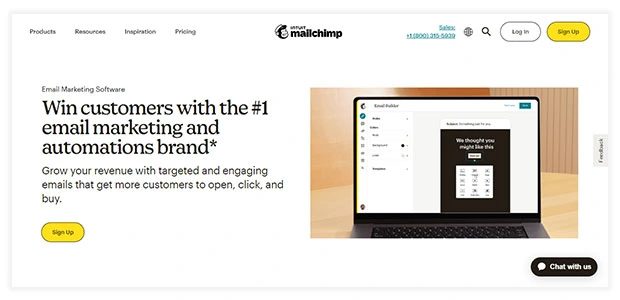
Mailchimp is a popular email marketing platform that allows businesses of all sizes to design, send, and track email campaigns. It was founded in 2001 and has since expanded its offerings to include features like landing pages, social media advertising, postcards, and marketing automation.
With Mailchimp, users can create custom email campaigns using a drag-and-drop editor, choose from various templates, and segment their audience based on specific criteria. Mailchimp also offers advanced reporting and analytics tools, allowing users to track campaign performance, monitor email engagement, and gain insights into their audience’s behavior.
In addition to email marketing, Mailchimp offers features like landing pages for lead generation, social media advertising to reach new audiences, and postcards for direct mail marketing. Their marketing automation feature allows users to create workflows based on triggers and actions, automating sending targeted and personalized messages to subscribers.
Pricing structure and plans

- Free Plan: This plan includes up to 1000 email sends per month. It also includes basic email templates, marketing CRM, audience dashboards, and Mailchimp’s marketing CRM tools.
- Essentials Plan: This plan starts at $9.33 monthly and includes up to 5000 email sends. It offers custom branding, A/B testing, multi-step journeys, and 24/7 email and chat support.
- Standard Plan: This plan starts at $13.93 per month and includes all the features of the Essentials plan, as well as additional features like retargeting ads, custom templates, and behavioral targeting.
- Premium Plan: This plan starts at $278.57 per month and includes all the features of the Standard plan, as well as advanced features like multivariate testing, comparative reporting, and phone support.
Pros and Cons of using Mailchimp
Pros of using Mailchimp
- User-friendly interface: Mailchimp is known for its user-friendly interface and easy-to-use features.
- Advanced email marketing tools: Mailchimp offers advanced email marketing features, such as A/B testing, email automation, and segmentation.
- Robust landing page builder: Mailchimp’s builder is highly customizable and offers many design options.
- E-commerce features: Mailchimp offers advanced e-commerce features, including abandoned cart emails, product recommendations, and integrations with popular e-commerce platforms.
- Integrations: Mailchimp integrates with various popular business tools, such as CRMs, social media, and e-commerce platforms.
- Strong support options: Mailchimp offers extensive support, including email support, live chat, and a knowledge base.
Cons of using Mailchimp
- Pricing: While Mailchimp offers a free plan, its paid plans can be more expensive than other email marketing platforms, especially for businesses with larger email lists.
- Limited automation options: Mailchimp’s automation features are not as advanced as some other platforms, with limited trigger options and automation workflows.
- Limited customer support: While Mailchimp offers extensive support options, some users may find their response times slow or their customer support lacking in certain areas.
- Limited SMS marketing features: Mailchimp does not offer SMS marketing features, which may be a drawback for businesses looking to expand their marketing channels.
III. NVECTA

NVECTA is a web-based platform that provides website notification services to businesses. Its primary focus is on website notifications, including push notifications, in-app messages, and web notifications, which allow businesses to reach their website visitors in real time with personalized messages.
NVECTA provides a range of features and tools to help businesses create and manage their website notifications. These features include segmentation, A/B testing, automation, and analytics. The platform also offers integrations with third-party tools, including Google Analytics, Zapier, and Salesforce.
With NVECTA, businesses can create targeted messages based on specific user behavior, such as browsing history or cart abandonment. The platform also provides detailed analytics and reporting, allowing businesses to track the performance of their notifications and optimize their campaigns for better results.
Pricing structure and plans

- Free Plan: NVECTA’s free plan includes up to 1000 subscribers and 1,000 email sends per month. This plan includes basic features like push notifications, in-app messages, and web notifications.
- Startups Plan: NVECTA’s Startups plan starts at $60 per month and includes up to 10,000 contacts and 30,000 email sends per month. This plan includes advanced features such as A/B testing, automation, unlimited push notifications, on-site popups, and segmentation.
- Growth Plan: NVECTA’s Growth plan starts at $110 per month and includes up to 10,000 contacts, and 30,000 email sends per month. This plan includes all of the features of the Starter plan and additional features such as API access and custom branding.
Pros of using NVECTA
- Multi-channel marketing: NVECTA offers multi-channel marketing features, including web push notifications, email, SMS, and in-app notifications.
- Advanced targeting: NVECTA allows for advanced targeting options, such as geo-targeting, behavioral targeting, and device targeting.
- Personalization: NVECTA allows for easy personalization of notifications, such as using customer names, locations, or past purchase history.
- Customization: NVECTA offers a high level of notification customization, including design options and the ability to add images, videos, or buttons.
- Reporting and analytics: NVECTA provides detailed reporting and analytics on campaign performance, including open rates, click-through rates, and conversion rates.
Let us now see a comparative table of Sendinblue vs Mailchimp vs NVECTA.
Comparing Sendinblue Vs Mailchimp Vs NVECTA
| Feature | Sendinblue | Mailchimp | NVECTA |
| Free plan | Yes | Yes | Yes |
| User Ratings | 2.7/5 | 3.5/5 | 5/5 |
| Customer Support | Email, Chat, Phone | Email and Chat | Email and Chat |
| Automation | Yes | Yes | Yes |
| Push Notifications | Yes | Yes | Yes |
| Extra Features | Landing Pages, E-commerce features, SMS Marketing | Social Media Ads, CRM integration, Content Studio | Multi-channel Marketing, Advanced Targeting, Personalization, Customization |
| Best For | E-commerce businesses, SMBs and Non profits | SMBs and Marketers | Big Businesses, Shopify, Personalization |
| Factors | Sendinblue | Mailchimp | NVECTA |
| Automated email campaigns | Yes | Yes | Yes |
| Journey Builder | yes | yes | Yes |
| A/B testing | Yes | Yes | Yes |
| Drag and Drop editor | Yes | Yes | Yes |
| Email Scheduling | Yes | Yes | Yes |
| Conversion Tracking | Yes | Yes | Yes |
| Personalized and Dynamic Content | Yes | Yes | Yes |
| Scheduled reporting | Yes | Yes | Yes |
| Control group analysis | Yes | Yes | Yes |
| Segmentation | Yes | Yes | Yes |
| Campaign booster | yes | Yes | Yes |
SMS
| Factors | Sendinblue | Mailchimp | NVECTA |
| Automated campaigns | Yes | Yes | Yes |
| Segmentation | Yes | Yes | Yes |
| A/B testing | Yes | Yes | Yes |
| Landing pages | Yes | Yes | Yes |
| Sign up boxes | Yes | Yes | Yes |
| Campaign Reports | Yes | Yes | Yes |
Which is the ideal solution for you?
1. Sendinblue
- Best for SMBs, non-profits, and e-commerce businesses prioritizing email marketing and automation.
- Ideal for: B2B businesses, agencies, e-commerce, and nonprofits.
- Features: Email marketing, automation, SMS marketing, landing pages, and integrations with e-commerce platforms.
2. Mailchimp
- Best for: SMBs and marketers prioritizing email marketing and social media ads.
- Ideal for: E-commerce, non-profits, and B2B businesses.
- Features: Email marketing, automation, social media ads, CRM integration, and content studio.
3. NVECTA
- Best for Businesses that prioritize multi-channel marketing, advanced targeting, and personalization.
- Ideal for: E-commerce businesses, media and publishing, travel and hospitality, financial services, and education.
- Features: Multi-channel notifications, advanced targeting, personalization, customization, and landing pages.
NVECTA is best for businesses that prioritize multi-channel marketing, advanced targeting, and personalization. Sendinblue is best for SMBs, non-profits, and e-commerce businesses prioritizing email marketing and automation. Mailchimp is best for SMBs and marketers prioritizing email marketing and social media ads.
It’s important to note that each platform offers a range of features and can be adapted to fit the specific needs of your business. Therefore, evaluating each platform based on your business needs is recommended before making a decision.
Factors to Consider When Choosing an Email Marketing Tool
There are several factors to consider when choosing a marketing tool, including:
- Budget: Consider how much you will spend on a marketing tool. Different tools have different pricing structures, so choosing a tool that fits your budget is important.
- Features: Consider the features you need for your marketing campaigns. Some tools are focused on email marketing, while others offer a range of channels and advanced targeting options.
- Ease of use: Consider how easy the tool is to use. Some tools are more user-friendly than others, so choosing a tool that is easy for you and your team to use is important.
- Integrations: Consider the integrations the tool offers. You may need to integrate with other tools or platforms, so choosing a tool that offers the integrations you need is important.
- Customer support: Consider the level of customer support the tool offers. You may need help setting up your campaigns or troubleshooting issues, so choosing a tool that offers reliable customer support is important.
- User reviews: Consider the reviews and ratings of other users. User reviews can provide valuable insights into the tool’s performance and customer service.
- Customization: Consider the level of customization the tool offers. You may need to customize your campaigns or landing pages, so choosing a tool that offers the level of customization you need is important.
Conclusion
Sendinblue, Mailchimp, and NVECTA are all powerful marketing platforms that can help businesses improve their marketing campaigns and engagement with their audience.
Each platform has its strengths and weaknesses, and choosing the right one depends on your business’s specific needs and goals.
Ultimately, the right platform depends on your business needs, budget, and goals. Evaluating each platform based on your specific needs is important before deciding.
Also Read:
- What is Dynamic Email Content? Example, Tips and Benefits
- What is Email Personalization? 10 Best Tips & Strategies to Use
- 14 Best Email Marketing Platforms [Features & Pricing Compared]
- 21 Cheap Email Marketing Software [Compared]
- 19 Best Email Marketing Software 2023
Sendinblue (Brevo) vs Mailchimp — Who Should Choose Which
Choose Brevo (Sendinblue) if:
- You have a large or growing contact list — Brevo’s unlimited contacts model means you never pay for inactive or unsubscribed contacts, which becomes a significant cost saving as lists scale
- You email infrequently — Brevo’s send-based pricing rewards lower send frequency. A list of 20,000 contacts that you email once a month costs far less on Brevo than on Mailchimp
- You need SMS, WhatsApp, or live chat included without paying for add-ons — all three are built into Brevo’s paid plans
- You need transactional email (order confirmations, password resets) without paying for a separate add-on — Brevo includes transactional email on all plans
- You want a built-in CRM with sales pipeline management included at no extra cost
- You are budget-conscious — Brevo Starter from $9/mo vs Mailchimp Essentials from $13/mo, with Brevo generally staying cheaper as you scale
Choose Mailchimp if:
- Advanced multi-step automation is your primary use case — Mailchimp’s Customer Journey Builder with if/else branching, time delays, and behavioural triggers is more capable than Brevo’s workflow builder
- You run an ecommerce store on Shopify or WooCommerce — Mailchimp’s native integrations, predictive customer lifetime value analytics, abandoned cart, and product recommendations are deeper than Brevo’s
- You want AI-powered marketing tools — Mailchimp’s Intuit Assist covers writing, content optimisation, subject line suggestions, and send-time optimisation across all paid plans
- You send frequently to smaller, highly engaged lists — the contact-based model works in your favour when your active list is small and you send often
- You need 300+ native integrations — Mailchimp’s ecosystem is broader
When Neither Is Enough — NVECTA as the Third Option
Both Brevo (Sendinblue) and Mailchimp are strong platforms for email-led marketing. Brevo covers more channels out of the box, and Mailchimp goes deeper on automation and ecommerce. But both have a ceiling that growing businesses run into: they were designed around email first, with everything else added on top.
For businesses that need a genuinely unified customer engagement stack — where email, SMS, WhatsApp, push notifications, and in-app messaging all draw from the same unified customer profile and feed the same journey logic — neither platform was built for that from the ground up.
NVECTA was. It is built around a Customer Data Platform that maintains a unified profile for every customer, and activates that profile across every channel simultaneously. Campaign logic in NVECTA can reference what a customer did on your website, what they bought last month, and which channels they actually respond to — without manual data exports or tool-switching. For teams that have outgrown email-only tools and want a single platform that grows with them, book a demo to see how NVECTA compares.
Frequently Asked Questions
Is Sendinblue (Brevo) better than Mailchimp?
Brevo (formerly Sendinblue) is better for most budget-conscious teams and businesses with large or growing contact lists. Its send-based pricing model, unlimited contacts, built-in SMS and WhatsApp, included transactional email, and competitive free plan make it a stronger value in 2026. Mailchimp is better for advanced multi-step automation, deep ecommerce integrations (Shopify, WooCommerce), and AI-powered analytics through Intuit Assist. The right choice depends primarily on your list size and how much you prioritise automation depth over cost efficiency.
What is the difference between Sendinblue and Brevo?
Sendinblue and Brevo are the same platform. Sendinblue rebranded to Brevo in May 2023. The features, pricing model, and technology are identical — only the brand name changed. If you are searching for “Sendinblue vs Mailchimp” you will find the same information as searching for “Brevo vs Mailchimp” because it is the same product under a different name.
Which is cheaper, Sendinblue (Brevo) or Mailchimp?
Brevo is cheaper at most list sizes. Brevo Starter starts at $9/mo for 20,000 sends with unlimited contacts. Mailchimp Essentials starts at $13/mo for just 500 contacts. The gap becomes much larger as lists grow because Mailchimp charges for unsubscribed contacts that can never receive your emails, while Brevo only charges for what you send. Independent analyses show Brevo is often 50–70% cheaper than Mailchimp at comparable list sizes.
Does Brevo (Sendinblue) have unlimited contacts?
Yes. Brevo (Sendinblue) includes unlimited contacts on all plans including the free plan. The free plan limits you to 300 emails per day, but there is no cap on the number of contacts you can store. Paid plans remove the daily send limit and charge based on monthly email send volume, not contact count. This is fundamentally different from Mailchimp, which charges based on the number of contacts you store and currently caps its free plan at just 250 contacts.
What is the best alternative to both Sendinblue and Mailchimp?
For teams that need email-only or email-plus-SMS marketing, Brevo and Mailchimp are both strong choices depending on the trade-offs above. For businesses that need omnichannel engagement — email, SMS, WhatsApp, push notifications, and in-app messaging all connected to a unified customer profile — NVECTA is purpose-built for that use case. Unlike both platforms, NVECTA was designed from the ground up for cross-channel customer engagement rather than being an email tool with channels added on.
