














 Email
Email SMS
SMS Whatsapp
 Web Push
 App Push
 Audience Sync for Ads
 Popups
 Channel A/B Testing
  Control groups Analysis
 Frequency Capping
 Funnel Analysis
 Cohort Analysis
 RFM Analysis
 Signup Forms
 Surveys
 NPS
NPS Landing pages personalization
  Website A/B Testing
  PWA/TWA
 Heatmaps
 Session Recording
 Wix
Wix Shopify
 Magento
 Woocommerce
 eCommerce D2C
  Mutual Funds
 Insurance
 Lending
  Recipes
  Knowledgebase
 Developer Docs
 Product Updates
 App Marketplace
 Academy
 Ebooks
 Case Studies
 Blog
Blog Templates
 Bhivesh Madaan
SPF, DKIM, and DMARC are the DNS records that let every inbox provider verify legitimate email senders and protect domains from spoofing. SPF confirms the sending server. DKIM confirms the message itself. DMARC connects both back to the domain your reader actually sees and blocks anyone pretending to be you. Setting up authentication protocols is crucial to reach the user’s inbox. This builds trust with customers and at the same time enhances email deliverability rates. Sometimes, DMARC is avoided, but it actually becomes harder to find authentication gaps without it. Enforcing it increases trust, security and inbox placement. This guide covers-
- What SPF, DKIM, and DMARC do, and why marketers should use all three
- How SPF, DKIM, and DMARC work together, and how to set them up step by step
- Common challenges and how to overcome them
- How does NVECTA manage all three?
What Are SPF, DKIM and DMARC?
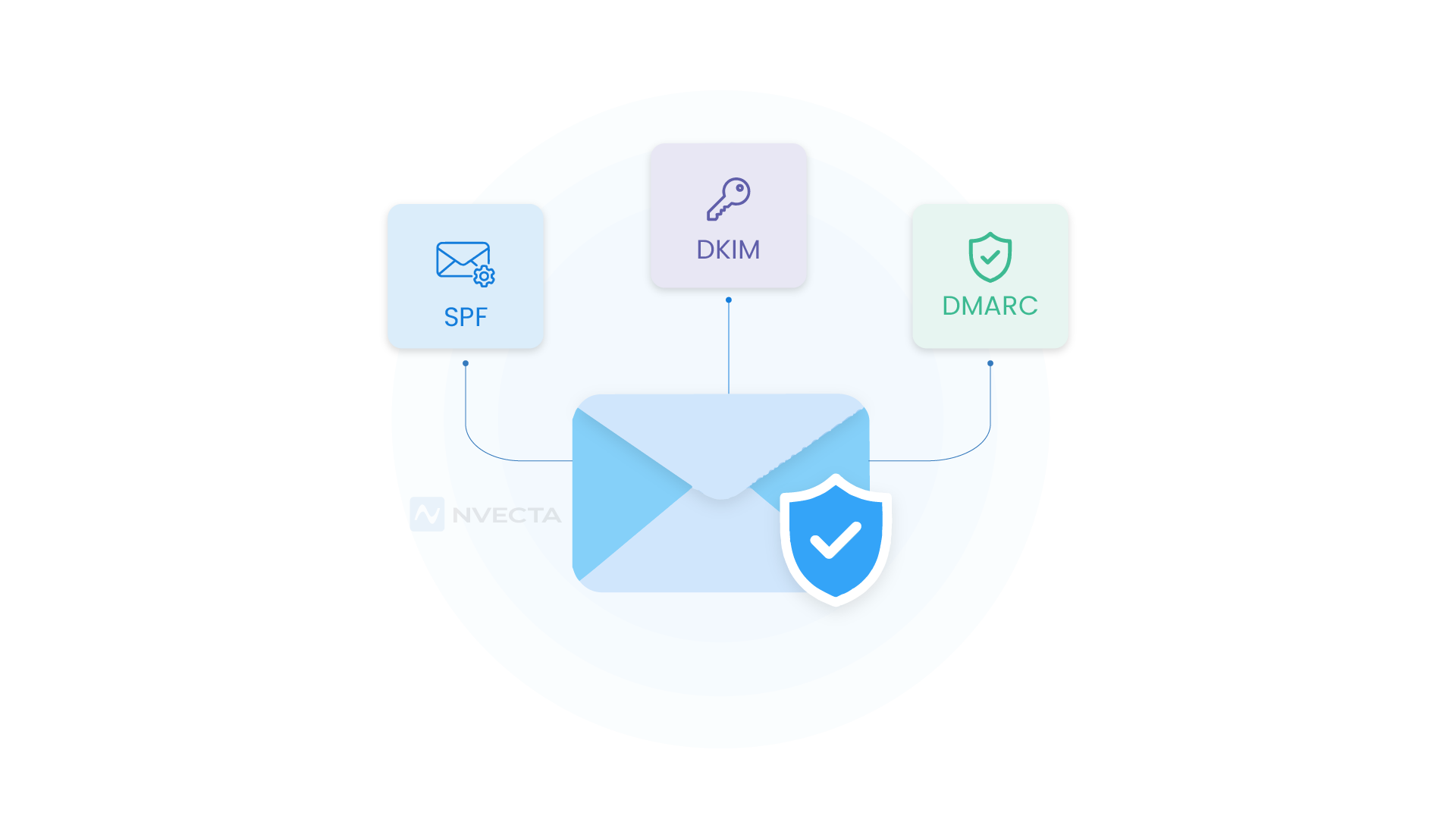
SPF, DKIM and DMARC are email authentication protocols. Each one checks a different part of your email to confirm it came from your domain. Each answers a different question- SPF: Who can send email using your domain? DKIM: Did anyone change this message? DMARC: What should happen when an email fails authentication?
What Is SPF?
SPF, or Sender Policy Framework, is a DNS record listing the mail servers approved to send on your domain’s behalf. A receiving server checks the sender’s origin against that list.
What Is DKIM?
DomainKeys Identified Mail (DKIM) signs every outgoing email with a private key only your server holds. The receiving server looks up the matching public key in your DNS and checks the signature. Change even one character in transit, and the signature breaks. DKIM confirms a message wasn’t altered at any point.
What Is DMARC?
Domain-based Message Authentication, Reporting, and Conformance (DMARC) checks whether the domain that passed SPF or DKIM matches the domain in your visible “From” address and decides what happens if it doesn’t. You set that outcome- deliver as normal, send to spam, or block right away.
Why Should Marketers Use SPF, DKIM and DMARC Together?
SPF authorises a server without checking the visible sender address, and DKIM proves integrity without checking who owns that address. Only DMARC checks both against what a reader sees.
SPF stops at setting Your Sender Identity
SPF checks the server, never the name a reader sees. Someone can register their own domain, pass SPF with it, then put your brand name in the “From” field.
DKIM stops at protecting Message Integrity
DKIM proves nobody changed the message, but the signing domain doesn’t have to match the one displayed to the reader. A phishing email can carry a valid signature from a domain with nothing to do with your business.
DMARC does Enforce Domain Alignment
No DMARC record means no consequence for a failed check. SPF or DKIM can fail outright, and the email still lands in the inbox, since nothing forces the receiving server to act. Now, when you set up all three records correctly, you’ll see fewer bounces and better inbox placement and, of course, improved email delivery.
Stronger Protection Against Spoofing
DMARC is the only one of the three that checks alignment with the domain a reader sees. That’s what stops a fake invoice or phishing email dressed up as your company.
Higher Trust With Inbox Providers
A domain with all three active builds senders’ reputation over time, and that reputation decides whether your next campaign reaches the inbox or gets filtered out.
How Do SPF, DKIM and DMARC Work Together?
SPF and DKIM each run their own check first. DMARC then looks at both results and decides what happens.
The Email Authentication Process
An email goes out, and the receiving server checks the SPF record for your sending domain, then verifies the DKIM signature. Both results feed into DMARC, which looks for alignment. If either domain matches the one in your “From” address, the message passes. If neither does, your policy takes over.
How DMARC Decides Trust
Your DMARC record includes a policy of none, quarantine, or reject. None lets failed mail through while you watch the reports. Quarantine routes it to spam. Reject stops it before it reaches an inbox. Most businesses start at none, read reports for a few weeks, then move to quarantine and eventually reject once every legitimate sender checks out.
Challenges With Multiple Sending Tools
A marketing team sending from an email platform, a CRM, a support tool, and a transactional service, all on one domain, needs every one of them in the SPF record and signed with DKIM. Forget one, and that platform’s mail starts failing checks, often unnoticed until open rates drop.
SPF, DKIM and DMARC at a Glance
| Protocol | Primary Purpose | How It Works | Key Benefit |
| SPF | Authorises email servers to send messages using your domain | Checks the sender’s IP address against approved servers listed in your DNS SPF record | Reduces unauthorised email sent from your domain |
| DKIM | Verifies sender identity and email integrity | Adds a cryptographic signature to outgoing messages. Inbox providers use your public DNS key to verify it. | Shows that a message came through an authorised signing system and was not altered |
| DMARC | Connects SPF and DKIM with your visible From domain | Checks SPF, DKIM and domain alignment, then applies your chosen policy | Gives businesses reporting, visibility, and control over unauthenticated email |
How to Set Up SPF
Step 1: List Every Sending Tool
Write down every platform sending mail on your behalf: email marketing tool, CRM, support software, transactional email service. Leave one off, and it fails SPF the moment it sends.
Step 2: Write Your SPF Record
An SPF record starts with v=spf1, followed by the services you’re authorising, and ends with a qualifier for everything else: v=spf1 include:_spf.google.com include:yourplatform.com ~all
Step 3: Publish the Record in DNS
Add this as a TXT record on your root domain through your DNS provider, usually under an “@” host or a blank host field.
Common SPF Mistakes
Two SPF records on one domain break the check completely; you need exactly one. Watch the 10 DNS lookup limit too, since each included service eats into that budget, and going over it triggers a permanent error even when the record looks fine.
How to Set Up DKIM
Step 1: Turn On DKIM Signing
Open the admin settings in your email platform, Google Workspace, Microsoft 365, or your marketing tool, and switch DKIM signing on.
Step 2: Publish the DKIM Record
Your platform hands you a public key tied to a selector, a short label used to find the right key later. Publish it as a TXT record at an address such as default._domainkey.yourdomain.com.
Step 3: Confirm DKIM Is Working
Send a test email to an account you control, open the full headers, and look for a DKIM signature matching your domain, usually under “Show original.”
Common DKIM Mistakes
Getting the selector wrong is the most common failure. Rotate a key without updating the DNS record, and signing fails too, sometimes for weeks before anyone notices, since old mail keeps passing.
How to Set Up DMARC
Step 1: Confirm SPF and DKIM Pass
DMARC needs at least one of SPF or DKIM working and aligned with your “From” domain. Confirm both before touching your DMARC record.
Step 2: Start in Monitoring Mode
Publish a record with a policy of none first, so failed mail still gets delivered while you start collecting reports. v=DMARC1; p=none; rua=mailto:dmarc-reports@yourdomain.com
Step 3: Review Your DMARC Reports
These reports name every source sending mail as your domain, with pass and fail rates for each. Businesses often find a forgotten platform this way, or one they never approved.
Step 4: Move Toward Full Enforcement
Once every legitimate sender passes consistently, shift from none to quarantine, then to reject. Base each move on weeks of clean reports, not a deadline.
Common SPF, DKIM and DMARC Failures and How to Fix Them
A handful of causes explain most failures, each with a direct fix.
SPF Passes but DMARC Still Fails
SPF passes for a domain different from the one shown in your “From” address. Set your sending platform to use a custom return path on your own domain, so SPF lines up with what the recipient sees.
DKIM Breaks on Forwarded Emails
Forwarding services rewrite headers or message content, breaking the DKIM signature. There’s no complete fix since the change happens after signing, but DMARC set to check either SPF or DKIM still gives forwarded mail a way to pass.
Legitimate Senders Missing From SPF
Someone signs up for a new platform, sends a campaign, and never loops in IT. That platform’s mail fails SPF because nobody added it. DMARC reports catch this fast, which is why publishing a run address matters even at a policy of none.
Multiple Teams Sending From One Domain
Marketing, support, and product teams often send from the same domain using different tools. Each new tool needs to be added to SPF and DKIM, and without someone tracking that list, records drift out of date.
How NVECTA Helps You Manage SPF, DKIM and DMARC Across Every Sending Domain
Authentication gets harder to manage once a business runs more than one domain, one brand, or one team sending email. NVECTA is an AI-powered customer data platform that keeps SPF, DKIM, and DMARC status visible across every domain a business sends from. No more checking a separate DNS verification panel per brand. Marketing teams see authentication health right next to the campaign data they already use every day.
One View Across Every Sending Domain and Brand
NVECTA brings customer and campaign data from every domain and business unit into a single view, so teams running multiple brands check authentication status in one place, not domain by domain.
Connects Directly to Your Existing Data Warehouse
NVECTA reads from the warehouse you already use, Snowflake, BigQuery, or Redshift, rather than copying data elsewhere. Sending activity stays in one source your team already trusts.
Real-Time Data From Every Sending Source
New tools get connected, and NVECTA picks up their activity right away. Catching an unauthorised sending source early matters more than reading about it in a report days later.
AI-Powered Alerts for Unusual Sending Activity
NVECTA scans your data around the clock and flags patterns that look wrong- a spike in bounces, a drop in engagement- often before a DMARC report would catch it.
Built-in Consent and Data Governance
Consent management, retention, and deletion controls come built into NVECTA. Authentication decides who can send mail; governance decides how that mail gets used, and inbox providers weigh both.
Activating Clean Data Across Every Channel
Once sending and customer data live in one place, NVECTA activates it across marketing and CRM tools without manual exports and fewer disconnected platforms to keep authenticated.
Conclusion
SPF, DKIM, and DMARC are essential requirements to secure your domain and increase email deliverability rates. A single domain with one sending tool is easy to manage. Multiple brands, regions, or marketing platforms need something that keeps every domain visible in one place. NVECTA gives marketing teams that visibility, connecting authenticated sending data with customer data. Book a demo to see how NVECTA keeps every sending domain protected as your business grows.
Do I need DMARC if I already have SPF and DKIM?
You do, honestly. SPF and DKIM only return a pass or fail; neither one decides what a receiving server should do about a failure. DMARC is the one that actually makes that call, and most businesses only find out who’s been sending mail as their domain once those reports start coming in.
Can I use DMARC without SPF or DKIM?
Not really, no. If you’re actually sending mail and want it to land, DMARC needs at least one of SPF or DKIM passing and lined up with your “From” domain. The one exception? A domain that never sends email to begin with.
What DMARC policy should I start with?
Go with p=none first, every time. It just collects reports without blocking or quarantining a single message, which buys you a few weeks to spot every legitimate sender before you tighten anything. Jump to quarantine or reject too soon, and you risk blocking mail nobody remembered to authorise.
Does SPF survive email forwarding?
Not usually. Forwarding sends your mail through a new server, one that’s rarely listed in the original domain’s SPF record, so the check fails right there. DKIM usually holds up better here, unless the forwarding service messes with whatever content got signed.
How long does it take for SPF, DKIM, and DMARC changes to work?
It usually takes a few hours. Most providers pick up DNS changes fast once they’re published, though full propagation across every resolver can still take up to 48 hours.
Are SPF, DKIM, and DMARC required in 2026 for all senders?
Only if you’re sending in bulk. Cross roughly 5,000 messages a day, and Gmail, Yahoo, and Outlook all start requiring it. Send less than that, and you’re technically off the hook for now, though setting up all three still pays off regardless of volume.
Where are these records stored?
Right inside your domain’s DNS, same as everything else pointing to your website and mail servers. There’s no separate authentication system tucked away somewhere; anyone can look these records up publicly with a basic DNS lookup tool, no special access required.
