














 Email
Email SMS
SMS Whatsapp
 Web Push
 App Push
 Audience Sync for Ads
 Popups
 Channel A/B Testing
  Control groups Analysis
 Frequency Capping
 Funnel Analysis
 Cohort Analysis
 RFM Analysis
 Signup Forms
 Surveys
 NPS
NPS Landing pages personalization
  Website A/B Testing
  PWA/TWA
 Heatmaps
 Session Recording
 Wix
Wix Shopify
 Magento
 Woocommerce
 eCommerce D2C
  Mutual Funds
 Insurance
 Lending
  Recipes
  Knowledgebase
 Developer Docs
 Product Updates
 App Marketplace
 Academy
 Ebooks
 Case Studies
 Blog
Blog Templates
 manoj
manoj
Launching storenvy referral widget is very simple with InviteReferrals If you are not signed up with InviteReferrals already, you’ll need to do so. Please sign up and create a referral campaign for your storenvy store first. Sign up for free now !!
Follow these steps to add InviteReferrals integration code to your store:
1. Go to store’s control panel and Click on “Design”.

2. Under Current Theme, click on “Edit HTML” and then click on “Layout”.

3. Copy InviteReferrals integration code from documentation section
Get your InviteReferrals integration code from the documentation section -> Javascript code. First login to the site and then copy the code so that the secret keys are already prefilled.
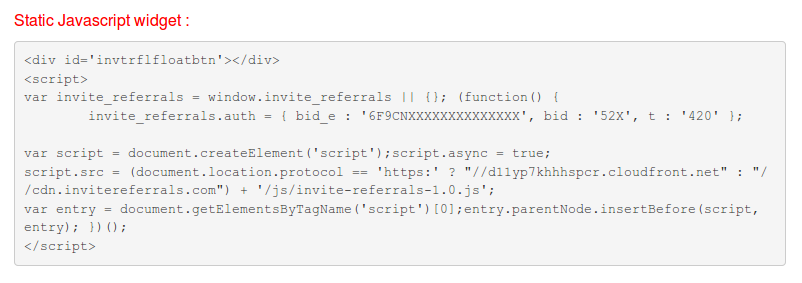
4. Under “Using Custom HTML”, In the textarea, place the InviteReferrals integration code before </head> tag.

5. Click “Save Changes”.

Thats it! Your Storenvy referral widget is ready. You can customize anything from the admin panel. No code changes are needed on your storenvy store.
