














 Email
Email SMS
SMS Whatsapp
 Web Push
 App Push
 Audience Sync for Ads
 Popups
 Channel A/B Testing
  Control groups Analysis
 Frequency Capping
 Funnel Analysis
 Cohort Analysis
 RFM Analysis
 Signup Forms
 Surveys
 NPS
NPS Landing pages personalization
  Website A/B Testing
  PWA/TWA
 Heatmaps
 Session Recording
 Wix
Wix Shopify
 Magento
 Woocommerce
 eCommerce D2C
  Mutual Funds
 Insurance
 Lending
  Recipes
  Knowledgebase
 Developer Docs
 Product Updates
 App Marketplace
 Academy
 Ebooks
 Case Studies
 Blog
Blog Templates
 Tanya
TanyaIn today’s digital landscape, effective communication with your audience is crucial for the success of your blog. Whether you’re a seasoned blogger or just starting, finding the right platform to manage your email marketing campaigns and engage with your readers is essential.
Among the top contenders in the market, three popular options stand out: ActiveCampaign vs Mailchimp vs Nvecta.
In this blog post, we will explore the features and benefits offered by each platform to help you make an informed decision. We’ll delve into their key functionalities, pricing structures, user interfaces, and integration capabilities, allowing you to assess which platform aligns best with your blogging goals and requirements.
ActiveCampaign vs Mailchimp vs Nvecta: Quick Comparison 2026
Here’s how the three platforms stack up at a glance. We’ll go deeper into each one below, but if you’re short on time, this table covers the essentials.
| Feature | ActiveCampaign | Mailchimp | Nvecta |
| Starting price | $19/month | $13/month (Free plan available) | Free plan available, paid from $60/month |
| Free plan | No (14-day trial) | Yes (500 contacts) | Yes (1,000 subscribers) |
| Best for | Automation-heavy SMBs and B2B teams | Beginners, hobby bloggers, small lists | Multi-channel marketing across email, SMS, WhatsApp, push |
| Email automation depth | Advanced (visual builder, conditional logic) | Basic to intermediate | Advanced with cross-channel triggers |
| AI features | AI Agents, predictive sending, generative content | Intuit Assist, send-time AI, content optimizer | AI Co-Marketer, predictive analytics |
| Built-in CRM | Yes | Light CRM only | Unified customer profiles |
| SMS / WhatsApp | SMS only (paid add-on) | SMS only (US/CA) | Both included |
| Push notifications | No native support | No native support | Yes (web and app) |
| Deliverability | ~95% inbox placement | ~85% inbox placement | High (dedicated IP available) |
| Learning curve | Moderate to steep | Easy | Moderate |
| Customer support | Chat, email (phone on higher tiers) | Email and chat (limited on free plan) | 24/7 email, chat, and phone |
Quick Verdict: Which One Should You Pick?
If you don’t want to read 4,000 words, here’s the 30-second version.
Go with Mailchimp if you’re new to email marketing, want a free plan to test things out, and your list is under a few thousand contacts. It’s the easiest of the three to learn, and the templates look good without much effort.
Go with ActiveCampaign if Mailchimp’s automations have started to feel limiting and you want a real CRM, lead scoring, and conditional logic in your workflows. It costs more, but most businesses switching from Mailchimp do it for exactly this reason.
Go with Nvecta if email is only one part of how you reach customers. Push notifications, SMS, WhatsApp, on-site popups, and email all live in one platform, which usually beats paying for three or four tools that don’t talk to each other.
I. ActiveCampaign

Overview and Features
ActiveCampaign is an all-in-one marketing automation and customer relationship management (CRM) platform designed to help businesses effectively engage with their audience.
With various features and tools, ActiveCampaign enables bloggers to create personalized, targeted email campaigns, automate marketing processes, and track customer interactions.
Here are some key features and functionalities offered by ActiveCampaign:
- Email Marketing: ActiveCampaign provides a robust email marketing solution, allowing you to design professional-looking emails using pre-designed templates or a drag-and-drop editor.
You can segment your email list based on customer data, behavior, and preferences, ensuring that your messages reach the right people at the right time. The platform also offers A/B testing capabilities to optimize your email campaigns for better results.
- Marketing Automation: Automation is at the core of ActiveCampaign. It offers a visual automation builder that lets you create sophisticated workflows for your marketing campaigns.
You can automate tasks like sending personalized welcome emails, follow up sequences, and abandoned cart reminders. With automation, you can save time and deliver timely, relevant content to your subscribers. - CRM and Sales Automation: ActiveCampaign integrates CRM features, allowing you to manage customer data effectively. You can track customer interactions, capture lead information, and view a comprehensive contact profile with their engagement history, preferences, and more. The platform also offers sales automation tools to streamline sales processes, manage deals, and track pipeline activity.
- Personalization and Dynamic Content: ActiveCampaign lets you personalize your emails and content based on customer data. You can dynamically insert customer-specific information into your emails, such as their name, location, or previous purchases. This level of personalization helps create a more tailored and engaging experience for your readers.
- Behavioral Tracking and Analytics: ActiveCampaign provides detailed analytics and reporting features to track the performance of your email campaigns and automation workflows.
You can monitor open rates, click-through rates, conversion rates, and other key metrics to measure the success of your campaigns. The platform also offers website tracking capabilities, allowing you to monitor visitor behavior and trigger automation based on specific actions taken on your blog. - Integration and Ecosystem: ActiveCampaign integrates with various third-party applications and platforms, including popular blogging platforms, CRMs, e-commerce tools, and more. This integration capability enables seamless data transfer and connects ActiveCampaign with your existing blogging ecosystem.
If you’re seeking a comprehensive solution for managing your blog alongside other marketing activities, consider exploring the possibilities of integrating a blog on ActiveCampaign with cloud-based platforms like Dropinblog to centralize your marketing efforts. You can also combine email automation, CRM functionality, and blogging tools within this single platform.
Pricing structure and plans

It offers four plans as follows:-
- Lite Plan: This plan starts at $9 per month and offers features like unlimited sending, newsletters, email marketing, subscription forms, chat, email support, etc.
- Plus Plan: This plan starts at $49 per month and offers features like CRM, Landing Pages, Integration, SMS Marketing, Dynamic Content, Facebook Custom Audiences, etc.
- Professional Plan: This plan starts at $129 per month and offers all the features of Lite and the plan. It offers additional features like split automation, site messaging, predictive sending with machine learning, customer attribution, in-depth onboarding consultation, etc.
- Enterprise Plan: This plan starts at $229/ month and offers all the features of the Professional Plan. It offers additional features like Customer Reporting (Beta), Customer Mail Server Domain, Custom Domain, Dedicated Account Rep, Free Design Services, Free Social Data, etc.
Pros and Cons of using ActiveCampaign
Pros of using ActiveCampaign:
- Comprehensive Automation: ActiveCampaign offers robust automation capabilities, allowing you to create complex workflows and automate various marketing tasks. It helps save time, streamline processes, and deliver personalized experiences to your audience.
- Advanced Segmentation and Personalization: ActiveCampaign enables you to segment your audience based on various criteria, such as behavior, preferences, and engagement. It allows for highly targeted and personalized email campaigns, improving engagement and conversion rates.
- CRM Integration: ActiveCampaign integrates CRM functionality, providing a unified view of your contacts and their interactions. It helps you manage customer data, track interactions, and nurture leads throughout the customer journey.
- Behavioral Tracking and Analytics: The platform offers in-depth tracking and analytics features, allowing you to monitor the performance of your campaigns, track customer behavior on your website, and gain insights into the effectiveness of your marketing efforts.
- Third-Party Integrations: ActiveCampaign integrates with various third-party applications and platforms, enabling seamless data transfer and integration with your existing blogging ecosystem.
- Scalability: ActiveCampaign caters to businesses of all sizes, offering scalable plans to accommodate the needs of growing blogs and more extensive subscriber lists.
Cons of using ActiveCampaign:
- Learning Curve: ActiveCampaign’ s advanced features and automation capabilities may have a steeper learning curve than simpler email marketing platforms. Understanding and utilizing all the features and functionalities available fully may take some time.
- User Interface: While ActiveCampaign provides a comprehensive set of features, some users may need help with the interface, especially if they are new to marketing automation or CRM systems.
- Limited Landing Page Builder: activecampaign’s landing page builder is less robust than dedicated landing page software. If you require advanced landing page creation and optimization features, you may need to integrate with a third-party tool.
Still not sure? Just Click Below
II. Mailchimp

Overview and Features
Mailchimp is a popular email marketing platform that offers a range of features to help bloggers effectively engage with their audience through email campaigns. It is known for its user-friendly interface and intuitive email creation process. Here’s an overview of Mailchimp’s key features:
- Email Campaign Creation: Mailchimp provides an easy-to-use drag-and-drop editor to create visually appealing and professional-looking email campaigns. It offers various pre-designed templates and customizable content blocks, making designing emails that match your blog’s branding simple.
- Audience Management and Segmentation: Mailchimp enables you to manage your subscriber list efficiently. You can import contacts, segment your audience based on various criteria such as demographics, interests, and past interactions, and create targeted email campaigns tailored to specific segments.
- Marketing Automation: Mailchimp offers automation features to streamline your email marketing efforts. You can set up automated welcome emails, follow up sequences, and other triggered campaigns based on subscriber actions or specific dates. Automation helps deliver timely and relevant content to your readers.
- A/B Testing: With Mailchimp, you can experiment and optimize your email campaigns through A/B testing. You can create different versions of your emails and test variables such as subject lines, content, and send times to determine what resonates best with your audience and improves engagement.
- Analytics and Reporting: Mailchimp provides detailed analytics to track the performance of your email campaigns. You can monitor open rates, click-through rates, bounce rates, and other key metrics to gain insights into how your audience interacts with your emails. This data helps you refine your strategies and make data-driven decisions.
- Integration with Third-Party Tools: Mailchimp integrates with various blogging platforms, e-commerce systems, and customer management tools. It allows seamless data synchronization, enabling you to connect your email marketing efforts with your blogging ecosystem. Additionally, Mailchimp is a valuable tool for digital media agencies in LA, facilitating efficient management and coordination of email campaigns within their broader marketing strategies.
- Mobile App: Mailchimp offers a mobile app that allows you to manage your email campaigns and track performance on the go. You can create and send campaigns, monitor subscriber activity, and access critical metrics directly from your mobile device.
- Customer Support and Resources: Mailchimp provides customer support through email, live chat, and extensive online resources, including guides, tutorials, and a knowledge base. It ensures you have the necessary assistance and guidance to make the most of the platform.
Pricing structure and plans

- Free Plan: This plan contains up to 1000 emails/month. It has audience dashboards, basic email templates, marketing CRM, and CRM tools.
- Essentials Plan: This plan is free for one month and starts at ₹770/month. It includes up to 5000 email sends. It offers customer support, pre-built email templates, basic reporting and analytics, 300+ integrations, creative assistance, etc.
- Standard Plan: This plan is free for one month and starts at ₹1,150/month. It includes all the Essentials plan’s features and additional features like retargeting ads, A/B Testing, custom templates, campaign monitoring and behavioral targeting.
- Premium Plan: This plan starts at ₹23,000/month. It includes all the Standard plan features, including multivariate testing, advanced segmentation, comparative reporting, and phone support.
Pros and Cons of using Mailchimp
Pros of using Mailchimp
- User-Friendly Interface: Mailchimp is known for its intuitive and user-friendly interface, making it easy for bloggers to navigate and create email campaigns without requiring advanced technical skills.
- Drag-and-Drop Email Editor: The platform offers a drag-and-drop email editor that allows you to design visually appealing emails using pre-designed templates or customizable content blocks. This feature simplifies email creation and helps maintain a consistent brand image.
- Audience Management and Segmentation: Mailchimp provides tools to manage your subscriber list effectively. You can import contacts, segment your audience based on various criteria, and create targeted email campaigns tailored to specific segments. It helps deliver more relevant content and improve engagement.
- A/B Testing: Mailchimp enables you to conduct A/B testing to optimize your email campaigns. You can test variables such as subject lines, content, or send times to determine what resonates best with your audience, improving open and click-through rates.
- Integration with Third-Party Tools: Mailchimp offers integrations with various third-party applications and platforms, including popular blogging platforms and e-commerce systems. It lets you connect your email marketing efforts with your existing blogging ecosystem and synchronize data seamlessly.
- Mobile App: Mailchimp provides a mobile app that allows you to manage and monitor your email campaigns on the go. You can create and send campaigns, track subscriber activity, and access critical metrics directly from your mobile device.
Cons of using Mailchimp
- Automation Limitations: While Mailchimp offers basic automation features, it may provide a different level of complexity and advanced automation capabilities than platforms like ActiveCampaign. It can be a limitation for bloggers with more advanced automation needs.
- Limited CRM Functionality: Mailchimp includes basic CRM features to manage subscriber data, but it may not offer as advanced CRM capabilities as dedicated CRM platforms. If you require in-depth customer relationship management, you may need to integrate Mailchimp with a separate CRM system.
- Customization Limitations: While Mailchimp provides a range of templates and customization options, it may have limitations when creating highly customized or complex email designs. Advanced customization may require knowledge of HTML and CSS.
- Customer Support: While Mailchimp offers customer support, the level of support may vary depending on your plan. Some users have reported challenges in receiving timely and comprehensive support.
III. Nvecta
Overview and Features
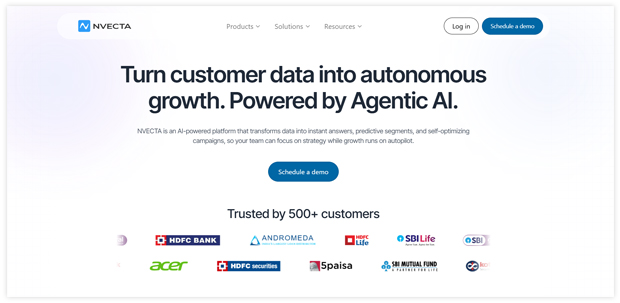
Nvecta is a platform that specializes in on-site engagement and conversion optimization tools. It offers various features to help bloggers enhance user experience, engage website visitors, and drive conversions. Here’s an overview of Nvecta’s key features:
- Pop-ups and Overlays: Nvecta allows you to create targeted pop-ups and overlays on your website to grab visitors’ attention and convey important messages or offers. You can customize the design, timing, and targeting rules to optimize their effectiveness.
- Notifications and Announcements: You can use Nvecta to display notifications and announcements on your website. These can be used to promote new blog posts, upcoming events, special offers, or any other important updates to your audience.
- Personalized Messaging: Nvecta enables you to deliver personalized messages to website visitors based on their behavior, preferences, or demographics. It helps create tailored experiences and improve engagement.
- Behavioral Triggers: You can set up behavioral triggers with Nvecta to automatically display targeted messages or offers based on specific actions visitors take, such as scrolling behavior, exit intent, or time spent on a page. It helps capture attention at the right moment.
- A/B Testing: Nvecta provides A/B testing capabilities, allowing you to experiment with different variations of your pop-ups, notifications, and messages. You can test different designs, messages, or targeting rules to optimize engagement and conversion rates.
- Exit Intent Technology: Nvecta includes exit intent technology, which detects when a visitor is about to leave your website and triggers a pop-up or message to attempt to retain their attention and prevent bounce.
- Targeting and Segmentation: You can segment your website visitors based on various criteria, such as geolocation, referral source, or browsing behavior. Nvecta enables you to target specific segments with personalized messages and offers to increase relevance and effectiveness.
- Conversion Tracking and Analytics: Nvecta provides analytics and reporting features to track the performance of your engagement campaigns. You can measure the conversion rates, click-through rates, and other key metrics to assess the effectiveness of your efforts.
- Integration with Third-Party Tools: Nvecta integrates with popular blogging platforms, CMS systems, and marketing tools, allowing you to synchronize data and streamline engagement strategies within your existing blogging ecosystem.
- Email Campaign Creation: Nvecta helps to create visually appealing and professional-looking email campaigns. It offers various pre-designed templates and customizable content blocks, making designing emails that match your blog’s branding simple.
- Marketing Automation: Nvecta offers automation features to streamline your email marketing efforts. You can set up automated welcome emails, follow up sequences, and other triggered campaigns based on subscriber actions or specific dates. Automation helps deliver timely and relevant content to your readers.
Pricing structure and plans
- Free Plan: Nvecta’s free plan includes up to 1000 subscribers and 1,000 email sends per month. This plan includes basic features like push notifications, in-app messages, and web notifications.
- Startups Plan: Nvecta’s Startups plan starts at $60 per month and includes up to 10,000 contacts and 30,000 email sends per month. This plan includes advanced features such as A/B testing, automation, unlimited push notifications, on-site popups, and segmentation.
- Growth Plan: Nvecta’s Growth plan starts at $110 per month and includes up to 10,000 contacts, and 30,000 email sends per month. This plan includes all of the features of the Starter plan and additional features such as API access and custom branding.
Let us now look at the detailed comparison of ActiveCampaign vs Mailchimp vs Nvecta.
Detailed comparison of ActiveCampaign vs Mailchimp vs Nvecta
| Basis | Nvecta | ActiveCampaign | Mailchimp |
| Free Plan | Yes | No | Yes |
| Best For | Big Businesses, SMBs, E-commerce | SMBs, E-commerce | SMBs, E-commerce |
| Shopify Ratings | 5/5 | 4.4/5 | 3.5/5 |
| Customer Support | 24/7 email, phone and chat support | 24×7 live chat | Email and Chat |
| Push Notifications | Yes | Yes | Yes |
| Automations | Yes | Yes | Yes |
| Extra Features | Landing Pages, Segmentation, Onsite Messages, A/B testing, personalization, multi-channel support, email marketing, SMS | SMS Marketing, Advanced personalisation, Landing pages | Email Templates, A/B Testing, Reporting |
| Factors | Nvecta | ActiveCampaign | Mailchimp |
| Automated email campaigns | Yes | Yes | Yes |
| Journey Builder | Yes | Yes | Yes |
| A/B testing | Yes | Yes | Yes |
| Drag and Drop editor | Yes | Yes | Yes |
| Email Scheduling | Yes | Yes | Yes |
| Conversion Tracking | Yes | Yes | Yes |
| Personalized and Dynamic Content | Yes | Yes | Yes |
| Scheduled reporting | Yes | Yes | Yes |
| Control group analysis | Yes | Yes | Yes |
| Campaign booster | Yes | No | No |
AI Features Compared: ActiveCampaign vs Mailchimp vs Nvecta
AI is the single biggest shift in email marketing over the last two years. All three platforms now have it baked in, but they’re solving different problems. Here’s what each one actually does.
ActiveCampaign AI
ActiveCampaign rolled out AI Agents in 2024 and has been pushing further into autonomous campaign building since. The agents can suggest full automation flows from a plain-text prompt, write subject lines and body copy, and recommend send times based on past behavior. Predictive sending picks the optimal hour for each individual subscriber instead of using one global send time. There’s also a sentiment analysis feature that flags negative replies so support teams can act fast. The AI sits inside almost every workflow now, so you don’t have to leave the platform to write a draft.
Mailchimp AI
Mailchimp’s AI runs through Intuit Assist, which is the same AI layer Intuit ships across QuickBooks and TurboTax. It writes email copy, generates subject lines, and gives content optimization tips before you send. Send-time optimization and predictive segmentation are also there, though they tend to feel less customizable than ActiveCampaign’s. The strength is how easy it is to use. The weakness is depth: you can ask Mailchimp’s AI to write an email, but you can’t have it build a full multi-step automation for you. For solo creators and small teams, that’s usually fine.
Nvecta AI
Nvecta’s AI Co-Marketer focuses on cross-channel orchestration rather than just email. It picks the best channel for each user (email, SMS, WhatsApp, or push), runs channel A/B tests automatically, and predicts customer lifetime value so you can prioritize segments worth more retention spend. The frequency capping is AI-driven too, which keeps you from over-messaging users across multiple channels. If your marketing isn’t email-only, this is where Nvecta pulls ahead of both ActiveCampaign and Mailchimp.
Deliverability: Which Platform Lands in the Inbox?
Deliverability is the metric that gets ignored until it bites you. You can write the best email in the world, but if it lands in spam, none of it matters. Here’s how the three compare on real-world inbox placement.
ActiveCampaign consistently scores in the 94 to 96 percent range across independent deliverability tests (EmailToolTester being the most cited). Their list-hygiene policies are stricter, dedicated IPs are available on higher-tier plans, and their domain authentication setup walks you through SPF, DKIM, and DMARC step by step. If you’re sending to engaged lists, expect strong inbox placement.
Mailchimp tends to score lower in the same tests, usually in the 82 to 86 percent range. Part of this is the volume of free-plan senders sharing IP pools, and part of it is looser list-hygiene defaults. For a clean small list, Mailchimp does fine. For larger senders or anyone with a history of complaints, the difference becomes more noticeable.
Nvecta offers dedicated IPs on paid plans and includes automatic suppression of inactive contacts to protect sender reputation. Because it also handles SMS, WhatsApp, and push, you can route messages by channel performance rather than blasting email-only to a tired list — which has a real impact on long-term deliverability.
Updated 2026 Pricing Comparison
Pricing on all three platforms shifted in 2025–26, so here’s the current snapshot. All prices are USD on annual billing unless noted, and contact tiers are starting amounts.
| Plan tier | ActiveCampaign | Mailchimp | Nvecta |
| Free plan | Not available (14-day trial) | 500 contacts, 1,000 sends/month | 1,000 subscribers, 1,000 sends/month |
| Entry paid plan | Starter at $19/month (1K contacts) | Essentials at $13/month (500 contacts) | Startups at $60/month (10K contacts) |
| Mid-tier plan | Plus at $49/month | Standard at $20/month | Growth at $110/month |
| Top-tier plan | Pro at $79/month | Premium starting at $350/month | Custom enterprise pricing |
| Cost at 10K contacts | ~$79/month (Starter) | ~$110/month (Essentials) | $110/month (Growth, all features) |
The headline takeaway: Mailchimp is cheapest at small list sizes, but the gap narrows fast as you grow past 5,000 contacts. ActiveCampaign costs more out of the gate but gives you a real CRM included. Nvecta’s flat-tier pricing on Startups and Growth means you don’t get nickel-and-dimed when your list jumps from 5K to 9K.
Which is the ideal solution for you?
- ActiveCampaign
- Best for: SMB’s and businesses prioritizing email marketing and CRM.
- Ideal for: e-commerce, Digital marketing agencies, Non-profit organizations
- Features: Email Marketing, Lead nurturing, Sales CRM, Reporting
2. Mailchimp
- Best for: SMBs and marketers prioritizing email marketing and social media ads.
- Ideal for: E-commerce, non-profits, and B2B businesses.
- Features: Email marketing, automation, social media ads, CRM integration, and content studio.
3. Nvecta
- Best for: Businesses that prioritize multi-channel marketing, advanced targeting, and personalisation.
- Ideal for: E-commerce businesses, media and publishing, travel and hospitality, financial services, and education
- Features: Email marketing, multi channel notifications, advanced targeting, landing pages, customization
Determining which platform is better, whether Nvecta, ActiveCampaign, or Mailchimp, depends on your specific needs and preferences. Here are some reasons why Nvecta may be a better choice for specific use cases:
- On-Site Engagement Focus: Nvecta specializes in on-site engagement tools, such as pop-ups, overlays, and personalized messaging. If your primary goal is to optimize the user experience and drive conversions directly to your website, Nvecta’s features are specifically tailored for this purpose.
- Targeted Messaging: Nvecta allows you to deliver personalized messages to website visitors based on their behavior, preferences, or demographics. This level of targeting can help increase relevance and engagement with your audience.
- Behavioral Triggers: Nvecta enables you to set up behavioral triggers that automatically display targeted messages or offers based on specific actions taken by visitors. This real-time response to user behavior can capture attention and drive desired actions.
- A/B Testing: Nvecta provides A/B testing capabilities, allowing you to experiment with different variations of your engagement campaigns. It helps optimize your strategies by identifying the most effective designs, messages, or targeting rules.
- Easy Integration: Nvecta integrates with popular blogging platforms, CMS systems, and marketing tools. This seamless integration can streamline your engagement strategies within your existing blogging ecosystem.
Best Platform by Use Case
The “best” tool depends on what you’re actually trying to do. Here’s how the three break down by business type.
Best for eCommerce
Nvecta wins here. Cart abandonment flows running across email, SMS, WhatsApp, and push hit conversions that email-only sequences miss. ActiveCampaign comes second for its CRM-style customer profiles. Mailchimp’s eCommerce add-ons feel bolted on by comparison.
Best for bloggers and creators
Mailchimp is the easiest pick if you’re publishing weekly newsletters and want a free plan to start. ActiveCampaign suits creators selling courses or memberships, where automation and tagging matter. Nvecta is overkill unless you also need on-site popups for opt-ins.
Best for small business
Mailchimp under 5,000 contacts. ActiveCampaign once your automation needs grow past welcome emails and birthday flows. If your customers come in through multiple channels (web, app, store), Nvecta saves you from buying three separate tools.
Best for B2B and SaaS
ActiveCampaign is the strongest pick. Lead scoring, deal pipelines, and conditional logic in workflows are the core needs for B2B nurture, and ActiveCampaign handles all three natively. Mailchimp’s CRM features feel light here, and Nvecta’s strengths skew more toward consumer journeys.
Best for agencies
ActiveCampaign has a dedicated agency program with multi-account management, white-label options, and lead generation perks. Mailchimp’s Mailchimp & Co. is similar but lighter. Nvecta works for agencies running multi-channel campaigns for clients but doesn’t have a formal partner program at the same scale.
Factors to consider when choosing a marketing tool
- Features and Capabilities: Assess the specific features and capabilities the marketing tool offers. Determine if it provides your needed functionalities, such as email marketing, automation, CRM integration, segmentation, analytics, A/B testing, social media management, or content creation tools.
- Scalability: Consider your current and future needs. Ensure the marketing tool can accommodate your growing audience, increase email lists, and expand marketing efforts without limitations or significant price increases.
- Ease of Use: Evaluate the tool’s user interface and overall user experience. Look for intuitive navigation, drag-and-drop editors, customizable templates, and a user-friendly dashboard. It is imperative if you have a small team or limited technical expertise.
- Integration and Compatibility: Check if the marketing tool integrates smoothly with your existing systems and platforms, such as CRM software, e-commerce platforms, content management systems (CMS), or customer support software. Integration capabilities can streamline your marketing operations and data management.
- Automation and Personalization: Determine the level of automation and personalization features provided. Look for tools that offer advanced automation workflows, behavioral triggers, dynamic content, and personalization options to deliver tailored experiences to your audience.
- Analytics and Reporting: Consider the analytics and reporting capabilities of the tool. Look for features that provide insights into campaign performance, audience engagement, conversion tracking, ROI measurement, and customer behavior. Robust reporting can help you optimize your marketing strategies and make data-driven decisions.
- Pricing and Budget: Evaluate the marketing tool’s pricing structure, plans, and cost-effectiveness. Consider whether it offers a free plan, trial period, or flexible pricing options that align with your budget and expected return on investment (ROI).
- Customer Support and Training: Assess the level of customer support the marketing tool provides. Look for options such as live chat, email support, phone support, or a knowledge base. Additionally, consider if the tool offers training resources, webinars, or documentation to help you maximize its potential.
- Reputation and Reviews: Research the reputation and reviews of the marketing tool. Look for feedback from other users, testimonials, case studies, and ratings on reputable review platforms. It can give insights into the tool’s reliability, performance, and customer satisfaction.
- Security and Compliance: Consider the security measures implemented by the marketing tool to protect your data and ensure compliance with data protection regulations, such as GDPR or CCPA. Check for features like data encryption, secure dedicated servers, and data processing agreements.
Switching From Mailchimp to ActiveCampaign (or to Nvecta)
If you’ve outgrown Mailchimp, you’re not alone. Both ActiveCampaign and Nvecta publish migration guides and offer free imports. Here’s how the move usually plays out.
Signs it’s time to switch
You’re paying duplicate-contact fees because the same person sits on multiple lists. You can’t build the automation you need because Mailchimp can’t mix AND/OR conditions in segments. Your open rates have dropped and you suspect deliverability. You want SMS or push and don’t want a separate tool.
A simple 5-step migration
- Export your audience. Pull a CSV of contacts from Mailchimp with all custom fields and tags.
- Clean the list. Drop unsubscribes, hard bounces, and inactive contacts older than 12 months. This single step protects your sender reputation in the new platform.
- Import and map fields. Both ActiveCampaign and Nvecta have free import wizards that map Mailchimp fields automatically.
- Rebuild key automations first. Don’t try to migrate everything at once. Start with your welcome flow and abandoned-cart sequence. Move the rest over the following weeks.
- Warm up sending slowly. Start with engaged segments only for the first two weeks. Ramp volume gradually so the new platform’s IP reputation builds correctly.
Why consider Nvecta instead of ActiveCampaign
If you’re switching anyway, look at Nvecta if your business reaches customers through more than one channel. Moving to ActiveCampaign solves the email automation problem, but you’ll still need a separate SMS tool, a separate push notification tool, and a separate popup/CRO tool. Nvecta consolidates those into one platform, which usually beats running three or four subscriptions.
Wrapping Up
In conclusion, when comparing ActiveCampaign Vs Mailchimp, and Nvecta, it is essential to consider your marketing efforts’ specific needs and goals.
Ultimately, the choice between these platforms depends on your specific requirements, budget, and emphasis on email marketing, automation, or on-site engagement. Assessing features, pricing, scalability, ease of use, integration capabilities, and customer support will help you make an informed decision.
Remember to consider the unique needs of your business and the goals you aim to achieve with your marketing efforts.
FAQs on ActiveCampaign vs Mailchimp
Is ActiveCampaign better than Mailchimp?
It depends on what you mean by “better.” ActiveCampaign has stronger automation, deeper segmentation, and a real CRM. Mailchimp wins on simplicity, free plan, and ease of setup. For lists under 2,000 contacts and basic email needs, Mailchimp usually feels like the right call. Beyond that, ActiveCampaign tends to pay for itself in time saved.
Which is cheaper, Mailchimp or ActiveCampaign?
Mailchimp is cheaper at small list sizes thanks to its free plan and $13/month entry tier. ActiveCampaign starts at $19/month with no free plan. The gap closes fast as your list grows past 5,000 contacts, where Mailchimp’s pricing climbs steeply.
Does Mailchimp have better deliverability than ActiveCampaign?
No. ActiveCampaign consistently scores higher on independent deliverability tests, typically in the 94–96% inbox placement range versus Mailchimp’s 82–86%. The gap mostly comes from stricter list hygiene policies and dedicated IP availability on ActiveCampaign.
Can I switch from Mailchimp to ActiveCampaign easily?
Yes. ActiveCampaign offers free migration assistance, including importing contacts, lists, and most automations from Mailchimp. The full process usually takes one to three weeks for a mid-sized list, mostly because you’ll want to rebuild and test automations rather than copy them blindly.
Which is better for small businesses, ActiveCampaign or Mailchimp?
Mailchimp suits small businesses that just want to send newsletters and basic automated emails without learning a new tool. ActiveCampaign fits small businesses that have moved past basics and want lead scoring, sales pipelines, or multi-step automations. Both work; the deciding factor is how much marketing complexity you actually run.
Does ActiveCampaign have a free plan like Mailchimp?
No. ActiveCampaign offers a 14-day free trial but no permanent free tier. Mailchimp’s free plan covers up to 500 contacts and 1,000 sends per month. If a free plan is a hard requirement, Mailchimp or Nvecta are the choices.
Which has better AI features in2026?
ActiveCampaign’s AI Agents lead on autonomous campaign building. Mailchimp’s Intuit Assist is easier to use but shallower. Nvecta’s AI Co-Marketer leads if you need cross-channel orchestration across email, SMS, WhatsApp, and push. The right choice depends on whether you want help writing emails (Mailchimp), building automations (ActiveCampaign), or routing across channels (Nvecta).
Also Read:
