














 Email
Email SMS
SMS Whatsapp
 Web Push
 App Push
 Audience Sync for Ads
 Popups
 Channel A/B Testing
  Control groups Analysis
 Frequency Capping
 Funnel Analysis
 Cohort Analysis
 RFM Analysis
 Signup Forms
 Surveys
 NPS
NPS Landing pages personalization
  Website A/B Testing
  PWA/TWA
 Heatmaps
 Session Recording
 Wix
Wix Shopify
 Magento
 Woocommerce
 eCommerce D2C
  Mutual Funds
 Insurance
 Lending
  Recipes
  Knowledgebase
 Developer Docs
 Product Updates
 App Marketplace
 Academy
 Ebooks
 Case Studies
 Blog
Blog Templates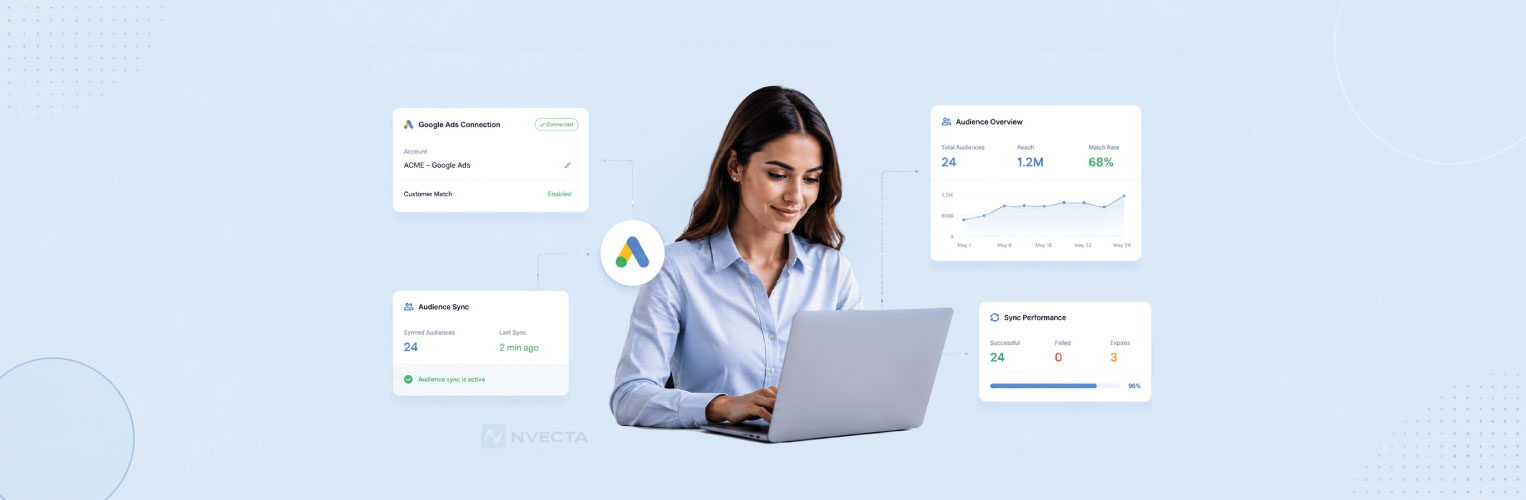
 Aparupa Saha
📅 Last updated: May 2026
Inside this guide: Why connect a CDP to Google Ads, a 10-step setup guide with screenshots, 5 high-impact use cases with real ROAS numbers, server-side tracking + Enhanced Conversions, the cookieless playbook, vendor comparison, troubleshooting, and 10 FAQs. All current as of May 2026.
If you’ve spent any time managing paid media over the last few years, you’ve probably felt it. Targeting is harder. Costs are up. Audiences that used to convert reliably don’t behave the same way anymore. A big part of that shift comes down to data.
Third-party cookies are fading, privacy expectations are rising, and platforms are pushing more automation than ever. At the same time, leadership still expects paid media to deliver efficient growth. That combination leaves many marketers stuck working with incomplete signals and limited control.
This is where CDP and Google Ads integration starts to matter, not as a buzzword, but as a practical way to regain relevance and efficiency in your campaigns. And for teams using platforms like Nvecta, that integration becomes even more actionable, because unified, real-time customer profiles can move directly into paid media without relying on disconnected tools or manual uploads.
By connecting a Customer Data Platform (CDP) with Google Ads, teams can finally use the customer data they already own to shape who they target, who they exclude, and how their ads show up across Google’s ecosystem.
This article breaks down how that integration actually works, how to sync audiences with Google Ads in a meaningful way, and what changes when your campaigns are built around real customer behaviour instead of guesswork.
Why Connect Your CDP to Google Ads (The Numbers)
Before getting into the how, it helps to know what’s actually at stake. Teams that connect their CDP to Google Ads consistently report the same range of outcomes:
- 30% to 50% reduction in wasted impressions by suppressing existing customers from acquisition campaigns
- 2x to 3x lift in ROAS on retargeting campaigns when audiences are built from CDP intent signals instead of basic page-visit lists
- 15% to 25% lower CAC on prospecting campaigns when lookalikes are seeded from your top customer segments
- 10% to 15% improvement in attribution accuracy with Enhanced Conversions and server-side tracking
- 60% to 80% Customer Match rates when CDP profiles ship clean, hashed first-party identifiers (compared to 20%-40% match rates from manual CSV uploads)
The pattern across all of these: better data feeding into Google Ads beats clever bidding strategies almost every time. The CDP is what makes “better data” practical instead of theoretical.
What a Customer Data Platform Really Does (and Why It Matters for Ads)
Most companies already collect plenty of data. Website visits, email engagement, purchases, product usage, and support tickets. The problem isn’t access, it’s fragmentation. A CDP exists to solve that problem.
Instead of keeping data locked inside individual tools, a CDP pulls information from across your stack and stitches it together into a single customer profile.
That profile updates as people interact with your brand, whether they’re anonymous visitors or known customers.
Platforms like Nvecta take this a step further by unifying data in real time and making those profiles immediately usable across marketing channels, including paid media.
From a paid media perspective, this is a big deal. Without a CDP, Google Ads audiences are usually built on surface-level signals. Page visits.
Conversions. Broad remarketing lists. With a CDP, audiences reflect who someone actually is and what they’ve done over time, including product usage patterns, lifecycle stage, engagement depth, and purchase history.
When a platform like Nvecta powers that data layer, those insights are not static exports. They become continuously updating audiences that can sync directly into ad platforms.
That difference becomes especially important as targeting options narrow and first-party data takes centre stage.
Why Native Google Ads Targeting Isn’t Enough Anymore
Google Ads is still one of the most powerful platforms available. Search intent is unmatched, and YouTube alone reaches billions of users. But native targeting has limits.
Most advertisers run into the same issues:
- Audiences update slowly or not at all
- Existing customers see acquisition ads
- High-intent users get lumped in with casual visitors
- There’s no easy way to reflect the lifecycle stage or product usage
As Google leans further into automation, advertisers often lose visibility into who is actually being targeted and why.
A CDP doesn’t replace Google Ads. It complements it.
By feeding Google Ads cleaner, more intentional audiences, you give the platform better signals to work with while keeping strategic control on your side.
How CDP and Google Ads Integration Works in Practice
At a high level, CDP and Google Ads integration is about turning customer insights into usable audiences.
Here’s what that usually looks like behind the scenes.
Customer data flows into the CDP from multiple sources. The CDP resolves identities, applies rules, and builds segments based on behaviour or attributes. Those segments are then synced into Google Ads as audiences.
The most common method is Customer Match.
With Customer Match, the CDP securely sends hashed identifiers like email addresses or phone numbers to Google Ads. Google matches those identifiers to signed-in users across Search, YouTube, Gmail, and Display.
What makes the CDP valuable is not just the sync itself, but how those audiences are defined and maintained.
Instead of uploading static lists, you’re syncing living segments that update as customers take action.
Step-by-Step: How to Set Up CDP-to-Google Ads Integration
The actual setup is more straightforward than most teams expect, but the small details matter. Here’s the 10-step playbook that’s worked across SMB to enterprise integrations in 2026. We’ve added screenshot placeholders so your design team can drop in actual UI captures from your CDP and Google Ads account.
Step 1: Verify Customer Match Eligibility
Customer Match is available to advertisers who meet Google’s policy requirements: a good account history, compliance with policies, and at least $50,000 USD in lifetime ad spend in some regions. Check your eligibility at the top of the Google Ads Audience Manager. Most established advertisers are eligible by default.
📸 Screenshot 1: Google Ads → Tools → Audience Manager → Your Data Sources → “Customer Match” status.
Step 2: Connect Your CDP to Google Ads via OAuth
In your CDP (Nvecta, Segment, mParticle, Tealium, etc.), find the Google Ads destination/integration. Click connect, sign in with the Google account that owns your Ads account, and approve the requested scopes (typically read/write audience access). The connection takes about 60 seconds.
📸 Screenshot 2: CDP destinations panel showing the Google Ads connection flow.
Step 3: Build Your First Audience in the CDP
Start simple. A high-value retargeting audience is usually the right first target: “users who viewed pricing in last 14 days AND have not purchased.” This is a winnable audience that should outperform your current basic retargeting. Avoid building 20 audiences upfront — start with one, prove it works, then expand.
📸 Screenshot 3: CDP segment builder showing the audience definition.
Step 4: Map Identity Fields (Email, Phone, Mobile Device ID)
Google Customer Match accepts hashed email, phone number (E.164 format), mailing address, or mobile device IDs (IDFA / GAID). The more fields you ship, the higher your match rate. Most CDPs hash automatically before sending — never send raw identifiers.
📸 Screenshot 4: Field mapping interface showing email → hashed_email, phone → hashed_phone.
Step 5: Sync the Audience to Google Ads
Click sync. The first sync uploads the full audience; subsequent syncs send only changes (additions and removals). Most CDPs offer real-time, hourly, or daily sync frequencies. Real-time is overkill for most paid media use cases — daily sync usually works fine.
📸 Screenshot 5: Sync status panel showing “First sync in progress.”
Step 6: Wait for Google to Match (24-48 Hours)
After sync, Google’s matching engine processes hashed identifiers against signed-in user accounts. The audience becomes usable in campaigns once at least 1,000 active users match (5,000 for some surfaces like YouTube). Match rates typically settle in the 60% to 80% range with clean CDP data.
📸 Screenshot 6: Audience Manager showing match rate and status changing from “Building” to “Open.”
Step 7: Apply the Audience to Campaigns
Add the audience to relevant campaigns: Search, Display, YouTube, Discovery, or Performance Max. For retargeting, set bid adjustments higher (often +25% to +50%). For suppression (excluding existing customers from acquisition campaigns), add the audience as an exclusion.
📸 Screenshot 7: Campaign-level audience targeting/exclusion panel.
Step 8: Set Up Conversion Tracking
If you’re not already passing conversion data to Google Ads, configure Google Tag or use Google’s Conversion API (server-side). Many CDPs send conversion events directly via the Conversion API, which is more accurate than browser-based pixels in 2026.
📸 Screenshot 8: Conversion settings panel.
Step 9: Enable Enhanced Conversions
Enhanced Conversions hash first-party identifiers from converters and send them to Google for better attribution accuracy. This typically lifts measured conversions by 10% to 15%, mostly recovering ones lost to cookie blocking. Most CDPs handle this automatically once enabled.
📸 Screenshot 9: Enhanced Conversions toggle in conversion settings.
Step 10: Monitor Sync Health and Match Rates
Set a weekly check on sync status and match rate. A drop in match rate usually means a data quality issue (bad email formats, missing fields, hashing problems). A drop in sync frequency or stuck syncs usually means an OAuth token expired. Most CDPs have a sync health dashboard.
📸 Screenshot 10: CDP sync health dashboard.
Ways Teams Use CDPs to Sync Audiences in Google Ads
Once the integration is live, the use cases tend to fall into a few high-impact categories.
Smarter Retargeting
Not all visitors are equal, and CDPs make that obvious.
Rather than retargeting everyone who hit your site, you can focus on:
- People who reached the pricing or checkout pages
- Trial users who stalled before activation
- Users who engaged multiple times but didn’t convert
That extra layer of intent usually translates into better click-through rates and fewer wasted impressions.
Lifecycle-Based Advertising
CDPs make it easy to group users by where they are in their journey.
New prospects, active customers, churn risks, and former customers all sit at different stages of their journey—and they shouldn’t be spoken to the same way.
Tailoring your messaging to each group helps you stay relevant, build stronger connections, and ultimately drive better results.
For customers at risk of leaving, your focus should shift toward retention. Use personalized offers, timely reminders, and value-driven messaging to re-engage them and rebuild trust—helping you naturally reduce churn rate while strengthening long-term loyalty.
When you sync audiences to Google Ads by lifecycle stage, messaging becomes more relevant, and budgets work harder.
Suppression and Cost Control
One of the most practical benefits of CDP and Google Ads integration is suppression.
Excluding existing customers from acquisition campaigns sounds obvious, but it’s surprisingly hard to do consistently without a CDP. The same goes for suppressing recent converters or users already engaged through other channels.
Over time, these exclusions can quietly save a meaningful amount of spend.
Scaling with Better Signals
High-quality first-party audiences can also be used as inputs for Google’s automated campaigns and similar audience modelling. While automation isn’t perfect, it performs better when the data feeding it is clean and intentional.
Server-Side Tracking & Enhanced Conversions: The Modern Setup
If your conversion tracking still relies entirely on browser-based pixels, you’re losing 15% to 30% of your conversion data to ad blockers, Safari ITP, and consent rejections. The fix is server-side, and a CDP makes this practical.
Server-Side Conversion Tracking
Instead of firing a tag from the browser when a conversion happens, the CDP sends the conversion event directly from your server to Google’s Conversion API. This bypasses all browser-side blocking and improves data accuracy by 10% to 20% in most accounts.
Two common implementations:
- Google Tag Manager Server-Side: A server-side container hosted on your infrastructure (or Google Cloud) that processes events before sending to Google. Best for teams already using GTM.
- CDP-direct: The CDP itself fires the conversion event to Google’s Conversion API. Cleaner architecture, fewer moving parts. Most modern CDPs (Nvecta, Segment, mParticle) support this natively.
Enhanced Conversions Explained
Enhanced Conversions is Google’s name for the practice of sending hashed first-party identifiers (email, phone, name, address) along with each conversion event. Google matches those identifiers against signed-in user data and recovers conversions that would otherwise be lost.
Real-world impact: most teams see a 10% to 15% lift in measured conversions after enabling Enhanced Conversions. The data was always there — Enhanced Conversions just lets Google credit it correctly.
To enable: turn it on in Google Ads → Conversions → conversion action → Enhanced Conversions. Then ensure your CDP or tag setup is sending the hashed user data with each conversion. Most CDPs do this automatically once enabled.
Cookieless Future: How CDP Saves Your Google Ads Strategy
Third-party cookies are effectively gone in Chrome as of 2026. Safari and Firefox have been blocking them for years. The result is that the data foundation Google Ads has historically relied on for retargeting and audience modeling is significantly weaker than it was in 2022.
What’s changed in practice:
- Privacy Sandbox APIs (Topics, Protected Audience, Attribution Reporting): Google’s replacement for cookies. Adoption is mixed and most marketers find the targeting weaker than third-party cookies were.
- Apple ATT framework: Mobile attribution relies on SKAdNetwork or aggregated measurement, both significantly less granular than the IDFA-based world.
- First-party data is now the foundation, not a supplement. Customer Match audiences from your CDP become the primary mechanism for targeting and retargeting in 2026.
The teams that have invested in CDP-to-Google Ads integration since 2023 are weathering this transition with minimal performance loss. Teams that haven’t are seeing 20% to 40% drops in retargeting performance year-over-year. The CDP isn’t a nice-to-have anymore — it’s the data backbone that makes paid media work in a cookieless world.
What Changes When Campaigns Run on CDP Data
When teams move from basic Google Ads audiences to CDP-driven ones, performance improvements don’t usually come from one big breakthrough. They come from lots of small fixes adding up.
Ads feel more relevant. Frequency drops where it should. Conversion rates creep up. CPA stabilises.
Over time, teams notice:
- Higher engagement across Search and YouTube becomes easier when you integrate smart customer engagement platforms into your strategy.
- Better alignment between ads and landing pages
- More confidence in scaling budgets
It’s less about gaming the algorithm and more about giving it better inputs.
Top CDPs for Google Ads Integration (Comparison)
Not every CDP integrates with Google Ads the same way. The depth of native support varies significantly. Below is a comparison of the leading platforms in 2026:
| Platform | Customer Match | Enhanced Conversions | Server-Side | Sync Frequency |
|---|---|---|---|---|
| Nvecta | ✓ Native | ✓ Native | ✓ | Real-time |
| Segment | ✓ Native | ✓ | ✓ | Hourly / Real-time |
| mParticle | ✓ Native | ✓ | ✓ | Real-time |
| Tealium | ✓ Native | ✓ | ✓ | Real-time |
| Bloomreach | ✓ | ✓ | Limited | Hourly |
| Hightouch (composable) | ✓ Native | ✓ | ✓ | Real-time |
| Klaviyo | ✓ | Limited | No | Daily |
| Lytics | ✓ | ✓ | Limited | Hourly |
| BlueConic | ✓ | ✓ | Limited | Hourly |
| Treasure Data | ✓ Native | ✓ | ✓ | Real-time |
“Native” means deeply integrated with built-in support for the feature. “Limited” means the feature is technically possible but requires manual configuration or custom engineering. Sync frequencies reflect default behavior on standard tiers.
Privacy, Consent, and Doing This the Right Way
Using first-party data in advertising comes with responsibility.
Before syncing any audience to Google Ads, consent needs to be clear and respected. CDPs often help here by tracking consent at the profile level and ensuring only eligible users are included.
Regulations like GDPR and CCPA aren’t optional, and Google’s own Customer Match policies are strict. Data must be first-party, securely hashed, and transparently disclosed.
A well-implemented CDP doesn’t just make activation easier. It reduces risk by enforcing these rules automatically.
Best Practices That Make CDP and Google Ads Integration Work
The teams that get the most value from CDP and Google Ads integration usually follow a few simple principles.
They start with clear audience logic instead of building dozens of segments at once. They focus on data quality and refresh rates. They review audience performance regularly instead of setting it and forgetting it.
Businesses without an internal team dedicated to this level of technical upkeep often bring in a Google Ads company Sacramento based to manage the integration and ongoing optimization, which frees internal staff to focus on strategy rather than sync maintenance and troubleshooting.
Most importantly, they treat audience building as an ongoing process, not a one-time setup.
Paid media works best when insights flow both ways. Performance data informs segmentation, and segmentation improves performance.
Common Mistakes to Watch For
Even when everything is technically set up the right way, things can still fall flat. In most cases, it’s not because the CDP or Google Ads integration is broken. It’s because small issues creep in and go unnoticed.
Low match rates are a good example. On paper, an audience might look fine. In reality, it’s often missing enough usable identifiers to reach real people.
Old email data, incomplete profiles, or gaps between systems can all chip away at match rates without anyone realising it.
Another trap is overdoing segmentation. It’s easy to keep slicing audiences thinner in the name of precision. The problem is that eventually those groups get too small to perform.
When volume drops, optimisation slows down, learning stalls, and performance becomes inconsistent.
Static audiences cause a similar problem. People don’t stay in the same mindset for long, but lists that don’t update assume they do. An audience that made sense a few weeks ago can quickly lose relevance if it isn’t tied to live behaviour.
Measurement is where many teams fall short. If performance is only reviewed at a high level, it’s hard to tell what’s actually working. Without looking at results by audience, decisions end up based on assumptions instead of evidence.
None of these issues is dramatic on its own, but together they can quietly drag performance down. Catching them early—especially when reviewing your Customer Journey, can make a bigger difference than most people expect.
CDP-Google Ads Integration Troubleshooting
When something breaks, it usually breaks in one of five predictable ways. Quick diagnosis guide:
- Match rate under 50%. Likely cause: dirty data. Check for invalid email formats, missing country codes on phone numbers, or test/admin accounts in your CDP. Run a data quality audit and re-sync.
- Audience size too small (“Building” status forever). Customer Match needs at least 1,000 active matches to activate (5,000 for YouTube). Widen the segment criteria or wait for more data to accumulate.
- Sync hasn’t run in 24+ hours. Almost always an OAuth token issue. Disconnect and reconnect the Google Ads destination in your CDP. Make sure the connecting Google account still has Ads access.
- Policy violation / audience suspended. Most common cause: the audience criteria touch sensitive categories (health, finance, race). Review Google’s Personalized Advertising policies and adjust the segment definition.
- Hashing format errors. Identifiers should be lowercased, trimmed, and SHA-256 hashed. Most CDPs handle this automatically, but custom integrations sometimes break the format. Check the CDP destination logs.
If none of these match what you’re seeing, the issue is usually in the data layer (incomplete events, schema mismatch). Open a support ticket with your CDP vendor with specific examples.
Measuring Impact and Improving Over Time
The real work begins only once CDP-powered audiences are live in Google Ads. Integration alone doesn’t guarantee better performance. Its true value comes from how consistently teams measure, interpret and act on what the data is telling them.
Audience-level reporting inside Google Ads is where optimisation actually happens. Instead of evaluating campaigns only at the channel or keyword level, you can start asking more meaningful questions about who is responding to your ads and why.
Looking at conversion rate, CPA, and ROAS by audience often surfaces patterns that would otherwise stay hidden.
For example, you might find that users who engaged with specific product features convert at a much higher rate than general site visitors, or that recent trial users respond better to video ads than search ads. These insights are difficult to uncover without CDP-driven segmentation.
What makes this especially powerful is the feedback loop it creates. Performance insights don’t just live inside Google Ads. They feed back into the CDP, where audiences can be refined, split, or combined based on real results.
A broad “high-intent” segment might become two more focused groups, or an underperforming audience might be paused entirely until its definition is adjusted.
Testing plays a critical role here. Different audiences respond differently to messaging, creative formats, offers, and bidding strategies.
A lifecycle-based audience might perform best with conservative bidding and educational messaging, while a high-intent retargeting segment may justify more aggressive bids and direct calls to action. Without structured testing, these differences are easy to miss.
Over time, this cycle of measuring, learning, and iterating compounds. Audiences become more precise. Campaigns become more and more efficient. Decisions rely less on assumptions and more on observed behaviour. That ongoing optimisation is what turns CDP Google Ads integration from a technical setup into a real competitive advantage.
Final Thoughts
Paid media isn’t slowing down or getting simpler. But the teams that consistently see results aren’t the ones jumping on every new feature as soon as it launches. They’re the ones that actually know who their customers are and make decisions with that in mind.
This is where CDP and Google Ads integration really earns its place. It gives marketers a practical way to bring real customer behaviour into their ad strategy instead of relying on assumptions or broad signals. When you use a CDP to sync audiences with Google Ads, campaigns tend to feel more focused, budgets are used more deliberately, and scaling doesn’t come at the cost of relevance.
Platforms like Nvecta make this process far more seamless by turning unified customer profiles into continuously updating ad audiences. Instead of juggling exports, disconnected tools, and manual updates, teams can move from insight to activation in a structured, privacy-compliant way.
This isn’t about building something complicated for the sake of it. It’s about removing guesswork.
And right now, that kind of clarity is what separates strong paid media programs from the rest.
FAQs
What is CDP Google Ads integration?
CDP Google Ads integration is the connection between a customer data platform and Google Ads that lets you sync unified customer profiles into Google’s advertising surfaces (Search, YouTube, Display, Discovery, Performance Max). The CDP defines and maintains the audience; Google Ads activates it. The most common method is Customer Match, which uses hashed first-party identifiers.
How does Google Customer Match work with a CDP?
The CDP exports hashed identifiers (email, phone, mobile device ID) for each customer in a defined segment. Those hashed values are sent to Google Ads, where Google matches them against signed-in user accounts. Matched users become available for targeting or exclusion across Google’s ad surfaces. The CDP keeps the audience updated as customers move in or out of the segment.
What is the minimum audience size for Customer Match?
Customer Match needs at least 1,000 active matched users to activate on Search and Display. YouTube and Discovery campaigns require around 5,000 matched users. If your audience is below these thresholds after sync, widen the segment criteria.
How long does it take for a CDP audience to sync to Google Ads?
The initial sync upload usually takes 1 to 4 hours depending on audience size. Google’s matching engine then takes 24 to 48 hours to process matches and make the audience usable in campaigns. After that, ongoing syncs run on whatever frequency you set (real-time, hourly, or daily).
Can I sync CDP audiences in real time?
Most modern CDPs support real-time sync to Google Ads, but it’s overkill for most paid media use cases. Daily sync is enough for retargeting and suppression. Real-time sync makes sense only when audience eligibility is highly time-sensitive (cart abandonment within 30 minutes, for example).
What happens to my Google Ads strategy as third-party cookies are deprecated?
Third-party cookies are gone in Chrome as of 2026. The implication is that first-party data plus identity resolution becomes the foundation of paid media. Customer Match audiences from your CDP, server-side conversion tracking, and Enhanced Conversions all become essential. Teams without these in place see 20% to 40% drops in retargeting performance year-over-year.
How does CDP integration improve ROAS?
Three primary mechanisms: (1) Suppression eliminates wasted spend on existing customers; (2) Lifecycle-based targeting matches messaging to where customers actually are in their journey; (3) Lookalike audiences seeded from high-LTV CDP segments outperform basic site-visitor lookalikes. Combined, most teams see 2x to 3x ROAS lift on retargeting and 15% to 25% CAC reduction on prospecting.
What is the best CDP for Google Ads integration?
The right CDP depends on your scale, channels, and existing tech stack. Nvecta works well for SMB to enterprise teams that want omnichannel orchestration alongside Google Ads sync. Segment fits engineering-led B2B SaaS. Tealium and Treasure Data suit large enterprise. mParticle is strongest for mobile-first brands. Hightouch suits teams with a data warehouse already in place.
How do I set up Enhanced Conversions with a CDP?
Enable Enhanced Conversions in Google Ads → Conversions → choose your conversion action → Enhanced Conversions. Then ensure your CDP is sending hashed first-party identifiers (email, phone, name, address) along with each conversion event. Most modern CDPs handle this automatically once Enhanced Conversions is enabled in your Google Ads settings.
What does CDP-Google Ads integration cost?
Most native CDP-Google Ads integrations are included in the CDP’s base platform cost — there’s no per-sync or per-audience fee from the CDP side. Google Ads itself charges nothing for Customer Match or Enhanced Conversions. The cost is essentially your CDP subscription plus internal time to set up and maintain audiences. The ROI usually shows up within 60 to 90 days through reduced wasted spend and improved campaign efficiency.
