














 Email
Email SMS
SMS Whatsapp
 Web Push
 App Push
 Audience Sync for Ads
 Popups
 Channel A/B Testing
  Control groups Analysis
 Frequency Capping
 Funnel Analysis
 Cohort Analysis
 RFM Analysis
 Signup Forms
 Surveys
 NPS
NPS Landing pages personalization
  Website A/B Testing
  PWA/TWA
 Heatmaps
 Session Recording
 Wix
Wix Shopify
 Magento
 Woocommerce
 eCommerce D2C
  Mutual Funds
 Insurance
 Lending
  Recipes
  Knowledgebase
 Developer Docs
 Product Updates
 App Marketplace
 Academy
 Ebooks
 Case Studies
 Blog
Blog Templates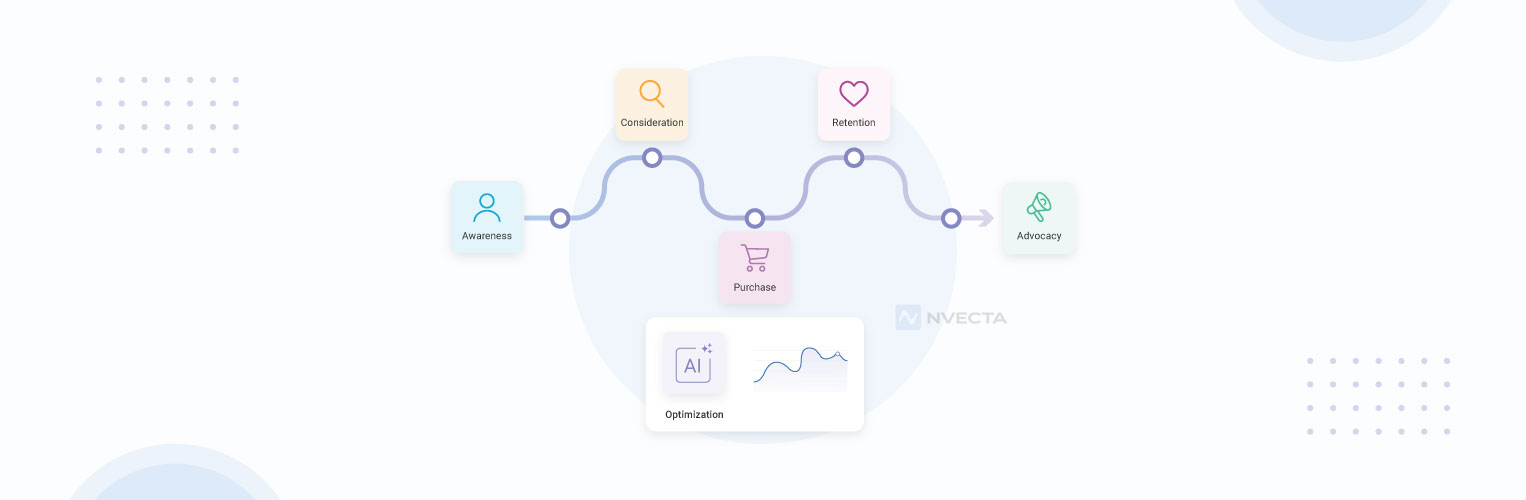
 Afreen Sheikh
A user journey is the full series of steps a person takes with a product, website or app, from the very first interactions to the most recent one. It maps user actions, emotions and experiences at each step, from discovery to purchase to repeat use. Teams use it to spot places where people get stuck and resolve those friction points before it costs them a sale.
Most businesses lose customers at points they can never spot even after careful evaluation of multiple analyses. A shopper fills a cart and leaves. A new app user signs up and never returns.
No one on the team can say why, since the data that would explain it is scattered across different tools.
Mapping the user journey turns that blind spot into a clear picture. It shows what a real user does and feels at each step, and where their experiences get affected.
This guide covers –
- What a user journey is, why it matters and its main stages
- How to map a user journey
- How NVECTA CDP helps map and optimise user journeys
What is a User Journey?
A user journey is the complete path a person follows while interacting with a product, app, or website. It tracks real actions like clicks, page visits, frequency of visits, and purchases.
Product and marketing teams see what users do and what they experience throughout their journey.
At its core, a user journey answers one question: how does a person actually move through journey steps to get value from engaging with your product website or app? It starts before they ever open your app and continues long after their first purchase.
The journey is a continuous loop, since a retained user starts a new cycle every time they come back.
Let us understand it with an example-
A user finds a fitness app through an Instagram ad. She taps through, reads three reviews, then downloads it. She signs up, skips the tutorial, and opens the app twice before she stops.
That whole sequence- the ad, the reviews, the download, the two sessions- is her user journey. Each step holds a clue about why she stayed or left.
User Journey vs Customer Journey vs User Flow
A user journey covers how someone uses your product. A customer journey covers their full relationship with your brand, online and offline. A user flow covers one task inside your product, like checking out or resetting a password.
All three describe movement, just at different levels.
| Aspect | User Journey | Customer Journey | User Flow |
| Perspective | Looks at the experience from the user’s point of view | Looks at the relationship between the customer and brand | Looks at the steps a user takes |
| What it covers | User goals, actions, thoughts, needs, and pain points | Every major brand touchpoint, from awareness to loyalty | Screens, actions, and decisions within a product |
| Scope | Broader than a single task or interaction | Broadest; spans the entire customer lifecycle | Narrow; focuses on one task or goal |
| Purpose | Understand and improve the user experience | Improve the overall customer experience | Improve navigation and task completion |
| Example | A user discovers an app, signs up, explores it, faces friction, and decides whether to return. | A customer sees an ad, visits the website, buys, contacts support, and makes another purchase. | A user opens the app → taps Sign Up → verifies email → reaches the dashboard. |
Why a User Journey Matters for Business Growth
A user journey matters because it turns scattered behavioural data into an evaluative view, pointing to where drop-off costs revenue, where friction creates churn, and where teams disagree.
Revenue recovered at each stage
A blended conversion rate combines every stage into one number. It doesn’t show which stage loses revenue.
Mapping event data by stage separates a stalled decision step from a stalled onboarding step, so a team can find and make changes to that particular step.
Lower churn and support cost
A support ticket is a lagging signal. It shows up only after someone has already struggled.
Real-time event data catches that struggle at the stage where behaviour first breaks pattern, so a team can address the cause before it turns into a ticket or a cancellation.
One shared record across teams
Marketing tracks campaign data, product tracks in-app events, support tracks tickets, each team holding a partial record of the same person.
A journey map built on one resolved identity, so that teams work with a single reference point.
Key Stages of a User Journey
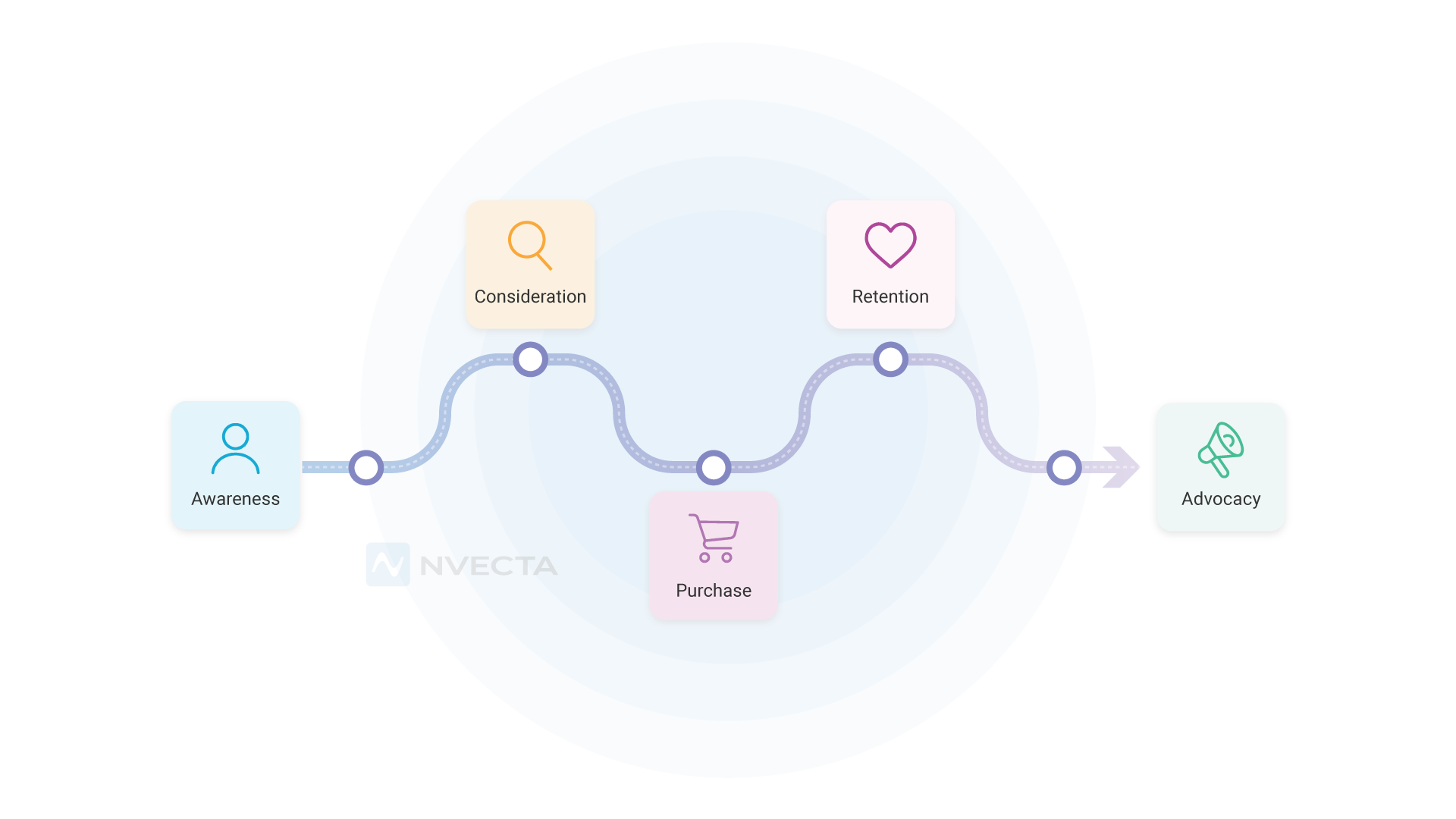
Most user journeys move through five stages: awareness, consideration, decision, onboarding, and retention. Each stage marks a different kind of relationship between a person and a product, and each one produces a distinct type of event data.
Awareness
Awareness marks the first encounter a person has with your product, app or website. It could be via an ad, social media or search engine. This is before any deliberate choice is involved. That first tracked event becomes the identifier the rest of the journey attaches to.
Consideration
At this stage, a person actively compares your product against alternatives, weighing whether it solves their problem or fulfils their need well enough to justify time or money. The behaviour here shows up as repeated, deliberate contact.
A person comes back repeatedly as they are still deciding, and each return visit becomes a new event connected to the same profile.
Decision or acquisition
This stage marks the point where a person converts intent into commitment. It could be making a purchase or finishing a sign-up. This marks a definite event in the entire journey that leads to a conversion.
Onboarding and activation
Onboarding is the stage where that commitment turns into a habit or fades, depending on how quickly a person reaches a first meaningful action inside the product.
That first meaningful action is usually the strongest predictor of whether a profile will still be active a month later.
Retention and advocacy
Retention is not simply repeated use; it is proof that your product is worthy of attention and gives value even after the novelty wears off. Advocacy goes a step further than retention.
The customer reaches this stage when they are fully satisfied, and trust is formed. They give positive reviews, start recommending your product to others, and refer new leads.
Key Components of a User Journey Map
A useful journey map consists of 5 core components: persona, a scenario, touchpoints, emotions, and a list of friction points worth optimising.
Persona, scenario, and goal
The persona is the person or specific user profile the map follows, built from real behavioural data about who uses your product. The scenario names what they are trying to accomplish. The goal is the outcome they are working toward by the end of it.
Touchpoints, actions, thoughts, and emotions
Touchpoints are every point of contact between a person and your brand, regardless of channel. Each one deserves its own note on what the person does, thinks, and feels.
Sentiments are prone to change across a single journey. A person can feel confident at one touchpoint and frustrated at the very next one.
Friction points and opportunities
Friction points are the moments a person gets stuck, confused, or annoyed. Opportunities are the fixes that follow from them.
Every friction point on the map is rectified, leading to one clear action and smoother flows.
Current State vs Future State Journey Maps
A current state map shows how your product works today. A future state map shows how you want it to work.
Current state maps
This map is built from what is happening now, using real behavioural data and direct user feedback. Use it when you want to understand why people abandon a cart or drop off after signup. It reflects the truth in the event data, so that optimisations are made.
Future state maps
This map is actually a plan that shows the ideal path a person could take once known problems get fixed, or new features get added.
Use it before a redesign or a major product change, then validate it against real user behaviour before you build it.
How to Map the User Journey: Steps-by-Step
Mapping a journey visualises how users engage with your product. It takes six easy steps: define the scope, build the persona, list touchpoints, plot emotions, find friction points, then validate with real data.
Step 1. Define clear goals and scope
Pick one journey and set a goal you want to achieve, like improving conversions, retention, and reducing drop-offs. A narrow scope gives you a map you can act on.
Step 2. Build the persona from real data
Create a unified profile of every user that has their demographics, motivations and behaviours. These profiles store real–time user activity that paves the way for mapping user journeys. Optimisations work as they are built on real sessions.
Step 3. List every touchpoint and channel
Write down every point of contact between a person and your product, across every channel your business operates in. Businesses running many channels tend to miss the ones outside their own team’s direct view.
A channel run by a partner or a third party is easy to leave off the list, and easy to lose a user in.
Step 4. Plot actions, thoughts, and emotions
For each touchpoint, write what the person does, what runs through their mind, and how they feel. A specific note about a moment of hesitation or frustration carries more value than an aggregate metric.
It explains the reason behind the change in core metrics you track.
Step 5. Identify friction points and opportunities
Look across the map for the steps where sentiment drops. Those are the points that require optimisation.
Next to each one, write a fix specific enough that a team could start building it without needing a follow-up question.
Step 6. Validate with real behavioural data and iterate
A journey map built once in a workshop goes stale fast. Check it against real session data, support tickets, and churn numbers on a regular schedule. If the map and the data disagree, trust the data.
Challenges in User Journey Mapping and How to Overcome Them: Fragmented Data Across Channels
Every channel captures a different slice of behaviour, and none of them shares it by default. Identity resolution merges these records into one profile a single tool can’t build alone.
Outdated User Journey Maps
A map built once in a workshop reflects a single moment, while behaviour keeps moving after it. A live data pipeline updates the map continuously, not once a year.
Disconnected User Identities
The same person can look like three different profiles across web, app, and store data, unless something links them. Deterministic and probabilistic matching combine those signals into one trusted identity.
Lack of Ownership Across Journey Pain Points
A pain point without an owner stays a pain point. Assigning a person and a metric to each one turns an observation into a task a team can close.
How NVECTA CDP turns User Journey Maps into Real-Time Action
NVECTA CDP is an AI-powered platform that manages user journey end-to-end. It builds unified customer profiles, resolves identities across touchpoints, and tracks real-time user activity and behavioural patterns to form insights that can be used to optimise experiences.
One Unified Profile Across Every Touchpoint
NVECTA ingests event data from your website, app, CRM, and point of sale through APIs and SDKs, then resolves identities across channels to a single customer profile. A person’s actions across every channel attach to the same record. The journey map now reflects what a person did, built from one resolved identity.
Real-Time Event Processing Keeps the Map Current
Profiles update through a real-time event stream rather than scheduled batch work, so the interval between an action and its appearance in the data shrinks close to zero.
The current state map updates continuously with real behavioural events, so a team always works from what is happening now.
Predictive Scoring for Journey Drop Off
NVECTA runs propensity models that score each profile for churn risk, purchase intent, and engagement, based on patterns in that profile’s own event history. These scores work by comparing current behaviour against a person’s historical data, to identify what works for them.
A meaningful drop in engagement becomes a visible signal long before it would show up in an aggregate churn report.
Predictive Segments That Work with Behaviour
NVECTA builds predictive segments using AI models. Each profile gets scored on the likelihood of a next action, like churn or purchase, and a new event updates that score in real time.
As a score crosses a threshold, a profile moves into a new segment on its own, so that users can be targeted with relevant personalised communication. It tracks where a person is heading in the journey.
Asking journey questions in plain language
NVECTA’s conversational interface lets a marketer ask a direct question about where a specific stage loses people and get a clear answer, without writing a query or waiting on a data team.
That conversational layer evaluates the profiles and insights, so anyone on a growth or product team can query the journey without a technical background.
Agentic Next Best Action Across Channels
Finding a drop-off point only matters if a team can act on it. NVECTA’s decision engine reads real-time behavioural signals and triggers the next best action– email, in-app, or a retargeting audience- through the same connected APIs used to ingest data.
The journey map becomes an operating input a business responds to continuously, not a static artefact reviewed only once in a while.
Contextual Nudges During Onboarding
Onboarding is where most journeys quietly fail. NVECTA tracks how a person moves through setup and identifies the exact step where they slow down or stop.
It triggers a nudge relevant to that specific step, timed to the moment engagement drops.
Best Practices for Optimising the User Journey
The best journey maps stay narrow, stay current, and lead to real actions and not just observations.
- Map one persona at a time, built from segmented behavioural data, not from “all users” combined into one group.
- Update the map after every major product or channel change.
- Pair real event data with direct user feedback, since metrics show what happened but not always why.
- Treat the map as a living document connected to real metrics.
- Give every friction point a clear, specific fix for the team to make changes.
Conclusion
Choosing the right platform to manage user journey gives a business steady revenue growth and stronger engagement. User journey mapping follows a structured approach so that the team can see what people do, where they drop off, and what keeps them moving forward.
A clear view of each journey also gives a team a real way to improve the experience and deliver value.
NVECTA CDP brings user data and real-time behaviour into one place, so a team can spot friction and act at the right time when it matters.
Map your user journey and improve every step with NVECTA. Book a demo today.
Frequently Asked Questions
What is a user journey in simple terms?
It’s every step someone takes while interacting with your product, app or website, from the moment they first hear about it to the point they’re using it regularly. Think of it as the sequence of steps that include user experience, told through what they clicked, skipped, or got stuck on.
What is the difference between a user journey and a customer journey?
Both terms sound similar but are not. A user journey is scoped to your product: what someone does inside your app or site. A customer journey takes a broader approach, covering ads, support calls, and everything else that shapes the relationship. One sits inside the other.
What is the difference between a user journey and a user flow?
Not the same thing, though people use the terms interchangeably. A journey covers the whole relationship; everything a person goes through with your product over time. A flow is narrower, just one task, like resetting a password. One journey can hold a dozen different flows.
What are the main stages of a user journey?
Five, usually: awareness, consideration, decision, onboarding, and retention, though few users move through them in one clean pass. Someone might loop back to consideration after they’ve already decided, especially with anything expensive.
How do you create a user journey map?
Start narrow, one journey, not your whole product. Build the persona from real data, list every touchpoint, and note what the person does, thinks, and feels at each step. Then find the pain points and check the map against real behaviour.
How does a CDP improve the user journey?
By closing the identity problem, mostly. A CDP resolves behaviour from every channel into one profile, so the map reflects what’s happening now, not a stale export. NVECTA scores drop-off risk and triggers the next best action automatically.
