














 Email
Email SMS
SMS Whatsapp
 Web Push
 App Push
 Audience Sync for Ads
 Popups
 Channel A/B Testing
  Control groups Analysis
 Frequency Capping
 Funnel Analysis
 Cohort Analysis
 RFM Analysis
 Signup Forms
 Surveys
 NPS
NPS Landing pages personalization
  Website A/B Testing
  PWA/TWA
 Heatmaps
 Session Recording
 Wix
Wix Shopify
 Magento
 Woocommerce
 eCommerce D2C
  Mutual Funds
 Insurance
 Lending
  Recipes
  Knowledgebase
 Developer Docs
 Product Updates
 App Marketplace
 Academy
 Ebooks
 Case Studies
 Blog
Blog Templates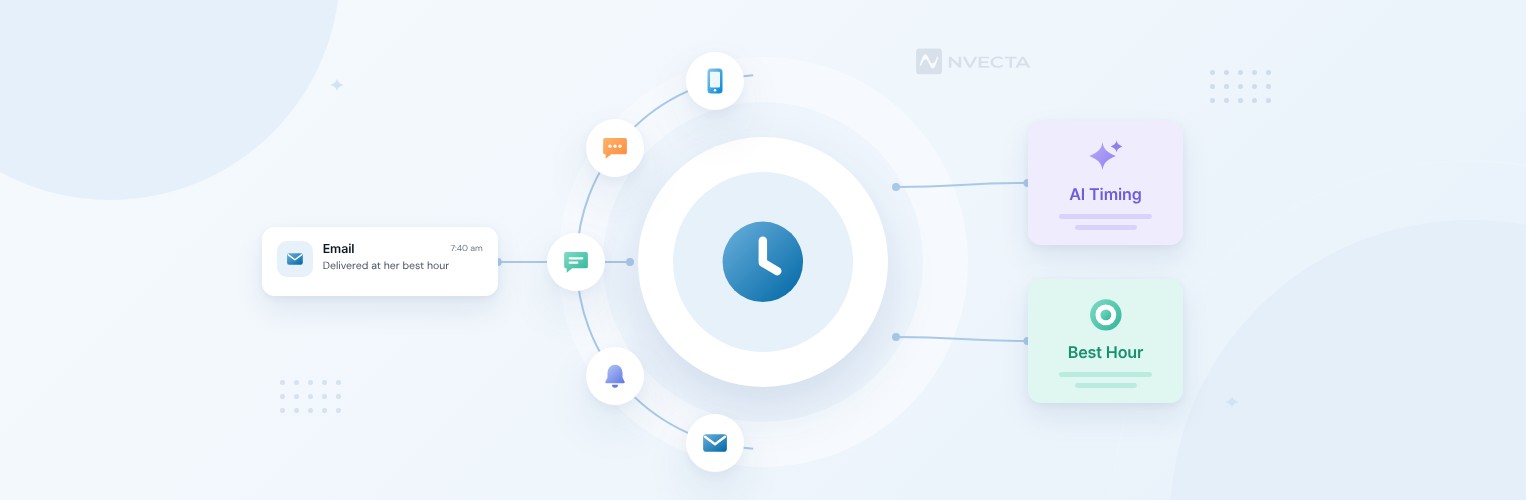
 Dhruv Kalra
It’s 10 am on a Tuesday, and your Diwali sale email goes out to all 4 lakh subscribers in one go because a chart somewhere said Tuesday mornings win. With send time optimization, the same email behaves differently: Meera in Pune gets it at 7:40 am while she’s having her chai, and Rohan, who gets home from a hospital night shift at 8 am, gets it at 2 pm when he’s awake. Same email, same day. The only thing that changed is when each person sees it.
For years, picking a send time meant choosing one hour for everyone and hoping the average held up. AI doesn’t work from the average. It looks at when each person has clicked or bought before, and it holds the message until their window comes round. Platforms like NVECTA build this into email and push campaigns, so you don’t have to set a clock for every segment by hand.
This guide covers-
- What send time optimization is, and how it differs from “best time to send” charts
- How the AI picks a time for each person, step by step
- The signals, metrics and mistakes worth knowing before you switch it on
- How NVECTA helps you time every message per person, across channels
What Is Send Time Optimization?
Send time optimization is an AI method that delivers each message at the hour a specific person is most likely to engage with it. When does Meera usually read email? When does Arjun open your app? The model answers both from their own history, then holds the message until that slot arrives.
You’ve probably seen the “best time to send” charts: Tuesday at 10, Thursday at 2. NVECTA’s own study on the best time to send emails looks at that question across whole lists, and list-level averages are a fair place to start. But an average blends thousands of routines, and hardly anyone on your list lives exactly on it.
India adds a twist. The whole country runs on IST, so time zone sending does almost nothing for a domestic list. A shopper in Kolkata and one in Ahmedabad share a clock, even though sunrise is about an hour apart. What separates them is routine, like a 6 am local train or a late shift at a Gurugram call centre, and that’s what the model learns.
Why Send Time Optimization Matters in 2026
Timing Is Part of Personalisation
McKinsey’s research on personalisation found that 71% of consumers expect companies to personalise their interactions, and 76% get frustrated when it doesn’t happen. That survey wasn’t about timing specifically, mind you. Still, a sale email that lands at 3 am while someone’s asleep is about as impersonal as marketing gets, and it’s one of the cheapest things to fix.
The same report puts the usual revenue lift from personalisation at 10-15%. All of it from send times? No chance. Timing is the part you can fix without writing a single new subject line, though.
Messages Sink Fast
Open Gmail at 9:30 pm and look at where a 10 am promotion has ended up. It’s sitting below a food delivery offer and a dozen newer promotions. Who scrolls that far? Arriving near the top of the inbox when someone’s looking is most of the battle.
Same Volume, Less Fatigue
Cutting sends isn’t the only answer to tired subscribers. If three emails a week keep landing at 11 am for someone who only checks their phone after dinner, they’ll feel like noise even at that volume. Our guide to channel fatigue and channel intelligence goes deeper on this, but timing is one of the easiest levers to pull first.
It Works Beyond Email
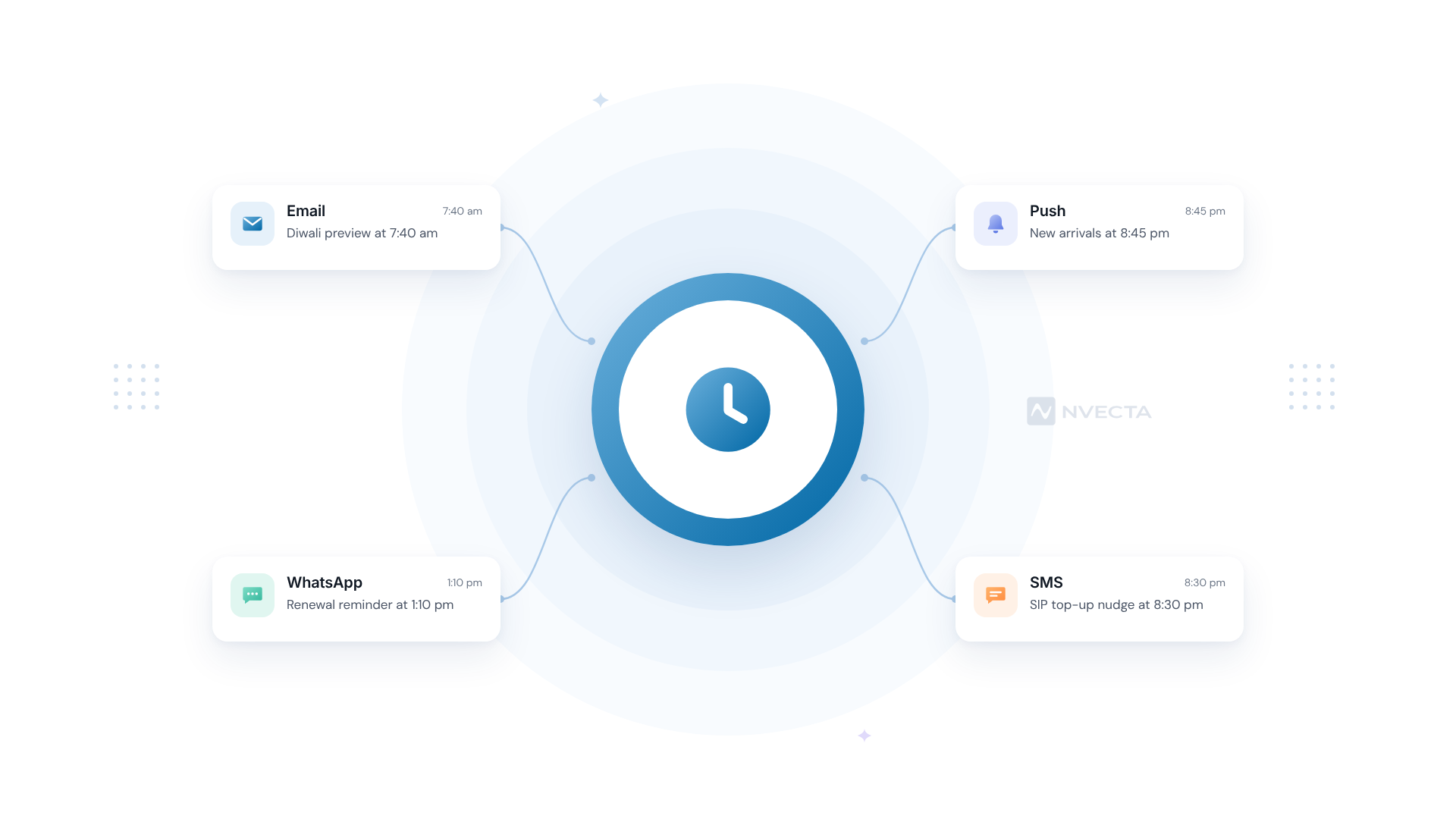
Push and WhatsApp have the same problem. A push notification at 2:15 pm reaches someone in a meeting. At 8:45 pm, the same push reaches them on the sofa. Once a model knows a person’s rhythm, there’s no reason to use it on one channel only.
How Does Send Time Optimization Work?
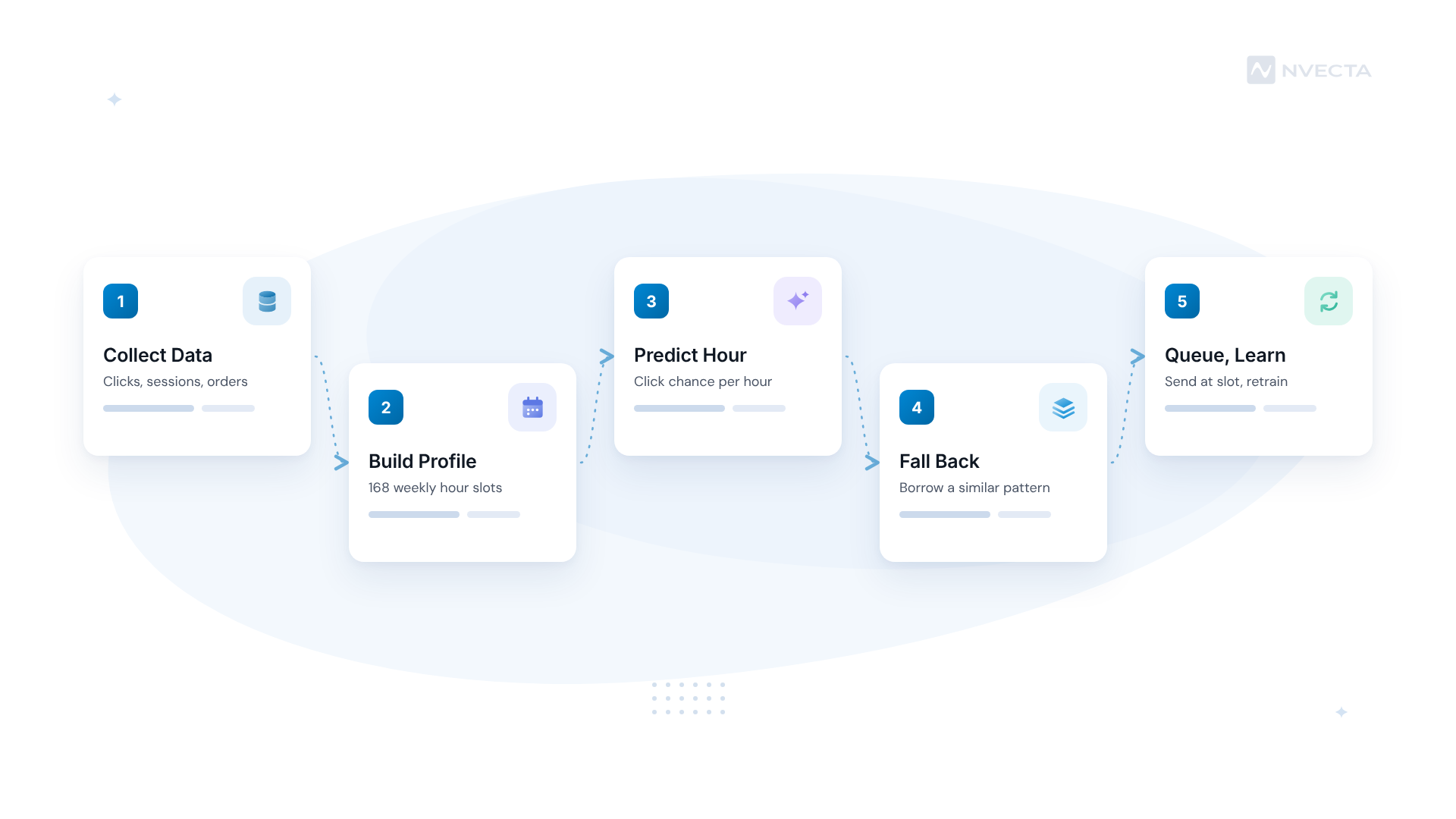
Under the hood, most systems follow five steps. The maths differs from tool to tool, but you’ll find the order hardly ever does.
Step 1: Collect Engagement Timestamps
Every click or app session comes with a timestamp, and so does every order. Say Arjun clicked your last six emails between 9:10 and 9:50 pm, and opened the app twice around 1 pm on Saturdays. That’s already a usable pattern, and you didn’t have to collect anything new to get it.
Step 2: Build a Per-Person Profile
The model turns those timestamps into a weekly grid, usually 168 one-hour slots, with recent activity counting for more than last year’s. Why lean on recent behaviour? Because routines change. Someone who started a new job in March probably reads email at a different hour now, and a 2024 pattern can be useless by October 2026.
Step 3: Predict the Best Window
Here’s where the AI earns its keep. Simple systems just count. They pick the hour with the most past activity. Better ones forecast the chance of a click for every hour in the next day and choose the highest. A 2020 research paper went further and used a recurrent neural network to predict each recipient’s time-to-open, trained on emails sent to a million customers over five months. You won’t need to build anything like that yourself. It’s worth knowing what “AI” means here, though: a forecast for each person rather than a rule for everyone.
Step 4: Fall Back When Data Is Thin
A subscriber who signed up yesterday has no history at all. Good systems borrow a pattern from similar people, say other first-time buyers in Tier 2 cities who joined on mobile, then switch to the person’s own rhythm once there’s enough of it. We’d want at least a handful of clicks before trusting a personal window. Until then, your default send hour is a perfectly reasonable answer.
Step 5: Queue, Send and Learn
Hit send and nothing goes out at once. Each message waits in a queue, usually for up to 24 hours, and goes out at that person’s predicted slot. Every click or non-click flows back into the model, so if Meera starts reading at 10 pm instead of 7:40 am, her slot moves within a few weeks. There’s a nice side effect, too: a send spread across the day looks a lot calmer to mailbox providers than 4 lakh emails in ten minutes. If deliverability’s on your mind anyway, our guide to inbox placement in 2026 covers the rest of the checklist.
Send Time Optimization vs Other Timing Methods
Picking when to send isn’t a single decision. Here’s how the four common approaches compare.
| Factor | Fixed Batch Send | Time Zone Sending | Send Time Optimization | Real-Time Trigger |
|---|---|---|---|---|
| Core Question | What hour suits most of the list? | What’s 10 am where they live? | When does this person engage? | What did they just do? |
| Data Needed | List-level results | Location | Per-person engagement history | Live events |
| Timing | One hour for everyone | One local hour per region | One hour per person | Seconds after the event |
| Typical Use Case | Newsletters | Global launches | Promotions and digests | Cart reminders and OTPs |
| Main Risk | Buried for most readers | No help on a single-zone list | Late for time-bound offers | Over-messaging |
How Do They Work Together?
OTPs and payment receipts shouldn’t sit in a queue. Ever. Neither should a cart reminder, since its whole value is arriving while the shopper still remembers the ₹1,899 sneakers. Keep those on triggers, as the comparison of real-time and batch triggers lays out. Save send time optimization for messages that can wait a few hours, like the Friday new-arrivals email or a Diwali early-access preview.
Which Signals Help AI Pick a Send Time?
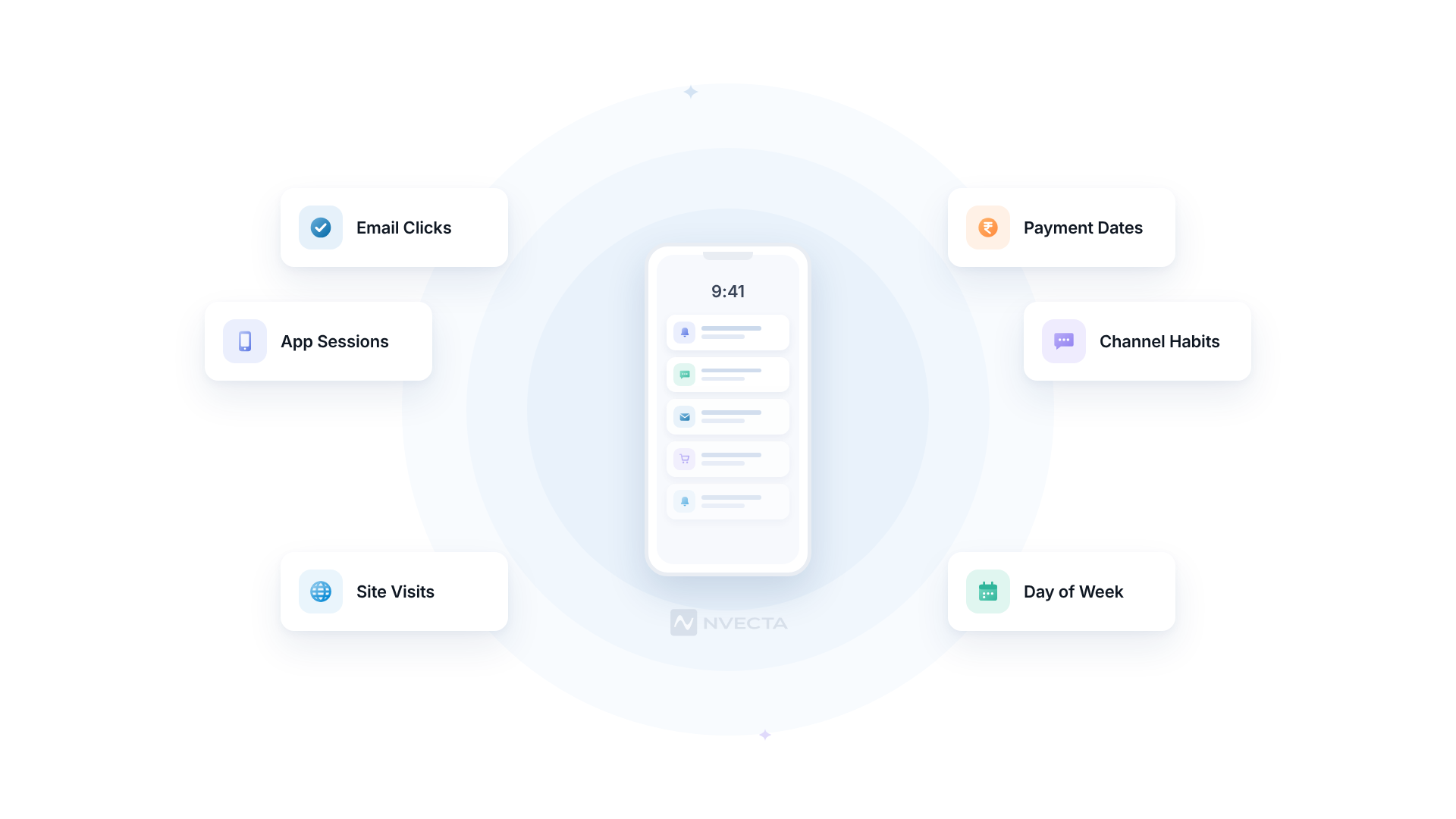
More signals don’t always mean a better model. These five tend to carry most of the weight.
Clicks and Visits After a Message
Opens used to be the go-to signal. Not any more. Since 2021, Apple’s Mail Privacy Protection has stopped senders from knowing when someone opens an email, so open times on iPhone tell you very little. We’d weight clicks, and the site visit that follows, far more heavily.
App Sessions and Browsing
Someone who scrolls your app every night around 10:30 has told you when they’re free, even if they’ve never clicked an email. That’s why cross-channel behaviour matters so much. Without it, a customer who lives in the app looks inactive to your email model.
Purchase and Payment Times
Money has its own rhythm in India. Say an investor usually tops up a SIP on the 1st or 2nd of the month, after 8 pm. You’ll get more from a top-up nudge on the 1st at 8:30 pm than from one on the 25th at noon, whatever the open-rate chart says.
Channel-Specific Habits
Meera might read email at 7:40 am but only tap push notifications in the evening. So one best time per person isn’t enough. You’ll want a separate best hour for each channel she uses.
Weekday vs Weekend
Saturdays rarely look like Tuesdays. Someone who’s glued to email at 9 am on weekdays might not touch it before noon on Sunday, so a model that ignores the day of the week will keep getting weekends wrong.
Where Personal Send Times Work Best by Industry
Ecommerce and D2C
- Festive sale previews spread across each shopper’s best hour in the week before Diwali
- New-arrival drops for repeat buyers
- Back-in-stock alerts that can wait a few hours without losing the sale
BFSI
Policy renewal reminders, SIP top-up nudges and KYC follow-ups all suit personal timing. EMI due-date alerts don’t. They’re time-bound, and they belong on a fixed schedule or a trigger.
Edtech
A learner who studies after 9 pm doesn’t need a course reminder at 11 am. Send it 30 minutes before their usual session and you’re reminding them at the moment they’re likely to act on it.
Food Delivery and QSR
- Lunch offers timed to each customer’s usual ordering hour, whether that’s 12:40 or 1:30
- Weekend dinner promotions for people who mostly order on Friday and Saturday nights
Common Mistakes With AI Send Times
- Optimising for opens. Thanks to Apple’s privacy changes, open data is patchy. Train and judge the model on clicks and conversions instead.
- Delaying time-critical messages. A flash sale ending at midnight can’t wait for someone’s 7 am slot. Cap the delay, or keep these off STO.
- Ignoring customer preferences. TRAI’s preference registration lets people block commercial communication by time band, such as 9 pm to midnight, and by day type, such as Sundays or public holidays. If the model says 11 pm and the customer has blocked that band, the preference wins.
- Expecting it to fix weak content. A dull subject line sent at the perfect minute still gets ignored, so we’d sort the copy out first.
- Skipping the holdout. Without a control group, you can’t tell whether a better week came from timing or from a better offer.
What Metrics Should You Track for Send Time Optimization?
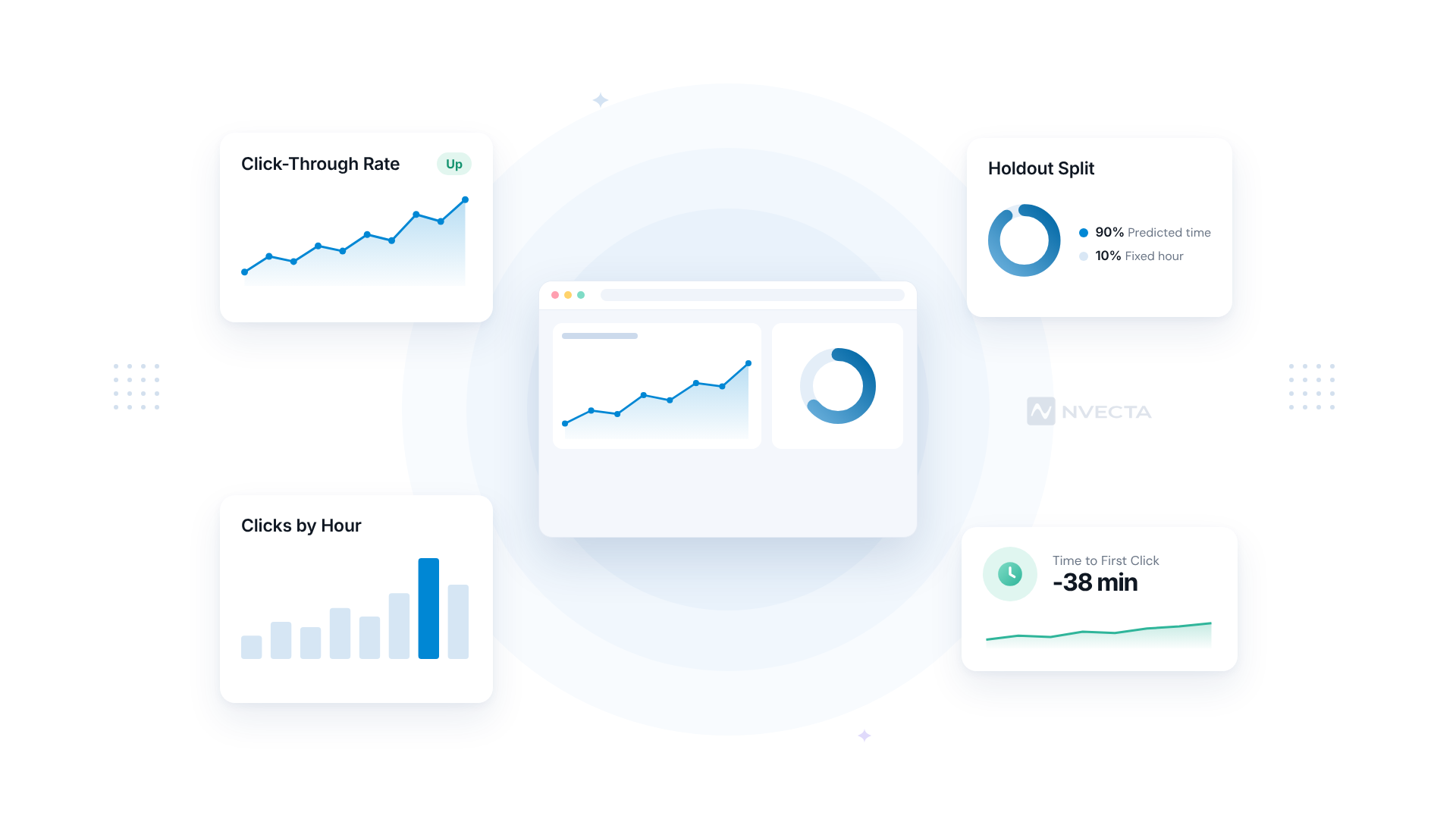
- Click-through rate. Clicks divided by delivered messages. We trust this one a lot more than opens these days.
- Conversion within 24 hours. Orders, sign-ups or SIP top-ups that follow the message. It’s the number your finance team will ask about.
- Time to first click. How long after delivery someone engages. If the timing is working, this gap should shrink.
- Unsubscribe and complaint rate. Good timing shouldn’t push these up. If they climb, check frequency before blaming the model.
- Lift over a holdout. Send 10% of the audience at your usual fixed hour and the other 90% at predicted times. Compare click-through and 24-hour conversion across at least four sends before deciding anything.
How NVECTA Helps With Send Time Optimization
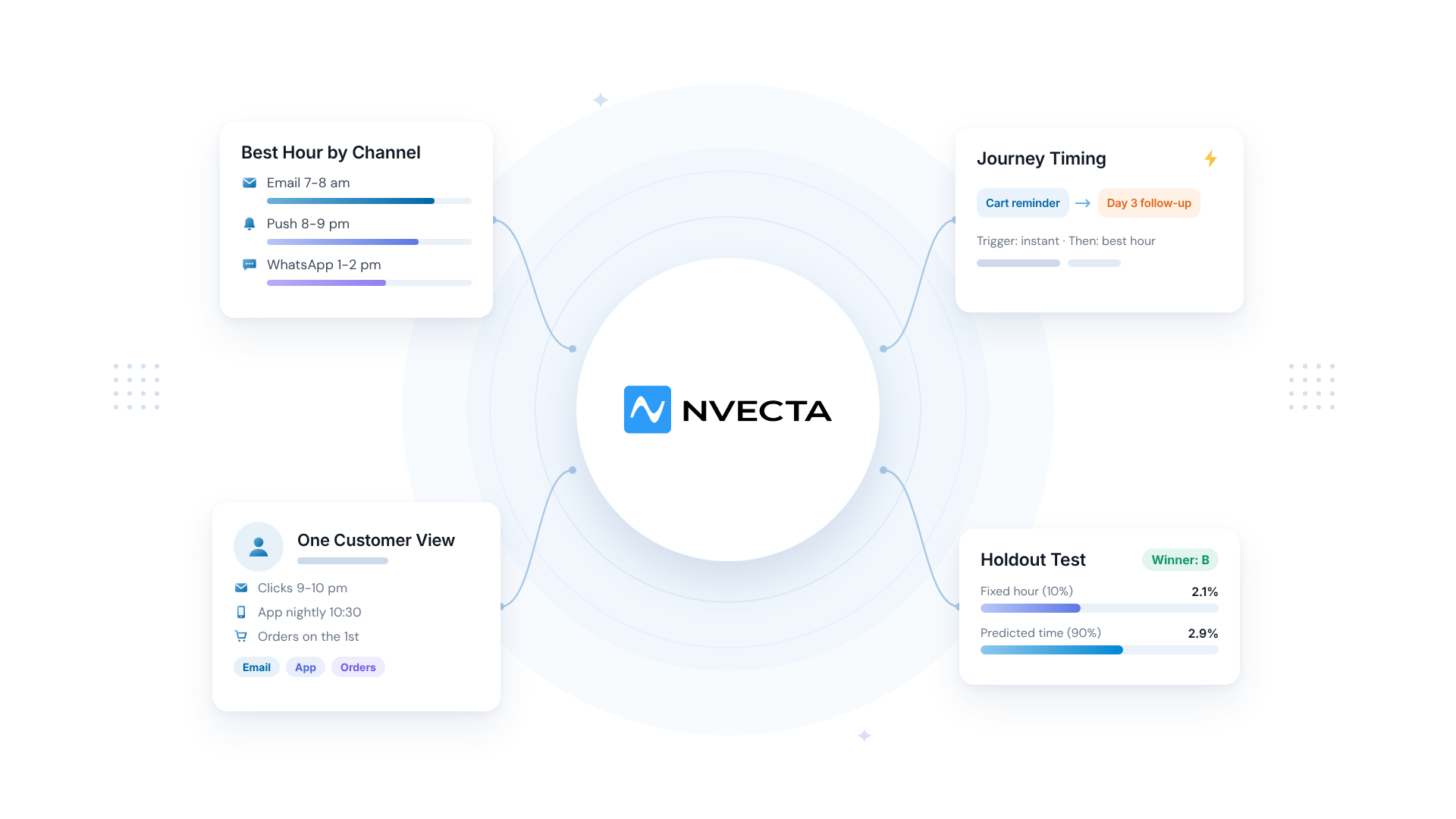
NVECTA is an AI-powered customer data platform, and send time optimization is one of the five components of its AI Decisioning layer, next to predictive segments, lead scoring, product recommendation and next best offer. So the hour a message goes out isn’t picked on its own. It’s decided together with who gets the message and what it says.
Per-Person Timing Through AI Decisioning
AI Decisioning answers who to target, what to send and when. You choose the audience and the offer, and the send-time component picks the hour for each person based on when they’re most active. That’s the forecast from Step 3 running for you, without anyone building a model.
Smart Send Times on Every Email
The Email Marketing module has smart send-time optimisation built in, so each recipient gets the email at their own best time and you don’t schedule anything per segment. Pair it with click-based reporting and you avoid the Apple open-rate trap from the signals list. Sending a Diwali preview to 4 lakh people? It goes out across the day instead of in one 10 am burst.
Predicted Send Times for Push, With Fatigue Limits
For Push Notification campaigns, NVECTA analyses past engagement across channels and devices to choose a delivery time per person. It also watches engagement across push, SMS and email and adjusts frequency, so a highly engaged user and someone who’s gone quiet don’t get the same volume. That’s the “same volume, less fatigue” problem from earlier, handled in one place.
The Right Time and the Right Channel
Meera reads email at 7:40 am but only taps push at night, remember? Campaign Personalisation uses AI send-time and preferred-channel optimisation together, so one campaign can reach her by email in the morning and reach someone else by push after dinner. It also learns from each campaign’s results.
Timing Inside Journeys
Customer Journey Orchestration adds AI path prediction and trigger timing to journeys, with channel-aware branching that cuts down on over-messaging. Your cart reminder still fires on the event. The follow-up three days later, though, can be timed to the customer’s usual hour.
One Profile Behind Every Prediction
A timing model can’t be better than the history it sees. One Customer View pulls web and app activity into the same profile as email and CRM data, so the person who never clicks email but opens the app every night at 10:30 still has a send time that makes sense.
Conclusion
Should you switch send time optimization on for everything? We wouldn’t. Turn it on for promotions and renewal reminders, where a few hours’ delay costs nothing. Anything with a deadline stays on triggers, and that includes OTPs and cart reminders.
Then prove it. Hold back 10% at your usual hour for a month and judge the rest on clicks and 24-hour conversions, not opens. If the lift is there, widen it to push and WhatsApp. If it isn’t there, look at content and frequency before blaming the clock. NVECTA runs this timing inside AI Decisioning and its channel modules, so the test doesn’t need a data science team.
Want to see how it works on your own customer data? Book a demo with the NVECTA team.
Frequently Asked Questions
Does Send Time Optimization Actually Work?
Usually, but the gain depends heavily on your list. A brand whose customers all shop at lunch won’t see much, because everyone’s best hour is the same. A list full of night-shift nurses and early commuters will see more. The only way to know is a holdout: 10% at your fixed hour, 90% at predicted times, across four sends.
How Much Data Does an AI Send Time Model Need?
Less than you’d think, per person. A few clicks or app sessions spread over a few weeks give a model something to work with. New subscribers borrow a pattern from similar people until their own shows up. For a brand-new list with no history at all, start with a fixed hour and switch on STO once a month of data has built up.
Is Send Time Optimization the Same as the Best Time to Send?
No. A “best time to send” study gives one answer for a whole list, like Tuesday at 10 am. STO gives a different answer for each person, so Meera gets 7:40 am and Rohan gets 2 pm. The list-level answer’s still useful, though, as a fallback for subscribers with no history.
Can AI Send Times Work for SMS and WhatsApp in India?
Yes, with two limits. Promotional SMS has to respect each customer’s TRAI preferences, including blocked time bands. And anything time-bound, like an OTP or an EMI reminder, should skip the queue entirely. Within those rules, a WhatsApp offer sent at someone’s usual evening hour beats the same offer at 11 am.
