














 Email
Email SMS
SMS Whatsapp
 Web Push
 App Push
 Audience Sync for Ads
 Popups
 Channel A/B Testing
  Control groups Analysis
 Frequency Capping
 Funnel Analysis
 Cohort Analysis
 RFM Analysis
 Signup Forms
 Surveys
 NPS
NPS Landing pages personalization
  Website A/B Testing
  PWA/TWA
 Heatmaps
 Session Recording
 Wix
Wix Shopify
 Magento
 Woocommerce
 eCommerce D2C
  Mutual Funds
 Insurance
 Lending
  Recipes
  Knowledgebase
 Developer Docs
 Product Updates
 App Marketplace
 Academy
 Ebooks
 Case Studies
 Blog
Blog Templates
 Shivani Goyal
📌 Quick Answer: What is WooCommerce Email Marketing?
WooCommerce email marketing is the practice of using email to engage WooCommerce store customers across transactional emails (order confirmation, shipping, account creation) and marketing emails (newsletters, promotional campaigns, abandoned cart recovery). According to Klaviyo, WooCommerce stores using dedicated email marketing tools generate 6-8x more revenue per email than those relying on default WooCommerce emails alone. The best WooCommerce email marketing plugins in 2026 include Nvecta, Klaviyo, Omnisend, AutomateWoo, Mailchimp, Brevo, and MailPoet, each with different strengths in automation, segmentation, and pricing.
In today’s digital landscape, email marketing plays a critical role in the success of any online business. For WooCommerce store owners, an effective email strategy is essential to grow revenue, expand the customer base, and build stronger customer relationships over time.
With the right tools and techniques, you can automate WooCommerce emails based on shopping behavior, lift customer loyalty, and drive measurable sales growth. WooCommerce powers 28%+ of all online stores globally in 2026, which makes the email layer one of the most important parts of any WooCommerce stack.
This guide walks through the full world of WooCommerce email marketing in 2026, covering everything from the types of emails you can send to best practices, the 10 best plugins, abandoned cart automation, AI features, and a complete FAQ.
By the end, you’ll have the knowledge and tools to create email campaigns that actually drive results for your WooCommerce store.
5 Benefits of WooCommerce Email Marketing
WooCommerce email marketing offers real benefits for online retailers. By using direct communication with your audience, you can lift customer engagement, conversions, and loyalty in ways paid ads can’t easily match.
Here are five key advantages of building a strong email marketing program for your WooCommerce store:
- Increased Customer Engagement: Email keeps your customers engaged with relevant updates, product information, and special offers. Regular communication builds a stronger relationship with your audience, which translates into higher engagement and stronger brand loyalty over time.
- Higher Conversions: Personalized and targeted emails drive measurable conversions. By customizing your WooCommerce emails based on customer segments, you encourage shoppers to complete purchases and act on time-sensitive offers. Marketing automation for WooCommerce makes this scalable through abandoned cart reminders, post-purchase flows, and trigger-based campaigns.
- Improved Customer Loyalty: Email marketing builds long-term customer loyalty. Regular communication with your customers builds stronger relationships over time, drives repeat purchases, and turns satisfied customers into advocates who refer others.
- Cost-Effectiveness: Compared to paid social or search ads, email marketing is significantly more cost-effective. It offers some of the highest ROI in the marketing world because you’re reaching a targeted audience that opted in, with minimal overhead.
- Announcements and Updates: Email lets you efficiently share important announcements, new product launches, and updates with your customer base. This keeps your customers informed and engaged with your brand between purchases.
Types of WooCommerce Emails
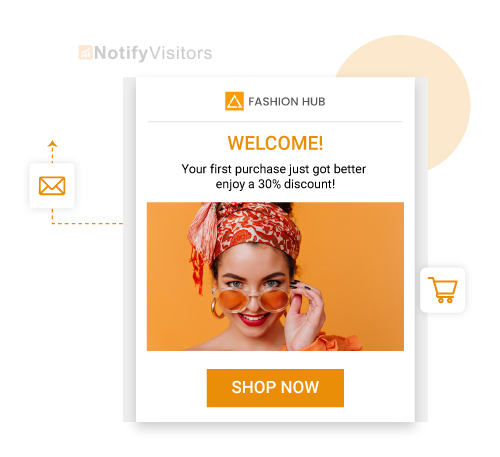
To engage your customers throughout their shopping journey, it helps to understand the different types of WooCommerce emails you can send.
WooCommerce itself ships with default emails for order confirmations and notifications, but customizing them or running advanced marketing campaigns requires third-party tools or plugins.
Here are the key email types every WooCommerce store should run:
- Welcome Email: A welcome email goes to new customers who create an account on your WooCommerce store. It’s your chance to make a strong first impression, introduce your brand, and share any onboarding info or first-purchase offer.
- Order Follow-Up Email: After a customer places an order, a follow-up email shares order details, shipping updates, and estimated delivery dates. This keeps customers informed and cuts down on “where’s my order?” support tickets.
- Abandoned Cart Recovery Email: If a customer adds products to their cart but leaves without checking out, an abandoned cart email reminds them about their cart and offers incentives to push them back. According to Klaviyo, abandoned cart emails recover 10-15% of lost carts on average. For WooCommerce stores, abandoned cart recovery can be automated with targeted email sequences that remind shoppers about their products and encourage them to complete their purchases.
- Product-Specific Follow-Up Email: After someone buys a specific product, you can send a follow-up email with usage tips, complementary products, and care instructions. This maximizes the customer’s experience and drives repeat purchases.
- Product Review Request Email: Asking customers to leave reviews for products they’ve purchased is one of the highest-ROI emails you can send. Review request emails build social proof, generate UGC, and feed your conversion rate over time.
- Win-Back Emails: For customers who haven’t bought in a while, win-back emails re-engage them with your store. These typically include special offers, discounts, or personalized recommendations to bring lapsed customers back.
- Newsletter Emails: Newsletters are a regular communication channel for sharing updates, promotions, and valuable content. They keep your audience engaged and informed about your brand between purchase moments.
- Thank You Emails: Sending thank you emails after a purchase shows appreciation and builds a positive relationship. These can also include personalized product recommendations or loyalty offers for future purchases.
These are some of the email types you can run as part of your WooCommerce email marketing strategy. The key is tailoring each email to specific customer segments and providing genuinely useful content that drives engagement and conversions.
WooCommerce Default Emails vs Marketing Emails (Comparison)
One of the most common questions WooCommerce store owners ask is what they actually need to add on top of WooCommerce defaults. Here’s a side-by-side breakdown:
| Feature | Default WooCommerce | Marketing Email Tools |
| Order confirmation | ✅ | ✅ |
| Shipping notification | ✅ | ✅ |
| Account creation email | ✅ | ✅ |
| Newsletter | ❌ | ✅ |
| Abandoned cart recovery | ❌ | ✅ |
| Win-back campaigns | ❌ | ✅ |
| Customer segmentation | ❌ | ✅ |
| A/B testing | ❌ | ✅ |
| Automation flows | Limited | ✅ |
| Detailed analytics | Limited | ✅ |
| AI personalization | ❌ | ✅ |
The default emails handle the bare minimum (order receipts and shipping notifications), but every marketing email type that drives real revenue (abandoned cart, newsletter, win-back) requires a dedicated plugin or platform.
5 WooCommerce Email Marketing Strategies
Now that you understand the benefits and types of WooCommerce emails, here are five strategies for running a successful email marketing campaign on WooCommerce.
The next sections walk through building your email list, choosing the right platform, setting up automation, staying compliant with regulations, and analyzing performance to improve over time.
a) Building Your Email List
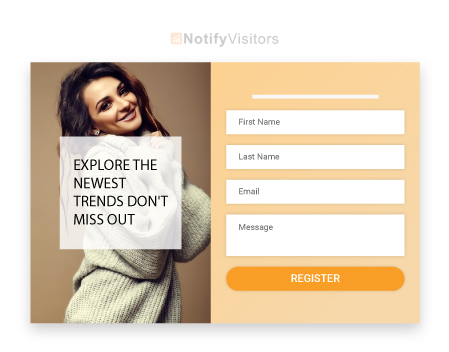
Building an email list is the first step toward running an effective email marketing program. Here are key strategies to grow your WooCommerce email list:
- Opt-in Forms: Place clear, easy-to-fill opt-in forms on your homepage, blog posts, and checkout pages. Top bars, exit popups, and inline forms all work well depending on your traffic patterns.
- Subscription Incentives: Offer real incentives to subscribe. Common high-converting offers include exclusive discounts (10-15% off first order), early product access, birthday or anniversary perks, and free product samples.
- Segmentation: Divide your email list into smaller groups based on customer preferences, demographics, or shopping behavior. This lets you send targeted, personalized emails to each segment, which lifts conversion rates significantly. A solid customer data platform sitting underneath your store unifies signals from web, app, and offline behavior for deeper segmentation.
b) Choosing a Marketing Platform
Choosing the right email marketing platform is critical for the success of your WooCommerce campaigns. Consider these criteria when picking a platform:
- Ease of Use: Look for an intuitive interface that lets you create and manage email campaigns without a learning curve.
- Automation: Check if the platform supports automation, especially triggered emails based on customer actions or AI-powered product recommendations.
- Segmentation: Make sure the platform supports segmenting your email list by customer attributes and behaviors for personalized campaigns.
- Templates: Access to a library of polished email templates saves significant time and effort in design.
- Analytics: Look for detailed campaign performance insights, like open rates, click-through rates, and conversion data, so you can measure what’s actually working.
- Integration: Verify the platform integrates natively with WooCommerce so customer data and orders sync automatically.
- Customer Support: Solid support matters when you hit issues or need help with deliverability and setup.
- Scalability: Consider whether the platform can grow with your business as your subscriber list and send volume expand.
- Affordability: Balance features against your budget. Some tools price by contact count, others by send volume.
c) Automating Your Email Campaigns
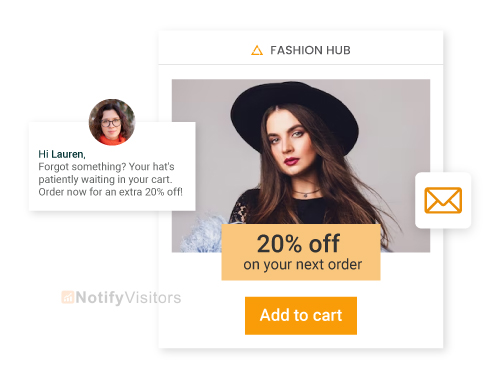
Automation is a critical part of any WooCommerce email marketing strategy. Automated campaigns save time, scale without hiring, and deliver timely, personalized messages to customers. Smart marketing automation is what separates manually managed email programs from systems that compound revenue over time.
Here are common automated emails you can set up:
- Abandoned Cart Recovery: Automated emails remind customers about abandoned carts and offer incentives to complete checkout. Most stores see 10-15% cart recovery from a single 3-email sequence.
- Welcome Series: A 3-5 email welcome series introduces new subscribers to your brand, shares your story, and offers a first-purchase incentive.
- Upselling and Cross-Selling: Automated emails with personalized product recommendations based on purchase history or browsing behavior lift average order value.
- Order Follow-Up: Automate order confirmations, shipping updates, and delivery notifications to keep customers informed about every step of their purchase.
- Re-engagement Campaigns: Automated emails to inactive or lapsed customers with special offers or personalized recommendations bring them back to your store.
By automating your email campaigns, you deliver relevant messages at exactly the right moment, which lifts engagement and conversion across the board.
d) Compliance and Best Practices
When running email marketing, you have to stay compliant with regulations like the CAN-SPAM Act (US) and the GDPR (in the EU). Here are the basics:
- Clear Opt-Out: Include an easy-to-find unsubscribe link in every email. Hidden or broken unsubscribe links violate both CAN-SPAM and GDPR.
- Sender Information: Provide clear and accurate sender information including your company name and physical business address.
- Consent-Based Marketing: Get explicit consent from customers before adding them to your email list. Pre-checked boxes are illegal under GDPR.
- Personal Data Protection: Respect customer privacy and safeguard personal data per applicable regulations. Be transparent about how you collect, store, and use customer data.
- Frequency and Timing: Be mindful of how often you send. Test different cadences to find what your audience tolerates without unsubscribing.
e) Analyzing and Improving Campaigns
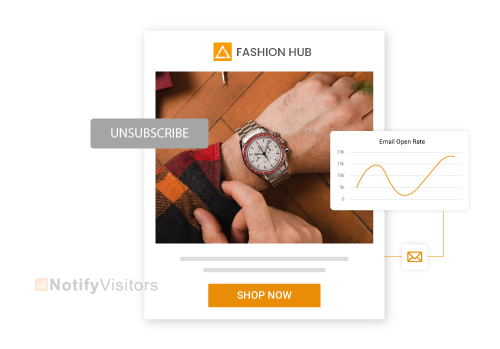
Analyzing the performance of your WooCommerce email campaigns is critical for continuous improvement. Here are the key metrics to track:
- Open Rate: The percentage of recipients who open your emails. A higher open rate signals strong subject lines and sender credibility.
- Click-Through Rate (CTR): The percentage of recipients who click links inside your emails. Higher CTR signals that your content and CTAs are driving real engagement. For example, ‘Build Your Dream Tiny House’ and discover what counties in New Jersey allow tiny houses.
- Conversion Rate: The percentage of recipients who complete a desired action (purchase, signup, etc.). Higher conversion signals your emails are driving downstream business outcomes, not just clicks.
- Bounce Rate: The percentage of emails returned as undeliverable. High bounce rates indicate problems with list quality or deliverability that need fixing fast.
- Unsubscribe Rate: The percentage of recipients who unsubscribe. A spike in unsubscribes signals your content or frequency is off and needs adjustment.
By regularly tracking these metrics, you can spot trends and find areas for improvement. Test different subject lines, content formats, and CTAs to optimize each campaign for better results over time.
9 Best Practices of WooCommerce Email Marketing
To make your WooCommerce email campaigns more effective, here are nine proven best practices:
1. Crafting Attention-Grabbing Subject Lines
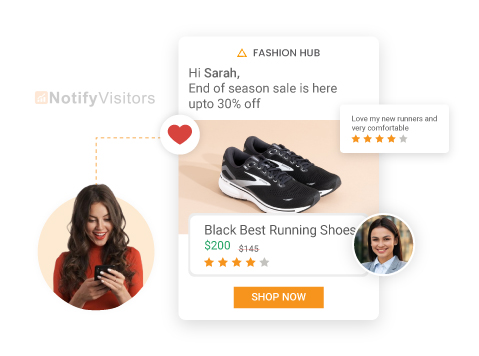
The subject line is the first thing recipients see in their inbox, so crafting it well is essential. Here are five proven techniques:
- Personalization: Include the recipient’s name or other relevant details in the subject line. Personalized subject lines lift opens by 15-22% on average.
- Urgency or Scarcity: Create urgency with phrases like “Limited Time Offer” or “Last Chance to Save.” Use sparingly so it doesn’t lose impact.
- Benefit-Oriented: Highlight the value recipients get from opening, like exclusive discounts or useful content.
- Curiosity: Pose intriguing questions or tease captivating content to make recipients want to know more.
- Social Proof: Reference positive customer reviews or popular products to build trust at the inbox level.
2. Designing Engaging Email Templates
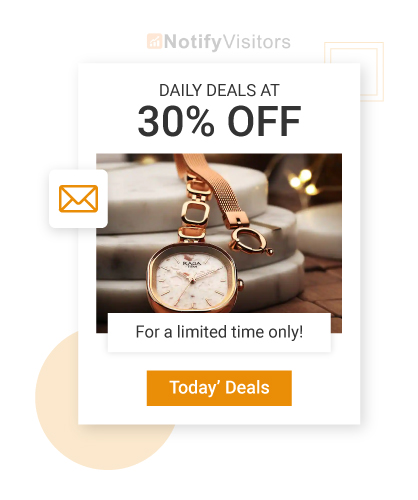
Visual appeal plays a huge role in WooCommerce email performance. Here are five tips for designing templates that actually convert:
- Responsive Design: Make sure your templates render properly on all devices and screen sizes. Most ecommerce emails are opened on mobile in 2026.
- Customizability: Pick templates that let you customize design to match your brand. This includes colors, fonts, and layout flexibility.
- Clear Hierarchy: Design templates with a clear, easy-to-follow layout. Use headings, subheadings, and bullet points for readability.
- Image-to-Text Ratio: Balance images and informative text. Too many images may hurt deliverability, while too much text overwhelms readers.
- Prominent Calls-to-Action (CTAs): Make CTAs visually distinct with contrasting colors, larger fonts, or button styles. Guide recipients clearly toward the action you want.
3. Persuasive Copy
Compelling copy is what turns opens into clicks. Here are five tips for persuasive email copywriting:
- Understand Your Audience: Tailor copy to resonate with your specific audience’s needs, preferences, and pain points. Speak their language directly.
- Engaging Introduction: Capture attention with an opening that clearly explains the value of reading the rest. Avoid jargon and corporate fluff.
- Subheadings and Bullet Points: Break copy into digestible chunks with subheadings and bullets. Most readers scan, not read. You can use an AI bullet point generator to draft content in structured bullets faster.
- Motivate Action: Include a strong CTA in every email. Use action verbs and highlight the benefit recipients get from clicking.
- Share Stories and Testimonials: Real customer stories build trust faster than any sales pitch. Use them strategically in welcome series and post-purchase flows.
4. Calls-to-Action
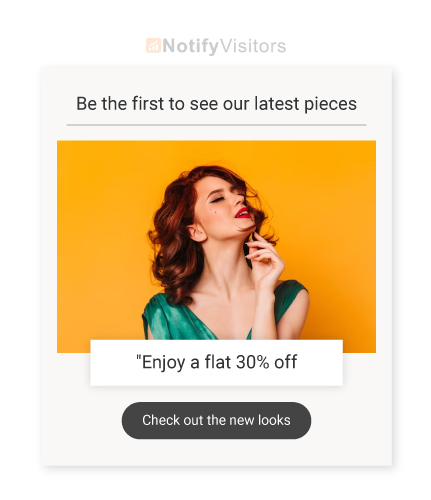
Calls-to-action (CTAs) drive engagement and conversions in every WooCommerce email. Here are five tips for high-converting CTAs:
- Action-Oriented Text: Use clear, compelling verbs in CTAs like “Shop,” “Learn,” or “Get Started.” Avoid passive language.
- Value Proposition: Highlight what recipients get from clicking. “Get my free guide” beats “Click here.”
- Design Distinction: Make CTAs visually distinct from surrounding content with contrasting colors, larger fonts, or button styling.
- Color Contrast: Choose a CTA color that contrasts strongly with the background so it’s impossible to miss.
- Positioning: Place CTAs strategically within your email at the end of sections or at the bottom. Ensure they’re easy to see and tap on mobile.
5. Timing and Frequency
The timing and frequency of your WooCommerce emails directly impact engagement and conversions. Here are three tips for finding the optimal cadence:
- Experiment with Timing: Test different send times to find when your audience engages most. This varies by timezone, demographic, and industry.
- Consider Open and Click Rates: Monitor open and click rates by send time to identify patterns. Most ecommerce brands see best results on Tuesday-Thursday between 9-11 AM in the recipient’s timezone.
- Be Mindful of Frequency: Avoid overwhelming subscribers. Find the right balance between staying top of mind and respecting inboxes.
6. Segmentation and Personalization
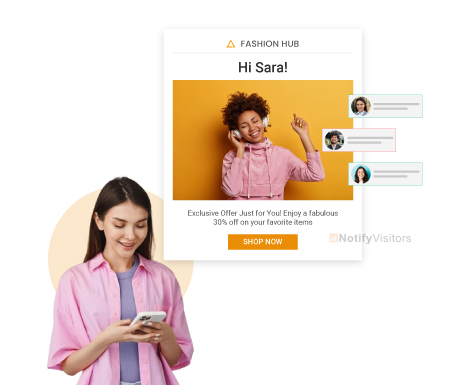
Segmentation and personalization are key for delivering targeted, relevant content. Here are three tips:
- Segment Your Audience: Divide your email list into smaller groups based on preferences, demographics, purchase history, or browsing behavior. Strong personalization strategy built on unified customer data lifts conversion significantly.
- Personalize Your Emails: Use customer attributes like names, locations, or order history to tailor content. Address recipients by name and customize the body based on their interests.
- Avoid Generic Content: Make sure emails are tailored to each segment. Generic content doesn’t drive conversions because it doesn’t connect.
7. Avoid Using a “No-Reply” Email Address
Don’t use a “no-reply@” email address in your WooCommerce store emails. It signals you don’t actually want to hear from customers, which hurts trust and engagement.
Instead, use a real sender address that customers can reply to. This humanizes your brand and shows you value the conversation.
8. Provide Value
Customers engage with emails that feel valuable. Offer exclusive promotions, discounts, or limited-time offers to reward loyal subscribers.
Share useful content like blog posts, industry insights, or product tips to position your brand as a trusted source of information. Consistent value drives higher open rates and repeat purchases over time.
9. Mobile Optimization
With the dominance of mobile devices in 2026, optimizing WooCommerce email templates for mobile is essential. Ensure your emails are responsive and adapt to every screen size.
Keep content concise and easy to read. Avoid long paragraphs or tiny fonts that hurt readability on phones.
Test emails on different devices and clients (Gmail, Apple Mail, Outlook) to make sure the experience is consistent.
10 Best Email Marketing Plugins for WooCommerce in 2026
Building a strong email marketing strategy for your WooCommerce store requires the right plugins. Here are the 10 best email marketing tools for WooCommerce in 2026.
1. Nvecta
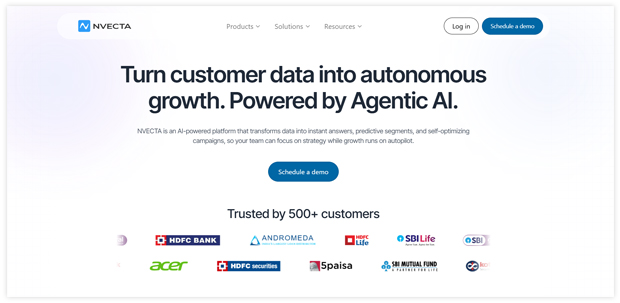
Nvecta is a powerful WooCommerce email marketing plugin that includes pre-built automation workflows for the most common WooCommerce flows (welcome, abandoned cart, win-back, post-purchase). It lets you customize every aspect of your emails, from content to template design.
With features like deep segmentation, drag-and-drop editor, A/B testing, multi-channel orchestration (email + SMS + WhatsApp + push), and AI-driven personalization, Nvecta is built for WooCommerce stores that have outgrown basic email tools. The platform also unifies customer data across web, app, and offline behavior, which makes deep personalization actually work at scale.
2. HubSpot for WooCommerce
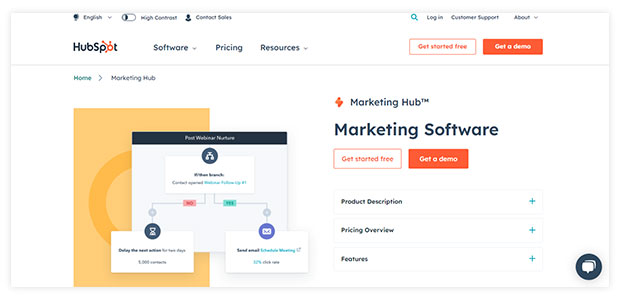
HubSpot is a comprehensive marketing platform that integrates natively with WooCommerce. It provides tools for personalized marketing campaigns, customer segmentation, and sales and marketing analytics.
With HubSpot, you can automate abandoned cart recovery, sync customer data, and optimize email campaigns for better results. Best for businesses that want a full CRM + email stack rather than a standalone email tool.
3. Mailchimp for WooCommerce

Mailchimp is a widely used email marketing platform with strong WooCommerce integration. It lets you sync customer data, segment your audience, and send personalized product recommendations based on purchase behavior.
With Mailchimp, you can set up automated abandoned cart emails, track campaign performance in detail, and use a large library of pre-built templates for responsive email designs. Best for small businesses starting out, with a free plan covering basic needs.
4. Klaviyo for WooCommerce
Klaviyo is one of the most popular email and SMS marketing platforms for ecommerce, with native WooCommerce integration. It excels at deep customer segmentation, behavior-based automation, and personalized product recommendations powered by purchase history.
Klaviyo’s pre-built flows for abandoned cart, browse abandonment, and post-purchase make it a strong choice for growing WooCommerce stores. Pricing scales with contact count, starting free for up to 250 contacts.
5. Omnisend
Omnisend is built specifically for ecommerce stores and integrates directly with WooCommerce. It combines email, SMS, and push notifications in a single platform, with pre-built automation flows for every common ecommerce use case.
Omnisend’s strength is its automation library specifically tuned for ecommerce, including abandoned cart, abandoned product, and post-purchase flows that work out of the box. Free plan supports up to 500 emails per month.
6. AutomateWoo
AutomateWoo is a native WooCommerce automation plugin that works entirely inside WordPress. It’s the most WooCommerce-native option on this list, with deep integration into WooCommerce-specific data like order status, products viewed, and customer purchase history.
Best for stores that want all their email automation managed within WordPress rather than a separate platform. One-time pricing model rather than monthly subscription.
7. Brevo (formerly Sendinblue)
Brevo offers a strong free tier for WooCommerce stores with up to 300 emails per day. It includes email, SMS, chat, and CRM features in a single platform, with a clean drag-and-drop editor and pre-built automation templates.
Best for SMBs that want a budget-friendly option that scales beyond email marketing into multi-channel messaging.
8. MailPoet
MailPoet is a WordPress-native email marketing plugin owned by Automattic (same company behind WooCommerce). It runs entirely inside your WordPress admin, with deep WooCommerce integration for product blocks, abandoned cart, and post-purchase flows.
Best for stores that want everything inside WordPress without external SaaS dependencies. Free for up to 1,000 subscribers.
9. ActiveCampaign
ActiveCampaign is a powerful marketing automation platform with WooCommerce integration. It excels at advanced segmentation, multi-step automation flows, and CRM features that go beyond basic email marketing.
Best for established WooCommerce stores with complex customer journeys that need advanced automation logic. Pricing scales with contact count and feature tier.
10. Drip
Drip is built specifically for ecommerce and integrates with WooCommerce. It focuses on direct-to-consumer brands, with advanced segmentation, visual workflow builder, and revenue attribution tied directly to email sends.
Best for DTC WooCommerce brands that want to track revenue per email and run sophisticated multi-touch campaigns. For a broader comparison, see our complete guide to best email marketing services.
WooCommerce Abandoned Cart Email Automation Deep Dive
The abandoned cart email is the single highest-ROI automation any WooCommerce store can run. Klaviyo data shows abandoned cart emails recover 10-15% of lost carts on average, which translates into meaningful revenue every month for any store at scale. For a deeper guide, see our complete breakdown on abandoned cart emails.
Why Abandoned Cart Emails Work
Roughly 70% of online shopping carts are abandoned globally, according to Baymard Institute. That’s a massive pool of high-intent shoppers who almost converted but didn’t. A well-timed reminder email captures a meaningful share of that lost revenue.
Optimal Abandoned Cart Email Sequence
The best abandoned cart automation uses a 3-email sequence with this timing:
- Email 1 (1 hour after abandonment): Soft reminder. “You left something behind.” No discount.
- Email 2 (24 hours after abandonment): Add urgency. “Your cart is expiring soon.” Optional small incentive.
- Email 3 (72 hours after abandonment): Final push with stronger incentive. “Last chance, 10% off.”
High-Converting Subject Line Examples
- “You left something behind 👀”
- “Still thinking about it, {{first_name}}?”
- “Your cart is expiring soon”
- “Don’t forget about {{product_name}}”
- “Save 10% on your cart today only”
AI in WooCommerce Email Marketing 2026
The biggest shift in WooCommerce email marketing for 2026 is the integration of AI across the entire campaign workflow. The old approach involved manual list management and template selection. The new approach uses machine learning to personalize subject lines, optimize send timing per recipient, generate body copy, and dynamically tailor content based on customer behavior.
However, AI-generated email copy still needs a human touch to sound authentic rather than robotic. Many marketers now use an AI humanizer to make automated emails sound more natural, personal, and engaging without changing the original intent.
What AI brings to WooCommerce email marketing in 2026:
- AI-generated subject lines: Test dozens of variations automatically
- Predictive send timing: AI decides when each individual subscriber is most likely to engage
- Dynamic product recommendations: Personalized to each subscriber based on browsing and purchase history
- Smart segmentation: AI groups customers by behavior patterns you wouldn’t spot manually
- Churn prediction: Identifies customers likely to lapse before they actually do
Modern agentic AI systems can autonomously manage entire post-purchase, onboarding, and re-engagement flows across email plus SMS, WhatsApp, and push notifications. These multi-channel AI agents go far beyond what any single-channel WooCommerce email plugin can deliver.
The catch worth stating clearly: AI only works on clean data. Adding AI to fragmented WooCommerce data creates worse outcomes faster, not better ones. The data layer has to come first, then AI optimization builds on top.
Conclusion
An effective email marketing strategy is essential for the success of your WooCommerce store. By using email well, you can engage customers, drive conversions, and build long-term loyalty in a way paid ads can’t match for cost-efficiency. This guide has walked through the benefits of WooCommerce email marketing, the email types you can send, best practices, the 10 best plugins, abandoned cart automation, and AI features for 2026.
Remember to craft attention-grabbing subject lines, design engaging email templates, provide real value, and personalize emails to create a compelling customer experience. By automating your campaigns, staying compliant with regulations, and analyzing performance regularly, you can continuously improve your WooCommerce email marketing program and drive better results over time. With the right tools and strategies in place, your WooCommerce email marketing campaigns will drive revenue, lift customer engagement, and contribute to long-term growth.
Frequently Asked Questions
What is WooCommerce email marketing?
WooCommerce email marketing is the practice of using email to engage customers of a WooCommerce store across transactional emails (order confirmation, shipping, account creation) and marketing emails (newsletters, promotional campaigns, abandoned cart recovery). It’s typically run through a dedicated email marketing plugin or platform that integrates with WooCommerce.
Does WooCommerce have built-in email marketing?
WooCommerce has built-in transactional emails for order confirmations, shipping notifications, account creation, and password resets. However, marketing emails like newsletters, abandoned cart recovery, and promotional campaigns require third-party plugins or platforms like Nvecta, Klaviyo, Omnisend, or Mailchimp.
What’s the best WooCommerce email marketing plugin?
The best WooCommerce email marketing plugin depends on your store size and needs. Top options in 2026 include Nvecta (multi-channel with AI and CDP), Klaviyo (advanced ecommerce automation), Omnisend (email + SMS combo), Mailchimp (free tier for small stores), AutomateWoo (native WooCommerce), HubSpot (full CRM), and Brevo (budget-friendly SMB option).
How do I set up email marketing on WooCommerce?
To set up email marketing on WooCommerce, choose an email marketing platform, install its WooCommerce plugin or connector, connect your store, sync customers and orders, create your first email list, build automation workflows (welcome, abandoned cart, post-purchase), customize default WooCommerce transactional emails, then test and launch your first campaign.
Is WooCommerce email marketing free?
WooCommerce’s default transactional emails are free since they’re built into the plugin. For marketing emails, several platforms offer free plans including Mailchimp (free for up to 500 contacts), Brevo (free for 300 emails/day), Omnisend (free for 500 emails/month), MailPoet (free for 1,000 subscribers), and Klaviyo (free for 250 contacts).
How much does WooCommerce email marketing cost?
WooCommerce email marketing costs vary by platform and contact count. Most paid plans start at $10-20/month for up to 1,000 contacts and scale to $100-500/month for larger lists. Some tools like AutomateWoo use one-time pricing (around $99/year), while platforms like Klaviyo, Omnisend, and HubSpot scale pricing with contact count.
Can I customize WooCommerce default emails?
Yes, you can customize WooCommerce default emails through WooCommerce → Settings → Emails. You can modify subject lines, headers, footers, colors, and basic content. For deeper customization including HTML, brand-specific design, and dynamic content, you’ll need a plugin like Nvecta, Klaviyo, or Omnisend, or custom theme code.
How do abandoned cart emails work in WooCommerce?
Abandoned cart emails in WooCommerce automatically send when a customer adds products to their cart but leaves without checking out. The plugin tracks cart contents tied to the customer’s email address, then triggers a sequence (typically 3 emails over 72 hours) reminding them to complete the purchase. Most abandoned cart automation recovers 10-15% of lost carts.
What’s the difference between WooCommerce transactional and marketing emails?
Transactional emails are triggered by specific customer actions like placing an order or creating an account. They include order confirmations, shipping notifications, and password resets. Marketing emails are promotional communications like newsletters, abandoned cart reminders, and win-back campaigns. WooCommerce handles transactional emails natively but requires plugins for marketing emails.
Can I send automated emails from WooCommerce?
Yes, you can send automated emails from WooCommerce using plugins like AutomateWoo, MailPoet, or external platforms like Nvecta, Klaviyo, and Omnisend. Common automation triggers include first purchase, abandoned cart, post-purchase, win-back (inactive customers), product review requests, and birthday/anniversary emails.
Klaviyo vs Omnisend for WooCommerce — which is better?
Klaviyo is better for advanced segmentation, deep customer behavior tracking, and revenue attribution. Omnisend is better for SMS + email combo, pre-built automation templates, and ease of use. Klaviyo typically wins for larger DTC brands, while Omnisend wins for SMBs that want both email and SMS in one platform.
AutomateWoo vs Klaviyo — which should I use?
AutomateWoo is better if you want everything inside WordPress with a one-time payment model and deep WooCommerce-native integration. Klaviyo is better if you need advanced segmentation, multi-channel sends (email + SMS), and integration with broader ecommerce data sources. AutomateWoo suits smaller stores; Klaviyo suits growing brands at scale.
How do I send a newsletter from WooCommerce?
To send a newsletter from WooCommerce, install an email marketing plugin (MailPoet, Mailchimp, Brevo, or similar), import your subscriber list, create a newsletter template, write your content, and schedule or send immediately. WooCommerce itself doesn’t have a built-in newsletter feature, so you need a plugin or external platform.
How does AI change WooCommerce email marketing in 2026?
AI changes WooCommerce email marketing through AI-generated subject lines, predictive send timing per individual, dynamic product recommendations based on behavior, smart audience segmentation, churn prediction for inactive customers, and agentic AI that manages multi-step post-purchase flows autonomously. The brands using mature AI in their WooCommerce email stack consistently outperform those using static templates.
Can I A/B test WooCommerce emails?
Yes, most WooCommerce email marketing platforms support A/B testing including Nvecta, Klaviyo, Omnisend, Mailchimp, Brevo, and HubSpot. You can test subject lines, sender names, send times, email content, CTAs, and product recommendations. A/B testing is essential for finding what actually drives conversions for your specific audience.
What’s WooCommerce email marketing’s typical ROI?
WooCommerce email marketing typically delivers $36-42 in revenue for every $1 spent, according to DMA and Litmus benchmarks. Specific email types vary significantly: post-purchase emails average 4x revenue per send vs promotional emails, abandoned cart emails recover 10-15% of lost carts, and welcome series emails drive 320% more revenue than other promotional emails.
