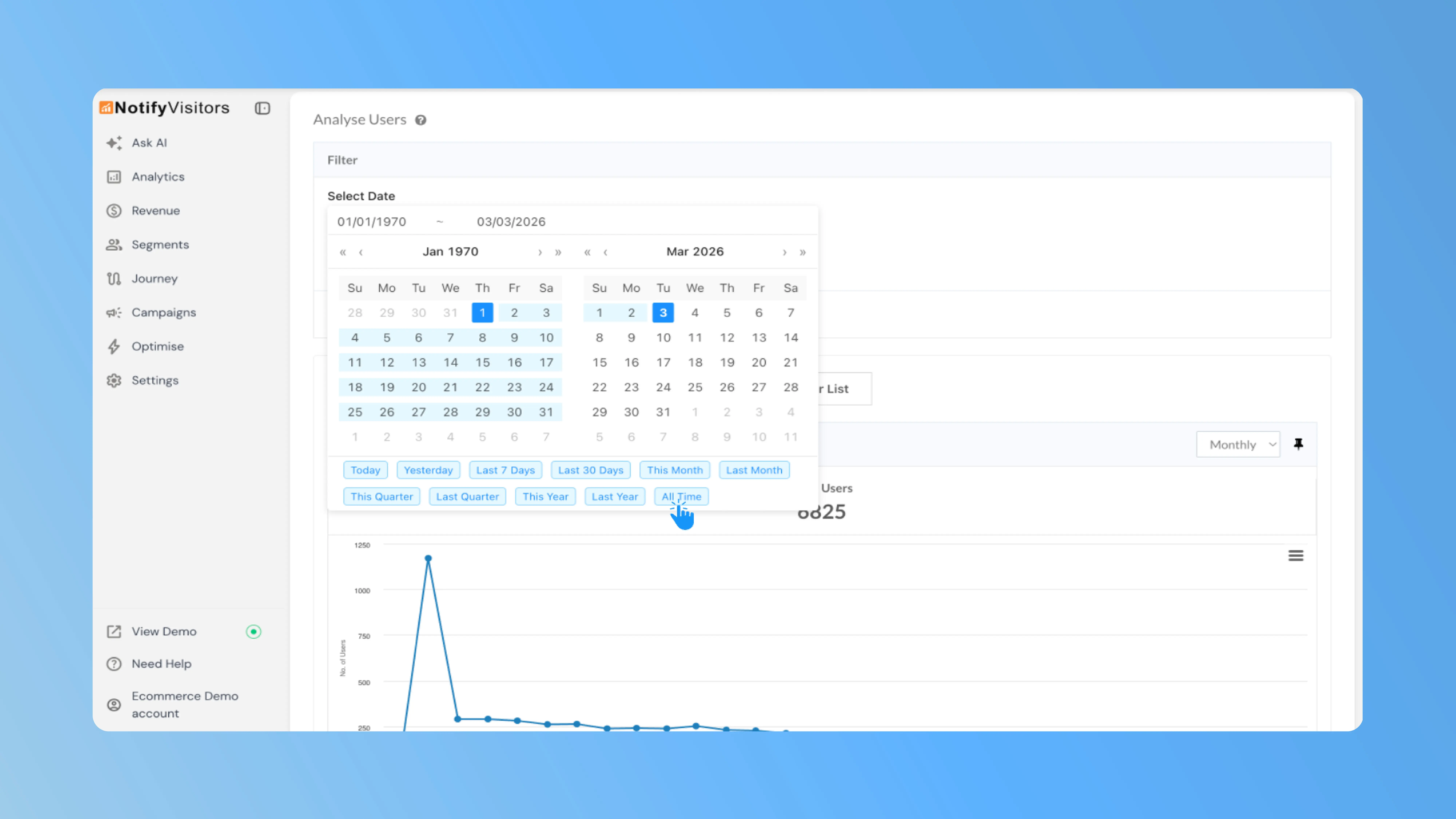
When reviewing user analytics in the Analyse Users panel, there was no quick way to view all-time data, and analytics charts were locked to a single default granularity. This update addresses both gaps.
What's new
In Segments → Analyse Users, two new controls are now available:
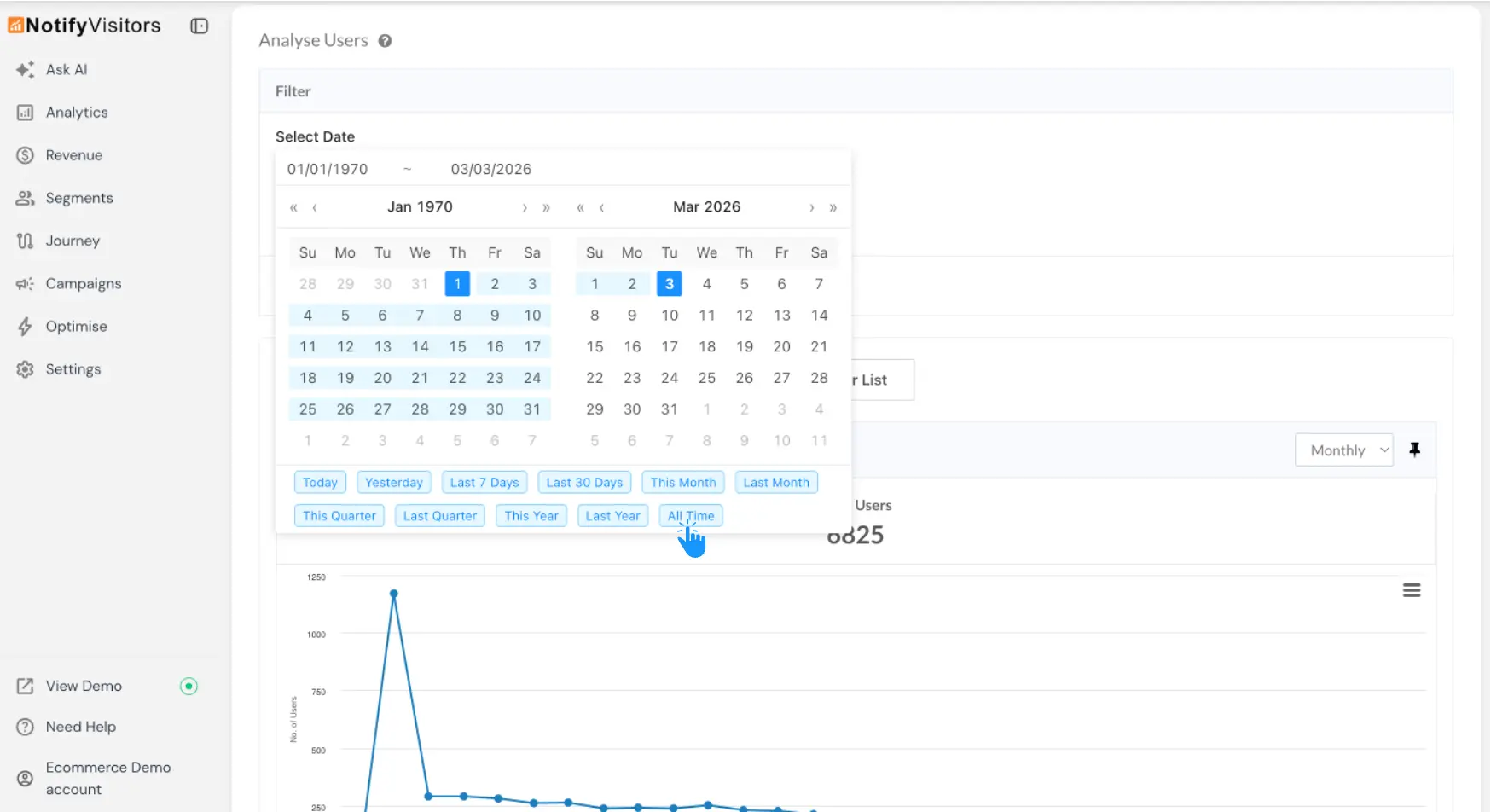
All Time date range — The date picker now includes the newly added All Time preset shortcut. Clicking All Time instantly loads complete historical user data across all analytics views, Trends, Attributes, Technographics, and Geography, without manually setting start and end dates.
Granularity control — A new dropdown in the top-right corner lets you toggle between Daily, Weekly, Monthly, and Annual views across all analytics tabs. This allows you to zoom in on short-term fluctuations or zoom out to observe long-term growth patterns within the same chart, without creating separate reports.
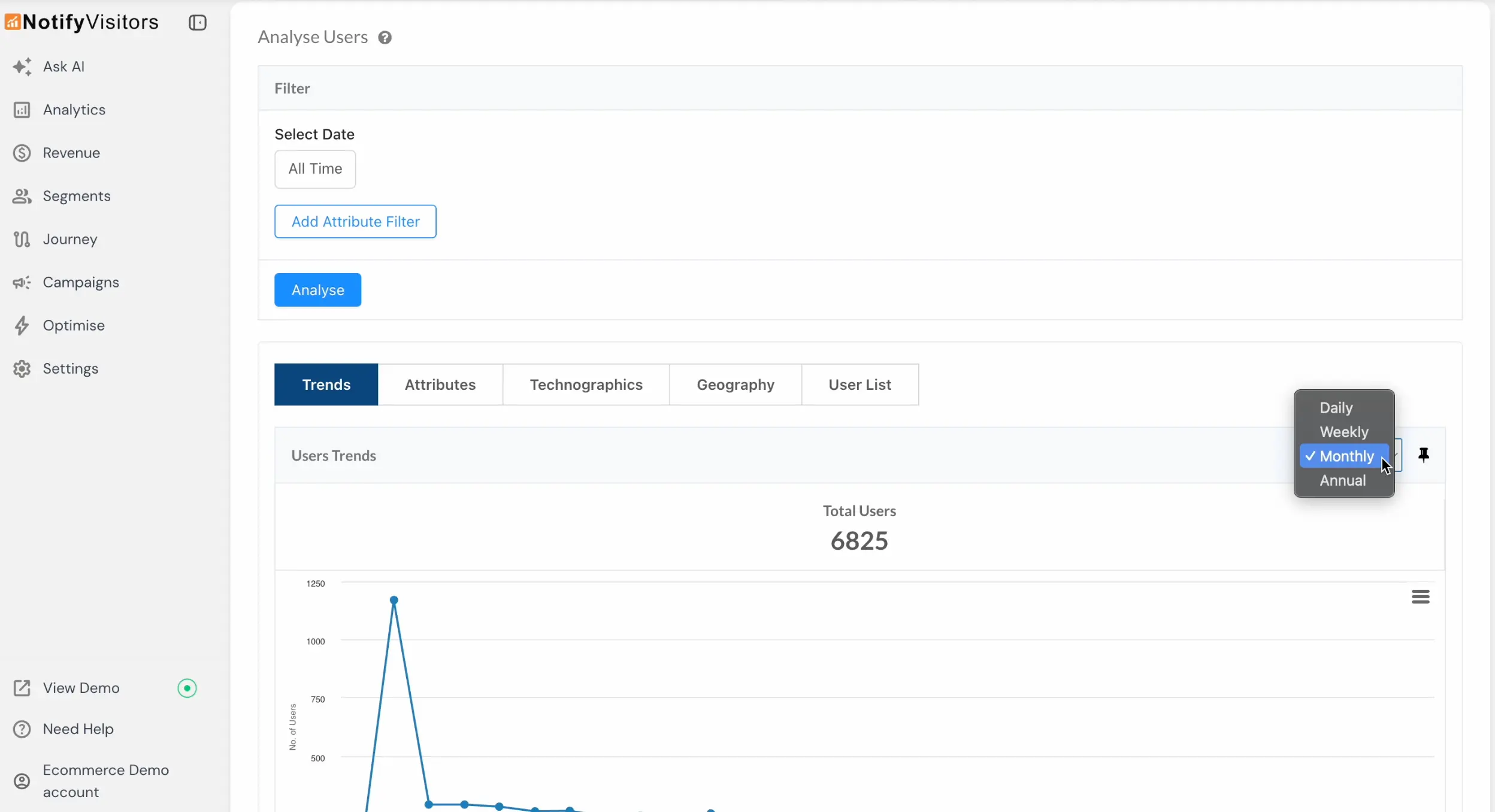
Together, these controls make user analysis faster to set up and easier to read at any time scale.