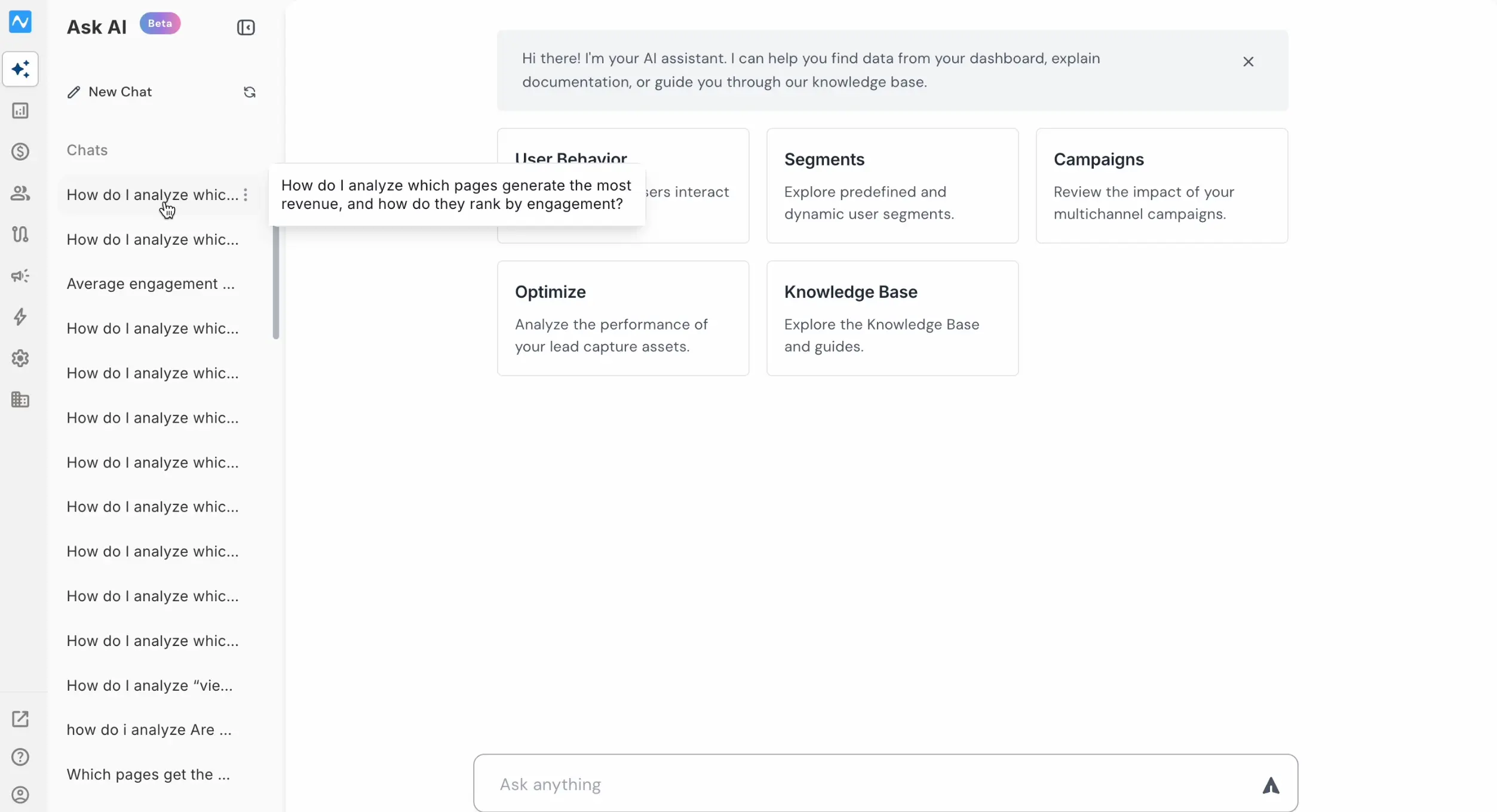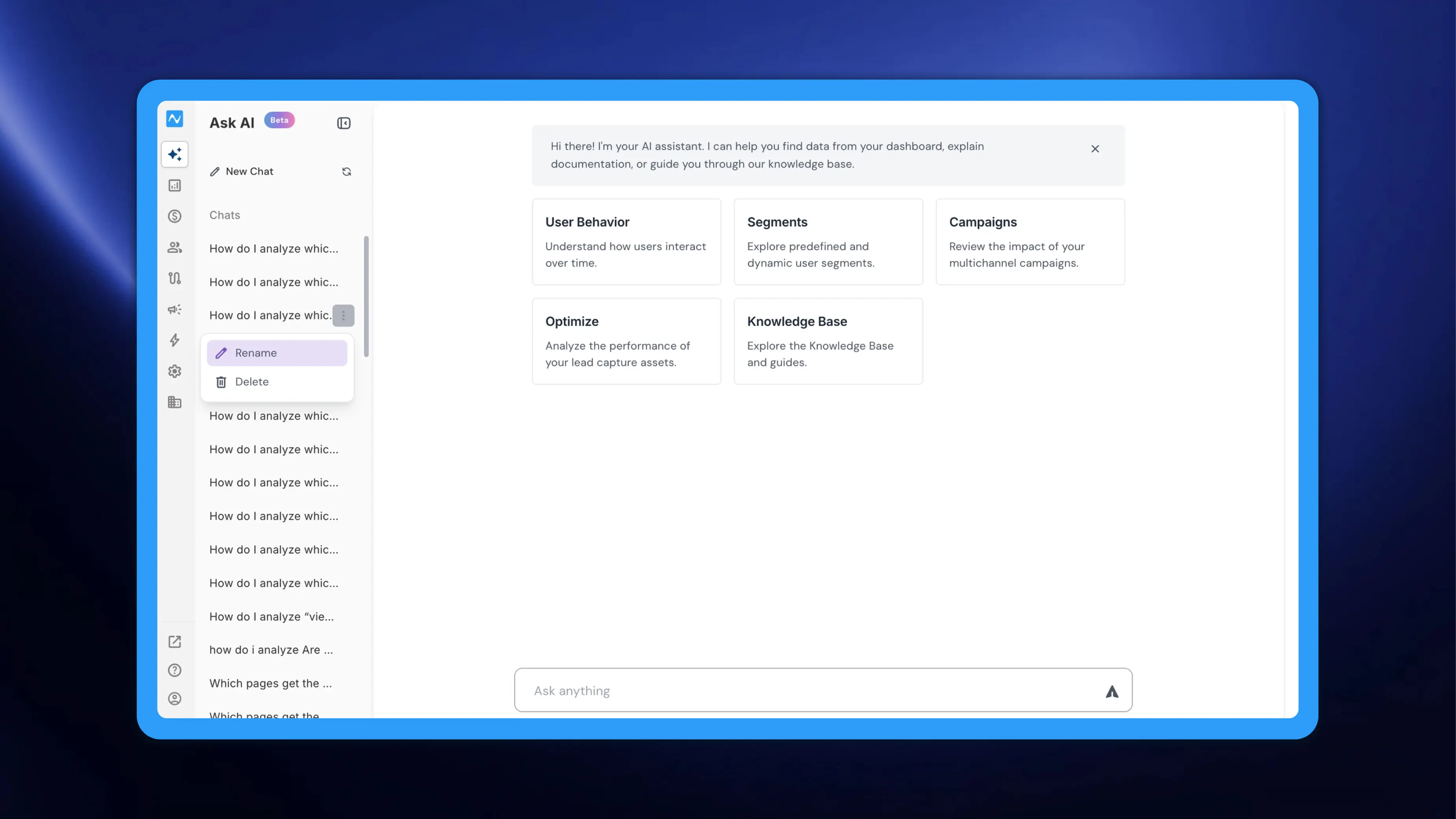
As you use NVECTA's Ask AI copilot for data queries, report generation, and knowledgebase exploration, the chat sidebar can quickly fill up with threads that all look similar — auto-named after the first few words of your prompt. This update adds two small but useful improvements: the ability to rename chat threads and preview your original prompt by hovering over any thread in the sidebar.
Where to find it
Open Ask AI from the left navigation. Your chat history appears in the sidebar under Chats. To rename a thread, click the three-dot icon next to it, and select Rename.
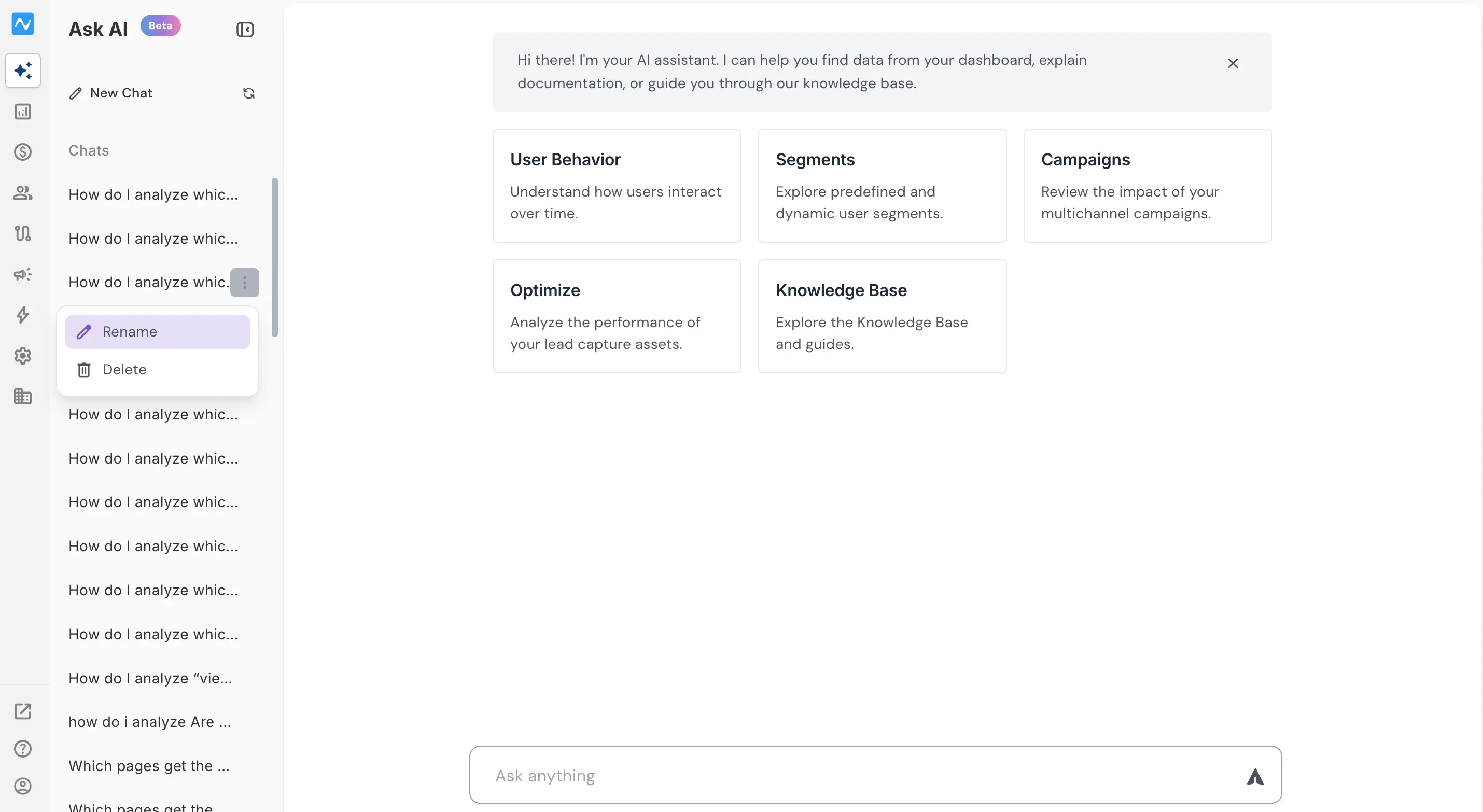
You can also Delete a thread from the same three-dot menu if it's no longer needed.
To preview the full first prompt of any thread, simply hover over it — a tooltip displays the complete prompt text without needing to open the conversation.