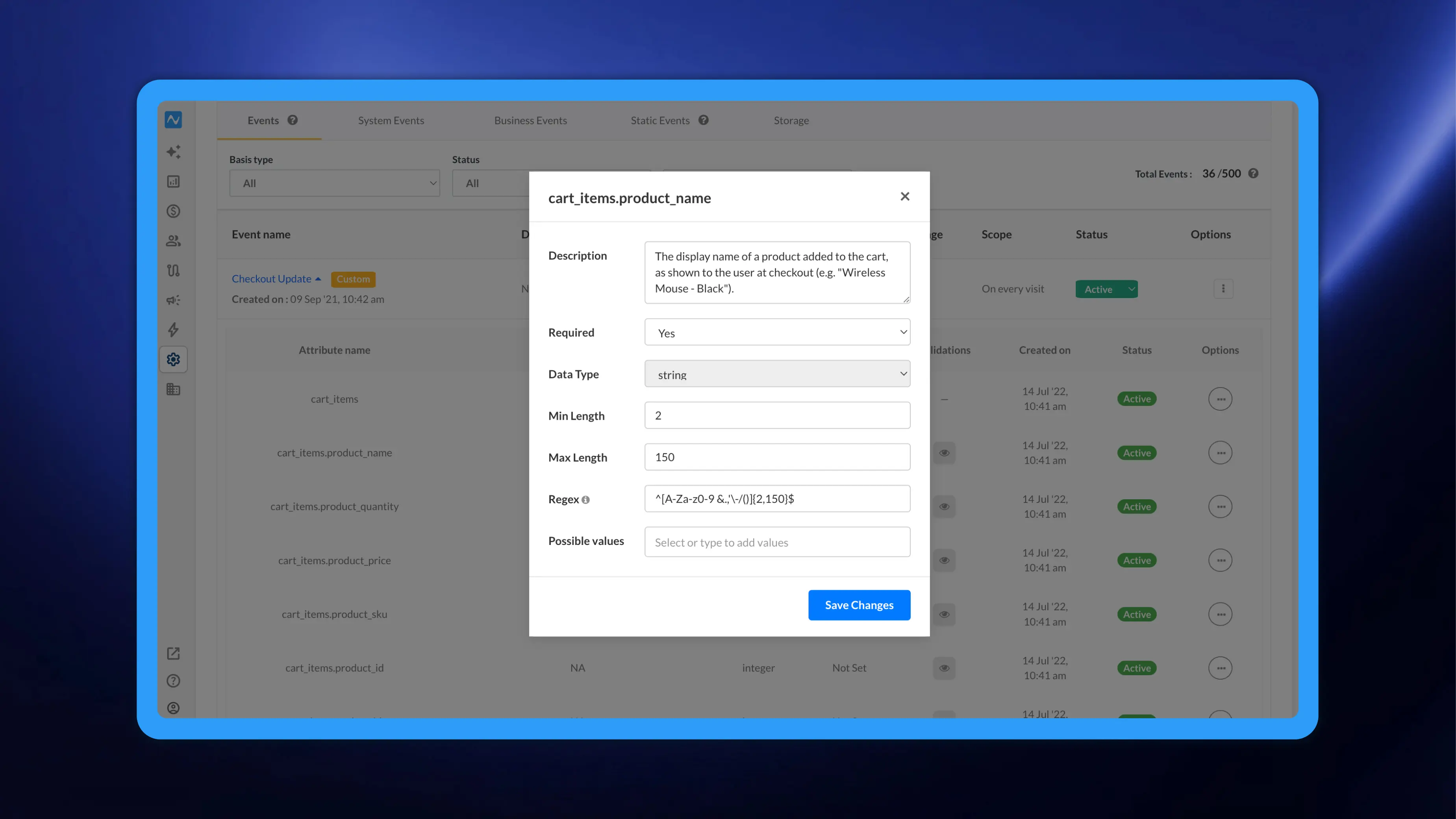
You can now apply custom validation rules to your event and user attributes directly from the NVECTA dashboard. Define exactly what each attribute should contain, and NVECTA rejects anything that doesn't fit before it's stored, keeping your reports, segments, and campaigns built on clean, trustworthy data. When something does break a rule, you're notified through error logs and email, so issues surface early instead of quietly corrupting your data.
Where to set them up
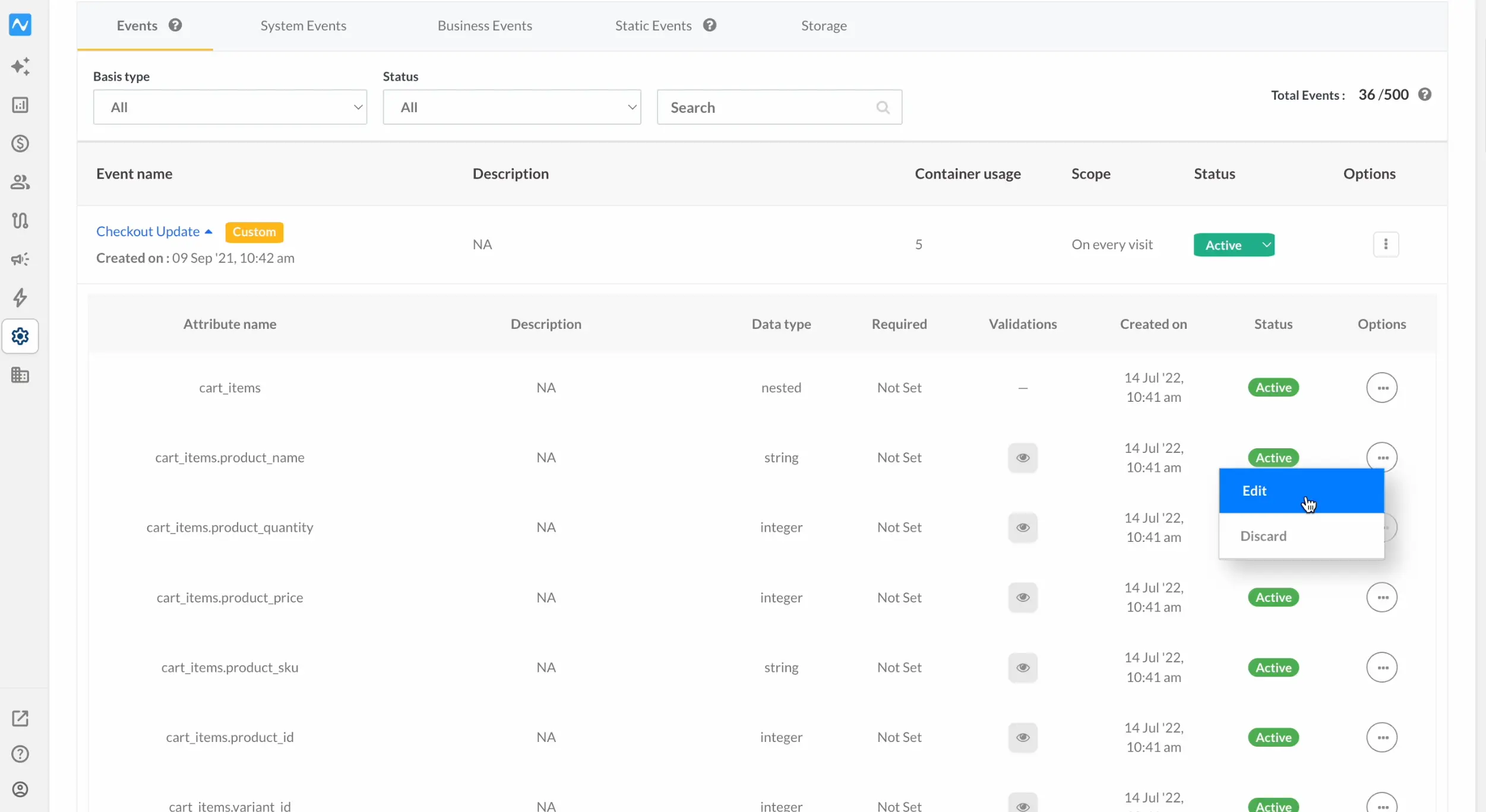
Go to Settings → Events (or open the Users tab to validate user attributes). Click the down arrow on any event to expand its attributes, then click the three-dot action menu on an attribute and select Edit.
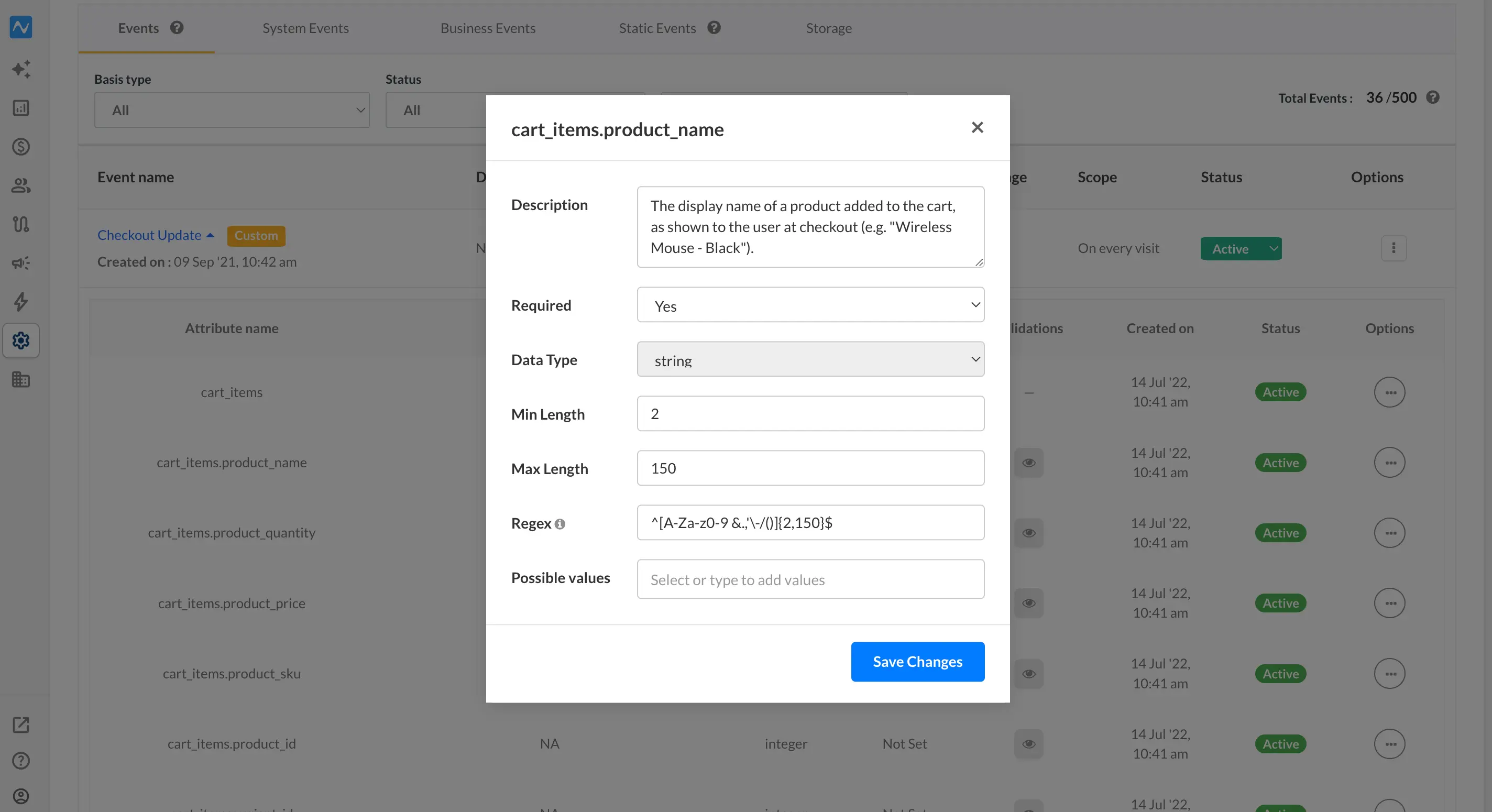
The attribute window opens. Data Type is fixed and can't be changed here; everything else is editable. Add a Description and configure any of these rules: Required (whether the attribute is mandatory), Min Length, Max Length, Regex pattern, and Possible values (restrict the attribute to a defined set of accepted values). Click Save Changes.
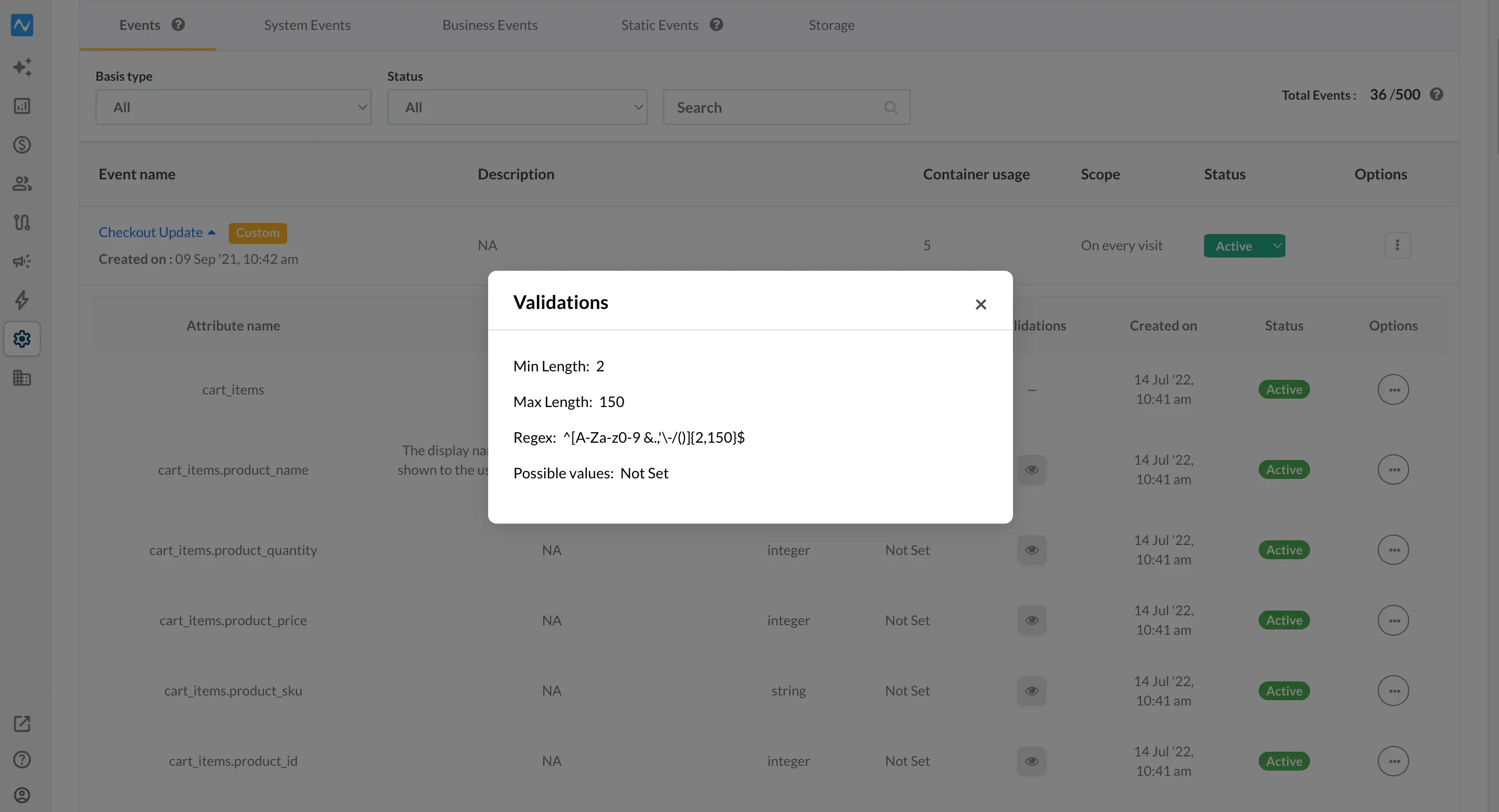
Each attribute can carry its own set of rules, so repeat this for as many as you need. To review what's applied, click the eye icon in the Validations column of the events list.
To remove a rule, open Edit again and clear the validations you no longer want.
When a validation fails
Once rules are live, any entry that breaks them is rejected and not stored. You can track these failures two ways:
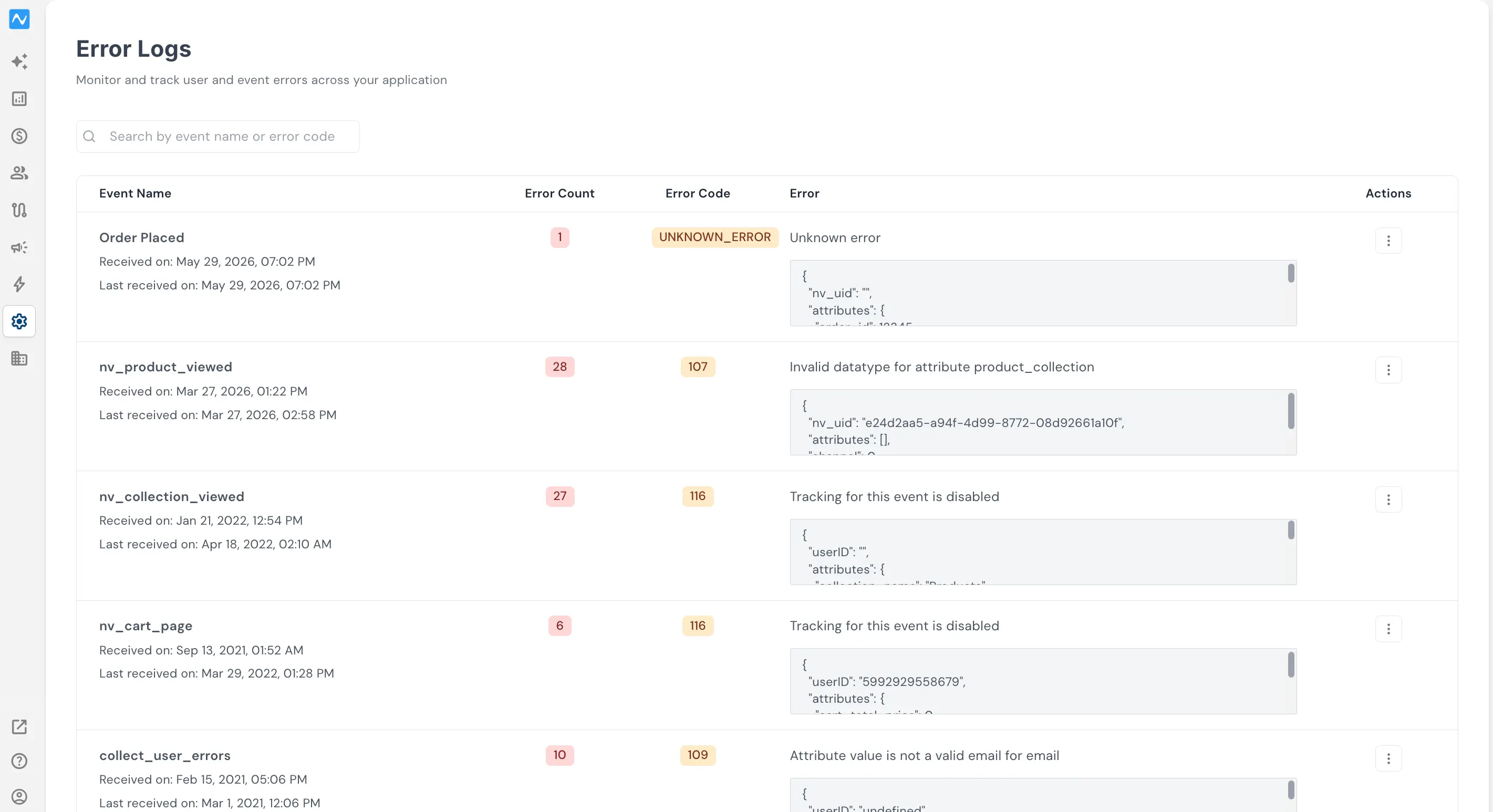
Error Logs — In Error Logs (Settings > Error Logs), every validation error is listed with the event name, error count, error code, and error details, so you can see exactly what's failing and how often.
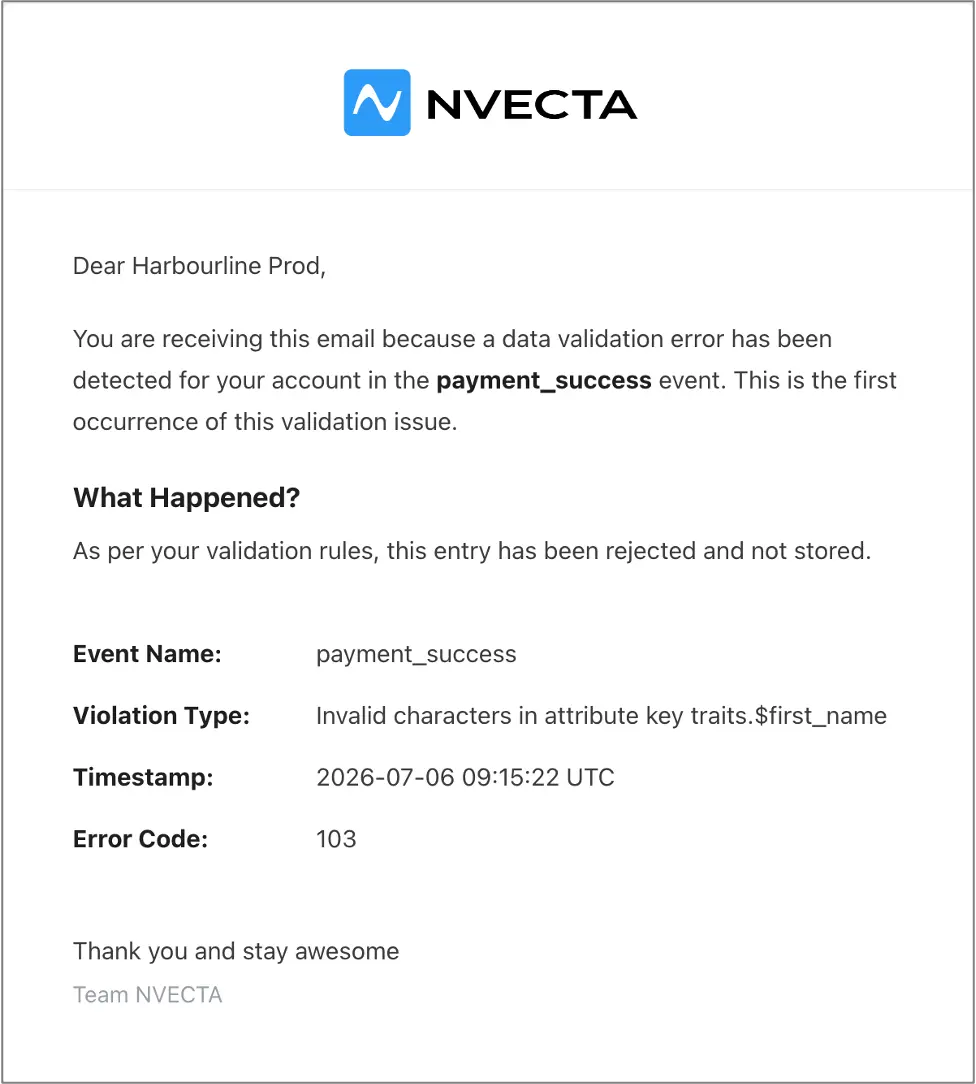
Instant email — The first time a specific validation error occurs, NVECTA emails you with the event name, the violation details (violation type and error code), and a timestamp. To avoid flooding your inbox, repeat occurrences of the same error don't send another email, so check Error Logs for ongoing counts.
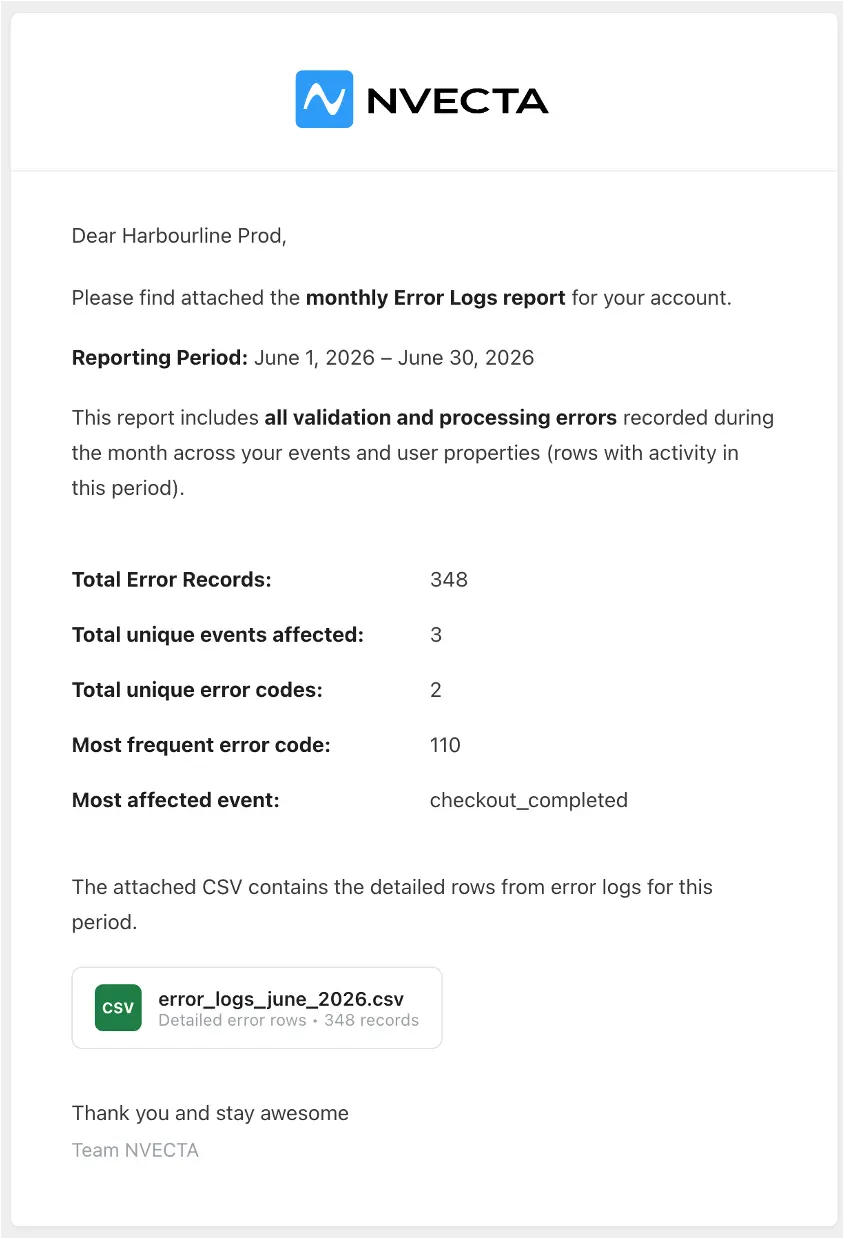
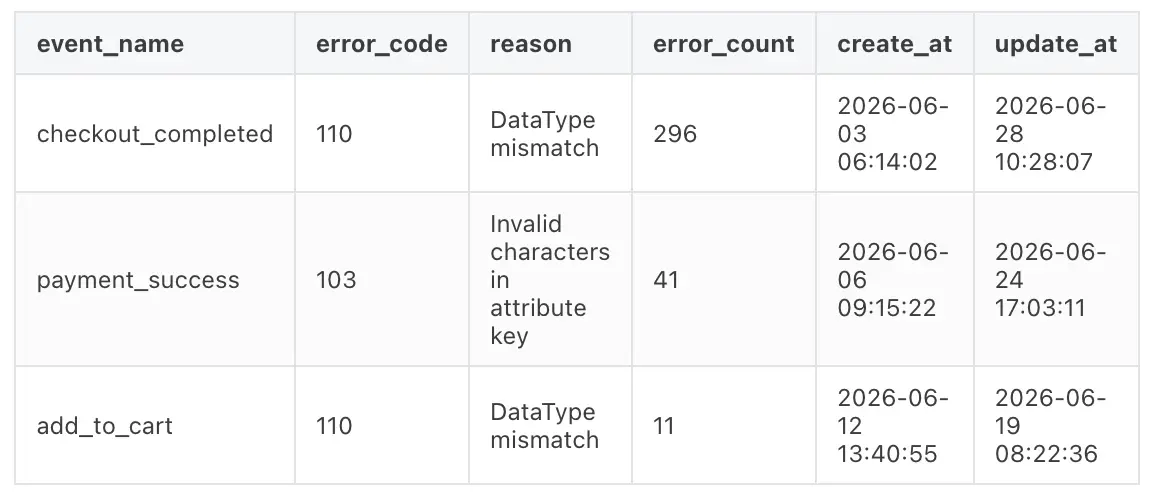
Monthly report — On the 1st of every month, NVECTA also sends a summary email covering all validation errors from the previous month, with a CSV attachment listing event names, error codes, reasons, error counts, and more.
Preview of the attached CSV:
Problem it solves
Malformed data, wrong formats, unexpected values, or missing required fields, quietly corrupts reports, segments, and campaigns, and it's usually caught long after the damage is done. Custom validations let you enforce what each event and attribute should contain, reject anything that doesn't qualify, and get alerted the moment something breaks, keeping your data clean at the source.
With validations, error logs, and both instant and monthly alerts, you define what good data looks like and catch bad data before it spreads downstream.