Until now an email broadcast campaign in NVECTA could only address the recipient. It was not possible to include someone say a reporting manager in CC or BCC.
NVECTA now adds CC and BCC to broadcast email campaigns, and both fields take hard-coded addresses as well as personalization tokens. One send reaches the recipient and everyone who needs to be involved, and your delivered count still reflects one email per recipient so does the unique opens and clicks.
How to use it
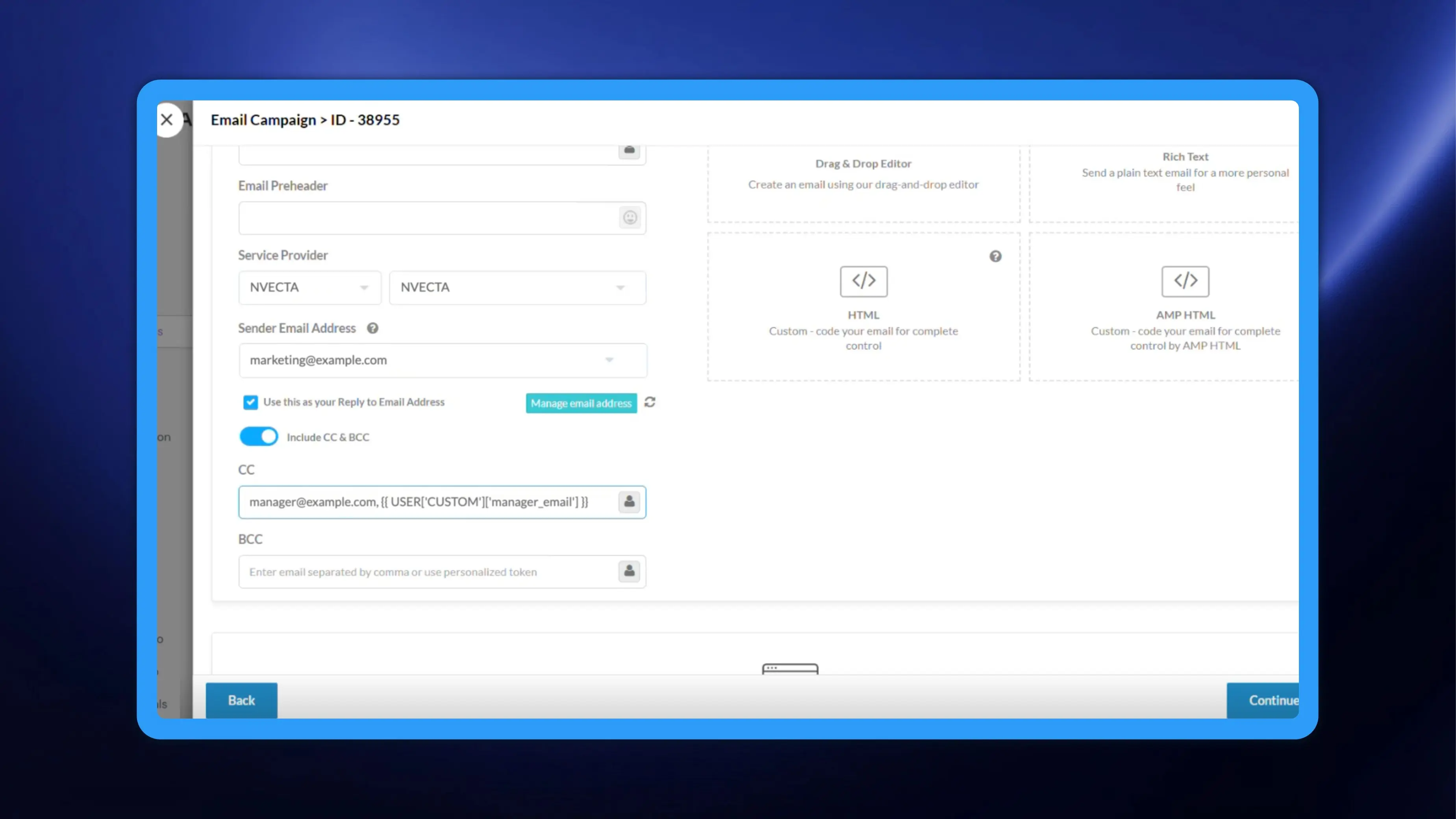
- Open Campaigns from the left navigation and create an email campaign. On the Content stage, switch on Include CC & BCC. The CC and BCC fields appear below it.
- Enter the addresses you want copied in CC, separated by commas, and do the same in BCC. Both fields accept multiple addresses. Or use the token picker at the right edge of the CC or BCC field and choose a user attribute. NVECTA drops it into the field as a token in the form {{ USER['CUSTOM']['attribute name'] }}. Tokens and hard-coded addresses can sit in the same field, comma separated.
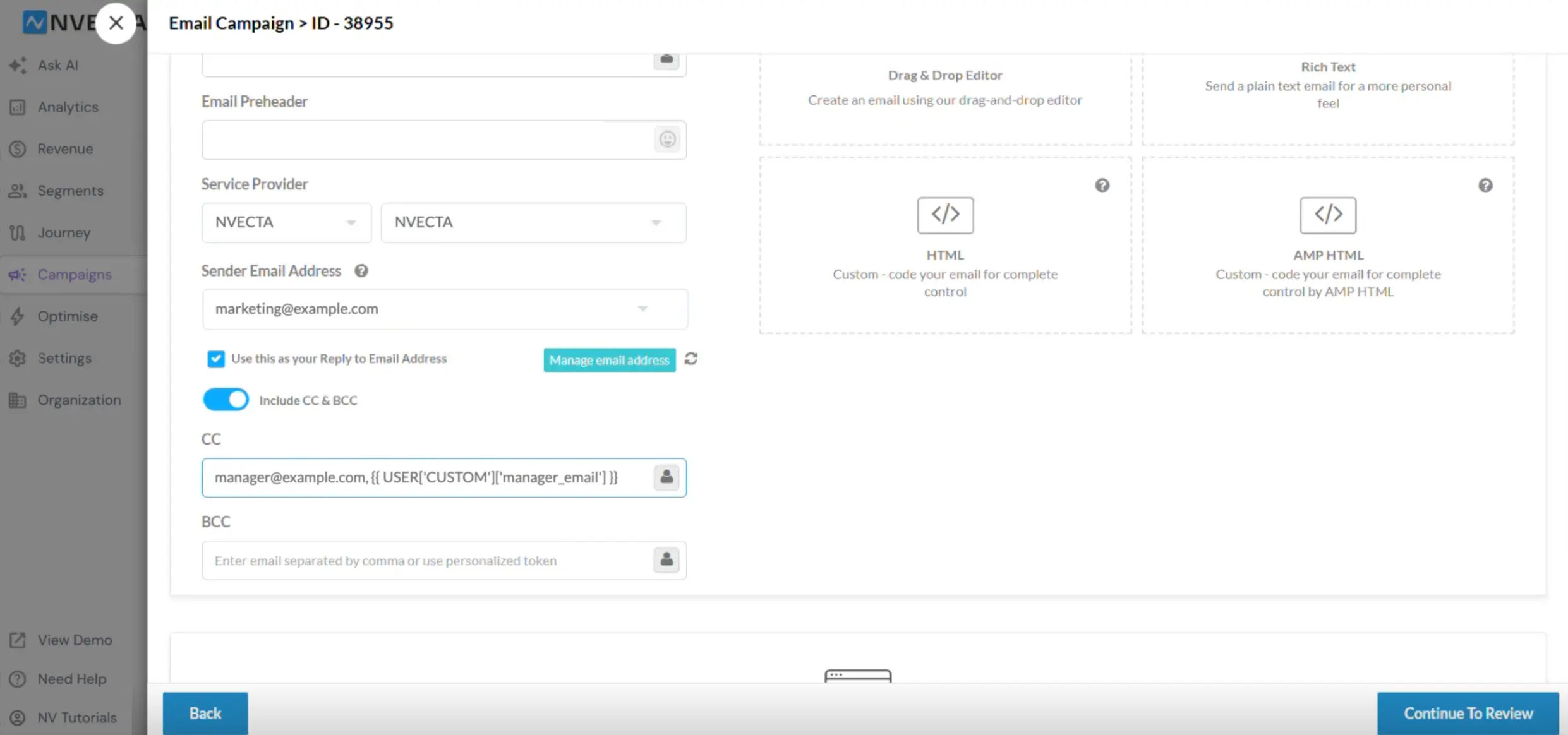
Note: Include CC & BCC is available for a limited set of email service providers for now, including NVECTA, Infobip, and Netcore.
A tokenized sender name
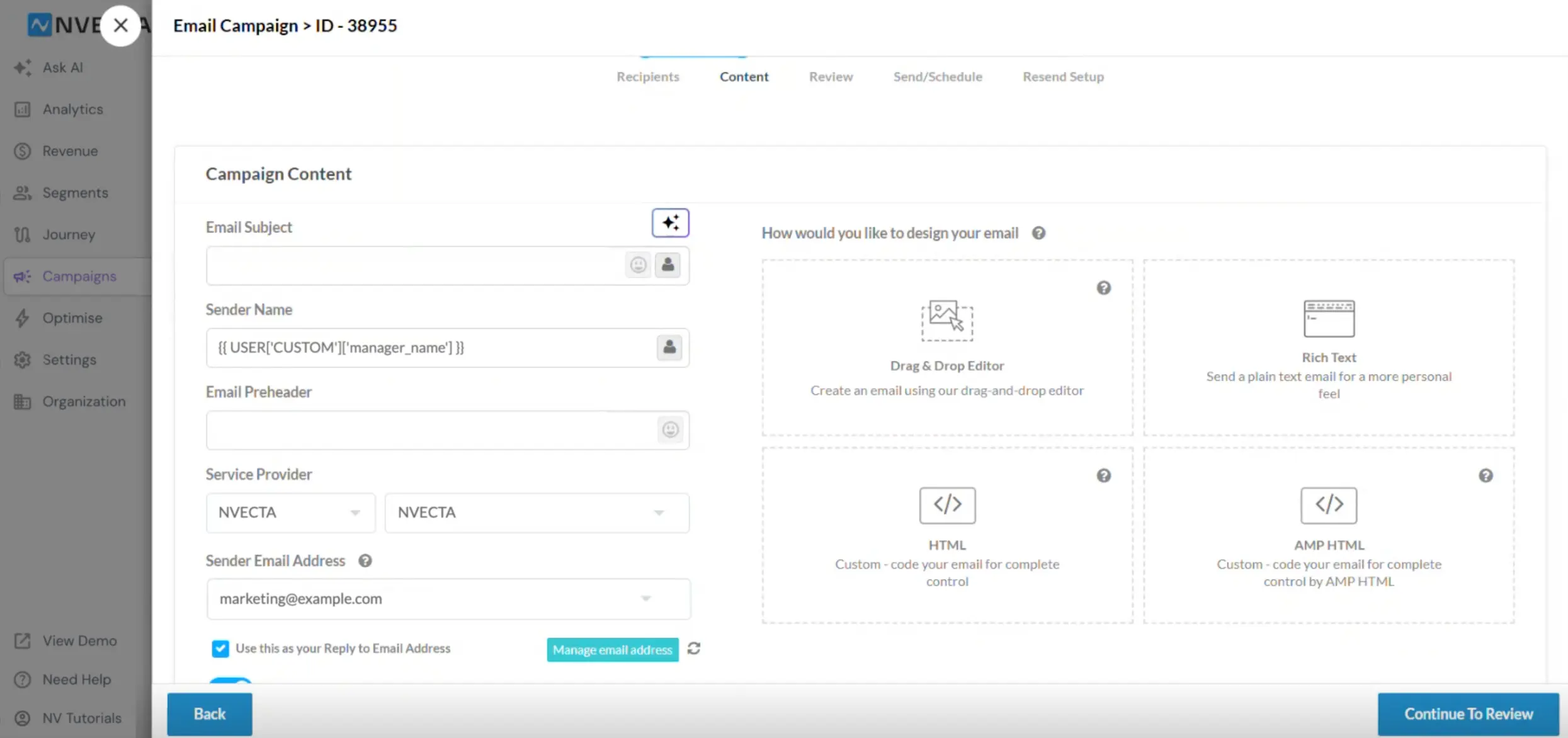
Sender Name, in the same Campaign Content panel, now takes personalization tokens too. Insert a token with the picker beside the field. Hard-coded sender names keep working exactly as before. See Using Personalization Tags In Campaigns for token syntax and Configure Sender Email for sender address setup.
What this does to your numbers
Reporting counts one delivery per recipient. The delivered count is measured against the To recipient, so copies that go out to CC and BCC addresses do not inflate it. Opens and clicks work the same way. If someone in CC or BCC opens the email or clicks a link, it is counted for the To recipient. Click here to learn how email campaign report analytics works in NVECTA.