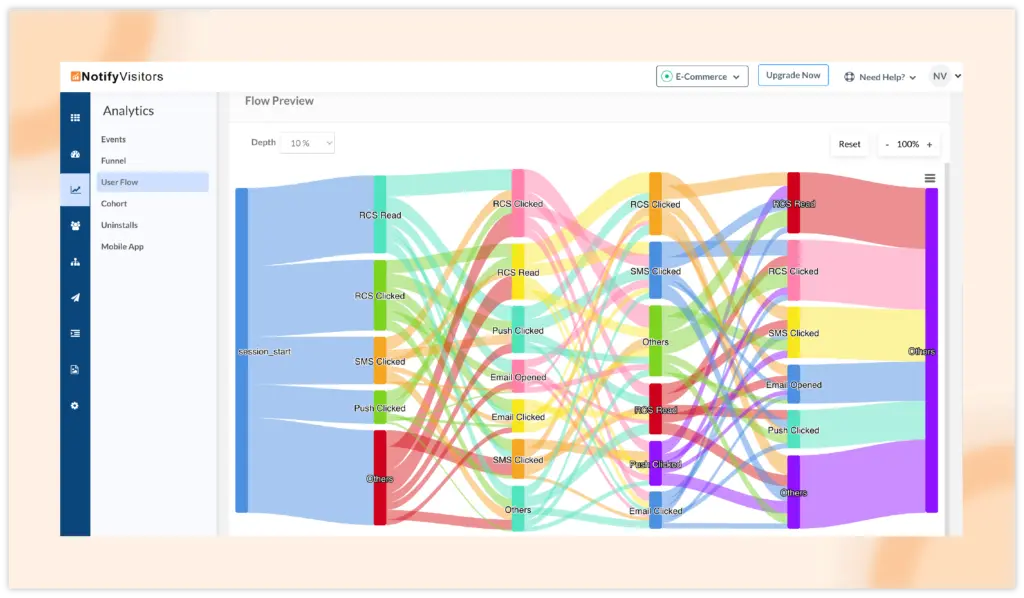
We've introduced a new Depth Feature to our User Flow analytics, designed to simplify and clarify complex flow charts.
Problem Addressed
Previously, user flow charts could become cluttered due to numerous low-frequency events, making them harder to interpret.
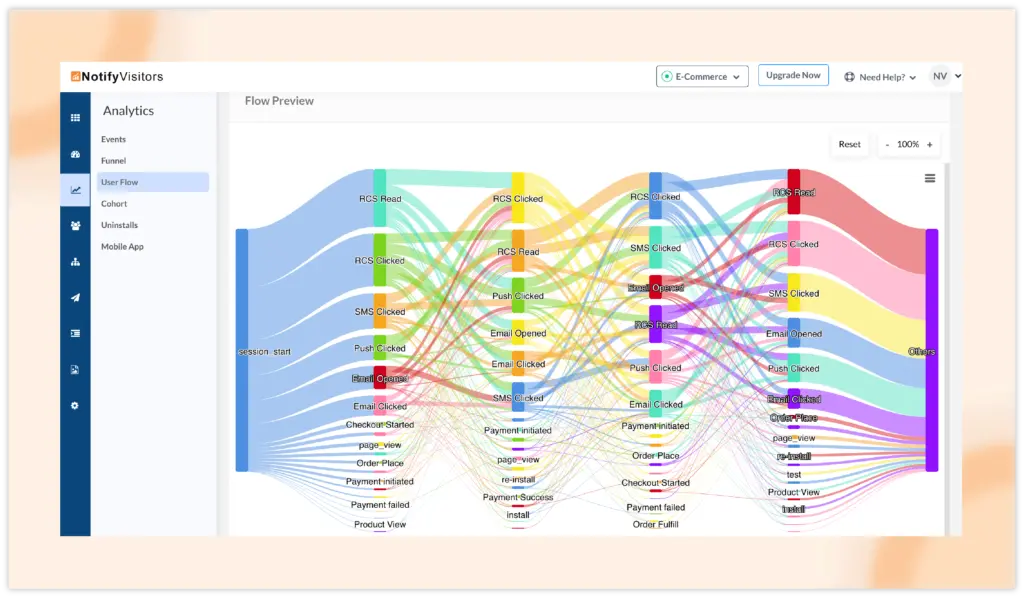
Solution
The Depth Feature allows you to consolidate events performed in smaller quantities into a single path, resulting in a cleaner, more readable flow chart. By selecting a depth percentage from a dropdown menu, you can control which events are merged.
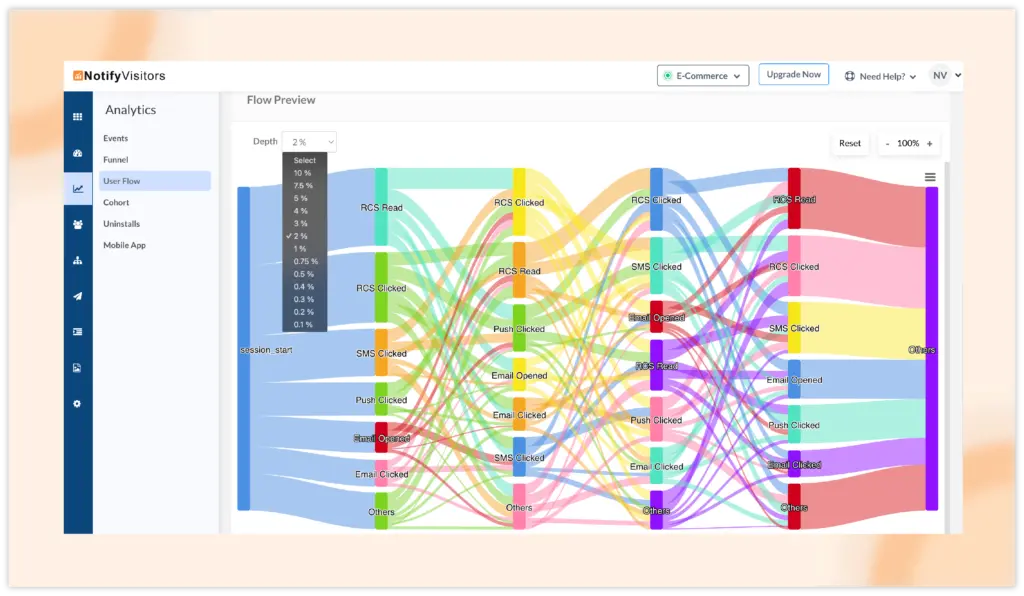
By default, the chart displays with a 2% depth percentage, but you can adjust this to any value that suits your needs.
For example, setting a 10% depth percentage merges all events occurring at less than 10% frequency after the previous event into one streamlined path, enhancing clarity without losing critical insights.