Until now, when someone submitted a Facebook lead form, NVECTA put all that lead data into the user's attributes. You got the lead, but no record that a submission had happened. You could target the person, but you could not count submissions over a period, compare one page or form against another, or use the submission itself as a step in a funnel or a trigger in a journey.
Nothing on the user side changes. All the lead data still lands on the user's attributes exactly as before, name, email and mobile included. What is new is that the submission now also fires an ad lead submission event, and the non-PII data travels with it as event attributes, alongside the campaign identifiers. PII stays on the user attributes only and never appears on the event.
The same lead is now both a profile you can engage and a data point you can analyse.
Where to find it
Lead collection is set up at Settings → Remarketing Ads, on the Facebook tab. The top of the screen holds the Facebook Advertising Account panel, with Connect to Facebook advertising if NVECTA does not yet have permission to manage your ad account.
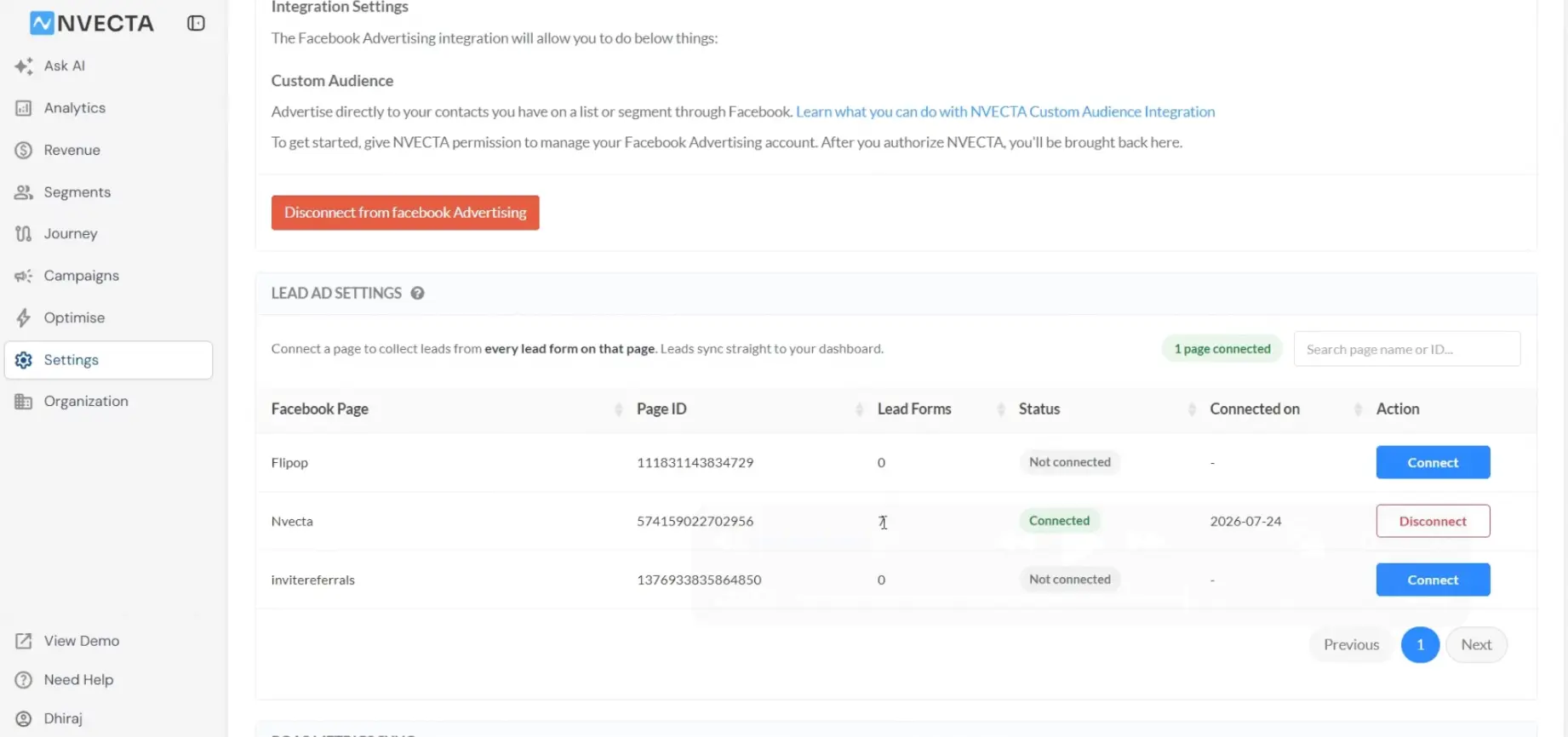
Below that (once connected) sits Lead Ad Settings, which lists the Facebook pages available to that ad account in a table: Facebook Page, the page ID, a lead form count, connection status, Connected on and Action.
The event itself surfaces wherever events are used in NVECTA, starting with Analytics → Insights. If events are new to you, kindly go through Track Events – Definitions, Attributes and Events for a thorough tutorial.
How to use it
Connect the page once
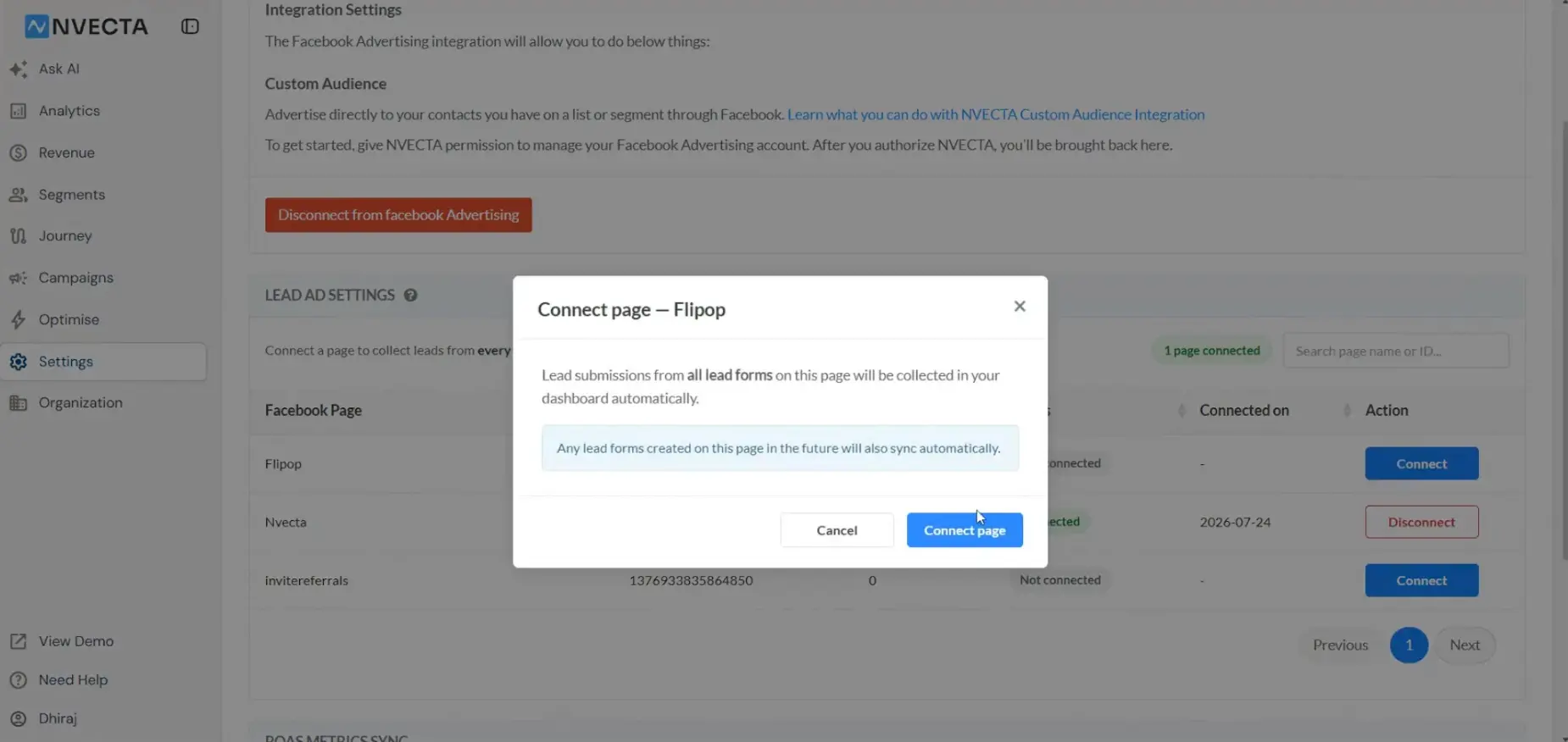
On Settings → Remarketing Ads, connect your Facebook advertising account, find the page in Lead Ad Settings and click Connect in its Action column. A Connect page dialog, titled with the page name, states what you are switching on: lead submissions from all lead forms on that page will be collected in your dashboard automatically, and any lead forms created on that page in future will sync automatically too. Click Connect page to confirm or Cancel to back out. The row then carries a date under Connected on and its button becomes Disconnect.
The page connection is what makes lead collection work. Connecting the ad account on its own is not enough.
If you are new to this, kindly go through Collect Facebook leads in NVECTA segments for a thorough tutorial, and Prerequisites of Facebook integration for the business manager, page, ad account and payment method you need in place first.
Report on the event
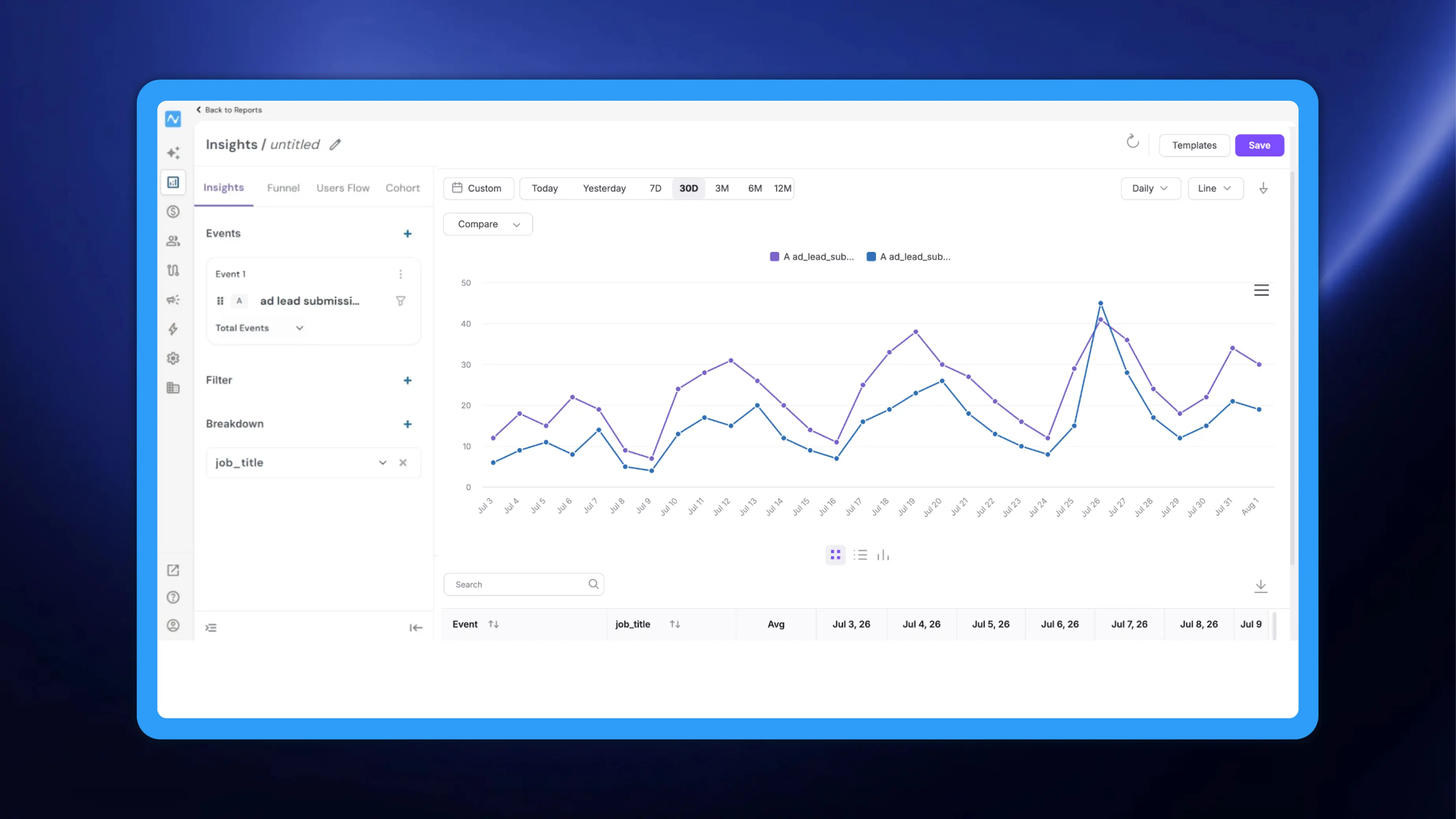
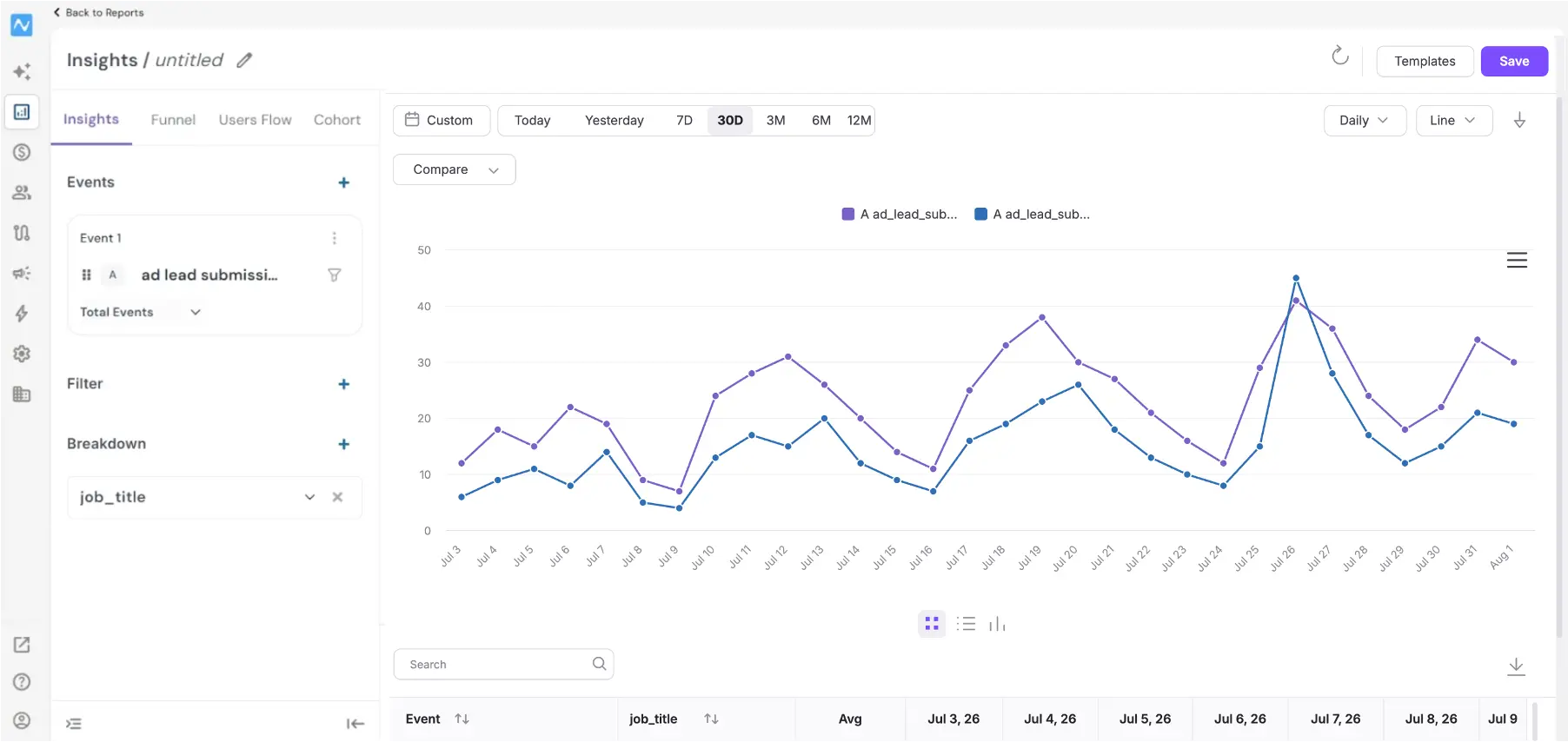
Go to Analytics → Insights, click Create New Report and choose Insights. In the builder, open Select Event and pick ad lead submission. Pick a period from Custom, Today, Yesterday, 7D, 30D, 3M, 6M or 12M, and set granularity and chart type with the Daily and Line dropdowns.
What the event carries
Add a Filter or a Breakdown and the option picker lists the event's attributes (like leadgen_id, page_id, form_id company_name, job_title, etc.) under Custom Attribute:
PII such as name, email and mobile is excluded from the event by design; it lives on the user profile, which you can open from Segments → User One View.
Problem it solves
Before this, a lead submission only ever showed up as a user profile. That told you who the lead was, but it gave you nothing to report on: no volume trend, no comparison between pages or forms, and no way to make a submission the start of a journey or a step in a funnel.
Recording the submission as an event closes that gap. The profile stays exactly as it was, holding all the lead data your campaigns need, and the event adds an analysable copy of the campaign context.
Existing connections keep working as they did. Leads still arrive as users with all the data they submitted; the event is added alongside, not in place of it.
Facebook leads now behave like any other event in NVECTA: countable, breakable by attribute, and usable anywhere events are.