We’ve introduced a powerful new filter option for segments — “Is in Segment”. This allows you to include or exclude users based on whether they already belong to another segment.
How to use it:
-
Create a new segment.
-
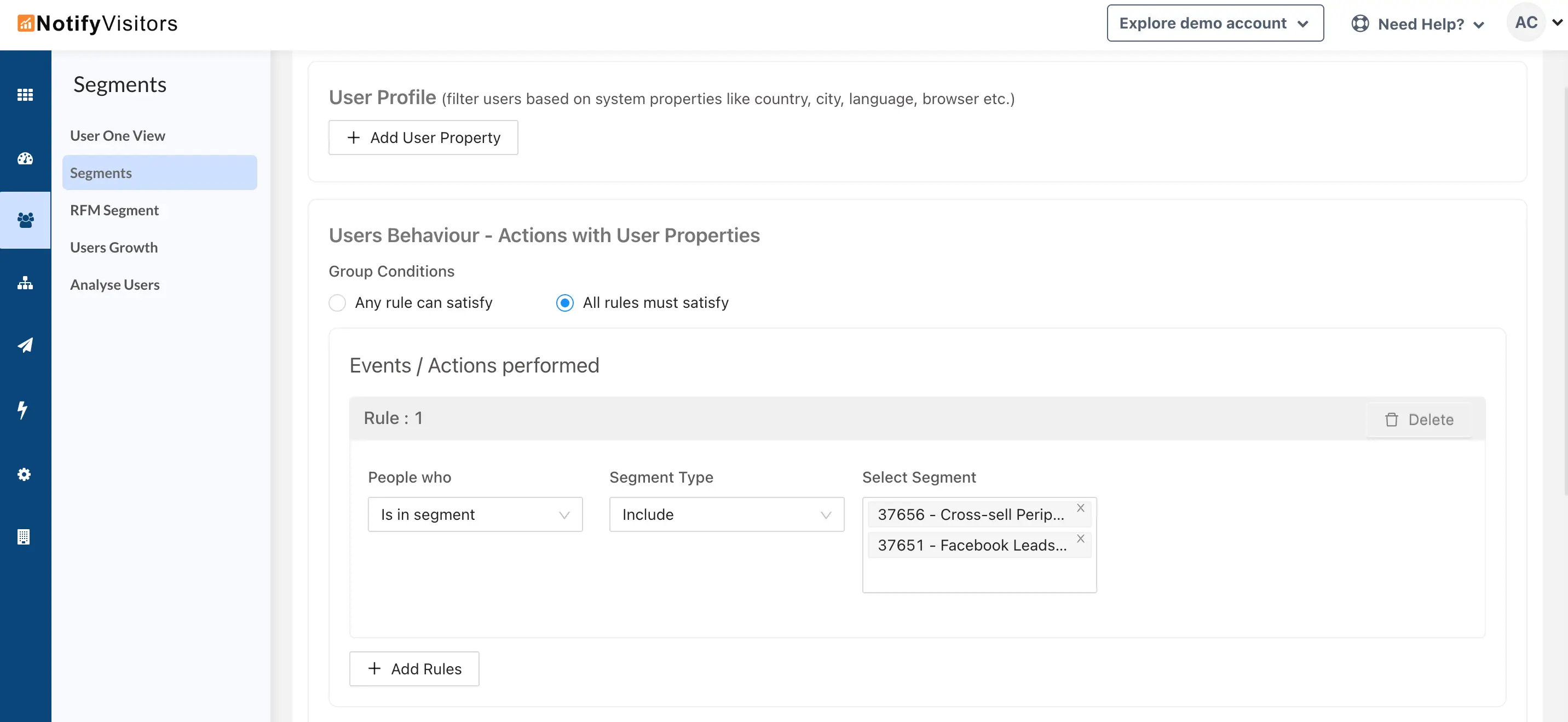
Under the Events / Actions Performed section, select “Is in Segment” from the People Who dropdown.
-
In the Segment Type dropdown, choose whether to:
-
Include users who are in another segment, or
-
Exclude users who are in another segment.
- In the last dropdown, select one or more of your existing segments to use as the filter.
Example:
Let’s say you have an existing segment called "High-Value Customers" (users who have made purchases over $500).
You could create a new segment called "High-Value Customers Who Attended Webinar" by:
-
Adding the "Attended Webinar" event, and
-
Using Is in Segment → Include → High-Value Customers.
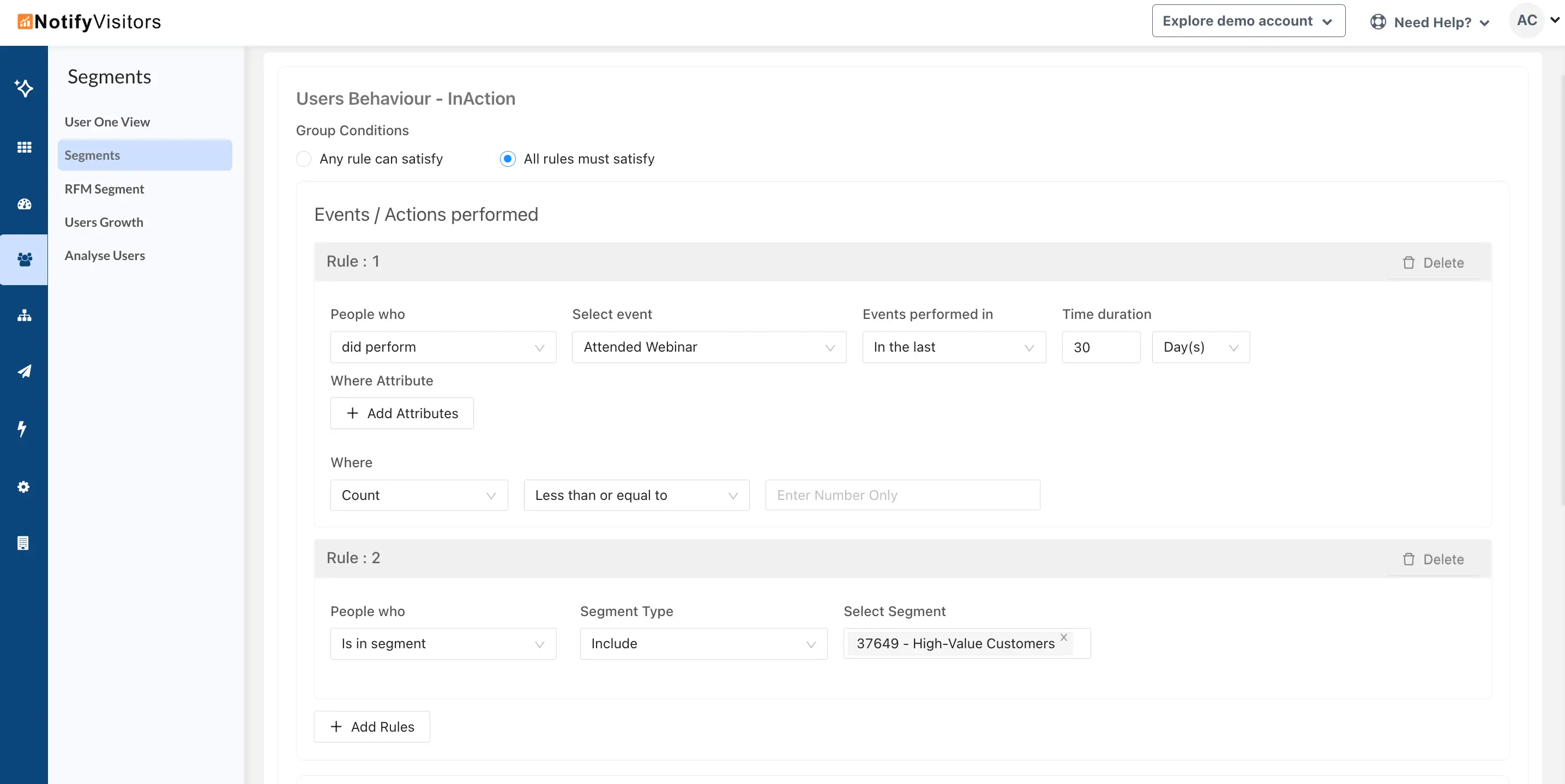
This way, the new segment will only include users who both attended the webinar and are part of your “High-Value Customers” segment.
This option is also available in query-based segments.