We've added a new "Page View" event to enhance your analytics capabilities. This event explicitly tracks every page visit by a user, regardless of session, providing a comprehensive view of user interactions.
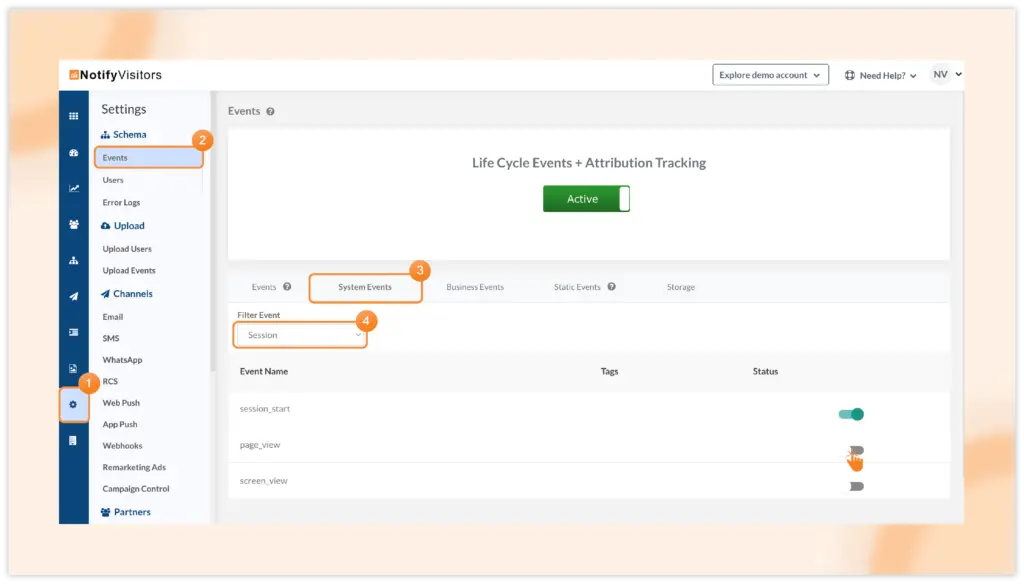
This event is not enabled by default. To enable, go to Settings and navigate to the Events section. Within the Events page, switch to the System Events tab. From the Filter Event dropdown, select Session, and then toggle on the "page_view" event.
With the Page View event, you can analyze key metrics such as the number of users performing the event, along with trends, attributes, sessions, and more.
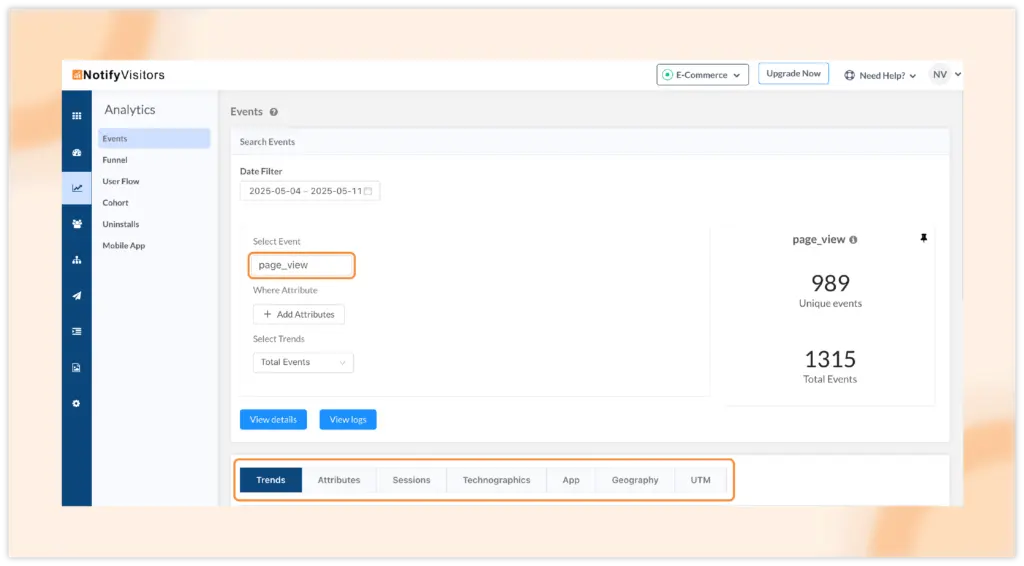
This event seamlessly integrates across various features, including Funnels, User Flows, Segments, Journeys, and beyond, empowering you to gain deeper insights and optimize user experiences.