We've enhanced our Website A/B Testing feature with a Winner Variation display, making it easier to identify the best-performing variation.
At first, you need to define a primary goal for your A/B test campaign. For this, when creating or editing a Website A/B test campaign, navigate to the goal page and mark a goal as primary.
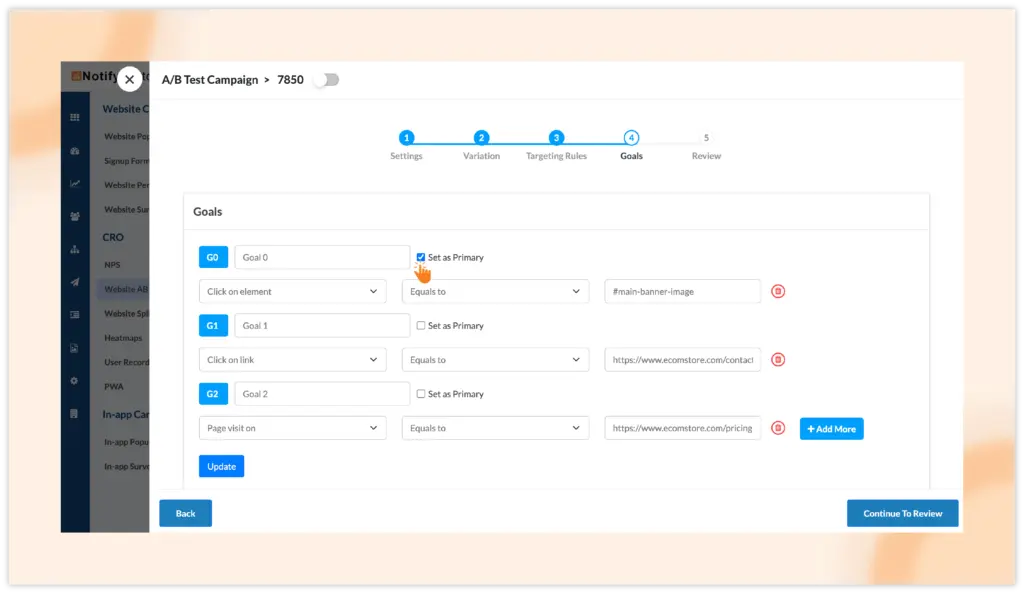
If your campaign has only one goal, it will automatically be used for comparison, so marking primary goal is not required in this case.
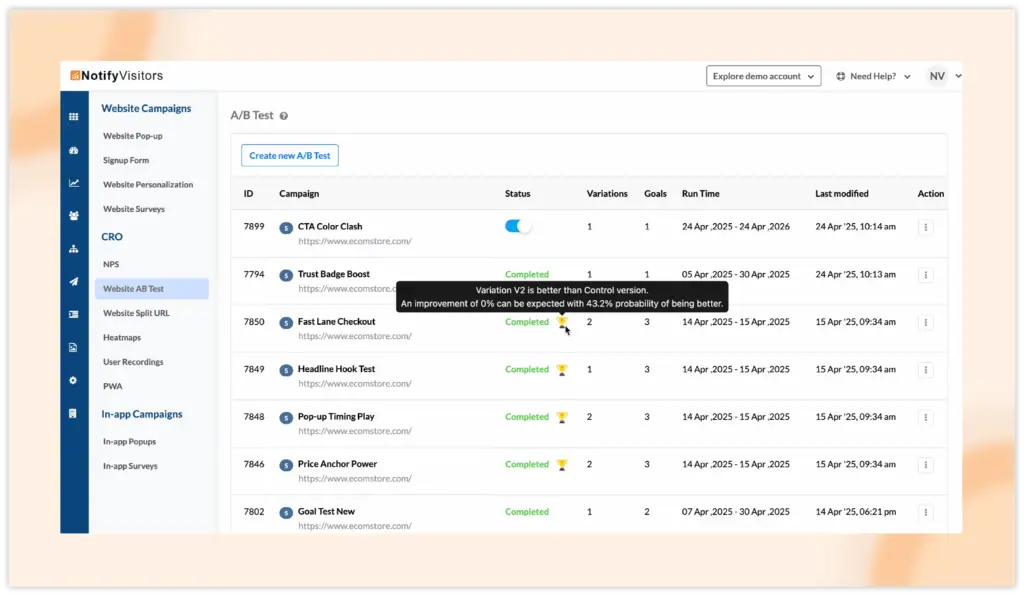
Once the campaign concludes, a trophy icon will appear in the campaign list view. You can hover over the icon to see the winning variation and its probability percentage of outperforming others.
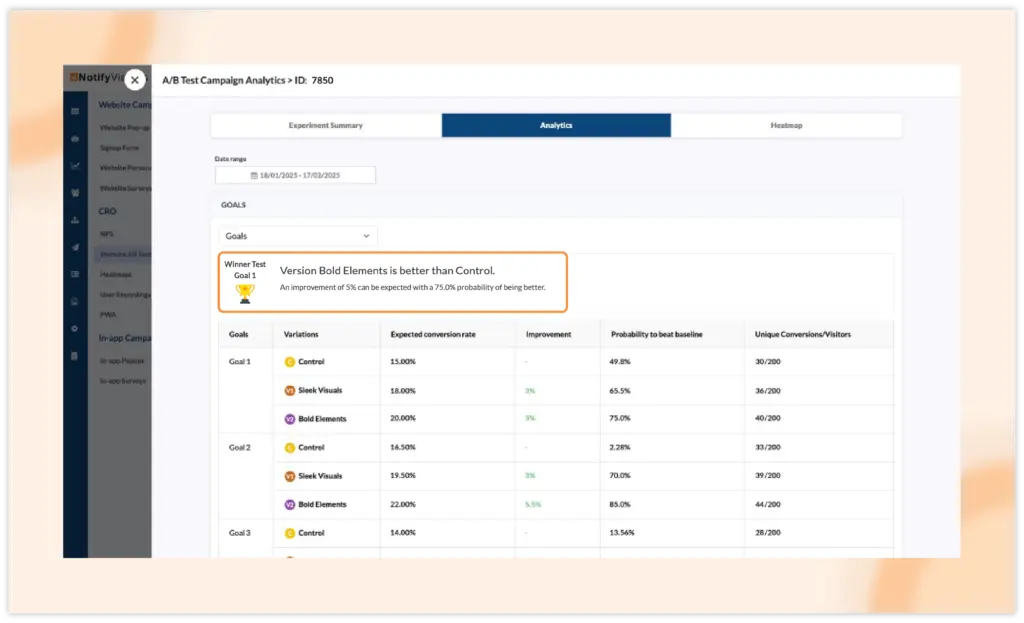
Additionally, for deeper insights, you can visit the campaign analytics to view and compare the winner variation against other variations.
Additional Update
You can now set a maximum website A/B test campaign run duration of one year.
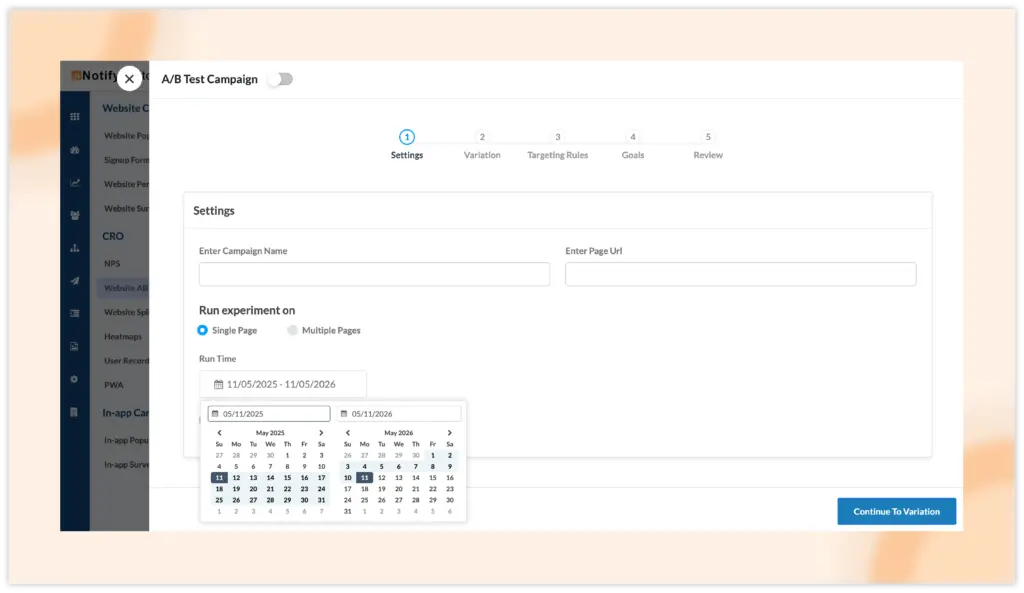
This ensures campaigns are not left running indefinitely, optimizing resource usage.