We’ve added a Breakdown by filter to Insights analysis, giving you deeper visibility into your data.
How it works:
-
When creating an Insights report with one or more events, you can now apply a Breakdown by filter.
-
From the dropdown, choose whether to break down your data by Event Property or User Property.
-
Then, select the specific property you want to analyze (e.g., Traffic Source).
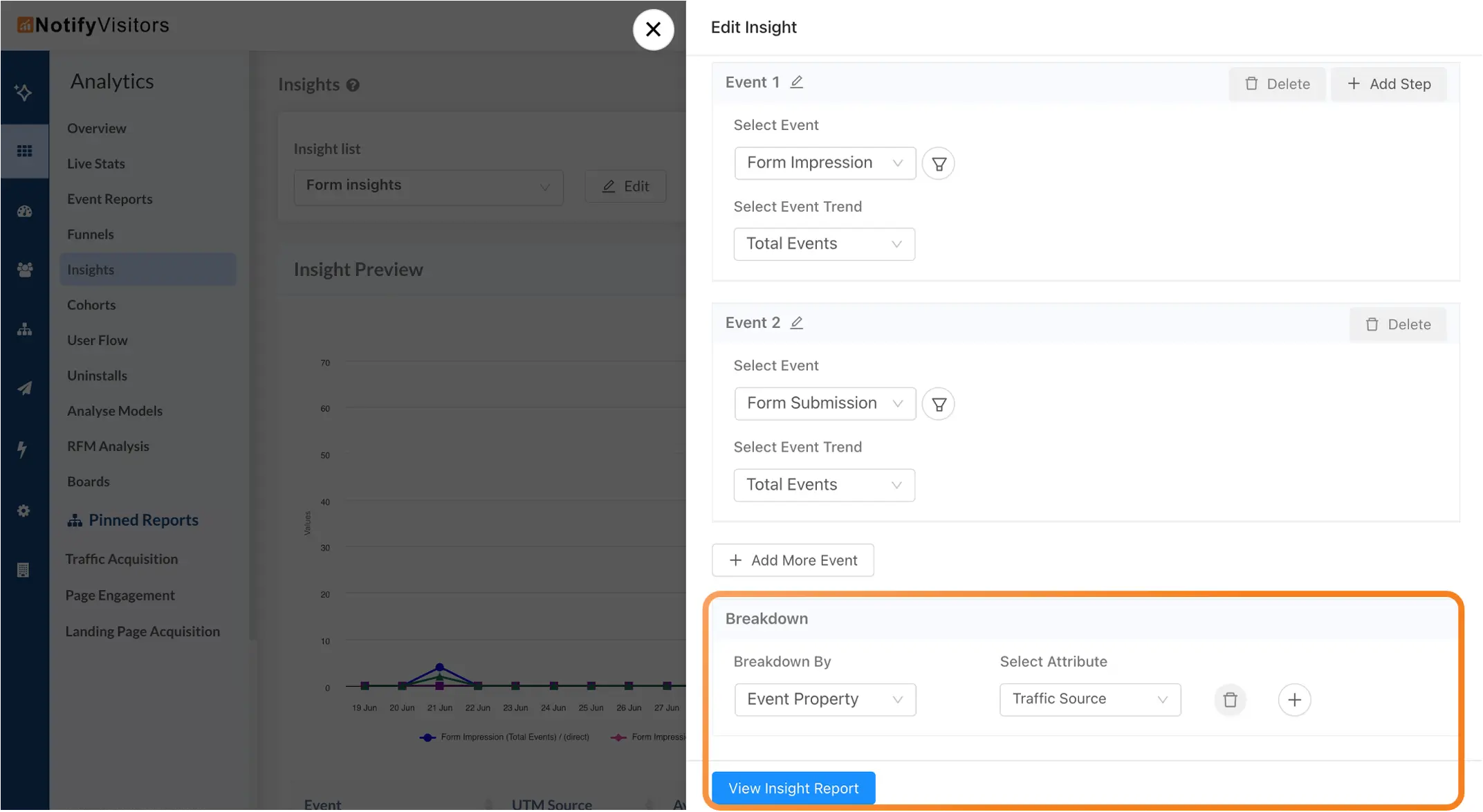
Once applied, your trends and tables will automatically display segmented results, allowing you to compare performance across categories — such as traffic sources, device types, or user segments — at a glance.
Example:
If you’re tracking Form Impression and Form Submission events, you could break them down by Traffic Source to see which channels drive the most form views and conversions.
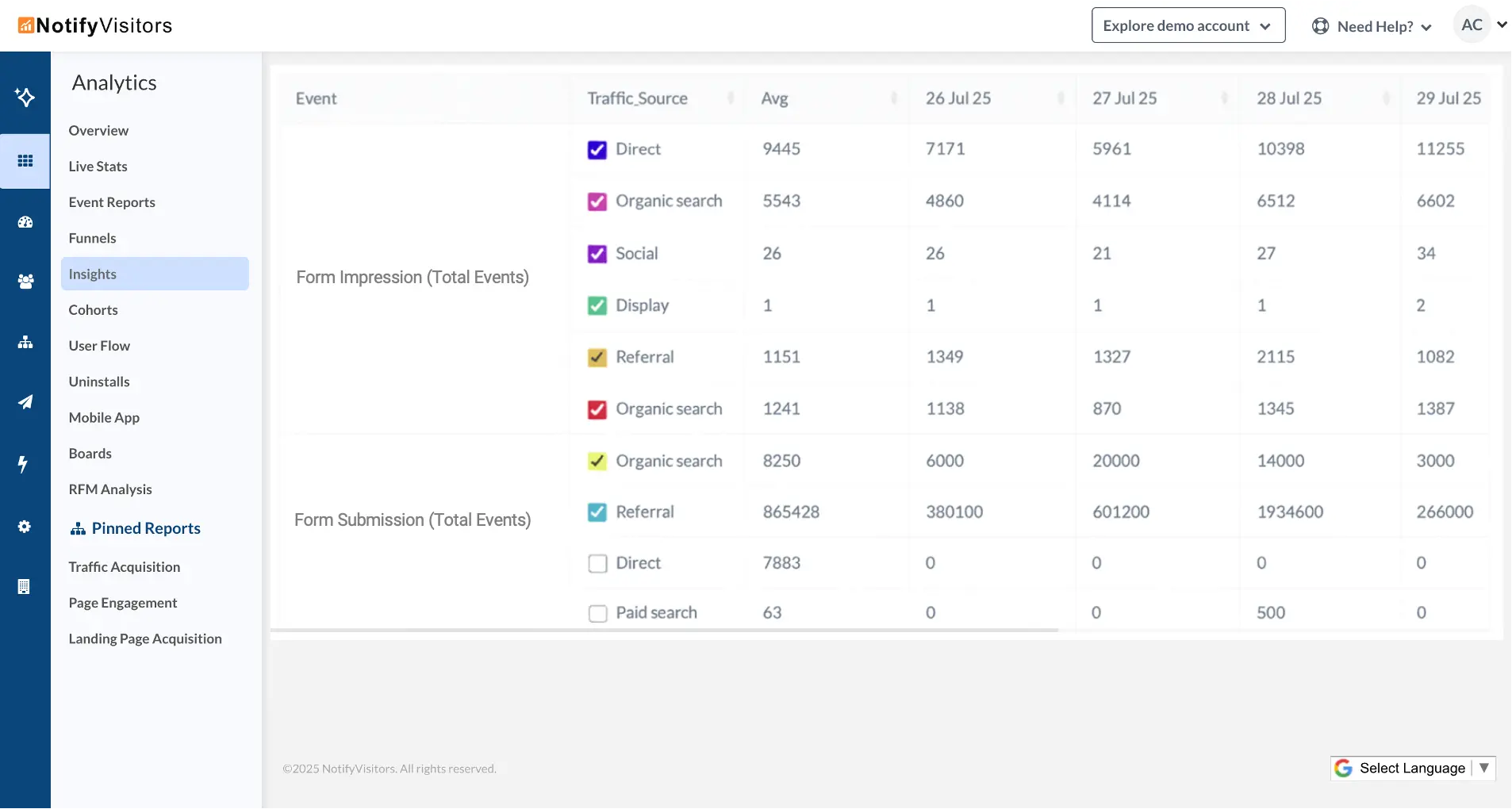
You can add multiple breakdown filters as well.