

Previously, recurring segment exports could only be scheduled on a daily, weekly, or monthly basis. For teams that rely on near-real-time segment data, this created a lag between segment updates and actual data availability. This update closes that gap.
NVECTA now supports hourly scheduling for recurring segment exports, along with the ability to choose whether each export includes all users in the segment or only new users added since the last export. Together, these options give teams tighter control over export freshness and data volume.
Where to find it
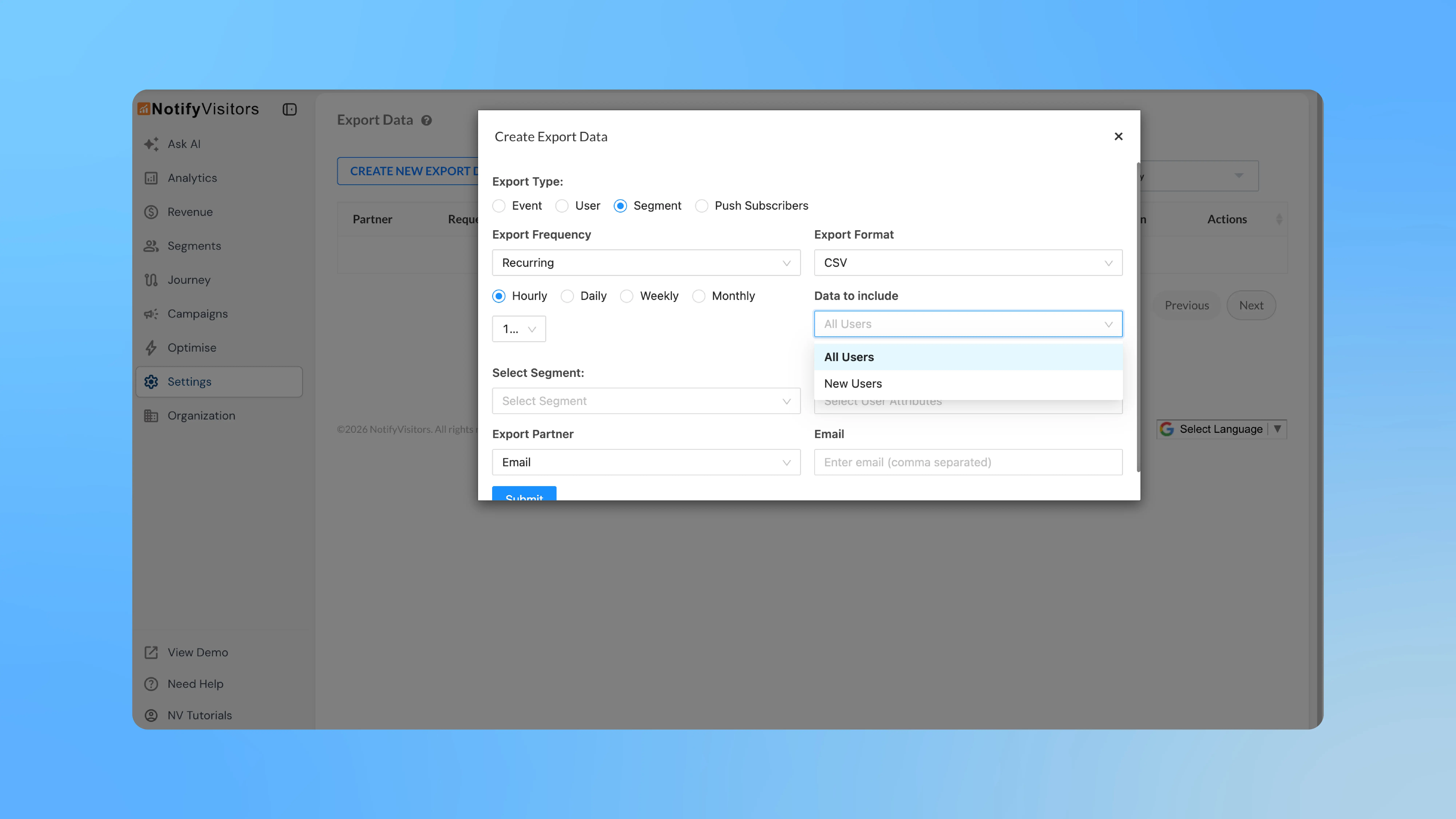
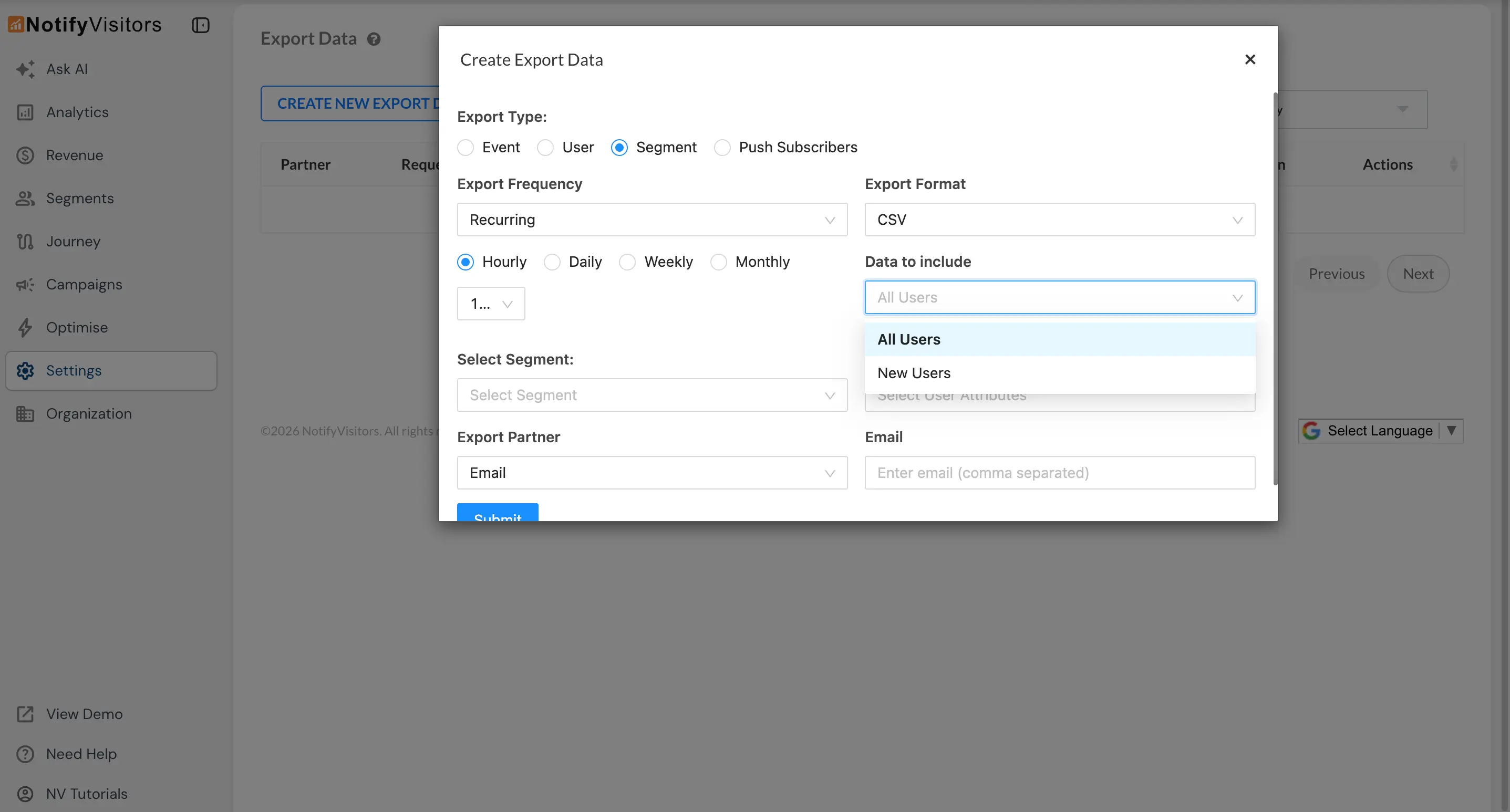
Go to Settings → Export, and click CREATE NEW EXPORT DATA. Select Segment as the export type and choose Recurring from the Export Frequency dropdown. For a detailed walkthrough of the full export setup, refer to the Export Users & Events documentation.
What's new
Hourly export frequency — After selecting Recurring, you can now choose Hourly as the frequency. A second dropdown lets you pick a specific interval: 15 minutes, 30 minutes, 1 hour, 6 hours, 12 hours, or a custom value.
All Users vs New Users — A new Data to include dropdown lets you decide whether each recurring export should contain all users currently in the segment or only the new users added during the selected export window. Choosing New Users keeps file sizes small and avoids re-processing the same records, which is especially useful at higher frequencies.
With these additions, recurring segment exports become more flexible, enabling faster data syncing without manual intervention.
