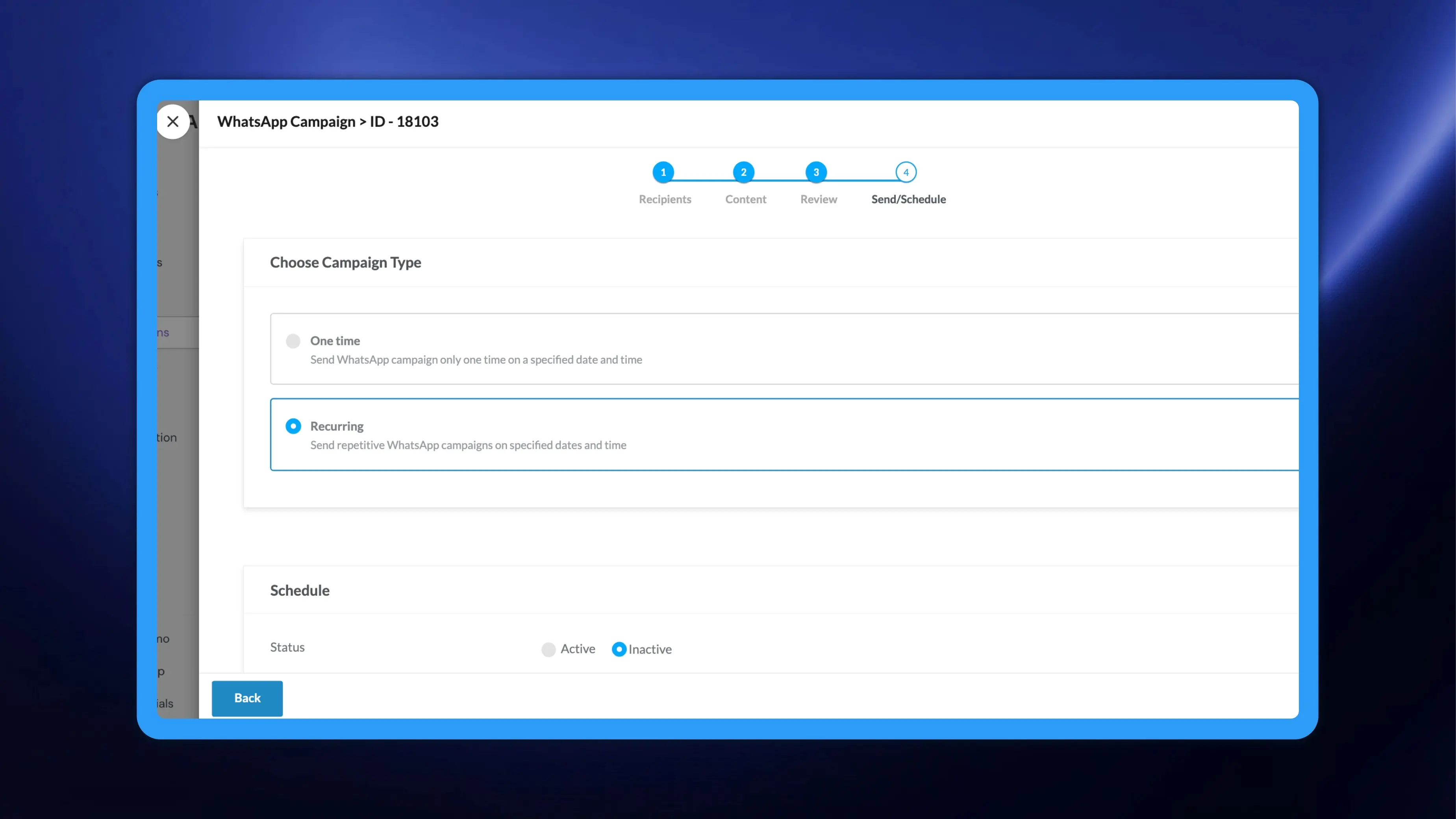
A WhatsApp broadcast in NVECTA could only be sent once. Anything on a rhythm, a monthly statement nudge or a weekly restock reminder, meant recreating the same campaign every cycle and remembering to schedule it. Email and SMS campaigns have carried a recurring option for a while, and WhatsApp now works the same way. Choose Recurring on the Send/Schedule step, set a cadence, a date, a time and an end date, and NVECTA repeats the send for you until that end date. One-time WhatsApp sends behave exactly as before.
How to use it
Open Campaigns, create a campaign and pick WhatsApp, or edit a WhatsApp campaign that is not yet scheduled. The campaign runs through four steps: Recipients, Content, Review and Send/Schedule.
If WhatsApp campaigns are new to you, kindly go through How to create a Whatsapp campaign in the knowledgebase for a thorough tutorial.
- On Send/Schedule, under Choose Campaign Type, select Recurring. One time sends the campaign once on a date and time you specify; Recurring sends it repeatedly on the dates and times you set.
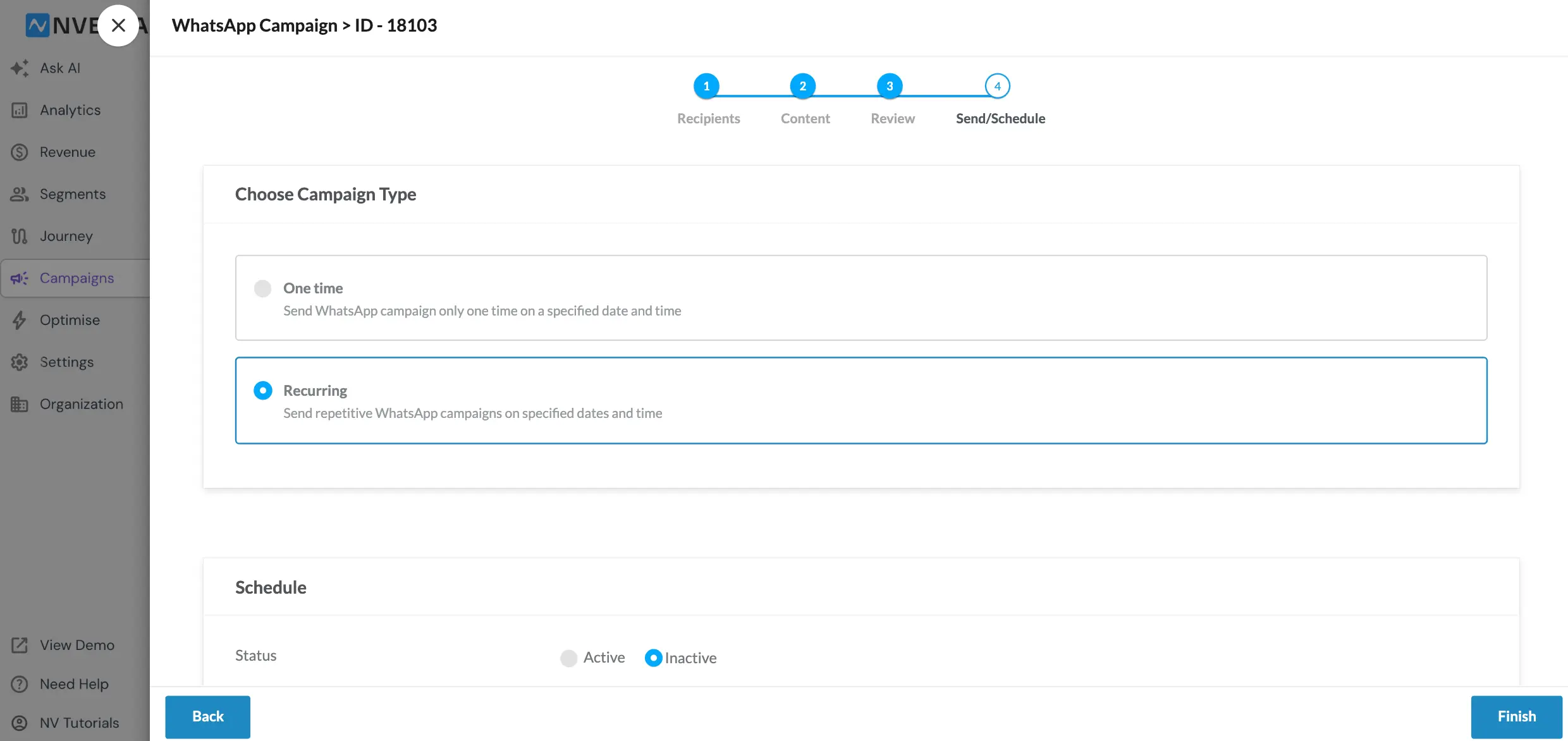
- The Schedule panel below carries the recurring configuration. Set Status to Active for the schedule to run, or leave it Inactive to save the schedule without sending.
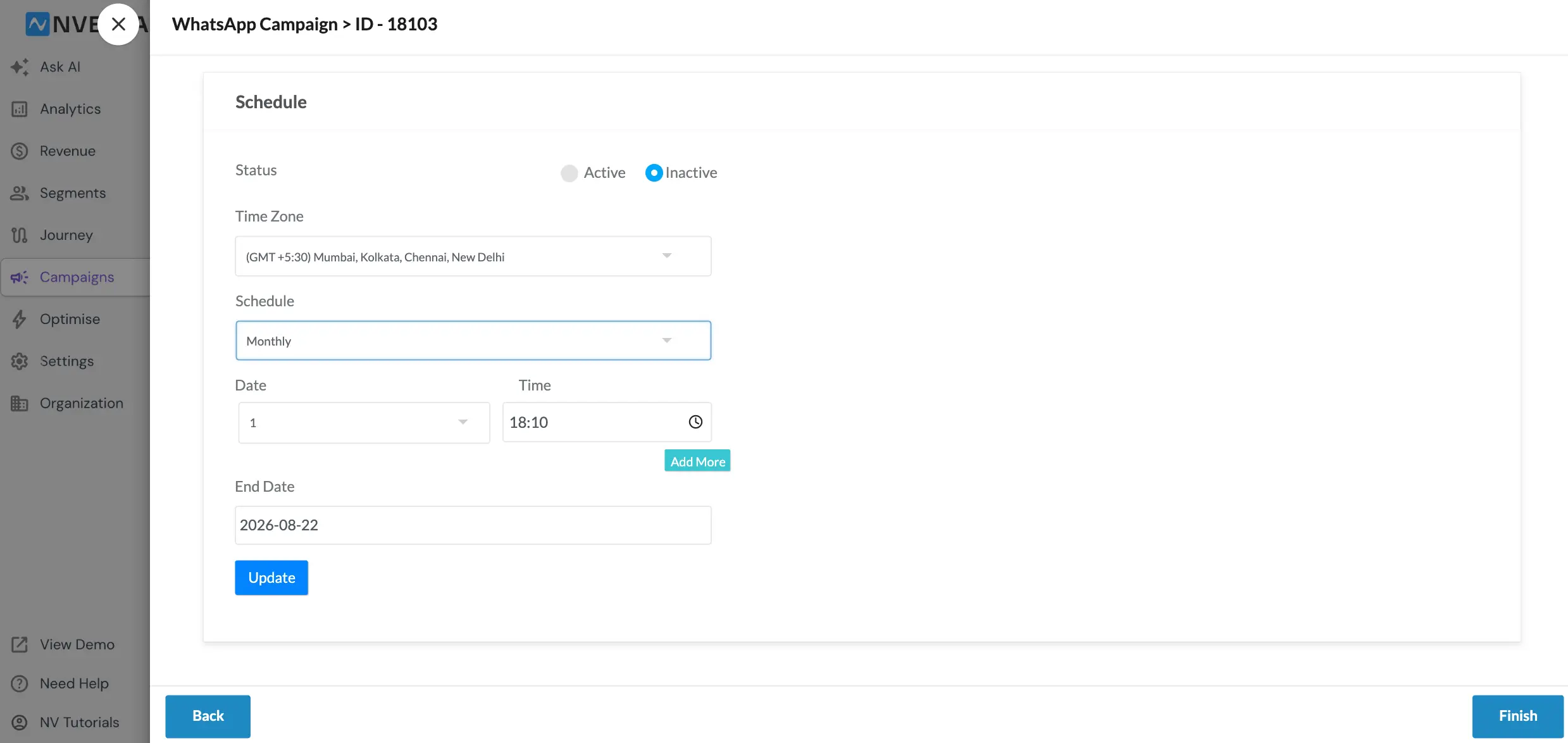
- Pick your Time Zone. Every trigger time you set is read in this zone.
- Choose the cadence in the Schedule dropdown such as monthly, weekly, or daily.
- Set the Date and Time of the send, and use Add More if you want more than one date and time in the cycle.
- Set an End Date. The schedule stops on its own once that date passes, so a recurring campaign never runs longer than you intended.
- Click Update to save the schedule, then Finish to complete the campaign.
Example
A D2C brand selling a consumable in monthly packs wants a replenishment nudge to go out on WhatsApp on the same day each month. They build the campaign once, select their replenishment segment on Recipients, pick an approved template on Content, then on Send/Schedule choose Recurring, set Status to Active, keep their local Time Zone, set the Schedule to a monthly cadence with the date and an evening Time, and set an End Date at the close of the quarter. The reminder then goes out every month to whoever is in that segment at send time, with no one rebuilding the campaign.
Problem it solves
Repetition was manual work on WhatsApp and manual work gets skipped. Rebuilding a campaign each cycle also invites drift, where the template, the segment or the send time quietly changes between rounds and your results stop being comparable. A recurring schedule fixes the definition once and repeats it, and because Status and End Date are yours to set, you can pause a schedule without deleting it and know exactly when it will stop.
Set the cadence once and WhatsApp keeps the rhythm for you.