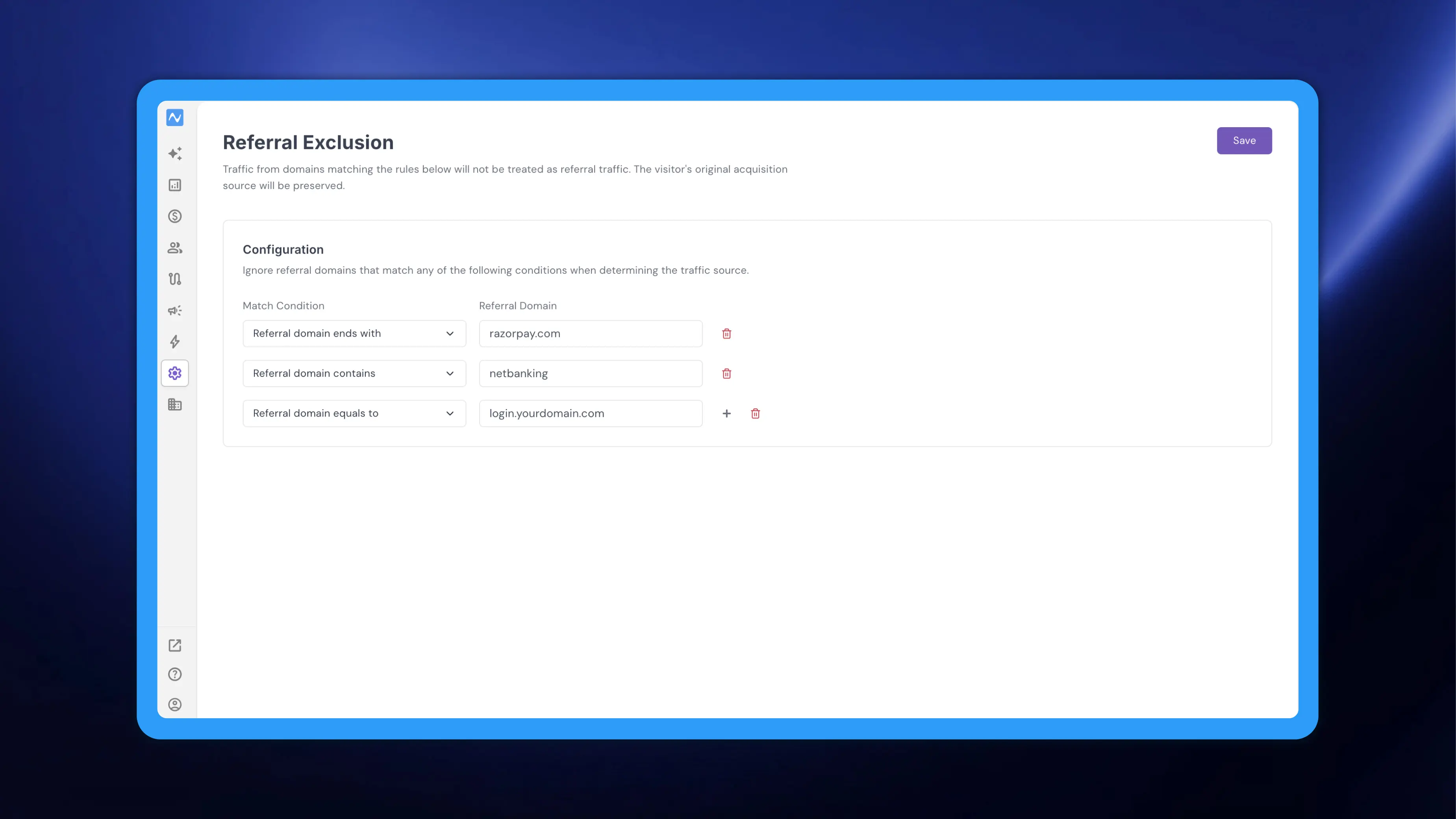
When a visitor leaves your site mid-journey and comes back, the browser reports the site they returned from as the referrer. A payment gateway, an OTP or KYC step, a net-banking redirect or your own login subdomain all land in your reporting as referral traffic, and a session that actually began with a paid ad, an email or an organic search gets re-credited to that intermediate domain. Referral Exclusion lets you list the domains that should never count as a referral. Traffic from a domain matching any rule you define is not treated as referral traffic, and the visitor's original acquisition source is preserved. If you are new to how NVECTA works out where a visit came from, kindly go through Understanding traffic sources and UTM parameters for a thorough tutorial.
Where to find it
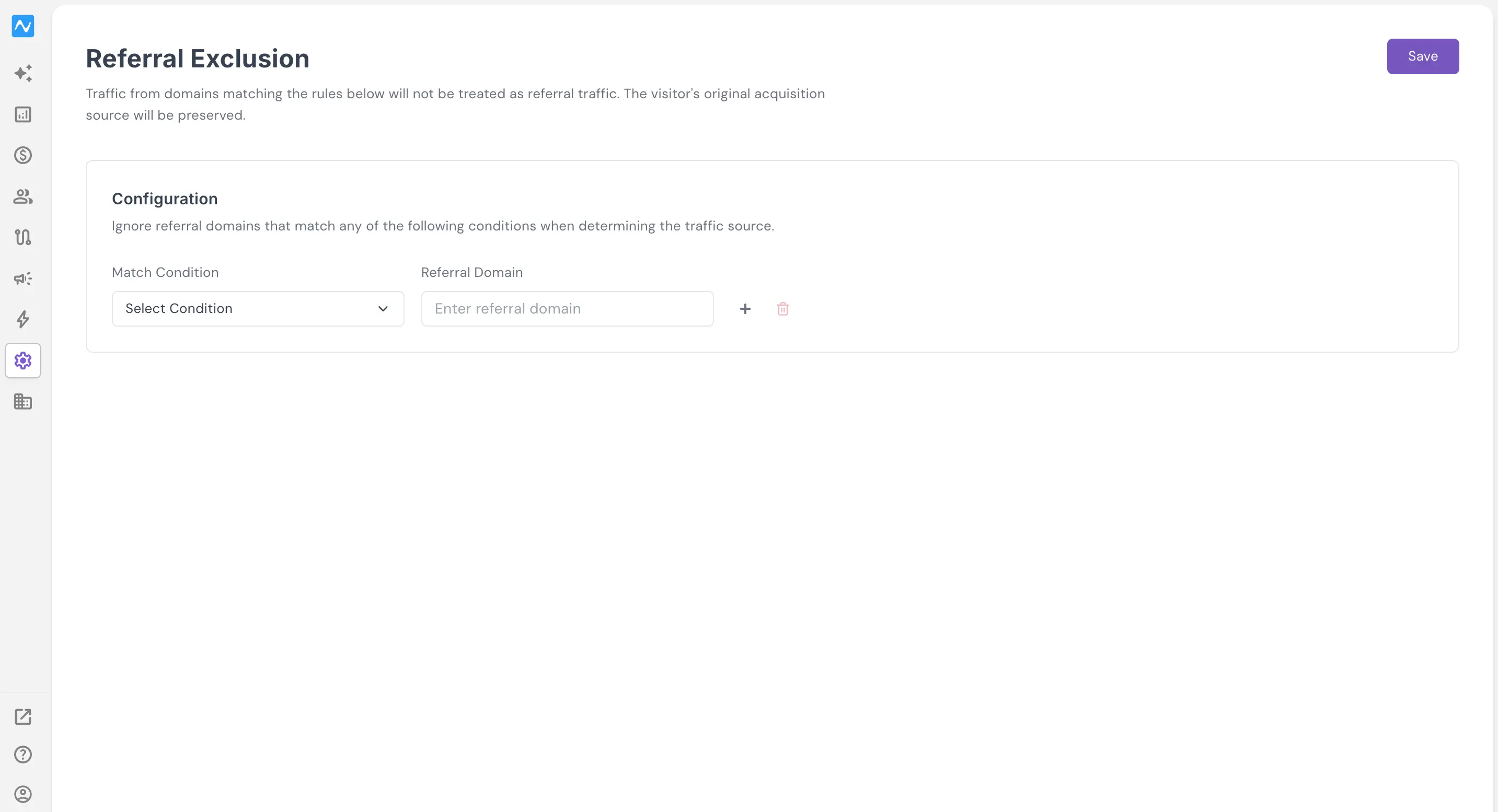
Go to Settings → Referral Exclusion, listed under the Schema group in the settings menu. The screen opens with a single Configuration card and one empty rule row. Each row pairs a Match Condition dropdown with a Referral Domain field, followed by an add (+) and a remove (bin) control. Save sits at the top right of the screen.
How to use it
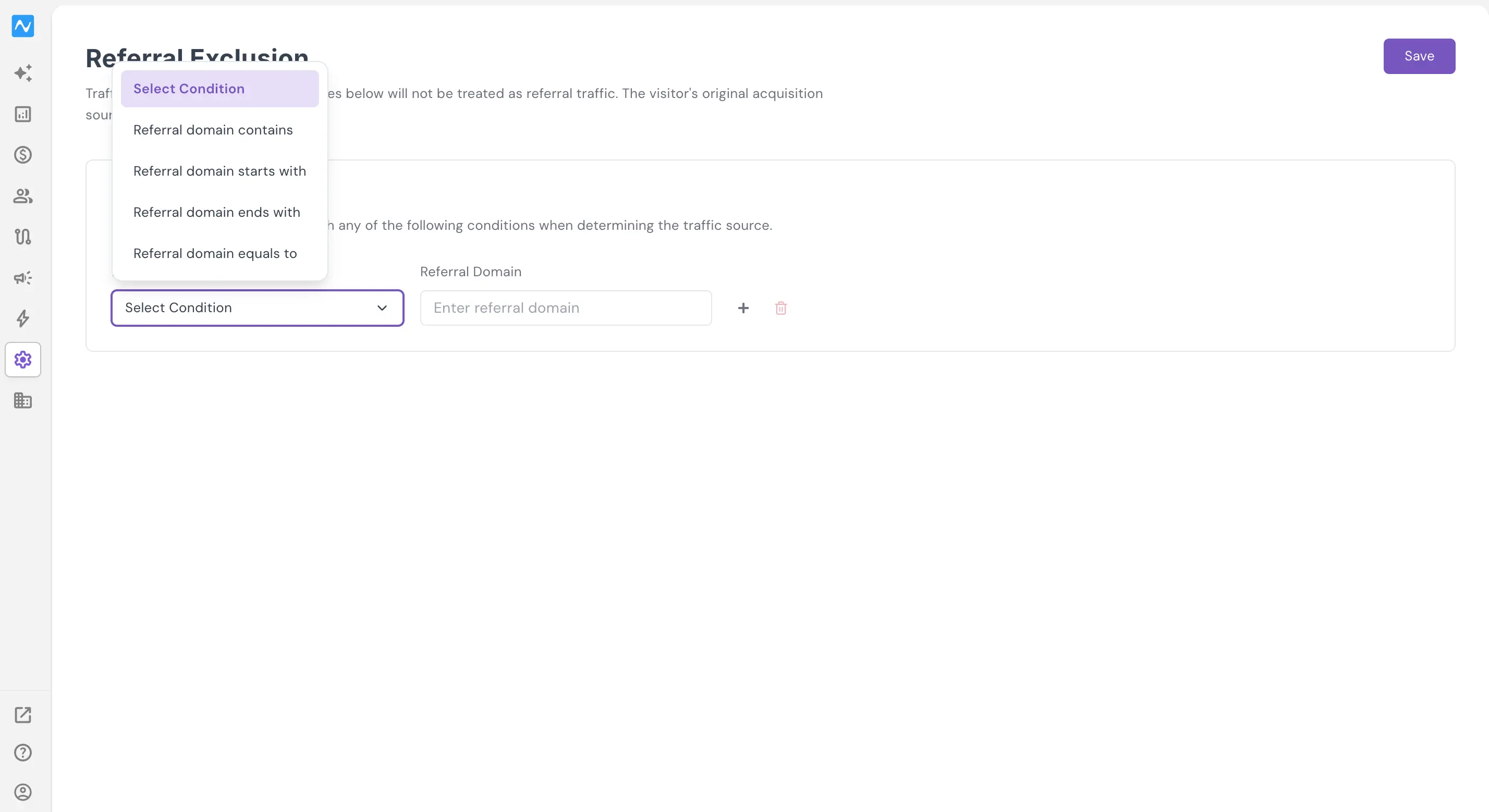
Open the Match Condition dropdown and pick how the domain should be matched. Four options are available, and the dropdown sits on Select Condition until you choose one:
- Referral domain contains
- Referral domain starts with
- Referral domain ends with
- Referral domain equals to
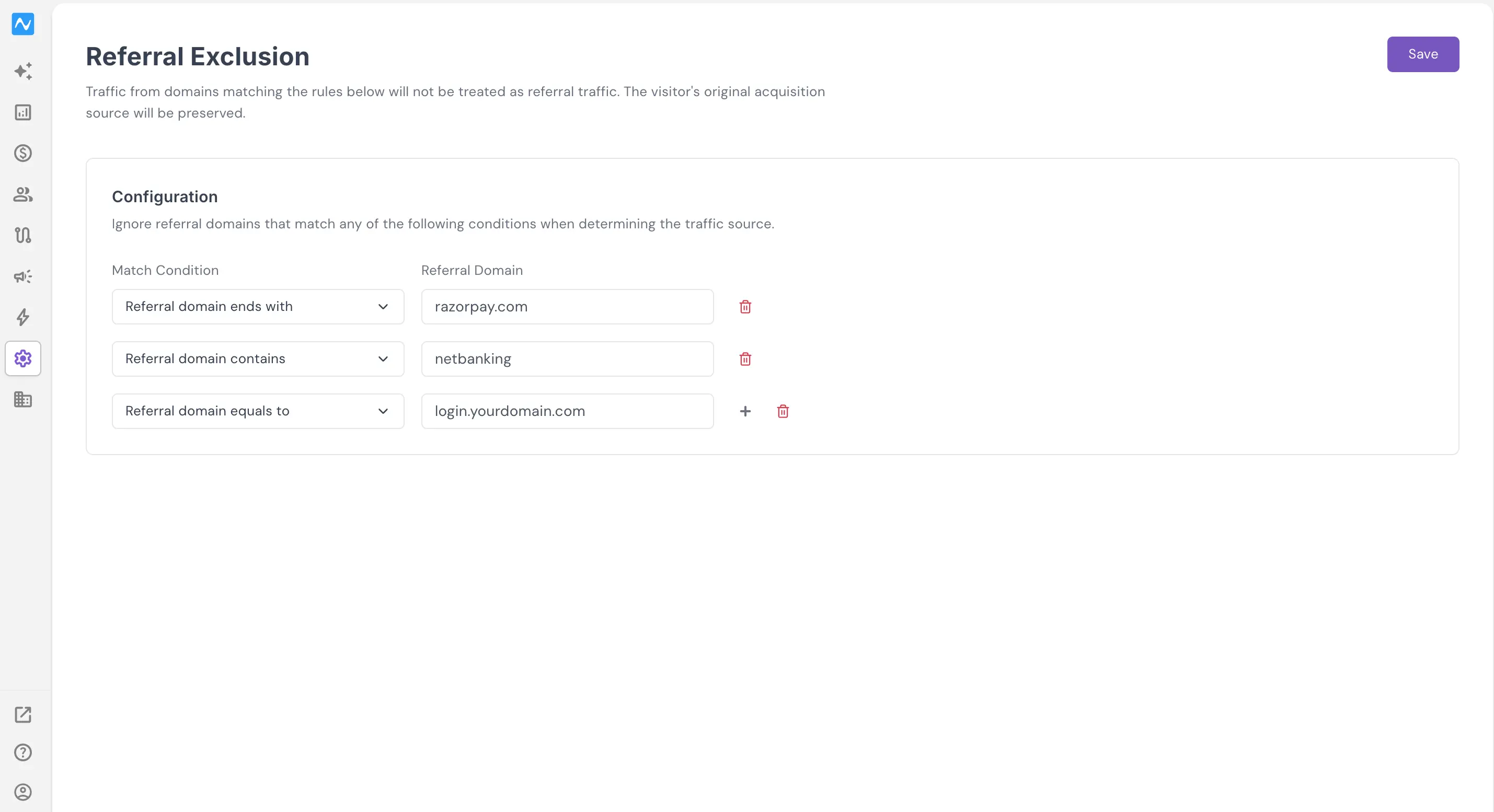
Type the domain you want ignored into Referral Domain. Use Referral domain equals to when you know the exact host, Referral domain ends with to cover every subdomain of a provider in one rule, and Referral domain contains when the same string appears across several hosts.
Use + to add another row and the bin icon to remove one. NVECTA will ignore referral domains that match any of the conditions listed, so rules work independently of each other rather than having to all be true at once. When the list is complete, click Save.
Example
Take a BFSI brand running a personal loan campaign. A customer clicks an email link, lands on the application page, and is then handed off to an identity verification provider for KYC, and later to a payment gateway or another bank's net-banking page to fund the account. Each hand-off returns the customer to your confirmation page, and each return arrives with the intermediate provider as the referrer. Left alone, the campaign that actually brought the customer in disappears behind three referral entries from your own vendors.
Add one rule per vendor: Referral domain ends with the verification provider's domain, Referral domain ends with the payment gateway's domain, and Referral domain contains the string shared by the net-banking hosts you redirect to. Add your own authentication or statement subdomains the same way if customers pass through them. The credit for that customer stays with the email campaign.
Problem it solves
Referral traffic is only useful when it means another site sent you a visitor. Payment gateways, verification providers, login hosts and your own subdomains are stops inside a journey you already paid to start, and counting them as referrers inflates a channel that won no customers while quietly draining the channels that did. Excluding those domains keeps attribution pointed at the campaign, ad or search that actually brought the visitor in, and leaves the rest of your referral reporting to show genuine external sources. Nothing else about tracking changes: the traffic is still captured, the visit is still recorded, and only the source attributed to it is corrected.
Your acquisition numbers start describing where customers really came from.