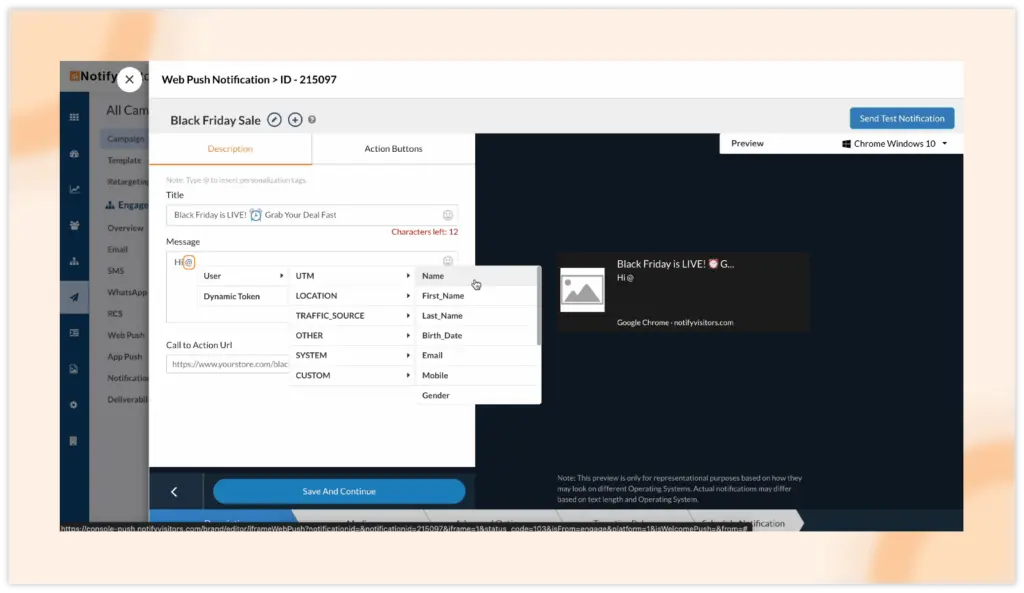
This update allows you to add personalized tags anywhere where applicable just by typing @. Previously, we had a specific choose token button next to every section where personalized tags are required. But with @ option, the process is very simple and much faster to use personalized tags.
When you type @, the same personalized token options will appear (only for sections where they can be added) and you can easily select your desired token, such as name, age, location, etc.