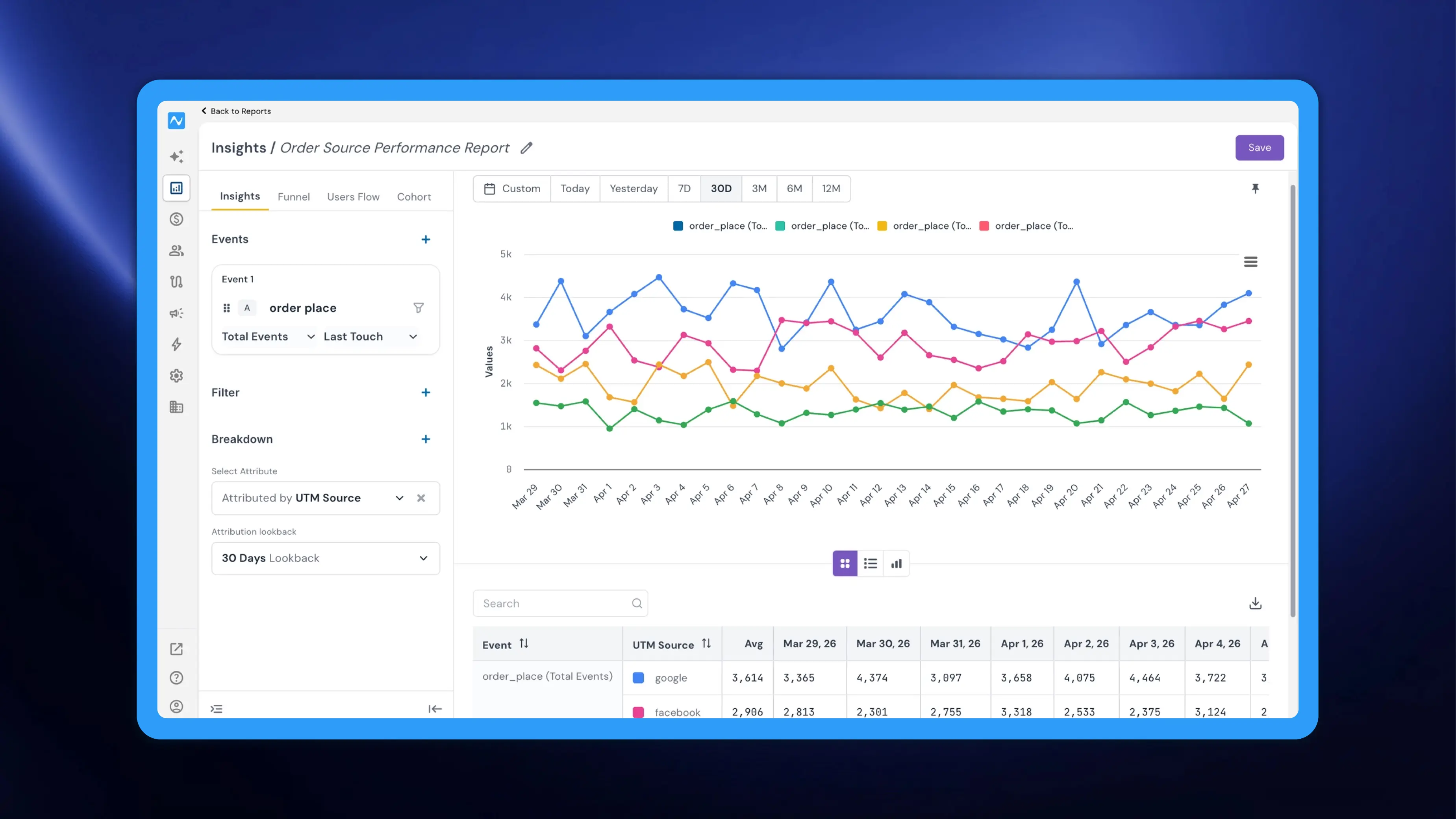
Model events synced from your connected data warehouse through NVECTA's composable CDP previously had their own separate analytics view. With this update, Model Events are now fully available as a selectable event type within the Reports section, bringing warehouse-synced data into the same unified analysis environment as your custom, system, and business events.
Where to find it
Go to Analytics → Reports. Open an existing report or create a new one. Click Select Event, then choose Model Event from the event category list on the left. Your synced model events will appear on the right for selection.
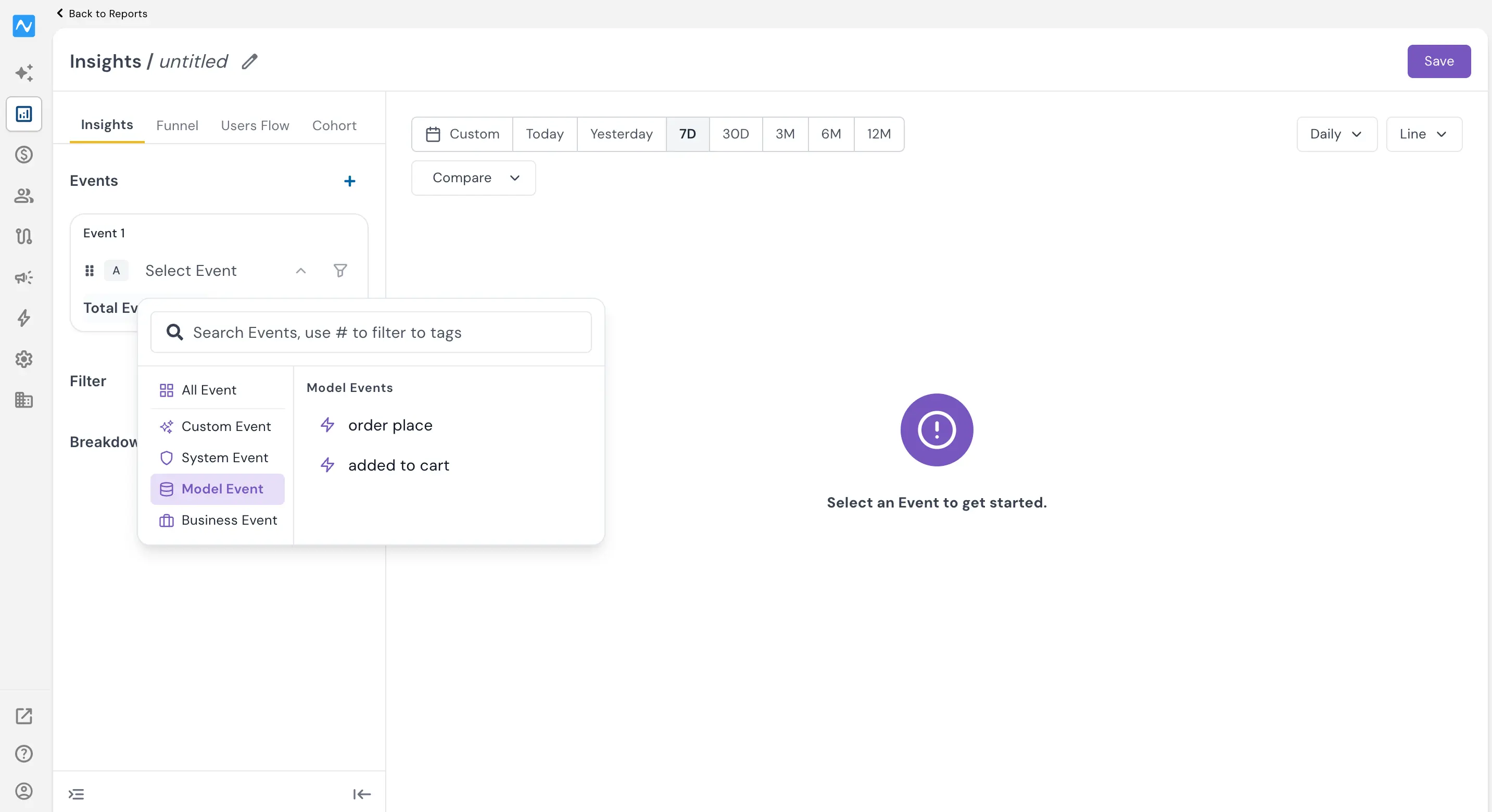
Once selected, model events behave exactly like any other event type in Reports. All existing capabilities — filters, breakdowns, date ranges, chart types, Compare, and Formula — work seamlessly with model events.
For a full walkthrough of the Reports section and its features, refer to the Introducing Reports changelog.
Problem it solves
When model event analytics lived in a separate section, teams couldn't easily compare warehouse-modelled data against synced custom or system events. Switching between views broke the analysis flow and made cross-referencing harder. With this update, you can now combine model events with custom or system events in a single report.
By bringing model events into Reports, NVECTA eliminates that fragmentation and gives composable CDP users a single workspace to analyse all their data — whether it originates from the SDK, a third-party integration, or the data warehouse.