Push Notifications
Configure FCM's Sender ID and Private Key
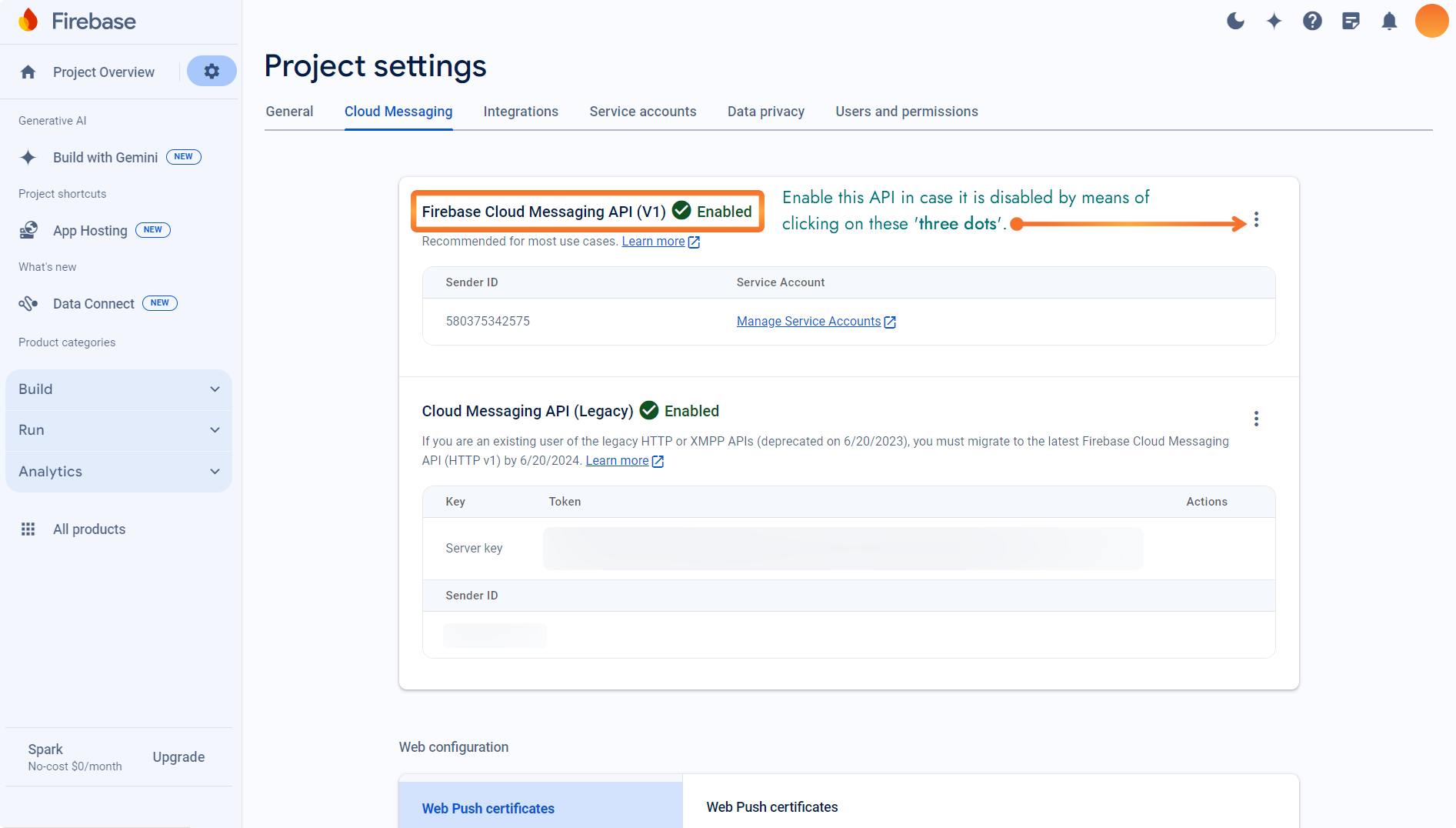
Select the 'Cloud Messaging' tab to find out the 'SENDER ID' for FCM.
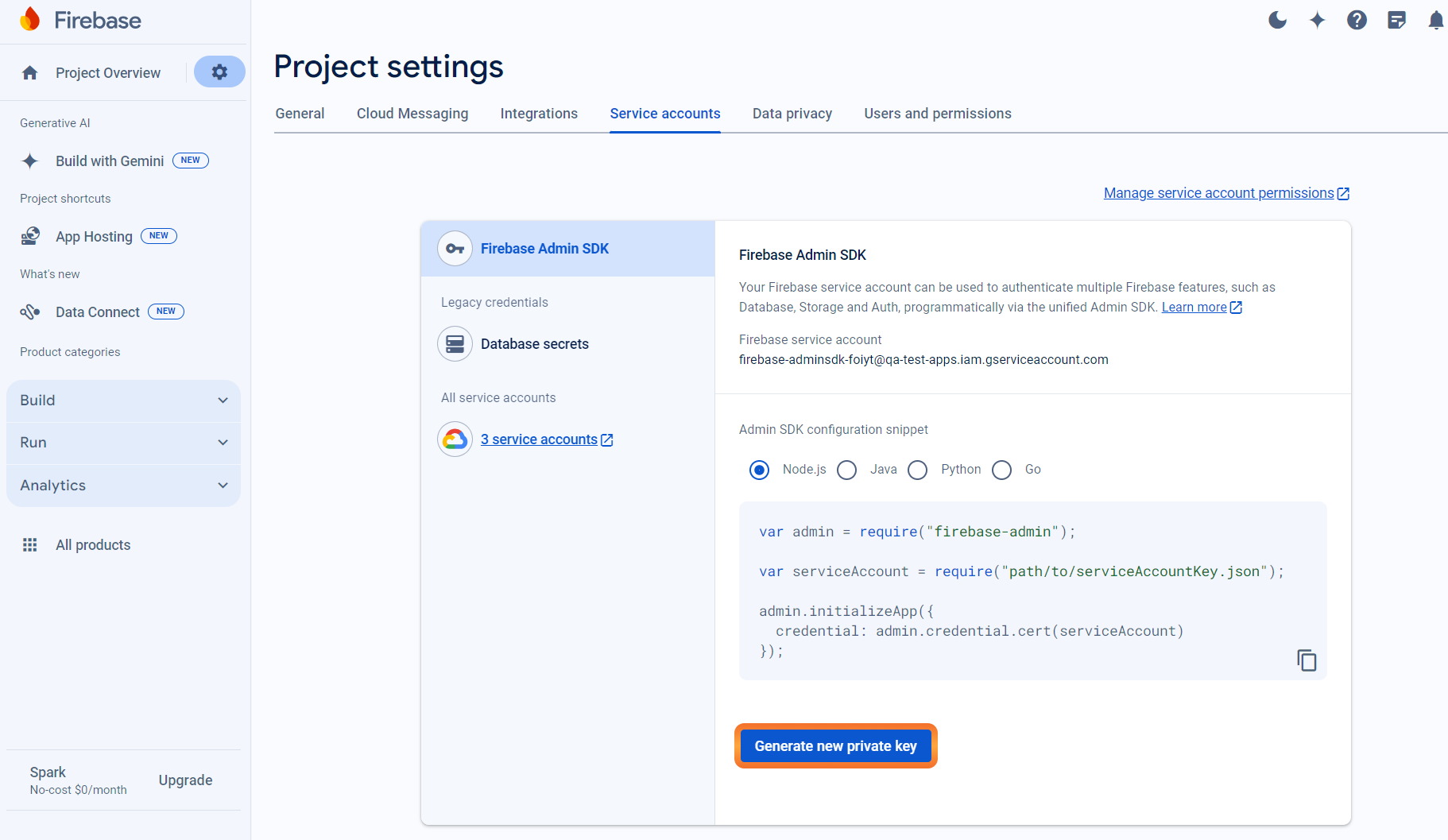
Select the 'Service Accounts' tab to generate 'PRIVATE KEY' for FCM.
Click on the 'Generate new private key' button. This will download a JSON file. Refer below for sample JSON file format.
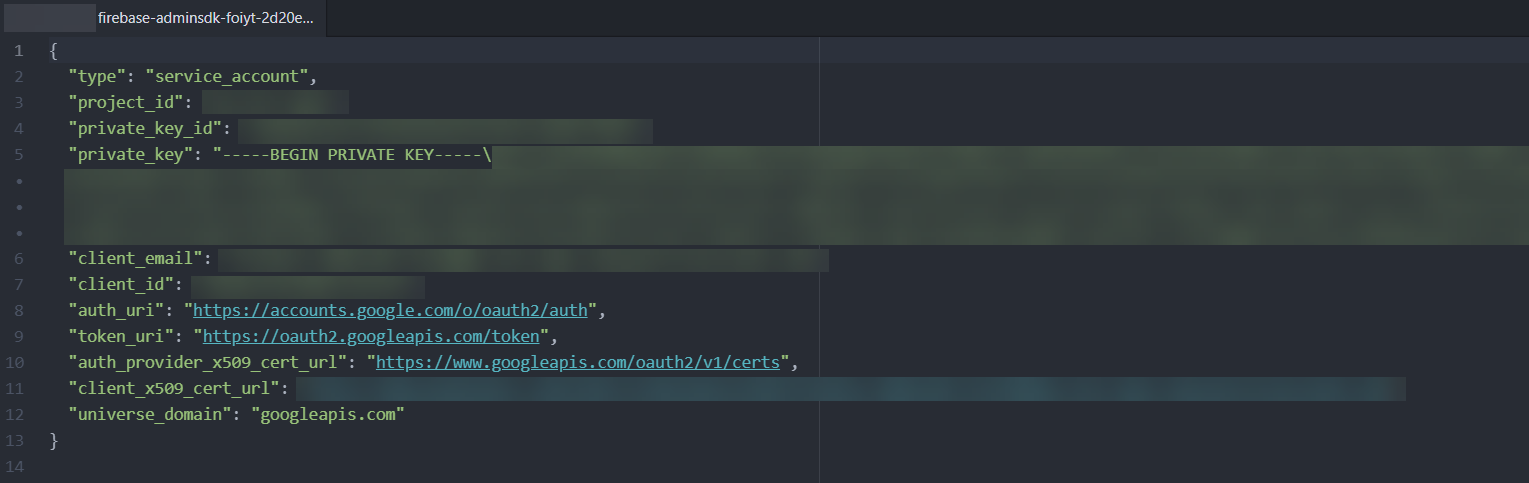
Store this JSON file on your system.
Login to your NotifyVisitors Account.
Navigate to Settings > App Push > Android tab.
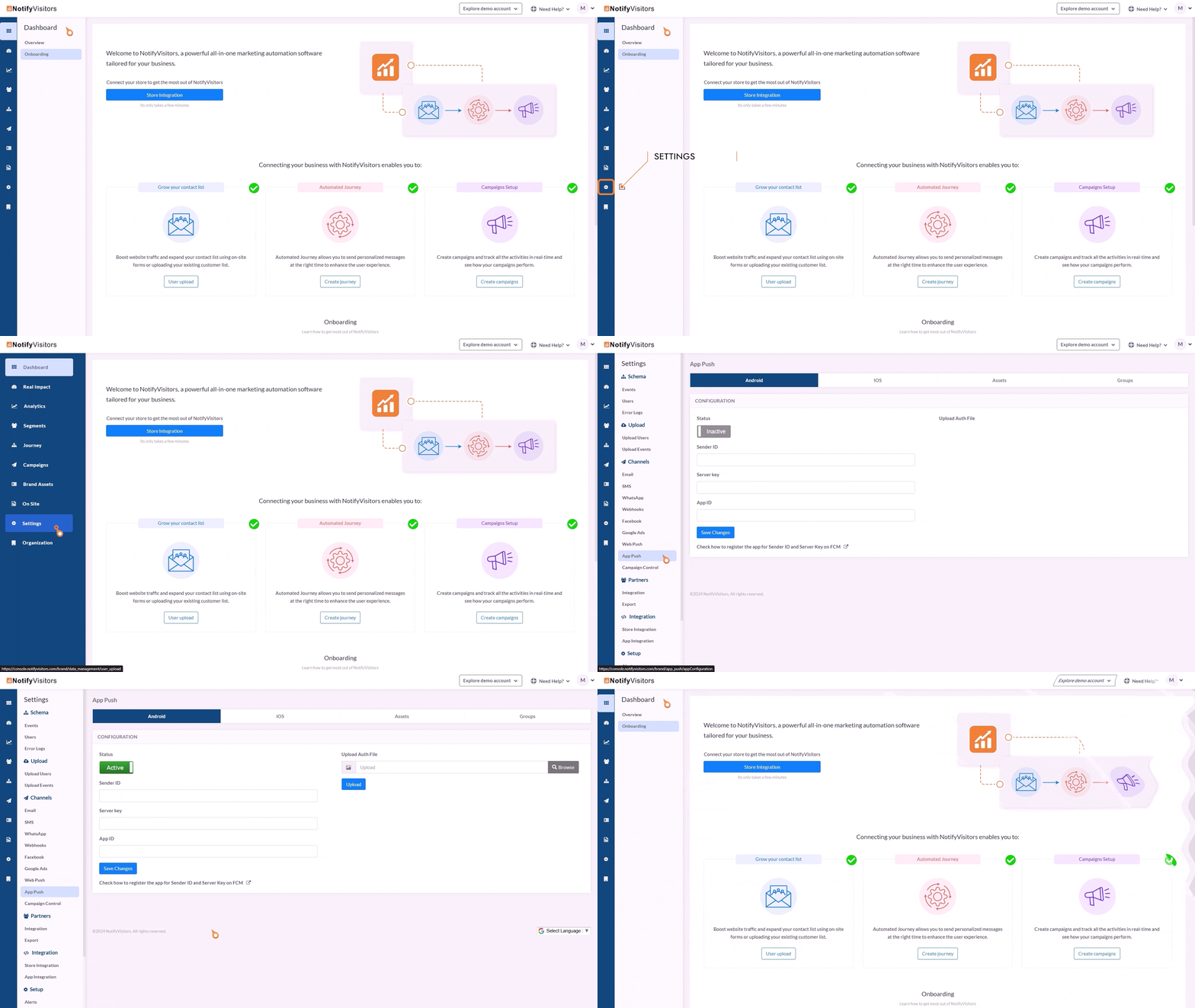
Upload your downloaded private key JSON file in the 'Upload Auth File' section.
Add 'Sender ID' from your 'Cloud Messaging' section.
Add 'App ID (project ID)' from your downloaded private key JSON file.
Save the changes i.e., click on the button titled 'Save Changes'.
Push Notification Icon
Create a monochrome png icon and the size must be 200×200. The name of the icon should be sm_push_logo.png Paste into your-project/android/app/src/main/res/drawable/.
Other Methods
Some other important methods.
Get FCM/APNS Token
This function provides an FCM subscription token (in case of Android)and APNS token (in case of IOS).
Notifyvisitors.shared.getRegistrationToken(callback_function);

//Example
Notifyvisitors.shared.getNotificationCenterCount(info).then((response){
     // response
 });
Subscribe Push Category
In case you want to create a different category for sending push notifications or you want to unsubscribe users for all categories.
Notifyvisitors.shared.subscribePushCategory(JSONArray categoryInfo, boolean unSubscribe2All);

//Example
var categoryInfo = ["sales", "service" ];
Notifyvisitors.shared.subscribePushCategory(categoryInfo, false);
NotifyVisitors UID
NV UID stands for NotifyVisitors Unique Identifier. We create this ID at our backend side & allot one unique id to every user whether it’s known or anonymous. This ID can be seen in the NV dashboard >> Mobile Push >> Subscribers section.
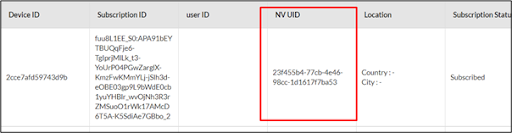
If any user wants this UID in their app for any use according to their use-case then they can implement this function & it will provide you the UID as String.
Notifyvisitors.shared.getNvUID(callback);

//Example
Notifyvisitors.shared.getNvUID().then((value) {
   // response
 });
Send Push Payload to NotifyVisitors SDK
It will be used when your app has your Firebase cloud messaging implementation. Then use these functions to pass push payload to NotifyVisitors SDK.
Notifyvisitors.shared.isPayloadFromNvPlatform(pushPayload(as JSONObject)).then((response){
   if (response == "true") {
      Notifyvisitors.shared.getNV_FCMPayload(pushPayload(as JSONObject));
   }
});
For example,
FirebaseMessaging.onMessage.listen((RemoteMessage message) {
   if (message.data.isNotEmpty) {
       String? source = message.data['nv_source'];
       if (source == "1") {
           Map<String, dynamic> data = message.data;
           var jsonData = jsonEncode(data);
           Notifyvisitors.shared.isPayloadFromNvPlatform(jsonData).then((response){
                if (response == "true") {
                     Notifyvisitors.shared.getNV_FCMPayload(jsonData);
                } else {
                                      // handle other notifications
                }
           });
        } else {
                    // handle other notifications
        }
      }
});
Updated 5 months ago